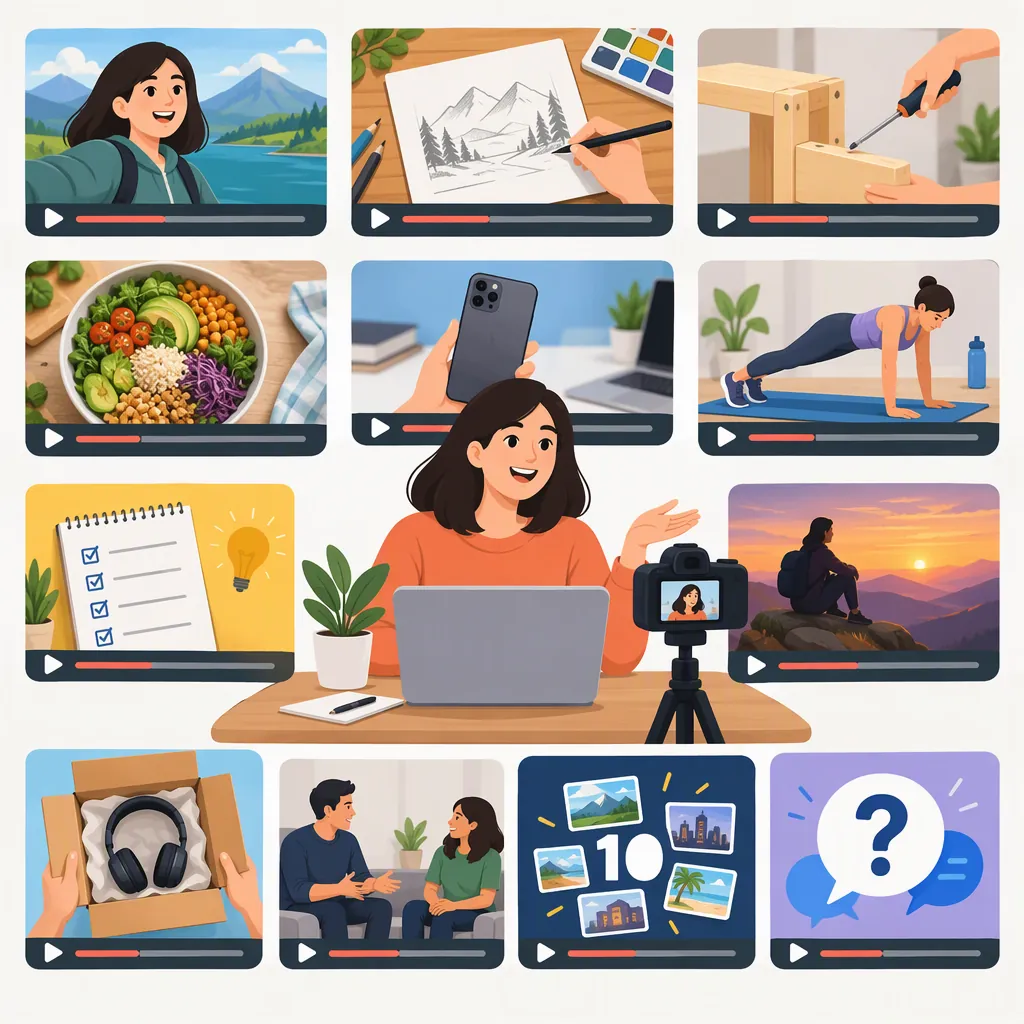
Types of Videos to Make on YouTube and How to Choose
Types of videos to make on YouTube include tutorials, explainers, reviews, demonstrations, unboxings, Q&As, interviews, vlogs, behind-the-scenes videos, challenges, comedy, and reaction videos. These formats appear in the supplied reference guides. Choose a format by deciding what the viewer should learn, evaluate, or enjoy, then checking what you can realistically produce. The references do not establish a single best-performing format for every channel. [c1] [c2]
Separate Your Topic from Your Video Type
Your topic is what the video covers; your video type is how you present it. Cooking is a topic. A recipe tutorial, an ingredient comparison, and a kitchen vlog are different ways to cover it.
The reference guides describe overlapping categories rather than a single official classification. For example, a tutorial can also be educational, and an interview can be part of a video podcast. [c1] [c2]
For planning, use three separate decisions:
- Topic: What subject will you cover?
- Viewer purpose: Is the viewer learning a task, understanding a concept, evaluating an option, or seeking entertainment?
- Presentation: Will you demonstrate, explain, compare, document, or discuss?
Treat short-form, longer-form, and live delivery as additional production choices—not substitutes for a clear topic. A short tutorial and a longer tutorial can address the same subject at different levels of detail.
One-Sentence Idea Builder
Complete this sentence: This video helps [specific viewer] [learn, understand, evaluate, or enjoy something] by using [video type] to cover [specific topic].

Illustrative example: This video helps beginner home cooks learn one knife technique by using a close-up tutorial to demonstrate consistent vegetable cuts.
12 YouTube Video Types with Example Ideas
The types below are drawn from the supplied guides; the example topics and planning notes are illustrative suggestions, not reports of actual channel results. [c1] [c2]
| Video Type | What to Include | Illustrative Topic | Planning Note |
|---|---|---|---|
| Tutorial or How-To | A task demonstrated in clear steps | How to fold a fitted sheet | Show the starting materials and finished result. |
| Educational Explainer | A concept explained with examples or diagrams | What camera white balance means | Define unfamiliar terms before using them. |
| Review or Comparison | An evaluation using stated criteria | Comparing two notebook layouts | Separate documented features from personal judgments. |
| Demonstration | An item or process shown in action | How a manual coffee grinder works | Show operation rather than only describing it. |
| Unboxing | Packaging, included items, and first inspection | What comes in a beginner watercolor set | Keep first impressions distinct from a long-term review. |
| Q&A or AMA | Direct answers to selected questions | Beginner questions about growing herbs | Use real submitted questions or label your own prompts clearly. |
| Interview or Video Podcast | A focused conversation with a guest | A conversation about repairing old furniture | Prepare questions and agree on recording arrangements. |
| Vlog | A story built around an experience | A day preparing for a community art show | Choose a narrative rather than recording every moment. |
| Behind the Scenes | The process behind a finished project | From sketch to finished illustration | Show decisions, revisions, and practical constraints. |
| Challenge | A task with defined rules and an outcome | Drawing one object using three techniques | Choose a safe task with a clear finish line. |
| Comedy or Sketch | A scripted or improvised humorous situation | Common beginner gardening mix-ups | Plan the setup, payoff, and participant consent. |
| Reaction or Commentary | A response supported by interpretation | Analyzing storytelling choices in a trailer | Add substantive analysis and review any third-party material before use. |
For gaming topics, these same structures can become walkthroughs, game reviews, challenge runs, or commentary. Castmagic also discusses gaming content separately in its guide. [c2]
Three-Idea Shortlist
Write three possible videos using different types but the same topic.

Topic: __________
Idea A — Tutorial: __________
Idea B — Explainer or Comparison: __________
Idea C — Behind the Scenes or Q&A: __________

For each idea, note the viewer's question, the footage needed, and what evidence or preparation is missing.
Choose a Type That Fits the Viewer and Your Resources
Visme's guide recommends considering the channel's category, primary topic, and target audience when choosing video types. [c1] Use those considerations as a starting point, then check the practical demands of your idea.
- Name one viewer need. Replace a broad topic such as “photography” with a specific question such as “Why are my indoor photos blurry?”
- Match the presentation to the need. Consider a tutorial for a task, an explainer for a concept, a comparison for a decision, or a vlog for an experience.
- Check access. Do you have the objects, footage, location, guest, or information needed to support the video?
- Check the production work. Include research, scripting, recording, editing, captions, and review—not just time in front of the camera.
- Check repeatability. List several related topics before committing to a recurring series.
For a first project, consider a bounded idea: one task, one question, or one comparison. This is a planning recommendation, not a claim that small-scope videos receive more views.
If you prefer not to appear on camera, consider screen recordings, hands-only demonstrations, narrated diagrams, or object-focused footage. Choose visuals that genuinely help explain the subject.
Format Selection Worksheet
Candidate idea: __________
Intended viewer: __________
Question or purpose: __________
Proposed video type: __________
Visuals needed: __________
Information to verify: __________
People or locations requiring permission: __________
Estimated preparation and editing work: __________
Three related follow-up ideas: __________

Decision: Keep, simplify, or set aside.
Reason: __________
Turn a Video Idea into a Usable Outline
Once you have a topic and type, write the video's promise before recording. State what it will cover and what it will leave out.
A practical outline is:
- Opening: State the question, task, or situation.
- Context: Explain prerequisites, materials, definitions, or evaluation criteria.
- Main content: Present the steps, explanation, comparison, or story in a logical order.
- Outcome: Show the result or summarize what the evidence supports.
- Limitations: Identify anything you did not test, verify, or cover.
Adjust that structure to the format. A tutorial needs visible steps; a comparison needs consistent criteria; an interview needs a coherent question sequence. Castmagic recommends clear, easy-to-follow steps for tutorials and added commentary beyond an initial response for reaction videos. [c2]
As an editorial safeguard, distinguish observation from inference. If a video discusses an item you have not used, describe it as a specifications overview rather than implying hands-on testing. For challenges, choose safe activities rather than relying on a disclaimer. Review permissions for guests, private locations, and third-party media before recording or publishing.
Ready-To-Fill Video Brief
Working title: __________
Video type: __________
Viewer promise: By the end, the viewer will __________.
Scope: This video covers __________ but not __________.
Opening visual: __________
Main point or step 1: __________
Main point or step 2: __________
Main point or step 3: __________
Result or takeaway: __________
Sources and facts to check: __________
Permissions to review: __________
Limitations to state: __________
Evaluate Formats Without Assuming a Popularity Ranking
Both supplied articles use “most popular” in their titles, but the provided text does not establish a consistent comparative dataset ranking all listed video types. Use their lists as idea catalogs, not as proof that a particular format will outperform another. [c1] [c2]
For your own planning, review a finished video against its original promise:
- Did it answer the intended question?
- Were the essential steps or explanations visible and understandable?
- Did the title accurately describe the content?
- Which parts required more production work than expected?
- What genuine viewer questions, if any, suggest a follow-up?
Keep the topic focused while trying a different presentation. For example, an indoor-herb tutorial could be followed by an explainer about light or a comparison of watering methods. That gives you a deliberate experiment without requiring an unrelated topic.
These are qualitative planning checks. They do not predict views, subscriber growth, or viral reach.
Post-Production Review
Original viewer promise: __________
Was the promise fulfilled? __________
Unclear or unsupported points: __________
Most demanding production step: __________
Actual viewer questions, if available: __________
Related topic worth exploring: __________
Next format to test: __________
What will stay consistent: __________
FAQ
What Types of YouTube Videos Should a Beginner Make?
Consider a focused tutorial, a single-question explainer, or a simple demonstration if you have the knowledge and materials to support it. These types appear in the reference guides. Keep the first project's scope manageable; this is a production recommendation, not a guarantee of audience growth. [c1] [c2]
What Videos Can I Make Without Showing My Face?
Possible approaches include screen-recorded tutorials, hands-only demonstrations, narrated diagrams, and object-focused reviews. These are suggested production approaches to the tutorial, explainer, demonstration, and review types described in the guides—not verified performance categories. Make the visuals serve the viewer's question. [c1] [c2]
Which Type of YouTube Video Is Best?
There is no universal best choice established by the supplied references. Visme recommends considering the channel's topic, category, and audience. Select the type that fits the viewer's purpose and the evidence, access, and production time available to you. [c1]
What Is the Difference Between a Tutorial and an Explainer?
A tutorial primarily shows how to complete a task; an explainer primarily helps viewers understand a concept. The categories can overlap—for example, a demonstration may explain why each step matters. Both types are described in the supplied guides. [c1] [c2]