How to Make a TikTok Dance Video from Start to Finish
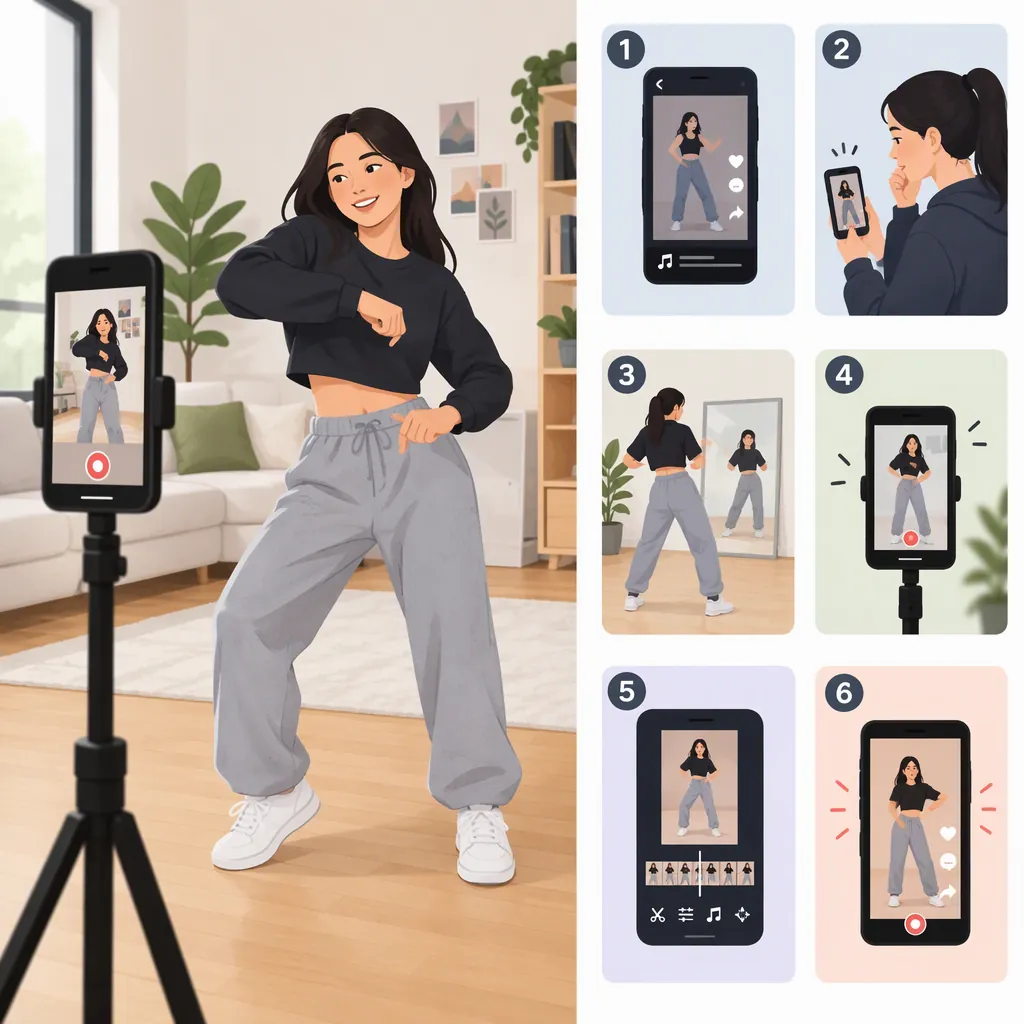
To make a TikTok dance video, choose a short routine and its music, learn the moves in small chunks, and set your phone where the whole routine stays visible. Add the sound, use a recording countdown, perform the dance, then review the timing and framing before posting. Credit the choreographer when using someone else’s routine. These steps draw on beginner guides from Big Creative Education and STEEZY; app controls may differ from their descriptions. [bce-guide] [steezy-guide]
Choose Your Dance and Music
Start with a routine you can perform comfortably rather than choosing one only because it appears popular. STEEZY suggests searching TikTok for “dance challenge” or “DC” to find examples. Big Creative Education recommends searching for “tutorial” alongside the dance name to find a breakdown. [steezy-guide] [bce-guide]
For an existing dance, identify the choreographer before recording. Look for credit in the original video’s caption and comments, and avoid describing borrowed choreography as your own. STEEZY specifically recommends finding and tagging the dance’s originator. [steezy-guide]
If you want to create your own dance, try this simple planning exercise: choose a short music passage, identify a few clear musical accents, and assign one comfortable movement to each. Repeat a movement if that makes the sequence easier to remember. This is a suggested beginner exercise, not a formula for reach or popularity.
Dance Planning Worksheet
- Music passage: Write down the section you want to use.
- Routine type: Existing choreography or your own sequence.
- Creator credit: Record the verified handle if borrowing a dance.
- Opening move: Choose a comfortable starting movement.
- Middle sequence: List the moves in order.
- Ending pose: Choose a clear stopping point.
- Difficult movement: Replace or simplify anything you cannot perform comfortably.
Practice Before Recording
Use a slow-motion tutorial when available so you can inspect the movements before trying the full routine. Big Creative Education also suggests using the front-facing camera as a practice view. [bce-guide]
A practical rehearsal method is to separate the routine into short chunks. Try each chunk slowly, join two chunks together, and then rehearse with the selected music. Use spoken counts if they help you remember when a movement starts.
Before filming, decide exactly where you begin and finish. Try a complete rehearsal in the recording space, including any sideways steps or arm extensions. Keep movements within a comfortable range; you do not need to copy a difficult move exactly to practice making a dance video.
Rehearsal Sequence
1. Watch the complete routine once.
2. Learn the opening movements slowly.
3. Practice the next chunk separately.
4. Join the chunks without music.
5. Repeat with the selected music passage.
6. Rehearse the ending pose.
7. Do one full run in the filming space.
Set up Your Phone and Space
Choose a simple background and place the light source in front of you rather than behind you. STEEZY recommends both of these setup choices, along with checking competing sounds and whether you can hear the music while recording. [steezy-guide]
Place your phone on a stable support and make a short framing test. For a routine with footwork, aim to keep your feet, head, and extended arms in view. Check the widest movement rather than judging the frame only from your starting pose.
As a pre-recording precaution, clear your movement area and inspect the background for anything you do not want shown publicly. If the room is too small, simplify the routine or choose another suitable space rather than dancing around obstacles.
Pre-Recording Checklist
- Phone remains stable during a test recording.
- Relevant footwork and arm movements stay inside the frame.
- Light comes from in front of the dancer.
- Background is intentional and contains no private details you want to keep off-camera.
- Movement area is clear.
- Music is audible from the dancing position.
- Opening and ending positions both fit the shot.
Record with Your Chosen Sound
Big Creative Education describes an in-app workflow that starts with the create button, adds a sound, and uses a timer before recording. Treat the following as a general sequence rather than an exact map of the current interface: the supplied references are third-party guides, not current TikTok documentation. [bce-guide]
- Open TikTok’s video creation screen.
- Find the sound selection control and choose the music for your routine.
- Check that the selected passage matches what you rehearsed.
- Set a countdown if that option is available.
- Move to your starting position and record the dance.
- Watch the take before recording another.
You can also record with your phone’s camera and upload the footage; Big Creative Education discusses both approaches. If you use a separate camera workflow, plan how you will align the footage with the intended sound during editing. Do not rely on the reference’s recording-duration limits as current platform specifications. [bce-guide]
Take Review Note
After each take, write:
- Timing: Which movement started early or late?
- Framing: Did any important movement leave the shot?
- Visibility: Were the movements easy to see?
- Next change: Choose one issue to correct before the next take.
Edit and Review Before Posting
Review the complete video with sound. As an editing approach, trim unnecessary waiting at the beginning and end, but keep enough of the opening for the first movement to make sense. Check that the movement still matches the music after any trim.
Big Creative Education includes filters, effects, stickers, and text in its post-recording workflow. Use these selectively: preview the result and avoid covering the movements you want viewers to see. [bce-guide]
Write a caption that describes the routine and credits the verified choreographer when applicable. STEEZY emphasizes crediting the dance originator. Before posting, review the available audience settings and check the background again. [steezy-guide]
Treat a clear, complete recording as the goal. Neither provided reference establishes a reliable formula for going viral, so choosing a popular sound or dance should not be treated as a guarantee of views.
Final Review Checklist
- Opening begins where intended.
- Movements align with the selected music.
- Important choreography remains visible.
- Text and effects do not obscure the routine.
- Borrowed choreography has a verified creator credit.
- Background and audience settings have been reviewed.
- Final video has been watched from beginning to end.
FAQ
How Do I Learn a TikTok Dance as a Beginner?
Find a tutorial for the specific dance, preferably with a slow-motion breakdown. Practice short sections separately before joining them with the music. Big Creative Education recommends slow-motion tutorials for learning existing routines. [bce-guide]
Can I Record a TikTok Dance by Myself?
Yes. Set your phone on a stable support, test the frame, and use a recording countdown if available. Big Creative Education describes using TikTok’s timer to allow time to get into position before recording. The exact controls may differ in your app. [bce-guide]
Should I Credit the Person Who Created the Dance?
When performing someone else’s choreography, identify and credit the originator rather than presenting it as your own. STEEZY recommends checking captions and comments for the creator and tagging them appropriately. Do not guess a handle if you cannot verify it. [steezy-guide]