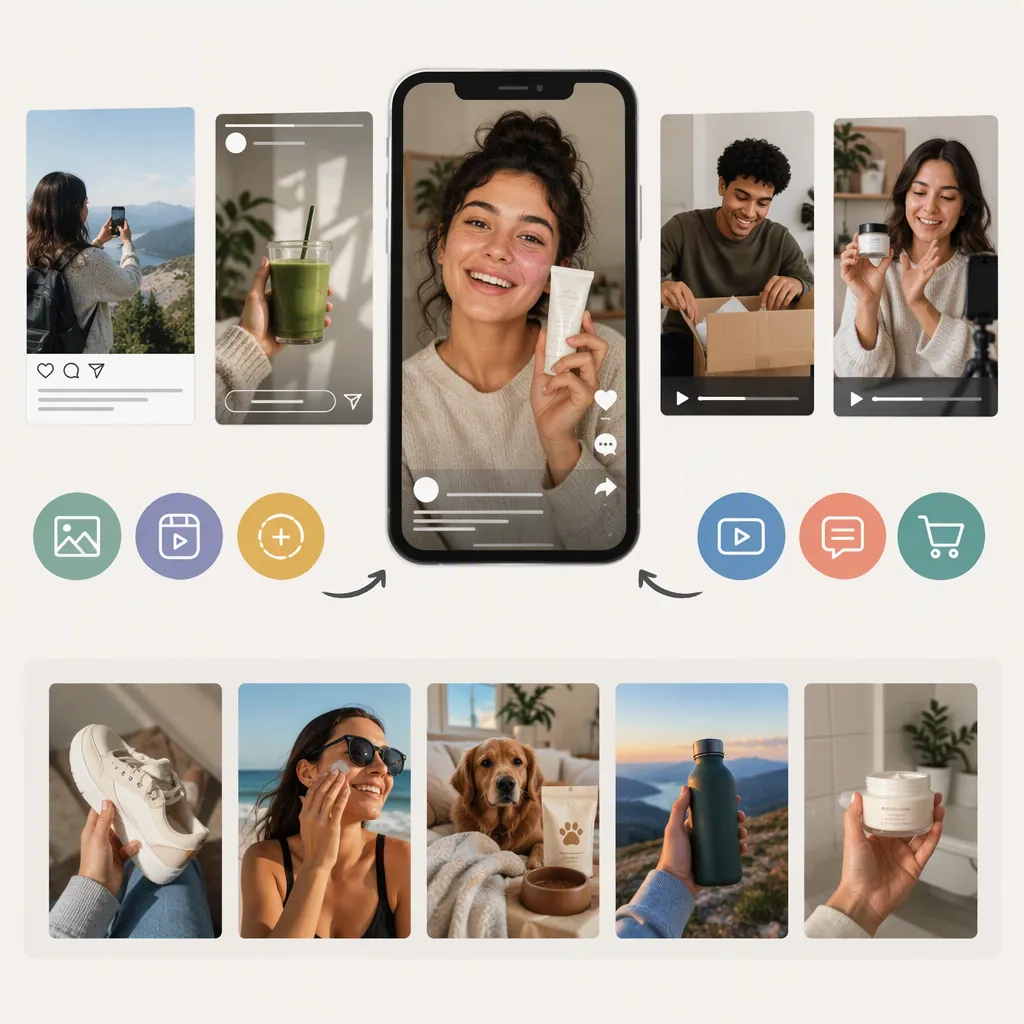
UGC Ads Meaning: How Creator Content Becomes Advertising
UGC stands for user-generated content. UGC ads are paid advertisements that use customer or creator content, such as videos, photos, or reviews. The term also commonly includes commissioned creator content made to resemble an everyday social post. The key distinction is paid distribution: an organic post is not an ad simply because it mentions a product. [c1] [c2]
UGC, UGC Ads, and UGC-Style Ads
These terms describe related but different things:
| Term | What It Describes | Illustrative Situation |
|---|---|---|
| Organic UGC | Content a user shares outside a paid advertising placement | A customer independently posts a product photo. |
| UGC ad | Customer or creator content used in paid advertising | With permission, an existing creator video becomes a paid promotion. |
| UGC-style ad | Commissioned content that resembles an everyday user post | A creator records a demonstration that runs from a brand account. |
Statusphere distinguishes organic customer content from paid or gifted creator collaborations and separates creator-account ads from brand-account UGC-style ads. UGC Playground uses “UGC ads” more broadly for commissioned creator videos and photos distributed by brands. The terminology therefore does not, by itself, establish whether the speaker is an unpaid customer. [c1] [c3]
For a clear brief, specify three things separately: who made the content, whether it was commissioned, and which account will distribute the advertisement.
How UGC Ads Are Distributed
The distribution method is separate from the creative format. A demonstration video, for example, could be used through either a creator-account arrangement or a brand-account advertisement.
- TikTok Spark Ads: Statusphere describes these as a way to turn an existing TikTok video into an advertisement, including creator posts used with authorization. [c1]
- Instagram Partnership Ads: The same source describes these as creator-content promotions that can include videos, static photos, or carousels. [c1]
- Brand-account ads: A brand can receive a creator's files and upload them into its own paid campaign. The creator does not necessarily need to publish the content organically first. [c3]
Do not confuse permission to use a video file with authorization to advertise through a creator's identity or account. Treat these as separate items to confirm in the production agreement. The references explain these arrangements, but they are not current platform setup documentation.
Three Illustrative UGC Ad Concepts
Common formats in the references include unboxings, demonstrations, testimonials, and problem-and-solution videos. [c1] [c3] The concepts below are original planning examples, not published campaigns or reports of customer experience. They deliberately avoid invented endorsements and performance claims.
1. A Practical Demonstration
For a storage pouch, show the empty pouch, place several everyday objects inside, and close it. Use close-ups so viewers can see the actual process. Describe only features visible in the footage or independently verified for the item.
2. An Unboxing and Contents Overview
For a desk accessory, film the package opening and lay out its contents. Identify each included component only after checking the actual package. Keep an initial reaction separate from claims about durability or long-term usefulness.
3. A Task-Based Walkthrough
For a note-taking app, record the actual steps for creating and organizing a note. Show the interface and explain each action. Avoid implying that the app saves a specific amount of time unless that statement has supporting evidence.
Demonstration Storyboard
Illustrative production template—not a customer testimonial.

Opening: Show the object and name the task being demonstrated.
Main action: Record the task in a continuous, clearly visible sequence.
Detail shot: Show one relevant feature without exaggerating its effect.
Closing frame: Summarize what the viewer just saw.
Review: Remove unsupported comparisons, invented personal history, and any wording that implies an outcome the footage does not establish.
A Practical Creation and Editing Workflow
The references describe a workflow involving a creative brief, creator delivery, permission or usage rights, and paid distribution. They also identify video length, visual format, narration, and creative variations as planning or testing considerations. [c1] [c3]
Use the following sequence as an editorial checklist rather than a promise of advertising results:
- Define the subject. Choose one task, feature, or question for the content to explain.
- Confirm the source. Record whether the asset is an existing customer post, a creator collaboration, or commissioned UGC-style content.
- Document permission. Confirm intended advertising channels, license duration, editing permissions, attribution, and any creator-account authorization. The UGC Agency also emphasizes securing rights for the intended uses. [c2]
- Prepare the brief. Specify required shots, verified talking points, deliverables, and placement requirements.
- Record clearly. Prioritize understandable speech and visible product actions over an intentionally rough appearance.
- Edit without changing meaning. Review captions, cuts, and overlays against the original footage and approved facts.
- Review before distribution. Check permissions, advertising disclosures, factual wording, and current placement specifications.
- Compare controlled variations. Change one element at a time, such as the opening shot, so differences are easier to interpret.
Copyable Creator Brief Checklist
Content source: [organic post / commissioned creator content]
Subject or task: [one specific topic]
Verified talking points: [supported facts only]
Required shots: [opening, action, detail, closing]
Distribution account: [brand / authorized creator]
Intended placements: [confirm current requirements]
Deliverables: [raw files, edited files, captions]
Usage period and channels: [document agreed scope]
Editing and identity permissions: [confirm separately]
Disclosure review: [identify applicable requirements]
Final reviewer: [responsible person or team]
What the UGC Label Does Not Prove
A casual setting or conversational delivery does not establish that a statement is an independent customer opinion. Commissioned UGC-style content can resemble organic posts while remaining advertising. [c1] [c3]
Do not script a first-person testimonial for someone who has not had the stated experience. Prefer a factual demonstration when genuine experience is unavailable.
The supplied references are commercial educational articles, not independent comparative studies or authoritative legal guidance. Their performance, pricing, and turnaround claims are not used here as benchmarks. A UGC format alone does not establish that an advertisement will outperform another format. Check current platform rules and applicable advertising requirements separately before publication.
FAQ
What Does UGC Mean in Advertising?
UGC means user-generated content. In advertising, UGC ads use customer or creator assets in paid placements. The term is also used for commissioned creator content with an everyday social-media style. [c1] [c2] [c3]
Are UGC Ads Always Videos?
No. The references describe video, photo, review, and carousel-based uses. Short-form video is one format, not the definition of a UGC ad. [c1] [c2]
Does a UGC Creator Need a Large Following?
Not necessarily. For commissioned assets distributed through a brand account, the creator's role is to produce content rather than supply an audience. Creator-account advertising is a separate arrangement that should be specified in the brief. [c1] [c3]
Can a Public Customer Post Be Used in an Ad?
Do not assume public visibility provides advertising permission. The references recommend obtaining permission and securing rights for the intended use before repurposing creator or customer content. This is general guidance, not a complete legal assessment. [c1] [c2]