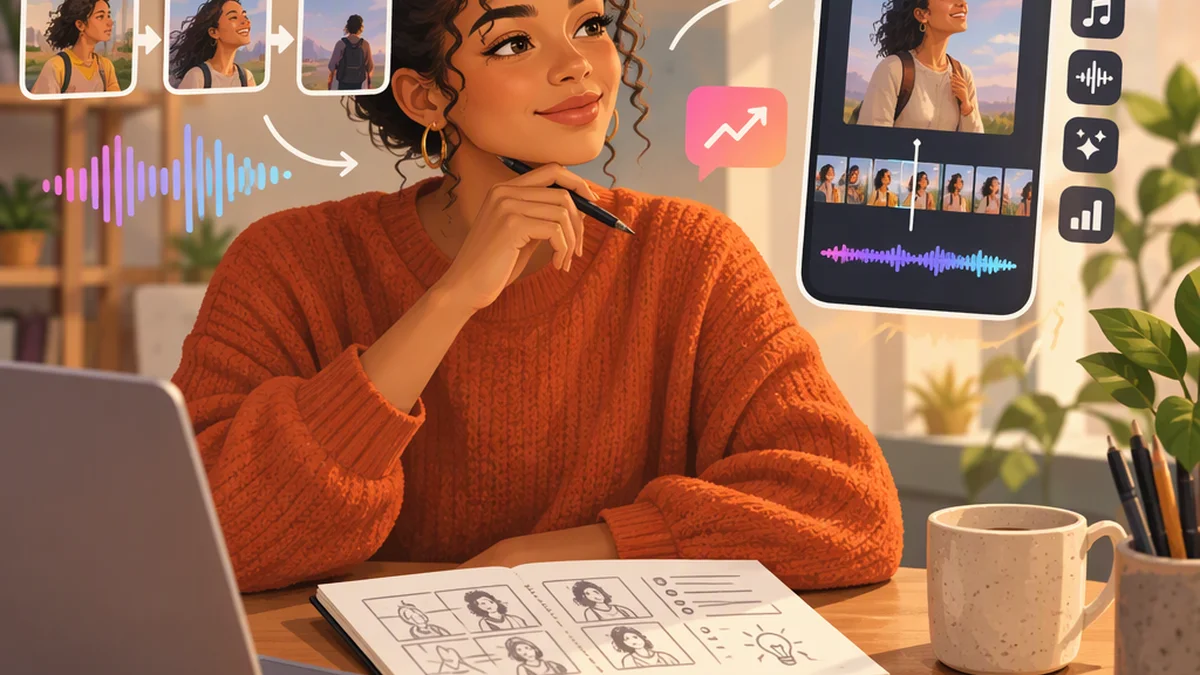
Instagram Trends: How to Find, Evaluate, and Turn Trends into Video Ideas
Instagram trends are recurring sounds, video formats, editing patterns, prompts, and conversation themes that creators adapt for their audiences. Use them selectively: find a trend through current in-app signals, check its audience fit, confirm audio access, and add an original idea.
This guide explains how to discover and adapt trends—not which sounds are trending right now. A popular sound can provide creative structure, but it does not guarantee views, reach, followers, or sales.
What Counts as an Instagram Trend?
An Instagram trend can take several forms:
- Trending audio: a song, instrumental, voice clip, or original audio used across many Reels.
- A repeatable video format: a before-and-after reveal, outfit transition, day-in-the-life montage, or reaction structure.
- A text-led joke or prompt: a recognizable phrase that creators adapt to different situations.
- A visual technique: synchronized movement, a match cut, a camera transition, or a specific editing rhythm.
- A broader conversation theme: a topic that repeatedly appears in creator content.
The format matters as much as the sound. One popular audio track can support different concepts, while a text prompt may work with original audio. Treat trends as frameworks—not instructions to reproduce another creator’s work exactly.
A trend gives you a recognizable structure. Your content idea supplies the subject, point of view, audience benefit, and reason to watch. For example, a software educator might adapt a before-and-after format to show a confusing workflow becoming clearer. A bakery might use a seasonal sound for a “first bake of the month” sequence.
How to Find Instagram Trends
Use several signals instead of relying on one curated list.
-
Check Instagram’s creation tools. SocialPilot describes opening the Reel composer, selecting the music option, and looking for a Trending area or upward-arrow indicator. Interface names and availability may vary by account, region, and app version, so check what appears in your own app.
-
Inspect the audio page. Look at how recently new Reels are appearing, whether different accounts are using the sound, and whether creators in your niche are adapting it in distinct ways. A large post count can indicate popularity, but it does not show whether interest is growing or whether the format is already crowded.
-
Review professional tools when available. SocialPilot also describes a Trending Audio area in the Professional Dashboard for some professional accounts. Treat this as an account-dependent feature, not a guaranteed capability.
-
Watch Reels for repeated structures. Save examples when you notice the same opening line, reveal, camera movement, or editing pattern across unrelated accounts. The repeated structure may be more useful than the individual song.
-
Use other platforms as early signals only. A format may appear elsewhere before Instagram, but cross-platform momentum does not prove that its audio is available or permitted for your intended use on Instagram.
-
Monitor creator and community accounts. Hypefury’s roundup includes examples highlighted by Instagram’s @Creators account and individual creators. These can help you understand a format, but you still need to check its current activity in Instagram.
How to Judge Momentum and Saturation
Compare the same candidate across two review sessions rather than drawing conclusions from one post count. Note:
- Whether recent Reels continue to appear.
- Whether use is spreading across different accounts rather than staying within one cluster.
- Whether adaptations are varied or mostly repeat the same joke, text, and reveal.
- Whether the format has a natural use in your niche.
For example, suppose a sound has fresh posts at both checks, appears across several kinds of accounts, and supports varied concepts. If you can add a relevant angle, it may be worth trying. If activity is visible but your concept is still unclear, keep watching. If most examples repeat the same premise and you cannot add anything useful, skip it.
This is a practical observation method, not an Instagram-published standard for measuring trend growth. Your feed is also a limited view, so treat these signals as clues rather than proof.
A Practical Trend-Evaluation Checklist
Before recording, ask five questions:
- Relevance: Does the trend naturally fit your topic, product, personality, or audience?
- Adaptability: Can you explain, demonstrate, entertain, or tell a story with it?
- Timing: Do recent examples suggest continuing activity, and is there room for a distinct version?
- Rights and access: Is the audio available to your publishing account, and are you permitted to use it for the intended purpose?
- Distinctiveness: What will your version add that viewers have not already seen?
Treat rights and account access as a pass/fail check, not a score that other strengths can outweigh. If the audio fails that check, choose an appropriate alternative and reassess the concept.
For candidates that pass, an optional 1–5 score can help you compare ideas:
| Criterion | 1: Weak | 3: Workable | 5: Strong |
|---|---|---|---|
| Audience relevance | Connection feels forced | Fits a known audience interest | Directly addresses a clear audience need or interest |
| Originality | Repeats an existing version | Adds a specific subject or perspective | Offers a distinct lesson, demonstration, or story |
| Production feasibility | Difficult with current time and resources | Achievable with some preparation | Straightforward with available time, skills, and equipment |
Higher is better across all three criteria. Use the scores to compare candidates, not to predict performance. Favor relevant, distinctive ideas you can execute clearly over elaborate concepts that depend on a trend staying popular.
A simple decision rule is useful: use a trend when it improves the idea, not merely because it is popular. If you cannot explain its connection to your audience in one sentence, develop the concept further.
Also ask whether the video would make sense to someone who has never seen the trend. If not, add context through on-screen text, narration, or a clearer opening.
How to Turn an Instagram Trend into a Video
-
Define one viewer takeaway. Decide whether the Reel should teach, show a process, create recognition, answer a question, or invite participation. Keep the goal narrow.
-
Choose the trend element. Select the audio, transition, phrase, or structure that supports the takeaway. You do not need every element of the original.
-
Write the first-frame hook. Make the premise understandable without prior context. Example hooks include “Three mistakes that make this harder,” “What I wish I knew before starting,” and “The simple version of this process.”
-
Build a short sequence. Try a hook, context, demonstration or reveal, and conclusion. For a process video, show the starting point, two or three meaningful steps, and the finished result.
-
Design for sound-off viewing. Add accurate captions or readable on-screen text. Viewers should not need to hear the trending audio to understand the point.
-
Add your angle. Explain a niche-specific lesson, show a real constraint, use a distinctive setting, or make the format relevant to a particular audience.
-
Check audio before publishing. Availability can differ between personal, Creator, and Business accounts and may change over time. Verify it from the account that will publish the Reel.
-
Review the final cut. Check readability, pacing, framing, accessibility, permissions, and whether the opening makes sense to a newcomer.
For example, a travel creator could adapt a montage into three practical planning tips. A personal trainer could use a transition to compare two exercise setups. A nonprofit could use a text-led prompt to explain one concrete way supporters can help. These are adaptation examples, not predictions of performance.
Video Ideas Based on Recurring Trend Formats
Hypefury’s roundup includes the following named formats. Treat them as historical, reusable examples—not a list of currently active trends. The page’s title refers to 2026, while the examples discussed here come from its historical roundup content; a title year alone does not establish when an individual format peaked.
- “Flow State”: show the tools, habits, or environment that help you focus. Example: a quiet work setup or a chef’s preparation routine.
- “Close Friends”: contrast a polished public version with a candid or humorous reality. Avoid exposing private information or people who have not agreed to appear.
- “It’s Very Important…”: begin with advice, then illustrate why it matters through a brief personal or educational example.
- “Rare Aesthetic”: give an ordinary or unusual object deliberately dramatic visual treatment. Keep the contrast clear and harmless.
- “Nothing”: build a question-and-answer joke around an unexpected or empty response.
- “Plot Twist”: establish an expectation, then reveal a different outcome. The reveal can be educational, emotional, or comic.
- “Life’s Better With”: show how a person, place, tool, or routine changes an experience. Keep subjective claims personal rather than universal.
Preserve the underlying mechanism while changing the subject. If the appeal is contrast, create a contrast relevant to your niche. If it is a reveal, make the reveal useful or emotionally clear. If it invites participation, give viewers a specific question to answer.
Check current activity and audio access in Instagram before using any named format.
How to Use Trending Audio Responsibly
Use audio because it supports the mood or structure of the video—not because you expect it to guarantee distribution.
A calm instrumental may suit a process or reflective montage; energetic audio may suit a transformation or fast sequence; a nostalgic sound may support a retrospective. These are creative-fit examples, not universal rules.
For commercial content, confirm both account availability and permission for the intended use. A sound visible on one account is not proof that another account can use it commercially. If a track is restricted, consider original narration, original sound effects, platform-provided commercial music, or a properly licensed alternative.
When practical, record a version that can work with replacement audio, voiceover, or captions. That makes the concept less dependent on a particular track remaining available.
Check the lyrics, context, and cultural associations too. A sound can be technically available yet unsuitable for your audience or message.
A Lightweight Weekly Instagram Trends Workflow
Set aside a recurring review period rather than checking trends continuously.
- Collect five candidates from Reels, audio pages, creator guidance, and niche accounts.
- Remove candidates that do not fit your audience or depend on audio you cannot use.
- Compare recent activity, variety, relevance, originality, and production feasibility.
- Select one trend-based idea and one evergreen idea.
- Write two distinct concepts for the selected trend.
- Record the version with the clearest viewer value.
- Check permissions, captions, accessibility, and brand fit before publishing.
- Review results against the goal of the video.
Choose measures that match that goal: watch time or retention for video clarity, saves for practical education, shares for useful or relatable content, and relevant comments or profile actions for audience interest.
Compare each Reel with your own recent, similar content—not a viral post from a much larger account. Ask which creative choices you can repeat and whether the trend helped you make a clearer, more relevant video.
Keep a simple record of the format, observation dates, audio status, audience fit, publishing date, and results. Past results can inform future decisions, but they do not mean the same sound or format will perform identically later.
How to Interpret Trend Roundups
Instagram trends change quickly. Audio availability, post counts, account features, and regional access can shift after an article is published.
- SocialPilot’s audio roundup is useful for discovery methods and candidate sounds. Its dated entries and post counts are snapshots, not live measurements.
- Hypefury’s roundup is useful for understanding recurring formats. Check individual entries rather than treating the page’s title year as evidence that every example is current.
- ELVTR’s 2023 prediction article provides historical context for broader themes, not evidence of what is trending on Instagram now.
Use external roundups to generate ideas, then verify recent activity, audio access, and account-specific features in Instagram before recording or publishing.
The Bottom Line
Instagram trends are most useful as creative scaffolding. Find them through current signals, evaluate their audience fit, confirm audio permissions, and build a video with a clear takeaway and an original angle.
If the trend disappears tomorrow, the underlying idea should still make sense to the people you want to reach. When a trend does not improve the idea, choose an evergreen concept instead.
FAQ
How Often Do Instagram Trends Change?
There is no fixed schedule. Some audio or joke formats fade quickly, while seasonal or recurring formats can return. Check recent activity and current availability rather than relying on an assumed lifespan.
Should I Use Every Trending Sound?
No. Choose a sound only when it supports your message, mood, and audience. Original audio or voiceover may serve the idea better.
Can Business Accounts Use All Instagram Trending Audio?
No. Music access can differ by account type, region, and licensing conditions. Verify the sound from the publishing account and confirm permission for the intended use.
Do Instagram Trends Guarantee More Views?
No. A trend can offer a familiar structure, but popularity alone does not guarantee reach or results. Evaluate the idea and compare its performance with similar content on your own account.
How Can I Make a Trend Original?
Add a specific lesson, opinion, process, setting, character, or audience perspective. Keep the recognizable structure if it helps, but give viewers a reason to watch your version.
What Should I Track After Publishing a Trend-Based Reel?
Track measures connected to your goal: retention or watch time for clarity, saves for practical value, shares for usefulness or relatability, comments for conversation, and profile actions for audience interest.