How to Find Trending Sounds on TikTok—And Choose One for Your Video
How to Find and Use a Trending Sound on TikTok
Use TikTok’s in-app search and Add sound screen to find candidates, then check how recently they appear in videos relevant to your idea. A sound’s presence in search—or a large number of videos using it—doesn’t by itself prove that it is gaining momentum now. Choose a sound that fits your video, preview it in the post, and check the applicable music rules if the content is commercial or you plan to reuse the audio elsewhere.
Find Candidate Sounds
TikTok’s Help Center documents these in-app routes:
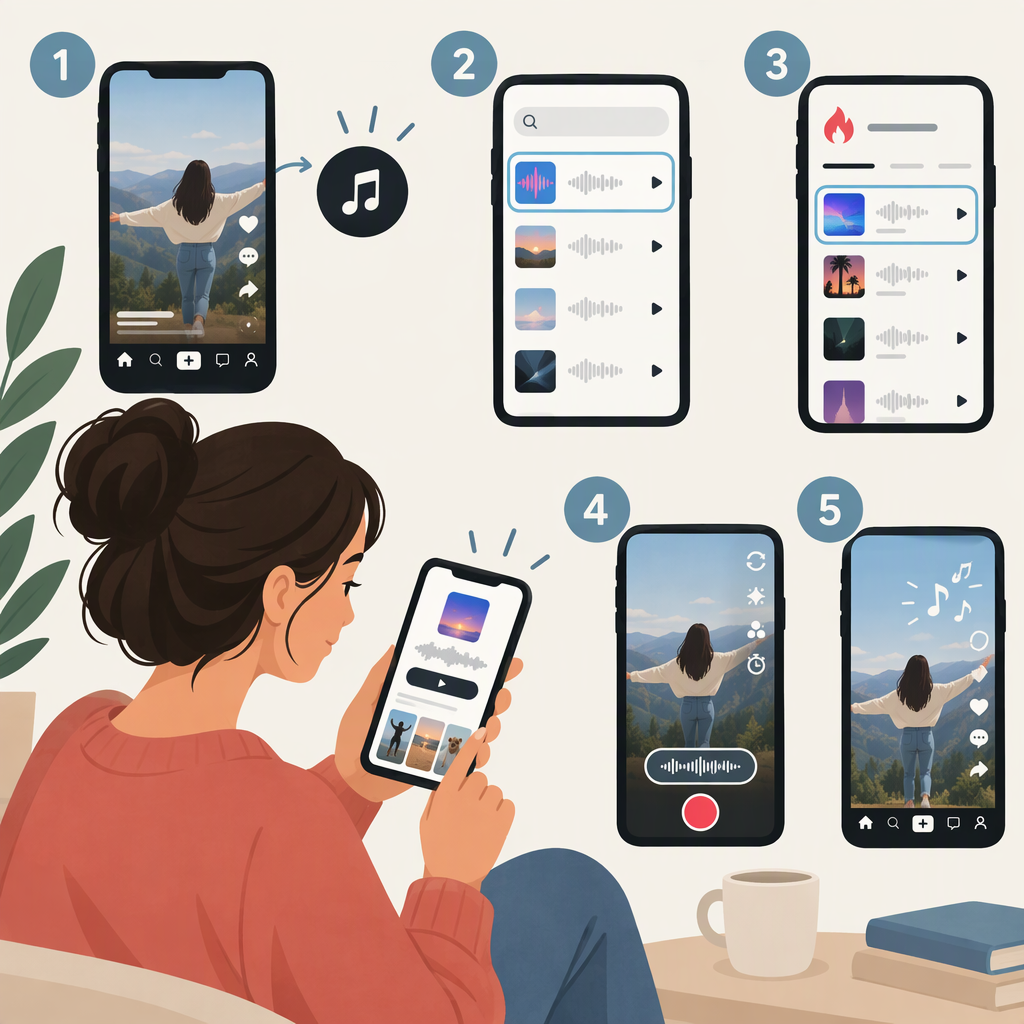
- Search TikTok: Tap Search, enter a topic, creator, or sound, and search. TikTok says search can find sounds as well as posts, hashtags, and people. The Discover tab, where available, is another place to explore trending videos and other content; some people see a Friends tab instead. (support.tiktok.com)
- Search from the post flow: Tap Add post (+), then Add sound. TikTok says you can preview sounds, browse Recommended, Favorites, or Recent, or search for a sound. The instructions are for the TikTok app. (support.tiktok.com)
- Use a relevant video as a lead: Search for videos in your topic and note the audio attached to ones that match the kind of post you might make. Treat those as candidates to investigate, not proof that an audio is currently trending.
If you don’t see Discover, try the Search button or look for sounds from the Add sound screen instead. TikTok notes that the Discover tab isn’t available everywhere. (support.tiktok.com)
Judge Whether a Sound Seems Timely—And Fits
TikTok’s public Help Center instructions explain how to search for and preview sounds, but the cited pages do not establish a universal trend score, recency threshold, or rule for deciding that a sound is “trending now.” Use a cautious check rather than treating one popularity clue as proof:
- Look for recent examples: Search for videos using the sound and check the dates on examples if they’re shown. Are people using it recently in the kind of content you’re making, or are the examples you found mostly older?
- Separate reach from momentum: A sound with many videos using it may be widely used, but that alone doesn’t tell you whether use is increasing now. Don’t invent a view-count or video-count threshold.
- Check creative fit: Ask whether the sound’s mood, pacing, lyrics, or recognizable format supports your idea. A popular sound that distracts from the point—or doesn’t suit your audience—isn’t automatically the right choice.
- Make the claim match the evidence: If you can find recent, relevant examples, you can say the sound appears to be in current use in that context. If your evidence is old, sparse, or limited to a single video, call it a candidate sound rather than a current trend.
Example (hypothetical): You’re planning a quick cooking video and find a sound used in several recent cooking posts. Its timing fits a before-and-after reveal, and the sound is available in your post flow. That’s a reasonable creative fit to test; it still doesn’t establish that the sound is trending broadly or across regions.
Add and Preview a Sound
In the TikTok app, tap Add post (+), then Add sound. Tap a sound to preview it, or search for one and select it. TikTok’s instructions say to tap Continue to confirm the choice; you can save it to Favorites or adjust the clip with Edit. You can also add a sound from the editing screen. (support.tiktok.com)
Before publishing, check that the selected audio is still available in your post and that the preview works as intended. If a candidate from a video or search isn’t available when you create your post, choose another sound shown in your own Add sound screen. TikTok’s cited instructions don’t identify a single cause for every unavailable sound, so don’t assume that a sound visible elsewhere is available to every account or post.
Check Music Limits for Commercial or Off-Platform Use
Using a sound in a TikTok post is not blanket permission to reuse it elsewhere. TikTok’s business guidance says businesses should use the Commercial Music Library (CML) for commercial TikTok activity, including organic branded content and ads; it says the general music library isn’t for business commercial use. For other users’ original sounds or other licensed sounds in commercial content, TikTok advises checking that the proper license has been obtained. (ads.tiktok.com)
TikTok says the CML can be accessed in Creative Center on desktop, and that in-app sound options vary by account type. Its guidance says Business Accounts see Commercial Sounds when adding a sound; personal accounts see all sounds and can select Commercial Sounds from the sound menu. CML tracks can be used for organic or paid TikTok content, subject to selecting music available for the relevant region and placement. (ads.tiktok.com)
For use outside TikTok, check the rights for that specific sound and use; in-app availability alone doesn’t confirm off-platform permission. If the intended use is commercial and the applicable rights aren’t clear, consult the relevant rights holder or qualified counsel.
A Quick Decision Checklist
- Can you find the sound through TikTok search or Add sound?
- Do you have recent examples relevant to your topic, rather than just a high accumulated use count?
- Does the sound support the video’s format and mood?
- Can you select and preview it in the post you’re making?
- If the post is commercial—or you’ll reuse the audio outside TikTok—have you checked the permissions for that use?
If the trend evidence is weak, use the sound because it suits the idea, not because you’re certain it is trending.