Usage Rights Renewal Tracker: Know When to Quote Again
Think single brand deals are your only source of sponsorship revenue? Here's something that might surprise you: missed renewal conversations can be a revenue opportunity for creators.
When you grant a brand permission to run your videos as paid ads or whitelist your social accounts, that commercial license eventually expires. But campaign managers oversee dozens of assets and rarely remind you when dates end—meaning an expiration date can pass without either side addressing whether use should continue.
A usage rights renewal tracker logs licensing terms so you can send paid extension quotes before your rights lapse. Setting a 30-day pre-expiration trigger gives brand managers enough time to approve new ad budgets, creating a timely opportunity to discuss an extension.
Here is a quick snapshot of what your tracker needs to log:
- Usage Scope: Active channels (e.g., Meta Ads, TikTok Spark Ads), geographic territory, and licensed duration.
- Expiration & Trigger Dates: The exact end date of the license and your 30-day outreach reminder.
- Renewal Contact: The decision-maker or agency rep managing the campaign budget.
- Financial Inputs: Original fee and proposed extension quote.
Let's break down how to build a manual usage tracker step-by-step and calculate your first 90-day renewal quote.
Why Expiring Usage Rights Are an Overlooked Revenue Stream
The Distinction Between Content Delivery and Licensing
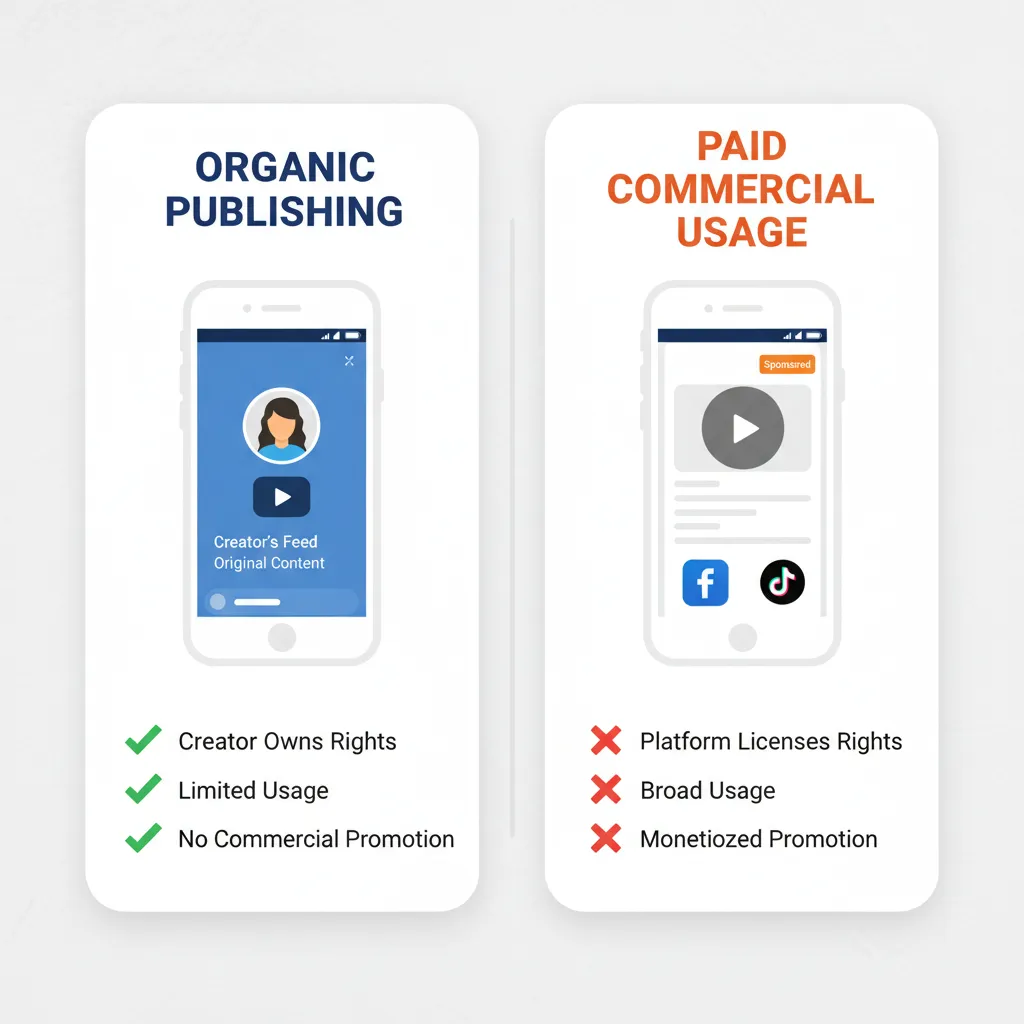
When you deliver a sponsored post, you perform two distinct tasks: creating content and granting commercial rights.
Creating a video and posting it to your organic feed is only the baseline deliverable. If a brand wants to use that video off your feed, they need a separate license.
- Organic Post: You publish the video on your channel. Your audience sees it organically.
- Whitelisting: You grant the brand advertising access to run paid ads directly through your handle.
- Paid Ad Usage: The brand takes your video asset and runs it on their own ad accounts (like Meta Ads or TikTok Ads Manager).
- Offline / Website Rights: The brand displays your video on landing pages, email marketing, or retail displays.
If a contract states a 90-day usage window, the brand's legal permission to run your content ends on day 91. Running ads past that date without extending the contract is an unauthorized use of your creative asset.
Why Brands Rarely Remind You When Licenses Expire
Brand ad managers oversee dozens of creative assets simultaneously. They launch campaigns, monitor Spark Ads, and tweak audience targeting across multiple platforms.
Because ad managers focus on campaign performance metrics rather than contract end dates, ads frequently stay live past their licensed term.
They won't reach out to ask: "Hey, our 90 days are up—can we pay you more money?"
It is your responsibility to track when rights expire and send a renewal quote before the ad campaign stops running.
The Manual Usage Rights Tracker: Structure and Fields
Key Data Fields to Include in Your Spreadsheet
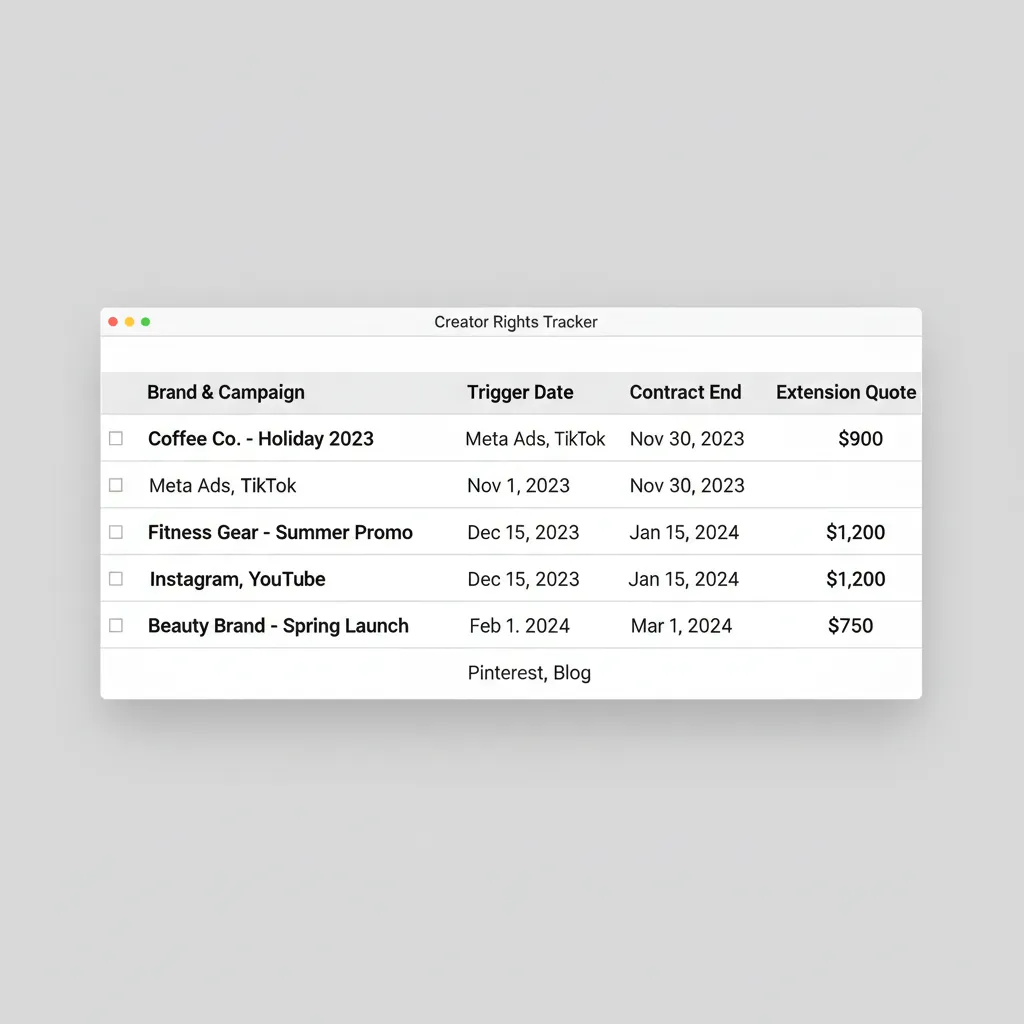
You can set up a tracking sheet in Google Sheets or Excel. The goal is to record every active usage grant as soon as you sign a brand agreement.
Here are the essential columns your tracker must contain:
| Column Name | Description | Example Input |
|---|---|---|
| Brand & Campaign | Brand name and campaign identifier | GlowSkin - Fall Launch |
| Licensed Channels | Platforms where content can be run as ads | Meta Ads (Instagram/Facebook) |
| Geographic Territory | Allowed advertising locations | Worldwide |
| License Expiration Date | End date specified in contract | November 30, 2024 |
| 30-Day Trigger Date | Date to send outreach pitch | November 1, 2024 |
| Renewal Contact | Email of campaign manager or rep | sarah@glowskin.com |
| Original Base Fee | Base fee for content + initial usage | $1,500 |
| Proposed Renewal Fee | Calculated extension price | $900 for 60 days |
Establishing a 30-Day Pre-Expiration Trigger
Sending a pitch on the day a license expires is too late. Brands plan ad budgets weeks in advance.
By reaching out 30 days before expiration, you catch the campaign manager while the ad is actively performing and when next month's ad budget is being allocated.
Step-By-Step Worked Example: Renewing a 90-Day Meta Whitelisting Deal
Contract Inputs and Expiration Tracking Setup
Let's walk through a concrete scenario with an illustrative creator example.
Imagine Maya, a skincare creator, signs a contract with GlowSkin on September 1.
- Deliverables: 1 Instagram Reel ($1,000 base fee).
- Usage Grant: 90-day Meta ad whitelisting rights ($500 add-on fee).
- Total Initial Deal Value: $1,500.
- Contract End Date: November 30.
- Tracker Trigger Date: November 1.
Maya enters these details into her manual tracker on September 1. She sets a calendar reminder for November 1.
Drafting the Renewal Offer and Quote
On November 1, Maya checks her tracker. The 30-day window has started.
Instead of asking for a generic extension, she sends a concise, value-focused proposal offering a 60-day extension at a package rate.
Sample Renewal Email Pitch
Subject: Renewal Option: GlowSkin x Maya - Meta Whitelisting Rights
Hi Sarah,
Hope your team is having a great Q4!
I saw our recent reel asset has been performing well across your Meta ad sets. Our original 90-day whitelisting license ends on November 30.
If you'd like to keep this creative running through the holidays, I can extend full Meta whitelisting rights for another 60 days (through January 30) for $900.
Let me know if you'd like me to send over an updated agreement and invoice to keep access seamless!
Best, Maya
How to Automate Pricing and Negotiation for Renewals with CreaSeed
Recalculating Usage Value Based on Account Growth
Once your manual tracker alerts you that a renewal date is coming up, the next challenge is determining your updated market value.
If your channel grew by 20% or your engagement rate spiked over the last 90 days, your baseline licensing rate should reflect that higher value.
Using CreaSeed's Account Valuation feature inside the 24/7 chat interface, you can get an updated breakdown of your current reach, engagement rates, and growth metrics. Instead of guessing what to charge for a 60-day extension, CreaSeed helps establish precise market pricing based on your updated audience statistics.
Drafting Renewal Outreach and Managing Replies
After establishing your updated valuation, you can handle the negotiation process directly inside CreaSeed.
- Generate Targeted Pitches: Use the chat interface to draft clear renewal emails customized to your campaign's performance metrics.
- Automated Negotiation: When brand managers push back on rates or ask for extra deliverables, CreaSeed provides instant negotiation replies with suggested rate counters.
- Zero Commissions: You retain 100% of the renewal deal revenue without paying traditional agency cuts or management fees.
Use the creator usage rights checklist to record the original license terms. CreaSeed can help manage the related brand conversation; keep the actual renewal dates in your tracker.
Summary: Building a System for Ongoing Sponsorship Renewals
Tracking usage rights helps you spot extension opportunities and keep permissions clear.
- Log every deal: Add licensing terms and channel permissions to your tracker the day a contract is signed.
- Set 30-day triggers: Pitch extension quotes long before ad assets get turned off.
- Re-evaluate and negotiate: Leverage updated audience metrics to price your renewals fairly and close extension deals effortlessly.