A Brand Wants to Spark Ad Your Organic TikTok (with Custom Edits): How to Limit Platform Access and Quote Edit Rights
Has a brand ever asked to put paid ad spend behind one of your organic TikToks—and requested a few "quick custom edits" before launching?
Here is the golden rule: Never share your account login credentials or give full Ads Manager permissions to a brand.
Instead, agree on the exact post and paid-use term, use TikTok’s post authorization flow where available, and quote any newly created edit as separate work. Get the final version approved before giving the brand access.
Here is what you need to lock down before saying yes:
- Account Security: Authorize the specific post through TikTok without sharing your login. Check the available code duration in the current app.
- Editing Fee: Charge for your editing labor separately if the brand wants new hooks, text overlays, or fresh call-to-actions.
- Usage Licensing Fee: Price the right to run paid ad spend against your content based on campaign duration and scope.
- Guardrails: Specify allowed video modifications in your contract so the brand cannot damage your reputation.
Quick Comparison: How to Grant Ad Access
| Option | Account Security | Control Over Edits | Revenue Protection |
|---|---|---|---|
| Sharing Logins / Full Permissions | High Risk (Unsafe) | Low (Brand can change account settings) | Poor (Hard to enforce end dates) |
| Spark Ad Authorization Code | Limits access to an authorized post | Agree on any new version before authorization | Set a separate contract term and monitor ad end date |
Let's break down how to safely set up your TikTok authorization codes, structure your contract terms, and quote custom edit rights so you get paid fairly for your work.
Understanding TikTok Spark Ads and Organic Content Usage
When a brand reaches out asking to "boost" your existing organic post, it is easy to assume it is just a compliment.
In reality, they want to use that post as paid creative. Ask what result they seek and which parts of the post or ad setup they plan to change.
The Difference Between Organic Posts and Paid Ad Usage
An organic post lives on your public feed. It reaches your existing followers and relies on TikTok's algorithm to get pushed to new users.
Paid ad usage is entirely different. The brand pays TikTok to deliver your video to targeted cold audiences who do not follow you.
Because paid ads drive direct sales for the brand, charging only your standard organic creation rate leaves money on the table. Running paid ads against your voice and face requires a separate licensing fee.
Why Brands Want Spark Ads over Standard Dark Ads
A brand may prefer Spark Ads because the ad uses an organic post and its existing engagement.
A non-Spark ad uses a separately uploaded creative rather than promoting your existing organic post.
Spark Ads use an authorized organic TikTok post; TikTok says engagement gained from promoting it is attributed to that post. That is a format difference, not a promise of better performance.
How to Limit Platform Access Using TikTok Authorization Codes
Giving a brand full access to your account is a massive risk. You should never share passwords or add external managers directly to your profile.
Generating and Managing TikTok Spark Ad Video Codes
TikTok supports post-level authorization codes for creators who allow an advertiser to use a specific organic post. Check the current Spark Ads instructions because menus and available durations can change.
The basic flow is:
- Open the organic post you have agreed to license.
- Find its ad authorization controls in the current TikTok app.
- Review the available duration and generate the code for that post.
- Share the code only with the agreed advertiser after the scope and payment terms are confirmed.
Once you copy the code, send it to the brand contact. They paste this code into TikTok Ads Manager to run the ad campaign without ever accessing your account settings.
Why You Must Never Share Account Credentials or Full Permissions
Do not share a password. If an agency proposes account linkage or broader permissions, ask exactly what access it needs and whether post-level authorization is enough. Review the platform permissions and the agreement before granting access; no method is “100% secure.”
How to Quote Custom Edit and Re-Editing Rights
What happens when a brand likes your organic video, but wants you to change the hook or add a call-to-action at the end?
A change to the actual video may require you to make and approve a new version; authorizing an existing post does not automatically let the advertiser recut that post inside Ads Manager. Separate the work of making a new cut from permission to use it in paid ads.
Separating the Editing Fee from the Usage Rights Fee
Quote editing work and paid-use rights as separate line items. If you lump them together, brands will demand endless revisions without compensating you for your extra time.
Here is a simple structure to separate these line items:
- Labor (Editing Fee): A flat fee for re-cutting the video, recording a fresh voiceover, or re-rendering text.
- Usage License Fee: A time-based fee for granting paid ad rights.
Sample Quote Template: "Hi [Brand Name], I'd be happy to set up Spark Ad rights for this video! Here is the breakdown for the requested custom hook edit and 30-day paid usage:
- Custom Hook Edit & Re-render (Labor): $150
- 30-Day Spark Ad Usage Rights: $300 Total: $450"
Setting Strict Guardrails on Allowed Video Modifications
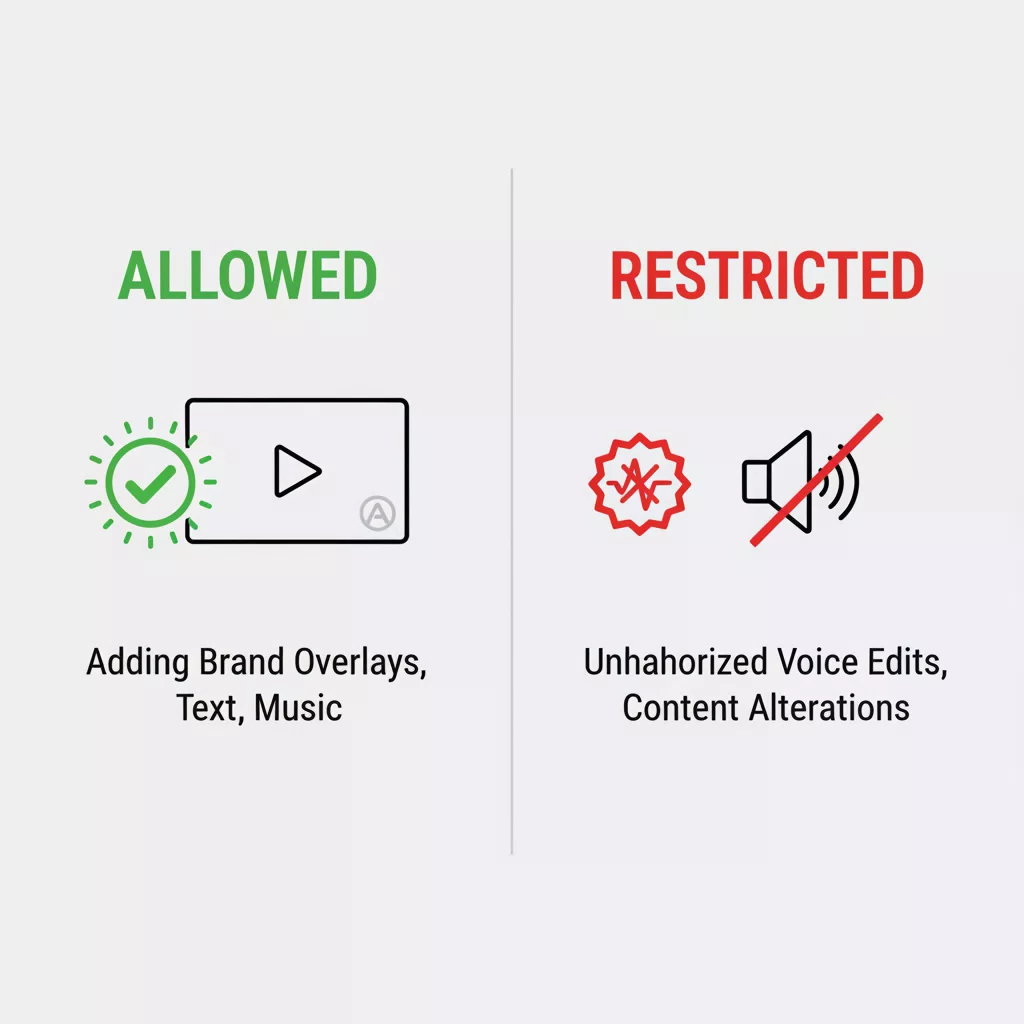
When a brand requests custom edits, put explicit guardrails in your contract to protect your reputation.
Specify exactly what edits are permitted. For example, you may allow a new text banner or product offer in a version you approve. Prohibit edits that alter your message or misrepresent your opinions.
| Edit Category | Permitted Changes | Restricted Actions |
|---|---|---|
| Hook / Intro | Swapping to a secondary footage angle | Adding claims you did not speak or verify |
| Text & Graphics | Adding brand logos or promo codes | Adding fake user reviews or misleading claims |
| Audio & Voice | Trimming pause gaps or updating music | Pitch-shifting or using AI voice clones |
Key Contract Terms: Term Length, Renewals, and Raw Files
To avoid unauthorized ad extensions, your written agreement must mirror your platform settings.
Matching Licensing Term Length to Code Expiration Dates
Choose an available authorization duration that covers the agreed campaign period. TikTok can reject an ad whose planned end time falls after authorization ends; a code’s expiry is not a substitute for a written obligation to stop use.
Your contract's paid-use term should state the exact start and end dates. If a brand wants to extend the campaign beyond 30 days, make sure your contract specifies a whitelisting renewal fee.
Sample Contract Clause: "The usage license grants Paid Ad Rights for 30 calendar days starting on the campaign launch date. Upon expiration, all paid ad campaigns using the video must cease unless extended by mutual written agreement and payment of a $300 renewal fee."
Handling Raw File Requests Vs. Finished Video Deliverables
Brands often ask for your raw, unedited footage—the original video clips without text overlays or TikTok music.
Raw files could let a brand create versions beyond the edit you approved. Quote delivery of those assets separately and state which edits, channels, and durations the license permits. Set the fee from the actual scope rather than a presumed market percentage.
If the agreed deliverable is only a finished video, deliver that approved file; check whether it needs to be published as a new post before it can be used as a Spark Ad.
Summary Checklist for Spark Ad and Custom Edit Requests
Handling Spark Ad requests systematically ensures you monetize your content safely while retaining full channel control.
Key Negotiation Steps for Creators
Follow this checklist whenever a brand contacts you about a Spark Ad:
- Verify the request: Confirm if they want to use the video as-is or require custom edits.
- Itemize your quote: Separate the post-production editing fee from the paid usage licensing fee.
- Set contract limits: Lock down campaign start dates, approval rights, and explicit editing guardrails.
- Approve final cuts: Review any new version before it is published or used in an ad.
- Authorize the post: Use the current TikTok flow for the specific agreed post and verify the planned ad end date.
FAQ
What Happens If a Brand Keeps Running a Spark Ad After the Authorization Code Expires?
Do not assume the code itself will stop a running campaign at the moment your commercial license ends. Set the end date in the agreement, ask the advertiser to stop the ad, and confirm the campaign status. TikTok documents authorization-expiry errors when an ad’s planned end date exceeds the authorization period.
Can I Revoke a Spark Ad Authorization Code Early If a Brand Breaks Our Agreement?
Check the current TikTok authorization controls and ask the advertiser to stop any active ads. TikTok’s documentation notes that deleting a code can depend on whether ads using it are still active. Record the request and follow the agreement’s termination terms.