How to Quote Usage Rights and Revisions for Sponsored YouTube Shorts
Quoting a sponsored YouTube Short isn't just about picking a single flat fee.
If you don't separate your video creation cost from commercial usage rights, you risk doing double the work for half the pay.
The secret to quoting YouTube Shorts correctly is simple: separate your base organic posting rate from extra commercial licensing fees.
To price your next deal accurately, break your offer into these core components:
- Base Rate: A flat fee for creating and organically posting the Short to your channel, which includes 1 to 2 minor edit rounds.
- Paid Amplification: A 15% to 50% monthly surcharge on top of your base rate if the brand runs your Short as a paid ad.
- Category Exclusivity: An additional percentage fee based on how long you agree not to work with direct competitors.
- Out-of-Scope Revisions: A fixed flat or hourly fee for major reshoots after concept approval.
Let's dive into how to structure your deliverables, set strict revision limits, and calculate a line-item quote that protects your time and income.
Structuring YouTube Shorts Sponsorship Deliverables
When a brand reaches out for a YouTube Shorts sponsorship, fuzzy scopes lead to unpaid work.
Defining exact video formats, link placements, and approval stages in writing keeps your project moving smoothly.
Deliverable Formats and Placement Options
YouTube Shorts give you two main integration formats:
- Dedicated Short (up to 60 seconds): The entire video focuses on the brand's product, service, or story.
- Integrated Mention (15 to 30 seconds): A natural mention or product feature seamlessly placed inside your usual vertical content.
Be explicit about where external links and brand mentions go. Include these line items in your scope:
- Pinned comment with a tracked landing page link.
- First line of the video description with the campaign link and mandatory disclosure tags (like #ad or #sponsored).
- On-screen verbal call-to-action and visible text overlay.
Production Milestones and Draft Submission Timelines
Spelling out timeline expectations prevents last-minute panic for both you and the sponsor.
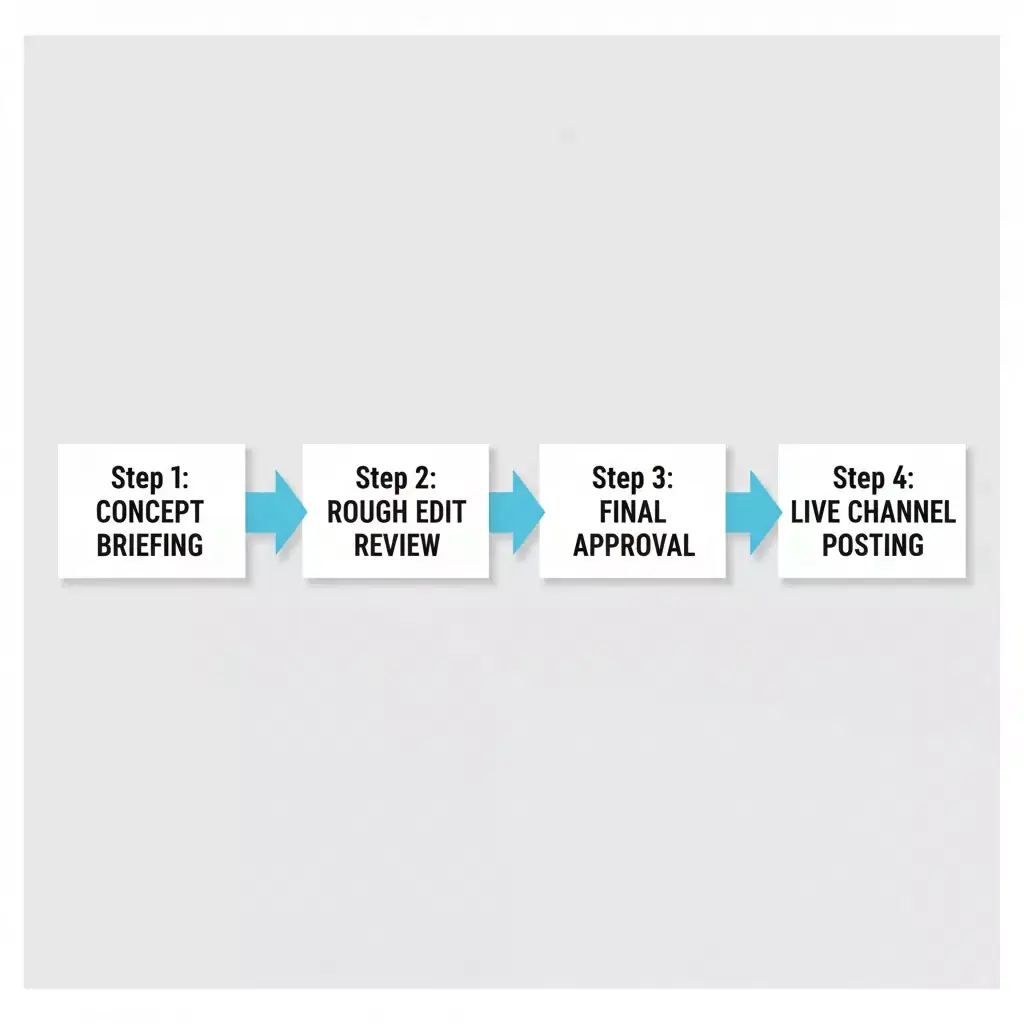
Before shooting any video, ask the sponsor for a clear content brief. Establish a strict workflow with firm review deadlines:
- Concept & Script Outline: Delivered 7 business days before the posting target.
- Rough Cut Submission: Delivered 4 business days before the posting target.
- Final Approved Asset: Delivered 2 business days before the scheduled live date.
Setting these checkpoints early stops brands from demanding structural changes hours before a video goes live.
Defining and Setting Limits on Video Revisions
Unlimited edits are a profit killer.
If you don't limit revision rounds, a simple 60-second Short can turn into weeks of re-editing and re-filming.
Distinguishing Minor Edits from Major Reshoots
Your base price should cover minor polish, not full re-productions.
- Minor Edits (Included): Adjusting audio balance, fixing on-screen text typos, trimming a few frames, or swapping background music.
- Major Reshoots (Out of Scope): Re-filming video footage after script approval, changing core messaging, or introducing new product features not mentioned in the original brief.
Clear boundaries protect your margins. Here is sample wording you can adapt for your sponsorship terms:
Example clause: "Base fee includes up to two rounds of minor revisions (such as text tweaks, trimming frames, or audio level adjustments). Any re-filming or script changes requested after initial concept sign-off will incur a fee of $100/hour or a flat $300 per reshoot."
Drafting the Revision Clause and Turnaround Windows
Give sponsors a strict time window to review your drafts.
State that the sponsor must consolidate all feedback into a single document within 3 business days of receiving the draft. If they take longer, your scheduled posting date shifts accordingly.
Include 1 to 2 minor revision rounds in your base rate. If the brand requests a third round of minor edits, charge a flat fee (e.g., $100–$200 per extra round) to cover your time.
Pricing Usage Rights, Paid Amplification, and Exclusivity
Publishing a Short on your channel is only one way a brand gains value from your work.
If a sponsor wants to use your video on their website or run it as a paid ad, charge extra licensing fees.
Organic Vs. Paid Commercial Rights
Your base rate covers organic publishing only—posting the video once to your own YouTube channel.
If the brand wants to download your video and upload it to their own social channels, website, or email newsletters, charge a commercial usage license fee.
If the brand also wants to repost on its own channels, quote that use separately. Set the allowed channels and a clear end date, such as 30 or 90 days, then price it according to the work and rights involved.
Brand Partner Access and Paid Amplification Fees
When a brand wants to run your Short as a YouTube In-Feed or Shorts ad, they are using your name, face, and authority to drive paid conversions.
YouTube offers brand partner access, which can let a brand boost an eligible creator video. Agree on the exact boosting and usage rights before granting access.
Because paid ads increase your audience exposure and wear out your visual likeness, charge a monthly surcharge on top of your base rate:
- 30-Day Paid Amplification: +15% to +30% of base rate.
- 60-Day Paid Amplification: +30% to +50% of base rate.
- Perpetual Paid Rights: Avoid offering perpetual rights. If required, charge +100% to +200% above your base fee.
Category Exclusivity Clauses and Duration Limits
An exclusivity window prevents you from working with competitor brands for a specific period.
When you lock yourself out of a category, you lose potential sponsorship revenue from other brands. Always charge for it.
Calculate category exclusivity based on duration and scope width:
- 14-Day Exclusivity (Strict Competitors): Add +10% to +15% to base rate.
- 30-Day Exclusivity (Strict Competitors): Add +20% to +35% to base rate.
- 90-Day Exclusivity (Broad Category): Add +50% to +100% to base rate.
Keep the competitor list narrow. Ask the brand to name 3 to 5 direct competitor brands rather than locking down an entire broad industry.
Building the Final Quote: Formula and Line-Item Breakdown
Itemizing your pricing shows brands exactly what they are paying for.
It also makes negotiation easier: if a brand has a lower budget, you don't reduce your rate—you simply remove add-ons like paid boosting or exclusivity.
The Base Rate Plus Rights Calculation Formula
Use this simple math formula to construct your total campaign price:
Total Quote = Base Content Creation Fee + (Base Fee × Paid Amplification %) + (Base Fee × Exclusivity %)
For example, if your base rate for creating and posting a Short is $1,500, and the brand wants 30 days of paid ad rights (+30%) plus 30 days of category exclusivity (+20%):
- Base Creation Fee = $1,500
- Paid Amplification Fee = $1,500 × 0.30 = $450
- Category Exclusivity Fee = $1,500 × 0.20 = $300
- Total Project Quote = $2,250
Sample Line-Item Quote Breakdown
Presenting your quote as a clean line-item breakdown helps brand managers approve budget line items faster.
| Deliverable / Add-on | Scope Details | Calculation Basis | Estimated Fee |
|---|---|---|---|
| Base YouTube Short | 1 Dedicated Short (up to 60s) + Pinned Comment Link | Flat rate for organic post on channel | $1,500 |
| 30-Day Paid Amplification | Paid ad usage rights on YouTube Shorts ad network | +30% surcharge on base rate | $450 |
| 30-Day Category Exclusivity | Direct competitor blackout (max 5 named rivals) | +20% surcharge on base rate | $300 |
| Total Campaign Quote | Complete deliverable package with rights | Base + Licensing Add-ons | $2,250 |
Key Takeaways for Quoting YouTube Shorts Deals
Protecting your creator income comes down to clear terms and transparent line items.
- Separate content creation from usage rights: Never bundle paid ad rights or long-term licensing into a single flat post fee.
- Set firm revision limits: Include 1 to 2 minor edit rounds in your base rate and set a clear hourly or flat fee for major reshoots.
- Price extras separately: Set fees for paid ad usage and category exclusivity based on the agreed scope and duration; the example percentages above are only a way to show the calculation.
- Itemize your offer: Send structured quotes so sponsors can adjust their scope without cutting into your core rate.
For a broader pricing framework, see Creator Sponsorship Rates and Pricing.
FAQ
What Should I Do If a Sponsor Requests a Complete Reshoot After Approving the Script?
Refer to your scope clause. Since script approval was granted prior to filming, a full reshoot counts as an out-of-scope modification. Bill the brand your agreed hourly reshoot fee or a flat fee before filming the new draft.
Can I Charge Extra If a Brand Wants to Post My Short on TikTok or Instagram Reels?
Yes. Organic posting on your own YouTube channel is covered by your base fee. Reposting across additional channels or use on the brand’s own accounts should be priced according to the channels, duration, and rights requested; there is no universal percentage add-on.