When a Holiday Sponsorship Runs Past the Sale Date: How to Fix Cta and Contract Timing
What Happens When a Holiday Sponsorship Misses the Sale Window?
Posting a sponsored holiday video after a brand's discount code expires is a nightmare. Dead promo codes confuse your audience, drop your click-through rates, and hurt your performance metrics.
Here is the immediate fix: Pivot your call-to-action (CTA) from time-sensitive discounts to evergreen value, execute a written contract addendum, and update your link placements across all platforms.
Instead of letting expired urgency ruin your campaign, you can quickly adjust your creative script, legal schedule, and link tracking.
Quick Comparison: Active Sale Vs. Post-Sale Campaign Fixes
| Campaign Element | Active Sale Strategy | Post-Sale Pivot Strategy |
|---|---|---|
| Primary CTA | Scarcity & discount codes (e.g., "50% off ends tonight") | Evergreen perks (e.g., "Free shipping & gift guides") |
| Contract Terms | Original Q4 posting deadline | Signed addendum extending dates & shortening exclusivity |
| Link Placements | Flash sale promo links | Standard landing pages & updated bio links |
| Paid Ad Codes | Standard holiday duration | Refreshed ad code expiration dates for boosted posts |
Here is how to update your script, adjust your contract terms, and fix your platform links step-by-step.
The Post-Sale Sponsorship Problem: Why Timing Mismatches Break Campaigns
When a brand campaign draft gets delayed in review and goes live after Cyber Monday, everyone loses. Viewers who click your sponsored link expecting 50% off find a full-price checkout page instead.
That friction hurts both your trust with your audience and your performance numbers.
How Expired Promo Codes Damage Conversion Metrics
A dead promotional code breaks your sales funnel instantly. When a viewer attempts to apply code HOLIDAY50 and receives an "invalid code" error at checkout, they abandon their cart.
This drop in conversion rate directly harms your metrics. Brands evaluate creator partnerships using key performance indicators like click-through rate (CTR) and conversion rate.
When viewers bounce because of an expired code, your overall conversion rate drops—for example, falling from a typical 4% down to under 0.5% in an illustrative campaign scenario. The brand sees low conversions and may incorrectly conclude your audience does not engage, even though the timing mismatch was the actual cause.
Auditing Campaign Brief Timelines Before Signing
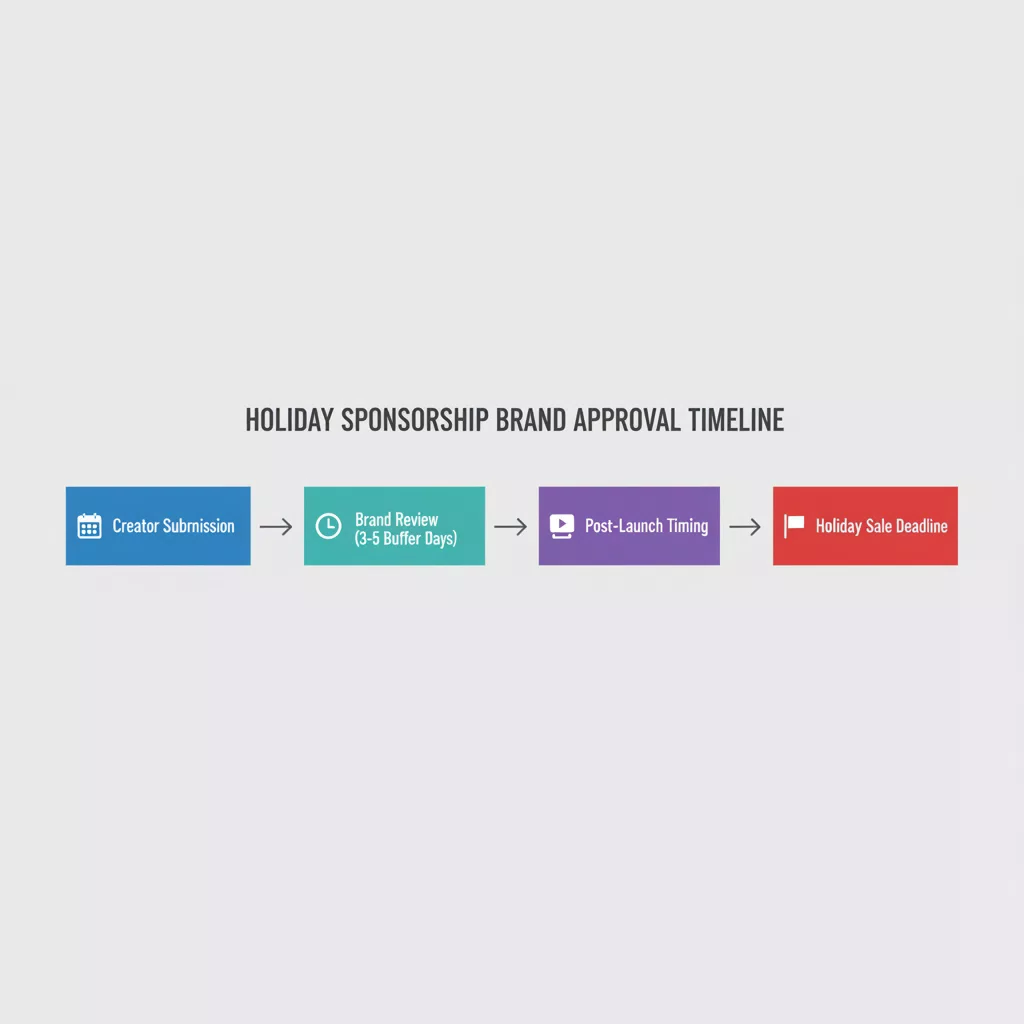
Preventing timing mismatches requires auditing campaign timelines before signing any contract. Look closely at three key dates:
- Draft submission deadline: When you must submit the video draft for review.
- Brand review period: The total business days the brand requires to approve or request edits (usually 3 to 5 business days).
- Promotion end date: The exact date and time the brand's sale or discount code expires.
If a brand requires a 5-day review window for a draft submitted on November 25, your post will go live after November 30—missing a Black Friday sale completely. Build in at least 48 hours of buffer time between the final approval date and the sale end date.
Fixing the Script: Pivoting Ctas from Scarcity to Evergreen Value
When a post is delayed past the sale deadline, you must change your call-to-action (CTA). Continuing to pitch a dead discount ruins credibility.
Replacing Urgent Discounts with Post-Holiday Benefits
Shift your message from time-sensitive scarcity to evergreen value. Instead of emphasizing limited-time prices, highlight standard perks like fast delivery, return policies, warranty coverage, or curated product bundles.
Sample Script Rewrite (Illustrative Example): "If you missed the holiday sale, you can still get the full winter bundle with free standard shipping and 30-day hassle-free returns by checking the link in my bio!"
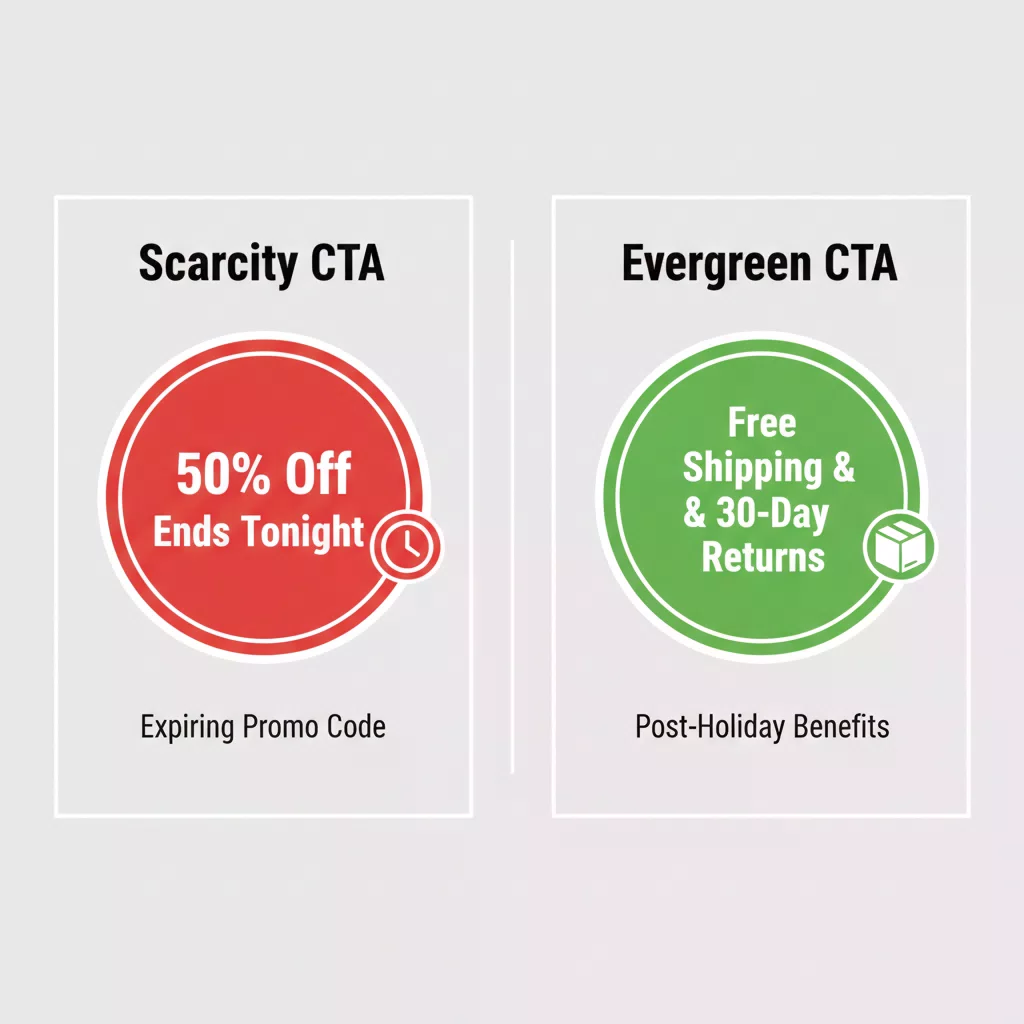
By focusing on non-discount benefits, your CTA remains helpful without setting false expectations for your audience.
Updating Pinned Comments, Captions, and Bio Links
Once your updated video goes live, sync your platform text across all surfaces.
- Captions: Remove references to expired percentage-off deals. State the active benefit clearly.
- Pinned Comments: Post a direct statement clarifying that while the flash sale has ended, viewers can still access free shipping or featured bundles.
- Bio Links: Replace expired promo links with updated tracking URLs containing standard UTM parameters to ensure your post-sale traffic is tracked accurately.
Contract Timing Adjustments: Amending Schedules and Exclusivity
Creative edits only fix half the problem. If approval delays caused the late post, your legal contract must be adjusted to protect your payout and future deal pipeline.
Drafting Addendums for Brand-Caused Approval Delays
If a brand delays video approval past the agreed posting window, do not post without a written contract addendum. Send a simple, clear agreement over email or electronic signature platform before publishing.
Sample Addendum Clause (Illustrative Example): "Due to a delay in brand asset approval past the agreed deadline of November 20, the posting date for Deliverable #1 is revised to December 2. Full payment remains due per the original terms, and the creator is released from any performance guarantees tied to the expired promotional code."
This simple agreement confirms that you fulfilled your obligations on time and ensures your payment remains intact despite schedule changes.
Shortening Niche Exclusivity Periods
Many holiday contracts include category exclusivity clauses that prevent you from working with competing brands for 30 to 60 days after posting.
If approval delays push your posting date from late November into mid-December, a 30-day exclusivity window locks you out of high-value Q1 campaigns in January. When signing a post-sale addendum, negotiate to shorten the exclusivity duration to reflect the delayed start date.
| Exclusivity Term | Standard Contract | Adjusted Post-Sale Addendum |
|---|---|---|
| Start Date | Scheduled Nov 20 posting | Actual Dec 2 posting |
| Duration | 30 Days | 14 Days (Shortened) |
| End Date | Dec 20 | Dec 16 |
| Q1 Competitor Readiness | Locked out until late Dec | Ready for Q1 campaigns mid-Dec |
Platform-Specific Link and Ad Adjustments for Shifted Campaigns
Different social platforms handle link updates, sponsored content tags, and paid amplification differently.
Managing TikTok Spark Ads and Instagram Partnership Ads
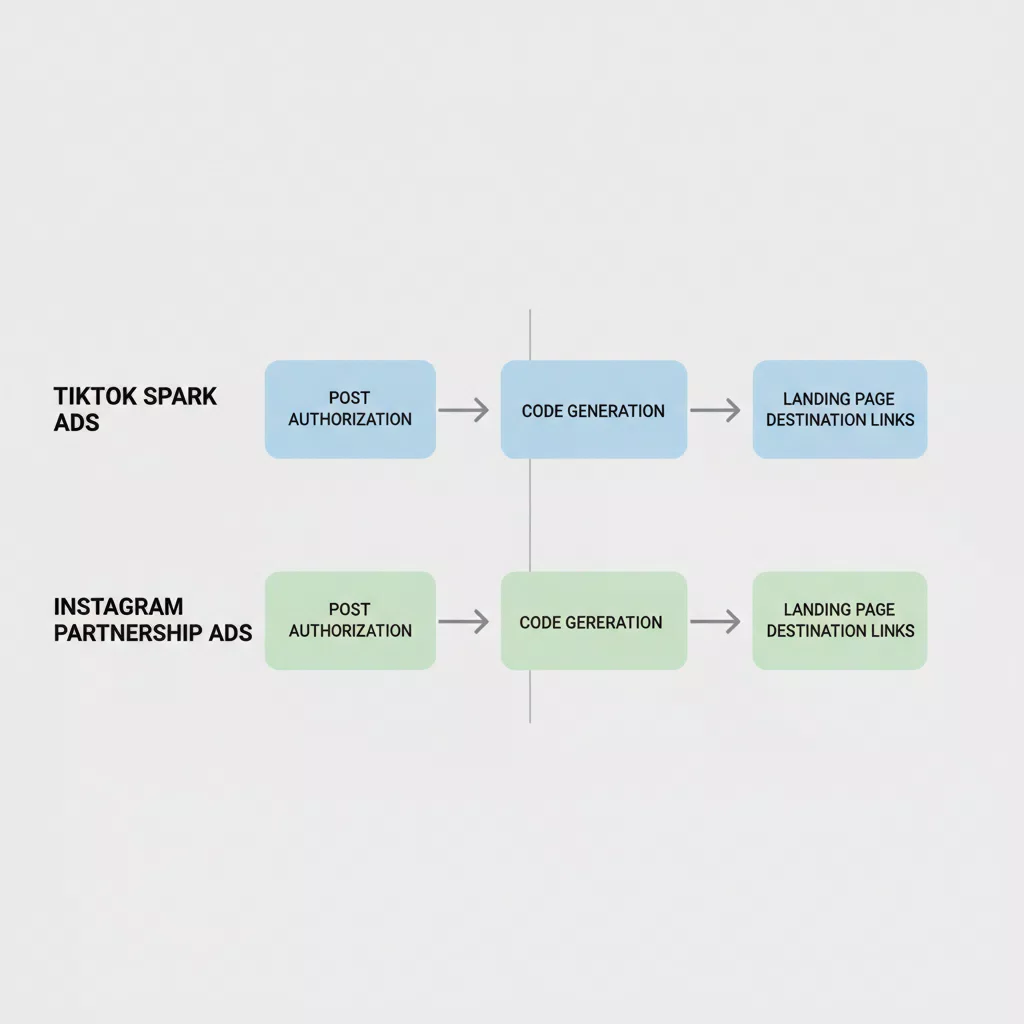
When brands run paid amplification on late posts, expired codes in ad copy waste ad spend.
For TikTok Spark Ads, update the ad code expiration date in your Creator Marketplace settings to cover the new campaign window. Remind the brand team to select an active landing page URL in TikTok Ads Manager rather than an expired promotional page.
For Instagram Partnership Ads, ensure the brand updates the ad creative copy in Meta Ads Manager. The organic post caption on your profile can remain evergreen while the brand runs targeted paid ads with active post-holiday offers.
Updating YouTube Cards and Long-Tail Description Links
YouTube videos have a long shelf life, driving views for months or years. Expired links in old YouTube descriptions hurt your long-tail affiliate earnings.
- Description Links: Update the top link in your description box to an evergreen landing page or active affiliate link.
- Info Cards & End Screens: Remove or update interactive video cards pointing to expired promotion pages.
- Pinned Comment: Add a timestamped pinned comment explaining updated pricing or current package offers.
Action Plan for Mismatched Holiday Sponsorship Timings
When facing a delayed holiday sponsorship release, follow this sequence of actions to protect your income, campaign performance, and audience trust:
| Action Item | Responsible Party | Priority Level |
|---|---|---|
| Audit Draft Timelines | Creator | Pre-campaign |
| Draft CTA Script Pivot | Creator | High (Immediate) |
| Execute Contract Addendum | Creator & Brand | High (Before posting) |
| Update Bio Links & UTM Tags | Creator | High (At posting) |
| Refresh Paid Ad Access Codes | Creator & Brand Manager | Medium (Post-launch) |
| Clean Up Long-Tail Video Links | Creator | Low (Ongoing) |
FAQ
What Should I Do If a Brand Insists on Keeping an Expired Promo Code in My Video Script?
Explain to the brand that expired codes lead to checkout errors, lower conversion rates, and lower campaign ROI. Suggest keeping the code visible on screen while updating the verbal CTA and bio link to feature evergreen value like free shipping or standard bundles.
Can a Brand Withhold Payment If My Post Went Live After the Sale Due to Their Own Approval Delay?
No, provided you submitted your draft deliverables on schedule per the original agreement. Execute a written contract addendum confirming that the posting delay was caused by brand review, ensuring your full payment remains guaranteed.