A Brand Changes the Brief After Your Quote: How to Reprice the Work
When a brand expands a brief after you provide a quote, never absorb the extra work for free.
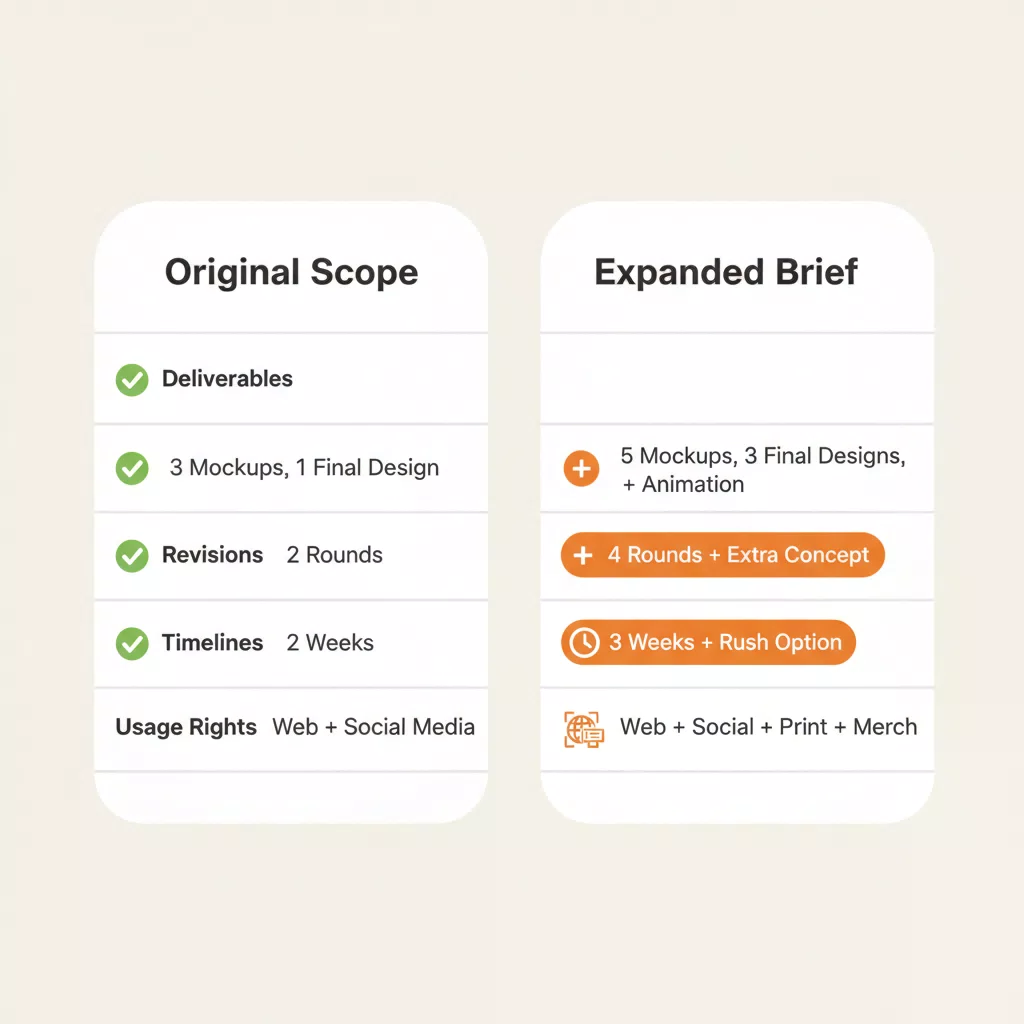
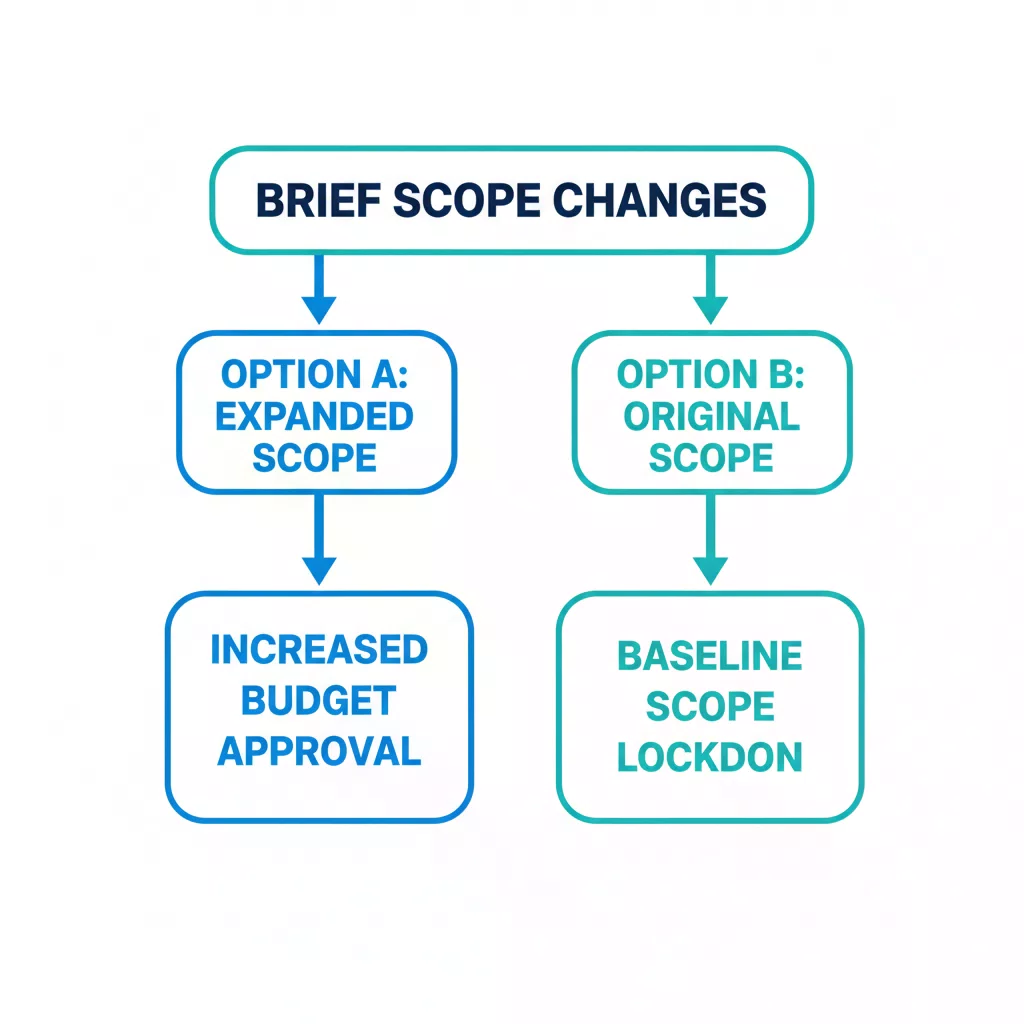
Instead, immediately audit the new requests against your original offer across four core pillars: deliverables, revisions, timelines, and usage rights. Calculate the exact price difference for the added workload and send a professional repricing email that offers the brand two options: approve the adjusted budget or keep the project locked to the original scope.
Here is how to evaluate scope changes before updating your quote:
- Deliverables: Extra video formats, cross-posting, or raw footage requests.
- Revisions: Additional edit rounds or major script changes after approval.
- Timelines: Fast-tracked turnaround that may justify a separate fee based on the extra work and schedule change.
- Usage Rights: Paid ad whitelisting, digital licensing, or extended usage duration.
Quick Scope Comparison
| Scope Pillar | Original Quote Baseline | Expanded Brief (Requires Repricing) |
|---|---|---|
| Deliverables | 1 TikTok video | 1 TikTok video + 3 cutdowns + raw footage |
| Revisions | 1 round of minor edits | Unlimited edits or complete script pivots |
| Timeline | Standard 14-day turnaround | 48-hour rush delivery |
| Usage Rights | Organic posting on creator channels | 90-day paid ad whitelisting rights |
Below is the step-by-step framework and copy-paste email script to reprice your deal without ruining the client relationship.
Audit the Revised Brief Against Your Original Quote
When a brand manager emails you an updated campaign brief after you sent a quote, your first job is to spot every single change. Brands rarely say "we added three new requirements." Instead, they casually attach a new PDF or update a shared document.
Accepting these changes without adjusting your quote leads directly to scope creep, where you end up doing twice the work for the same compensation.
Map Out the Scope Delta Across Four Key Pillars
To protect your profit margin, compare the new brief against your original proposal line by line. Look for differences in four specific areas:
- Deliverables: Look for extra video lengths, platform variations, or requests for raw footage.
- Revisions: Check if they added multi-stage approvals, brand compliance checks, or extra edit rounds.
- Timelines: Note if the launch date moved up or if review windows were shortened.
- Usage Rights: See if they added paid ad whitelisting, dark posting, or extended digital rights beyond organic posting.
Calculate the Price Difference for Scope Expansion
Once you isolate the extra requests, calculate their financial value. Never guess or throw out a random number. Use a predictable formula for each added asset or constraint so you can justify the price increase to the brand.
Assign Itemized Rates for Content, Speed, and Usage Rights
Use standard pricing add-ons to build your updated quote. Here is a clear breakdown of how to charge for additions beyond your baseline offer:
| Expansion Type | Calculation Method | Illustrative Example (Base Fee: $1,000) |
|---|---|---|
| Additional Deliverable | 50–75% of main deliverable rate per cutdown | 1 extra TikTok cutdown = +$500 |
| Raw Footage Delivery | 30–50% of base content fee | Unedited clips delivery = +$400 |
| Rush Delivery (< 5 days) | 25–50% surge fee on total deliverable price | 48-hour turnaround = +$350 |
| Paid Whitelisting | 30–50% per month of base fee | 30 days ad access = +$400 |
If a brand originally wanted 1 organic TikTok video for $1,000, but the revised brief asks for 30-day paid ad usage, raw footage, and a 3-day delivery turnaround, your updated quote should reflect those additions clearly: $1,000 base + $400 whitelisting + $400 raw footage + $350 rush fee = $2,150 total.
Send a Professional Repricing Response Email
Now that you have your math ready, reply to the brand contact immediately. Framing is critical here. You are not declining the work or accusing them of taking advantage of you. You are simply showing them what their updated vision costs.
Repricing Script and Scope Options Template
Give the brand two clear paths forward. Option A lets them proceed with the expanded scope at the adjusted rate. Option B lets them keep their original budget by sticking to the original scope.
Sample Email Response:
Hi [Brand Manager Name],
Thanks for passing along the updated campaign brief! I'm excited about this direction.
After reviewing the new document, I noticed a few additions to our initial agreement—specifically the 30-day paid ad whitelisting, raw footage delivery, and the expedited 3-day turnaround.
To cover the additional production, licensing, and priority editing, I’ve updated our project quote below:
Option A: Full Expanded Scope ($2,150)
- 1 Main TikTok Video (Organic)
- Unedited Raw Footage Bundle
- 30-Day Paid Ad Whitelisting Rights
- Rush 3-Day Turnaround Delivery
Option B: Original Scope ($1,000)
- 1 Main TikTok Video (Organic)
- Standard 14-day turnaround
- 1 round of minor edits included
Let me know which option fits your current budget best, and I’ll send over the updated agreement so we can jump into production!
Best regards, [Your Name]
Key Takeaways for Managing Post-Quote Scope Changes
Handling a revised brief with clear options protects your revenue and builds respect with brand partners.
When a brief expands, remember these core steps:
- Never start work until the final scope and price are approved in writing.
- Break down additions line by line so the brand understands why the price adjusted.
- Offer budget choices so the brand feels in control of their spending decisions.
If the revised brief also changes where or how the brand may use your work, check the creator usage rights checklist. You can use CreaSeed to organize the revised scope and draft a negotiation response before sending it to the brand.
FAQ
What If the Brand Refuses to Pay Extra for the Expanded Scope?
Politely inform the brand manager that you are happy to proceed with the project using the original scope and price agreed upon in your initial quote. Never perform additional work for free.
How Much Extra Should I Charge for Rush Delivery on a Brand Campaign?
There is no single standard rush fee. Estimate the extra work and scheduling cost, then quote the amount and revised deadline before accepting the change.