A 30-Minute Weekly Review for Every Open Brand Deal
Want to know the fastest way creators lose money on brand deals?
It isn't bad pricing—it's forgotten invoices, missed draft deadlines, and unbilled usage rights.
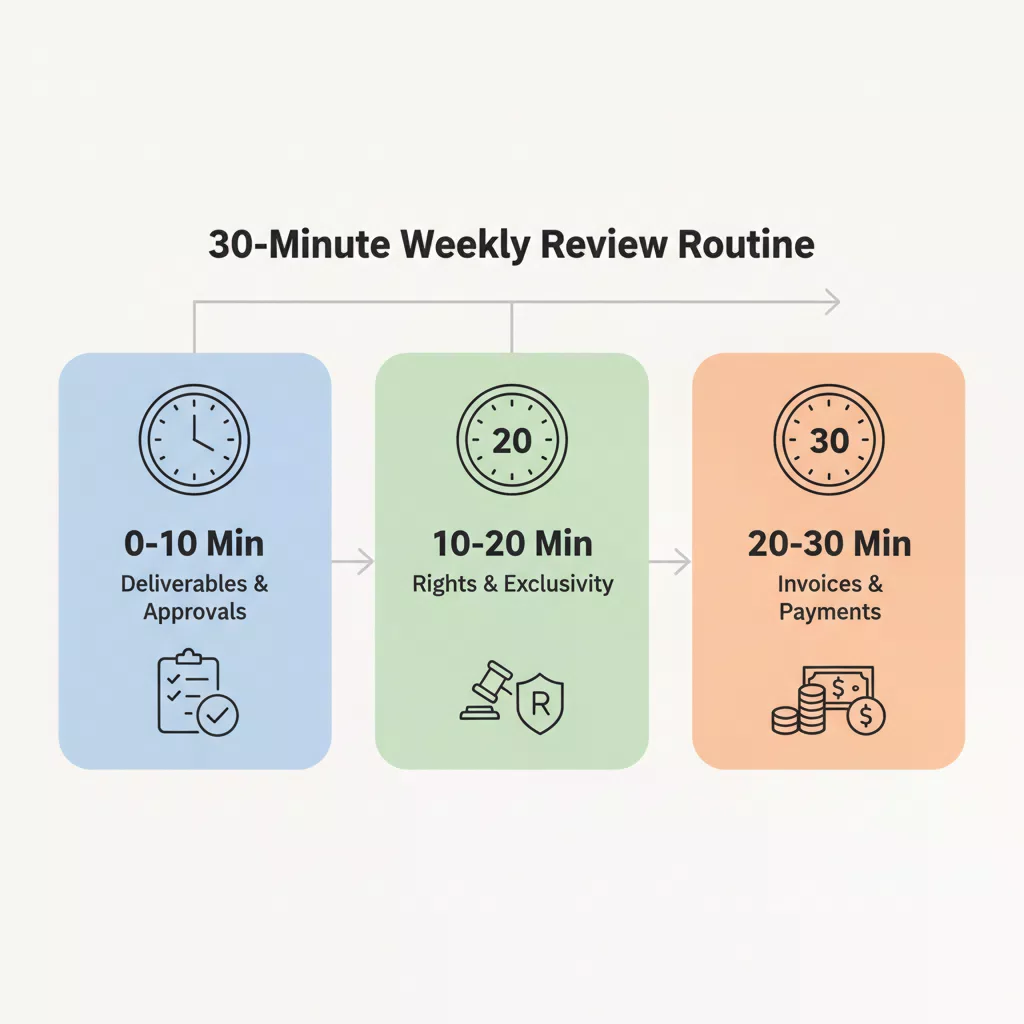
Running a structured, 30-minute weekly review routine helps you catch these issues earlier. By executing a quick audit once every week, you keep active deliverables on track, catch expiring licensing terms, and collect unpaid invoices before a deadline or payment issue is forgotten.
Here is how to break down your weekly 30-minute sponsorship review:
- Minutes 0–10: Deliverables & Approvals (audit active scripts, draft submission statuses, and client feedback turnarounds)
- Minutes 10–20: Rights & Exclusivity (track active whitelisting terms, content licensing windows, and exclusivity blackout dates)
- Minutes 20–30: Invoices & Payments (flag overdue payments and trigger concise follow-up communications)
Here is the exact step-by-step workflow to audit every open brand collaboration in 30 minutes flat.
Why Sponsorship Admin Costs Creators Money
Most creators think they only lose money when they price a deal too low.
That is rarely the full story.
Consider a creator with three open deals: a $1,200 invoice is five days overdue, a paid-use license ends next week, and a draft is waiting for brand approval. A weekly review makes those three next actions visible: follow up on the invoice, ask whether the brand wants to renew its license, and confirm the approval date. The money at stake depends on the actual contracts and response from each brand.
When you manage sponsorships off the top of your head, these details slip away.
Setting up a structured 30-minute weekly review helps catch these issues earlier. It gives you a regular view of your open contracts without turning you into a full-time administrator.
The 30-Minute Weekly Review Framework
To keep this review fast, you need a strict timer and a clear checklist. Do not try to solve every problem during these 30 minutes. Instead, treat this time as an inspection to spot what needs attention and queue up exact next actions.
Minutes 0–10: Deliverable and Approval Status Audit
Start by listing every brand collaboration currently in progress. Your goal in these first 10 minutes is to identify bottlenecks in the content production pipeline.
Check three critical items for each campaign:
- Draft Status: Is the script or video in outline, editing, or pending submission?
- Client Feedback Window: Has the brand exceeded its agreed review window (usually 3–5 business days)?
- Publish Date: Are you on track to meet the live posting deadline?
If a brand hasn't reviewed your draft within the contracted timeline, drop a polite reminder in their inbox today so your publishing date doesn't get pushed back.
Minutes 10–20: Rights, Exclusivity, and Usage Expiration Check
Next, review the licensing and competitive restrictions tied to your completed deals.
Brands often buy temporary usage rights to run your video in paid digital ads, or request dark post advertising rights known as whitelisting. Once those rights expire, the brand must either stop running the ads or pay for an extension.
During this 10-minute block, review:
- Active Usage Windows: Which brands currently hold rights to re-post or ad-boost your content?
- Expiration Dates: Are any usage agreements ending in the next 14 days?
- Exclusivity Blackouts: Are you restricted from working with competitor brands right now?
Catching an expiring usage window before it ends lets you offer a renewal rate while the campaign's performance is still fresh in the sponsor's mind.
Minutes 20–30: Invoice Tracking and Follow-Up Actions
The final 10 minutes are dedicated strictly to money coming in.
Open your accounting sheet or billing records and verify every sent invoice against its agreed payment terms, such as Net 30.
Group your open invoices into three clear buckets:
- Current: Invoices issued recently that are still within standard payment windows.
- Due Soon: Invoices coming due within the next 7 days (time to send a friendly reminder).
- Overdue: Invoices past their due date that require a firm follow-up.
Example Follow-up Template: "Hi [Brand Contact], checking in on invoice #104 ($1,500) submitted on Oct 1. Our agreed payment terms were Net 30, which passed on Oct 31. Please let me know when payment is scheduled so we can keep our account records up to date."
Worked Example: Auditing 3 Open Deals in 30 Minutes
Let's look at how this review works in practice. Imagine you run this audit on a Friday afternoon across three active creator brand partnerships.
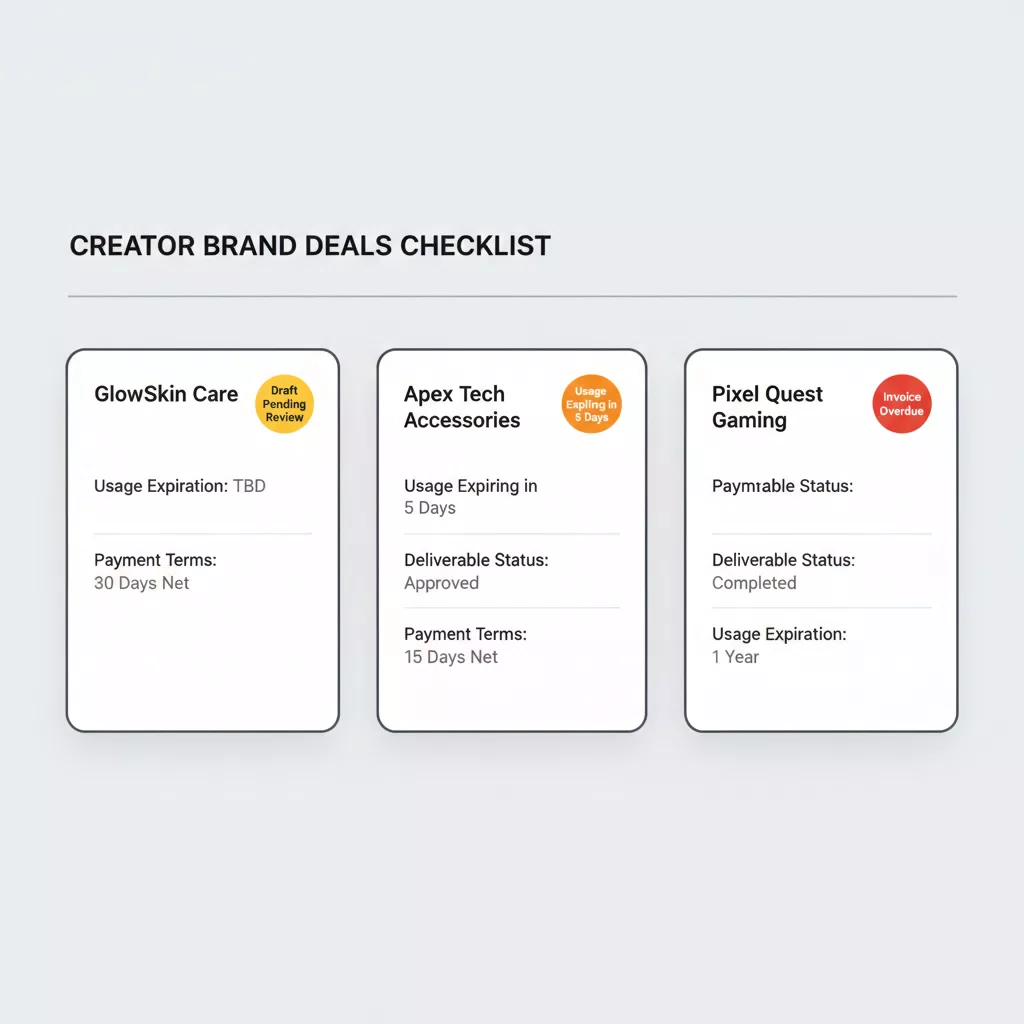
Input Data: The 3-Deal Audit Log
Here are the raw details collected during your 30-minute inspection (illustrative scenario):
- GlowSkin Care: Sponsored YouTube integration. Draft submitted 6 business days ago; brand agreed to 3-day turnaround. Payment terms: $2,000 on delivery.
- Apex Tech Accessories: Dedicated TikTok review. Video went live 30 days ago. Paid whitelisting access ($800/month) expires in 5 days.
- Pixel Quest Gaming: Sponsored Twitch stream. Deliverables completed 35 days ago. $1,200 invoice submitted under Net 30 terms; now 5 days overdue.
Review Output and Action Steps
After running through your 30-minute framework, you organize your audit findings into an actionable dashboard:
| Brand | Current Status | Expiration / Due Date | Identified Problem | Immediate Next Action |
|---|---|---|---|---|
| GlowSkin Care | Draft submitted | Review window passed | Delayed feedback blocking edit phase | Send reminder regarding 3-day feedback SLA |
| Apex Tech Accessories | Live campaign | Whitelisting expires in 5 days | Unbilled usage extension potential | Pitch 30-day whitelisting extension for $800 |
| Pixel Quest Gaming | Completed | Net 30 invoice overdue by 5 days | Unpaid balance | Send polite payment nudge with original invoice attached |
In just 30 minutes, you converted three messy email threads into clear revenue-protecting actions.
Automating Deal Tracking and Follow-Ups with CreaSeed
Running a weekly review manually works well, but inputting data and drafting follow-ups manually still consumes valuable creative time.
This is where CreaSeed simplifies your administrative workflow.
Instead of writing status updates or follow-up emails from scratch, you can copy your weekly audit notes directly into CreaSeed's 24/7 AI chat interface. CreaSeed can help you:
- Draft Tailored Follow-Ups: Generate professional payment nudges or client revision reminders instantly.
- Calculate Licensing Extensions: Price usage extensions or whitelisting renewals based on your account's market valuation metrics.
- Track Campaign Logistics: Organize brand communications, deliverables, and contract terms inside a single chat thread—ensuring you keep 100% of your earnings without paying agency commissions.
By combining your 30-minute review habit with CreaSeed, your sponsorship operations stay structured, professional, and profitable.
Key Takeaways for Managing Open Sponsorships
Managing brand partnerships doesn't require complex business software or hours of tedious admin.
Keep these core principles in mind for your weekly review:
- Time-box your routine: Stick strictly to 10 minutes for deliverables, 10 minutes for rights, and 10 minutes for invoices.
- Act on expiring rights early: Offer usage extensions before whitelisting terms expire to unlock recurring revenue.
- Follow up on overdue payments systematically: A simple, polite email sent as soon as Net 30 terms pass can make the payment status clear sooner.
- Leverage AI tools: Use CreaSeed to automate draft responses, contract tracking, and rate quotes.
For the payment part of the review, keep the brand deal invoice checklist close by. CreaSeed can help organize deal follow-ups and prepare replies for your review.
FAQ
How Often Should I Run This Brand Deal Review?
Run this review once every week, ideally at the end of the work week or on Monday morning, to catch pending draft deadlines and overdue payments promptly.
What Should I Do If a Brand Misses an Agreed Review Window?
Send a polite follow-up pointing out the agreed feedback timeline in your contract and inform them that delays may require shifting the published launch date.