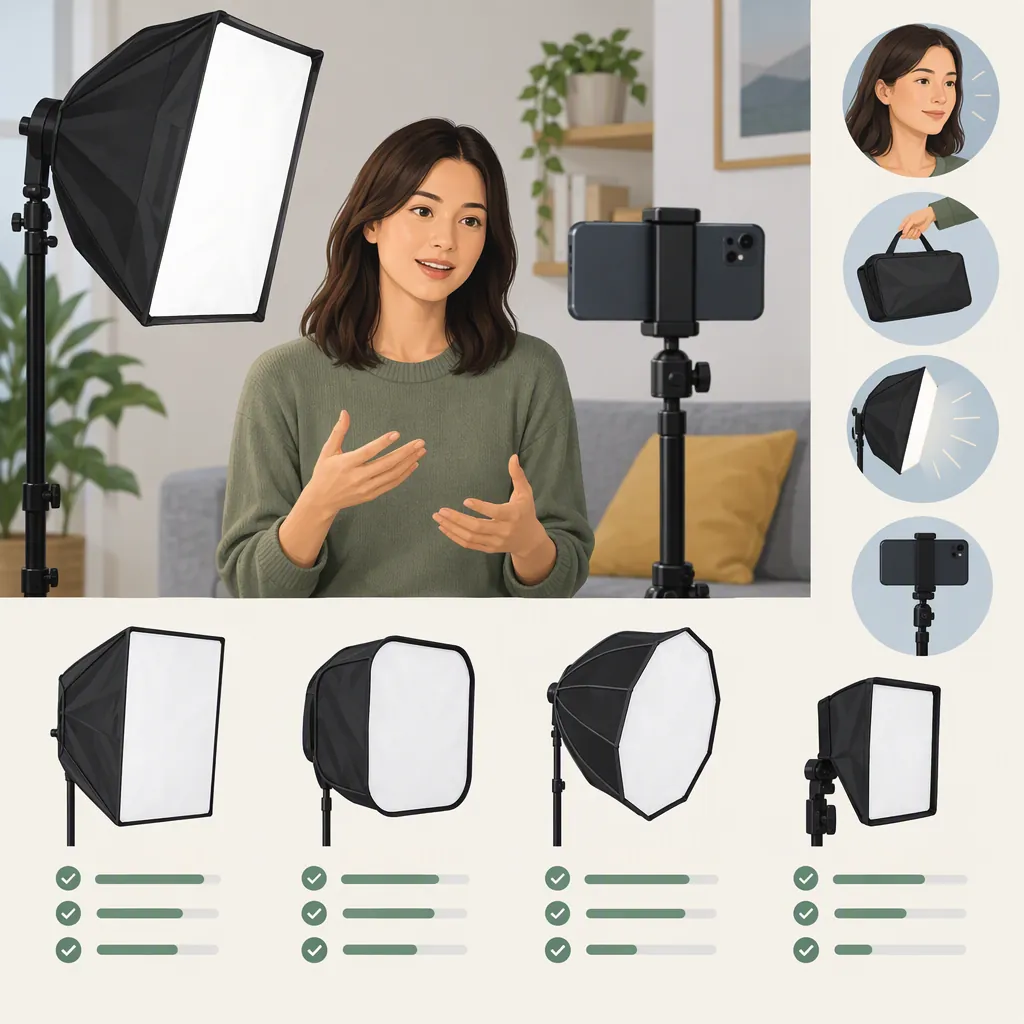
How to Choose a Portable Softbox for Phone Video
Choose a portable softbox around a compatible continuous light, then assess the complete kit: light, modifier, power, support, and carrying space. Match that setup to how you film rather than choosing by softbox size alone. The manufacturer examples here describe different systems—a Lume Cube XL-specific accessory and a Fotodiox kit built around a flash/speedlight bracket—not interchangeable, complete phone-video lighting kits. [c1] [c2]
Start with the Light and Your Recording Task
Treat the softbox and the light as separate decisions. Lume Cube describes its mini softbox as an accessory for the XL 60W RGB Mini COB Light. Fotodiox describes its foldable kit around a flash/speedlight bracket. A flash-oriented modifier listing does not establish that a continuous video light is included or that your intended light will fit. [c1] [c2]
For phone video, first confirm continuous operation in the light's documentation. Then use your recording task to identify the practical constraints:
| Recording task | What to check first |
|---|---|
| Handheld clips or moving shots | How the phone and assembled light will be held or supported; whether the equipment obstructs movement or framing |
| Seated talking-head video | Available light positions, stand footprint, and clearance around the subject |
| Tabletop video | Space for close placement, clearance above or beside the table, and reflections on the objects being filmed |
If you already use a phone-mounted light, check whether its manufacturer identifies a compatible modifier. Do not assume a separate-light softbox can attach to it. For a separately supported light, verify both the modifier connection and the support requirements before selecting the softbox.
Video-Light Checks
Use documentation to narrow the options, then test unresolved details in your recording setup:
- Continuous operation: Confirm that the intended mode provides continuous illumination, not just flash.
- Brightness control: Check the dimming range and whether you can achieve the exposure you need with the modifier attached.
- Color-temperature control: Check whether the light offers settings suitable for matching or deliberately separating it from the other light in your scene.
- Recorded noise: If the light has a fan, record audio with your intended microphone placement and listen for it.
- Power and runtime: Check the required power source and test runtime at the brightness you intend to use, rather than assuming a stated runtime applies at every setting.
- Support: Confirm how the phone and light will each be held, including any required stand, grip, or adapter.
These are selection checks, not verified performance claims about the products cited here.
Check Exact Mount Compatibility
A familiar mount name is not enough. The Lume Cube page lists a Bowens S Mount but specifies an exclusive size for the Lume Cube XL. Its description limits the accessory to that light, so the mount label should not be read as proof of broad compatibility. [c1]
Fotodiox describes a bracket that clamps speedlights and accepts Bowens-mounted light modifiers. That describes the bracket's intended arrangement; it does not verify every possible continuous-light-and-softbox combination. [c2]
Before assembly, answer three questions:
- Does the exact softbox attach directly to the exact light or bracket?
- Is an adapter required, and is that combination documented?
- Does the intended support accommodate the assembled equipment according to its documentation?
Keep compatibility marked unconfirmed if the available information does not answer these questions. Resolve fit and support requirements before attempting a recording test.
Balance Softbox Size, Distance, and Brightness
Softbox dimensions matter in relation to the subject and the available filming space. As a general lighting principle, a larger apparent illuminated surface—as seen from the subject—usually produces softer shadow transitions. That means both the size of the softbox and its distance from the subject matter.
A smaller softbox placed closer may therefore be worth testing before choosing a larger one solely for softer shadows. Close placement must still leave room for framing, movement, and secure support.
Diffusion also reduces some usable light; the amount depends on the modifier and setup and should be measured or tested rather than assumed. A configuration that packs easily is not sufficient if it cannot provide the exposure you need with diffusion fitted.
Use these tradeoffs to guide your comparison:
- If shadows are too hard: Try moving the light closer, where practical, or testing a larger illuminated surface.
- If brightness is insufficient: Recheck light output and placement with the modifier attached.
- If a larger softbox crowds the scene: Test whether a smaller modifier at a different distance meets your needs.
Changing distance or position can also change subject brightness, background illumination, reflections, and framing constraints. Recheck the whole image after each adjustment.
Assess the Whole Kit's Portability
Listed dimensions and accessory weight are useful, but they do not describe the complete carrying burden.
Lume Cube lists a 12-inch diameter and a 1.2-pound softbox weight, along with integrated locking rods, diffuser fabric, a fabric grid, and a travel bag. The listed weight is for the accessory, not the complete lighting setup. [c1]
Fotodiox lists 20 × 20, 24 × 24, and 32 × 32-inch options. Its included-items list names the foldable softbox, inner and outer diffusion, speedring bracket, and carrying case. [c2]
Compare each complete configuration, including the light, power supply, support, cables, adapters, and carrying cases. Do not substitute assembled softbox dimensions for packed dimensions or estimate missing specifications from photographs.
Portable Kit Comparison Worksheet
Replace each status with a documented value or your own measurement. If documentation omits a specification, record not provided until you can measure it.
| Check | Setup A | Setup B |
|---|---|---|
| Exact light and softbox models | To verify | To verify |
| Continuous-light operation | To verify | To verify |
| Direct fit or required adapter | To verify | To verify |
| Support requirements and filming footprint | To verify / measure | To verify / measure |
| Packed dimensions of complete kit | Not provided / to measure | Not provided / to measure |
| Total carried weight, including power and support | To measure | To measure |
| Separate parts and assembly steps | To count | To count |
| Runtime at intended brightness | To test | To test |
| Recorded fan noise, if applicable | To test | To test |
| Fits intended bag and filming space | To test | To test |
A useful portability test is whether the entire setup fits your intended bag, can be assembled in the available space, and remains practical for your recording task. A carrying case for the modifier alone does not settle those questions.
Test the Actual Phone-Video Setup
Place the phone and subject where you expect to film. Use your intended recording settings, microphone, power source, and lighting conditions. Record short comparison clips with and without the modifier, keeping settings and placement consistent where possible.
Then connect each observation to an adjustment:
| What you notice | What to try next |
|---|---|
| Shadow transitions are harder than desired | Change the light-to-subject distance or test a larger illuminated surface |
| The subject is too dark with diffusion fitted | Recheck light output and placement, then repeat the exposure test |
| Glasses or tabletop objects show distracting reflections | Change the light's angle or position and review the recording |
| The background becomes too bright or too dark | Revisit the light position and subject-to-background arrangement |
| Brightness varies visibly during recording | Test the intended recording settings and light dimming level again; leave suitability unresolved if the variation persists |
| Fan noise is audible | Recheck microphone and light placement and any documented fan modes |
| The modifier enters the frame or the stand blocks movement | Rework placement and support, then confirm exposure again |
| Packing or assembly is cumbersome | Reassess the complete kit's parts, packed size, and setup steps |
Change one variable at a time where practical. Moving a light may fix a reflection but also alter exposure or background illumination, so review the complete clip rather than a single feature.
What the Manufacturer Pages Establish
The cited Lume Cube and Fotodiox pages document accessory specifications, intended connections, and package contents; they do not provide a controlled phone-video comparison. The Godox directory identifies families including EazyFlow and QR-series softboxes, but the cited directory text does not establish packed dimensions, weight, or phone-video performance. These sources cannot establish a best-performing or most-portable setup. [c1] [c2] [c3]
Use documented compatibility to narrow the options, complete-kit measurements to compare portability, and a recording test to determine suitability for your space.
FAQ
Does a Portable Softbox Include a Video Light?
Do not assume it does. Lume Cube identifies its mini softbox as an accessory for a separate XL light. Fotodiox's included-items list names the softbox, diffusion, bracket, and case—not a video light. Check the contents of the exact package. [c1] [c2]
Does a Bowens Mount Label Guarantee Compatibility?
No—do not use the label alone as a guarantee. The Lume Cube listing names a Bowens S Mount while specifying an exclusive size for the XL. Verify the exact light, softbox, and any adapter as a combination. [c1]
Is the Smallest Softbox Always the Most Portable Choice?
Not necessarily. Compare the packed size and total weight of the light, modifier, power, support, and accessories. For example, Lume Cube's listed 1.2-pound weight applies to the softbox accessory, while Fotodiox's package list covers a modifier-and-bracket kit rather than a complete video-light setup. Neither fact alone establishes complete-kit portability. [c1] [c2]
Can a Flash Softbox Be Used for Phone Video?
A flash-oriented softbox listing does not by itself establish a suitable video setup. Confirm continuous illumination from the light and documented compatibility between the light and modifier. Fotodiox's cited kit is described around a flash/speedlight bracket; that is not evidence that a particular continuous light fits or is included. [c2]
Which Portable Softbox Is Best for Phone Video?
The cited sources do not establish a best option. They document specifications, bracket features, and product families rather than comparative phone-video results. Choose among confirmed compatible configurations by your recording task, complete-kit carrying requirements, and tests of exposure, shadows, reflections, audio, and runtime. [c1] [c2] [c3]