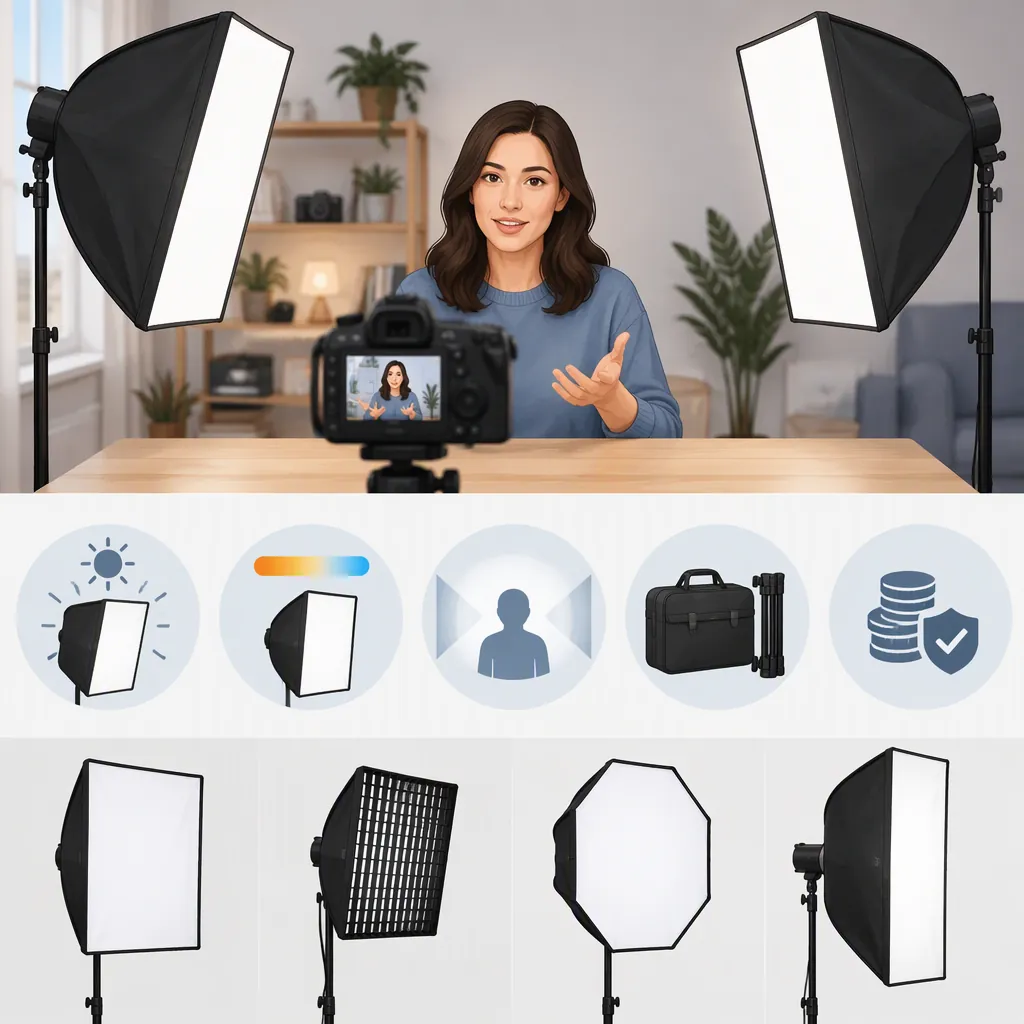
How to Choose the Best Softbox Lighting for YouTube
The best softbox lighting for YouTube is a setup that fits your filming space, provides continuous light, and gives you usable control over the image. Compare complete lighting kits with separate light-and-softbox setups before choosing. Prioritize mount compatibility, diffusion, manageable size, and setup convenience rather than bestseller position. The provided sources support these selection criteria, but they do not establish a universally best product through comparable video tests. [c1] [c2] [c4]
Distinguish a Lighting Kit from a Softbox
A softbox is a light modifier, not necessarily a complete lighting system. Spectrum describes softboxes as translucent enclosures fitted over studio lights to diffuse their output. Amazon’s supplied category page includes both kits with bulbs and standalone modifiers. Comparing those two categories as if they contain the same equipment can lead to an incomplete setup. [c2] [c3]
For YouTube recording, look for a continuous-light setup rather than assuming equipment intended for photographic flash will meet your needs. The PodcastVideos guide includes both continuous LED equipment and a modifier described for speedlight or studio-flash use, illustrating why a broad creator roundup needs careful interpretation. [c4]
Use these two routes as a starting point:
- Complete kit: Consider this when you need lights, softboxes, and stands together. Verify the actual contents rather than relying on the word “kit.”
- Separate light and modifier: Consider this when you already have a continuous light or want to select each component independently. Confirm that the softbox mount matches the exact fixture.
Neither route is automatically better; the useful comparison is the complete working setup.
Choose Size and Diffusion Around Your Space
Alli and Will’s tutorial explains using a large diffused source for a talking-head image and describes a softbox with inner and front diffusion layers. This supports considering source size and diffusion together, not choosing solely by the shape of the modifier. It does not prove that a particular diameter or two-layer design is best for every room. [c1]
Before settling on a size, map the space available beside or behind the camera. Include the softbox’s depth, the light fixture, the stand footprint, and access around your desk. A modifier that fits the room but blocks your working position is not a practical fit.
For a compact desk setup, prioritize a size you can position without disrupting the camera or microphone. For a dedicated filming room, consider whether a larger modifier is useful and whether you can leave it assembled. These are planning recommendations, not tested size rankings.
Do not interpret “soft” as “no shadows.” Spectrum describes diffusion as reducing harsh glare, while its setup guidance still discusses fill light to reduce shadows. Judge the result in your actual camera frame. [c3]
Check Compatibility, Controls, and Setup
Mount compatibility is a first-pass requirement. Alli and Will discusses Bowens-mount attachment, and the PodcastVideos guide identifies compatibility as a selection criterion. Do not infer that every fixture from a named brand uses the same mount; check the exact light and modifier combination. [c1] [c4]
Next, separate modifier features from light features:
| Component | What to Check |
|---|---|
| Softbox | Mount, assembled dimensions, included diffusion, assembly method, and packed size |
| Continuous light | Brightness adjustment, color-temperature options, power requirements, and controls |
| Support | Stand compatibility, manufacturer load limits, and space for stable placement |
| Complete kit | Exact quantities and included lights, modifiers, stands, and accessories |
Spectrum discusses adjustable brightness, color temperature, and remote control as lighting features. Treat these as workflow options: decide whether you need to change settings from your seated position or match a planned lighting look. They do not, by themselves, demonstrate better recorded image quality. [c3]
Quick-release assembly deserves attention if you dismantle your setup after each recording. Alli and Will demonstrates that mechanism and contrasts it with assembling individual spokes. That is a useful workflow example, not evidence that all quick-release softboxes assemble equally quickly. [c1]
Test the Lighting in Your Recording Frame
Start with a simple arrangement and evaluate it before adding equipment. Spectrum suggests beginning with a softbox kit or ring light, and describes a two-light arrangement with lights on either side of the subject at a slight angle. It also advises repositioning lights or the subject to avoid reflections in glasses. These are starting points, not mandatory layouts. [c3]
For a talking-head video, try one main light first. If the shadow side is darker than you want, test a second light as fill. For demonstrations, include your hands and the work surface in the test frame rather than checking only your face.
Keep the camera settings unchanged while comparing light positions so the comparison is easier to interpret. Record a short speaking sample as well as a still frame; use your actual framing and normal movements.
Softbox Setup Evaluation Checklist
- [ ] The exact light and modifier mounts match.
- [ ] The assembled setup fits without blocking the camera or workspace.
- [ ] Supports meet the equipment manufacturers’ requirements.
- [ ] The face and demonstration area are visible in the intended frame.
- [ ] Shadow depth matches the intended look.
- [ ] Reflections do not obscure the eyes when glasses are worn.
- [ ] Brightness and color settings are recorded for repeat sessions.
- [ ] A short speaking sample has been reviewed for image and sound issues.
- [ ] Setup and packing effort are acceptable for the recording schedule.
Read Rankings with Their Limits in Mind
Amazon describes its bestseller list as based on sales and updated frequently. Sales popularity is not a controlled comparison of lighting quality for YouTube. The supplied listing also mixes equipment types, so rank alone does not resolve compatibility or completeness. [c2]
The other references are a creator tutorial, a retailer’s educational guide, and a creator-equipment roundup. They offer useful explanations and selection prompts, but the supplied material does not present a shared testing method across the listed equipment. It therefore cannot establish a defensible overall product winner. [c1] [c3] [c4]
Use the evidence to build a shortlist by equipment type and workflow. Leave current availability, exact package contents, and performance in your camera setup as checks to resolve rather than assumed facts.
FAQ
Do I Need Two Softboxes for YouTube?
Not necessarily. Spectrum describes both a simple starting setup and a two-light arrangement. Begin by evaluating one main light, then test a second light if you want less contrast or more coverage. The provided evidence does not establish a universal minimum light count. [c3]
Will a Bowens-Mount Softbox Fit Any Video Light?
Do not assume so. Bowens is a mount discussed in the provided guides, but compatibility must be checked for the exact fixture and modifier. A brand name alone is not sufficient confirmation. [c1] [c4]
What Softbox Size Is Best for a Talking-Head Video?
The provided sources do not establish one best size. Alli and Will demonstrates a large diffused source for talking-head lighting, but that example is not a size comparison. Choose a manageable size for your room and evaluate the result in your intended frame. [c1]
Does a Bestseller Ranking Identify the Best Lighting?
No. Amazon describes its ranking as sales-based. It can indicate popularity, but it does not establish video performance, compatibility, or suitability for your filming space. [c2]