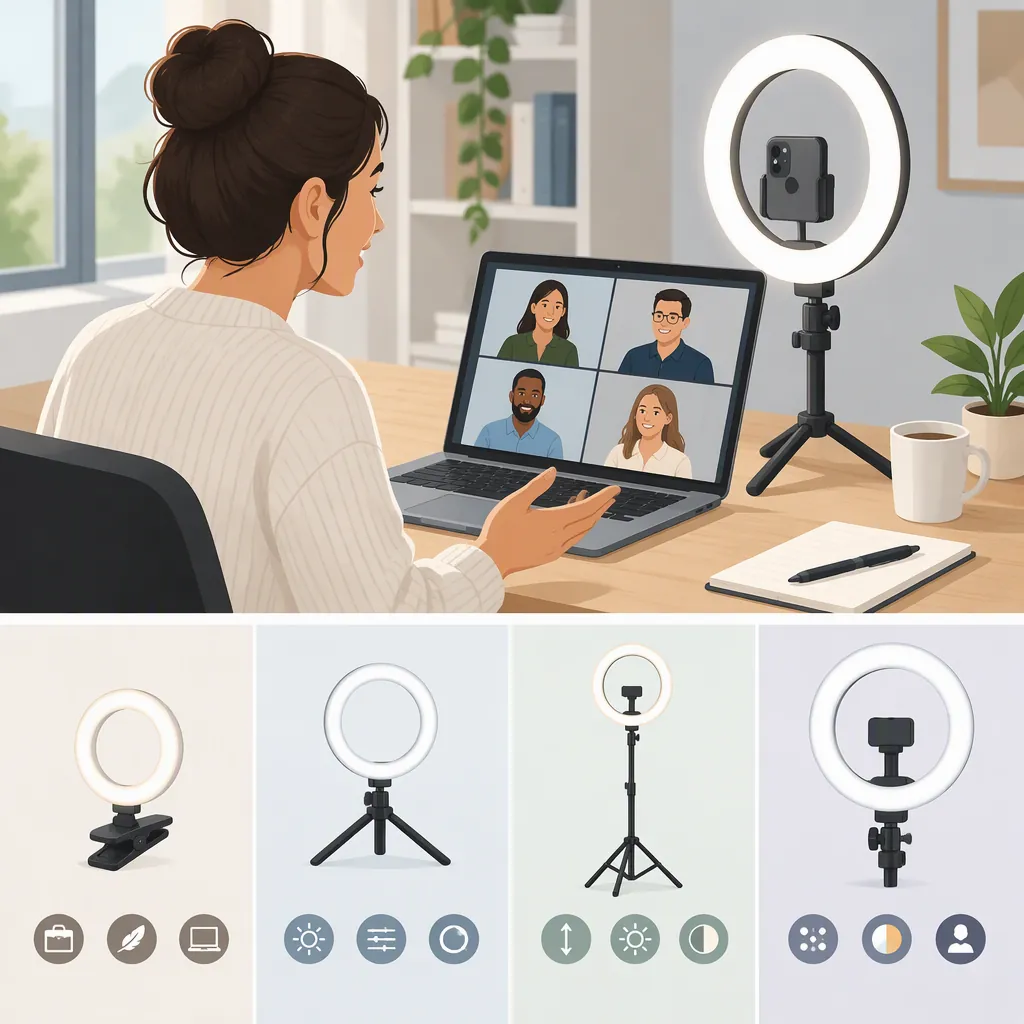
How to Choose the Best Ring Light for Zoom
The best ring light for your Zoom calls is one that fits your workspace, has compatible mounting and power requirements, and lets you achieve a comfortable camera preview. Start with those practical requirements, then compare adjustable controls and test the result in your usual call setup.
This is a selection guide, not a product ranking. The cited Lume Cube collection page lists retail ring-light options, but the supplied page content does not provide comparative Zoom testing or establish a best-performing model. [source_1]
Define What You Want to Improve
Before comparing lights, open your Zoom camera preview in your usual call setup. Identify the problem you want to solve:
- Your face looks too dark.
- One side of your face looks noticeably different from the other.
- Your current lighting creates unwanted reflections.
- The light you already use feels uncomfortable.
- Your setup takes too much space or time to assemble.
Try adjusting your seating position and available room lighting first. If the preview is already acceptable and comfortable, additional lighting may not be necessary.
Write a specific goal:
During Zoom calls, I want to improve ___ without making ___ less comfortable.
Then note the available space around your camera, where a support could sit or attach, and the location of a suitable power connection. These constraints help you eliminate unsuitable options before comparing optional features.
Check Workspace Fit, Mounting, and Power First
Treat these as basic compatibility requirements. Verify details for the exact model rather than assuming that similar-looking lights use the same accessories or connections.
| Requirement | What to verify | Reason to exclude a candidate |
|---|---|---|
| Workspace fit | Complete dimensions, including the stand or support, with room for normal seated movement | It blocks your screen or occupies space you need for work |
| Mounting compatibility | Attachment method, support requirements, and included mounting accessories | You cannot attach or support it in the intended position |
| Power availability | Required power source, cable reach, and any necessary adapter | Your setup cannot provide the required connection |
| Placement flexibility | Available height, position, or angle adjustments, where specified | You cannot place it near the camera without obstructing your working area |
Do not assume a stand, mount, adapter, or battery is included. Distinguish included equipment from accessories you would need separately. If documentation leaves a critical detail unclear, seek confirmation before treating the candidate as compatible.
For size, consider the whole setup—not just ring diameter. A light that fits beside your camera may still have a support that interferes with your keyboard or normal movement. This guide does not prescribe a universal ring size for Zoom.
Compare Controls and Everyday Convenience
Once a candidate passes the compatibility checks, consider how you would use it during calls:
- Brightness adjustment: Can you reach the controls while seated? During a trial, can you find a setting that looks acceptable and feels comfortable?
- Color adjustment, if offered: Test available settings alongside your usual room lighting. Do not treat a color specification as a guarantee of a better preview.
- Position adjustments: Check whether the support allows the changes you want to test, rather than choosing by its appearance alone.
- Storage and setup: If you must remove the light after each call, compare packed dimensions, removable parts, and the steps needed to restore your preferred position.
Your workspace determines which of these matters most:
| Your situation | Selection priority |
|---|---|
| Small desk | A placement and support that leave your screen, keyboard, and movement clear |
| Frequent setup and storage | Manageable storage dimensions and a repeatable setup process |
| Fixed office position | Accessible controls and a workable permanent cable route |
| Changing room lighting | Controls you can test under the different conditions you actually use |
These are evaluation priorities, not claims that one size or mounting style is universally better.
Test the Light in Your Actual Zoom Setup
Use your normal camera, seating position, framing, and typical room lighting. Keep those conditions consistent when comparing the light-off and light-on results.
Begin at a low brightness setting and change one variable at a time. The test is whether the light improves your original problem without introducing an unacceptable trade-off.
Camera Preview Test
- Open your Zoom camera preview with the light off. Note face brightness, uneven lighting, reflections, and background appearance.
- Turn the ring light on at a low setting. Keep its position fixed while adjusting brightness.
- Compare with the light-off result. Check whether your original problem is less noticeable, not simply whether the image is brighter.
- Test placement separately. Hold brightness steady while changing one aspect of placement, such as height or angle, within the support’s permitted range.
- Check glasses and comfort. Wear your usual glasses, if applicable, and look toward the screen as you would during a call.
- Test normal movement. Lean or turn as you ordinarily would and check whether the arrangement remains usable.
- Record your preferred settings and remaining concerns. Include placement, brightness, and any color setting.
Use Problems to Guide the Next Test
| What you notice | Next step to test | What it means for selection |
|---|---|---|
| Your face still looks too dark | Keep placement fixed and adjust brightness gradually; compare with the light off | Check whether the available adjustment range addresses your goal comfortably |
| One side of your face looks different | Hold brightness steady and try another practical light position; test room-light changes separately | Verify that the support permits the position you prefer |
| Reflections appear in glasses | Change the light’s position or angle one variable at a time, then reassess brightness | Check whether the mount allows the needed adjustment without blocking your workspace |
| Your face looks acceptable but the background does not | Compare light-off and light-on results, then test placement or room lighting separately | Judge the whole frame rather than selecting by face brightness alone |
| Looking toward the screen feels uncomfortable | Reduce brightness and try a different practical position; stop the trial if discomfort persists | Do not favor a candidate whose usable settings remain uncomfortable |
| The light interferes with work or movement | Test another permitted support position | Exclude it if no workable arrangement leaves your workspace clear |
These are troubleshooting experiments, not guaranteed fixes. No universal angle, distance, or brightness setting is established by the supplied reference.
If no practical ring-light position gives you a result you like, test another lighting arrangement instead. A ring light is an option, not a requirement for Zoom.
If You Cannot Try the Light Before Choosing
Separate what documentation can confirm from what needs a real-world test.
- Check the exact model’s documentation. Resolve dimensions, mounting requirements, power needs, included accessories, and available adjustments.
- Look for a way to evaluate the setup. Check whether borrowing a suitable light or attending a demonstration is possible. Confirm what equipment and testing conditions would be available.
- Verify any return or exchange terms before relying on them. Check eligibility, deadlines, condition requirements, packaging requirements, fees, and shipping responsibilities. Do not assume a seller offers a trial or accepts returns.
- Record the remaining uncertainty. Preview appearance and comfort remain untested even when specifications confirm compatibility.
- Run the Zoom preview test when you obtain the equipment. If a confirmed evaluation or return window applies, allow time to test under your normal call conditions within that window.
If no trial or return route is available, decide whether the unresolved appearance and comfort questions are acceptable to you. A feature list cannot answer them.
Keep a Short Decision Record
Use one row per candidate rather than copying every specification again.
| Candidate | Compatibility evidence or unresolved detail | Preferred setup, if tested | Remaining concern | Decision status |
|---|---|---|---|---|
| Exact model | Documentation checked and any critical unknowns | Placement and control settings | Reflection, comfort, storage, or untested result | Exclude, verify, test, or suitable |
Final decision: Exclude confirmed incompatibilities, resolve critical unknowns, and prefer a candidate that meets your lighting goal in a comfortable preview where testing is possible. A larger ring, higher price, or promotional “best” label is not enough to decide.
FAQ
Which Ring Light Is the Best for Zoom?
The supplied evidence does not establish a best model; it is a retail collection page rather than a comparative Zoom test. [source_1] Choose by workspace compatibility and, where possible, a preview trial that addresses your lighting goal.
What Size Ring Light Should I Choose?
Check the complete footprint of the light and its support, not just the ring diameter. Choose a size you can position without obstructing your screen or working area, then evaluate the preview rather than relying on a universal size recommendation.
How Should I Evaluate a Ring Light If I Wear Glasses?
Wear your usual glasses during the Zoom preview test. Change position or angle separately from brightness, checking reflections and comfort after each adjustment. If no practical arrangement works for you, consider another lighting setup.
Do I Need Adjustable Color Settings?
Treat color adjustment as an optional feature to test with your normal room lighting. Decide whether it helps produce a preview you prefer; do not let it outweigh basic fit or comfortable use.
Can I Choose a Ring Light Without Trying It First?
You can confirm compatibility from exact-model documentation, then check whether borrowing, a demonstration, or a verified return arrangement is available. None is guaranteed. Keep appearance and comfort marked as untested until you can run the preview test.
Do I Need a Ring Light If My Zoom Video Already Looks Acceptable?
Not necessarily. If your current setup meets your lighting goal and feels comfortable, additional lighting may not be needed. Try simple changes to your seat or available room lighting before adding equipment.