How to Choose the Best Portable Video Light for Phone and Camera Filming
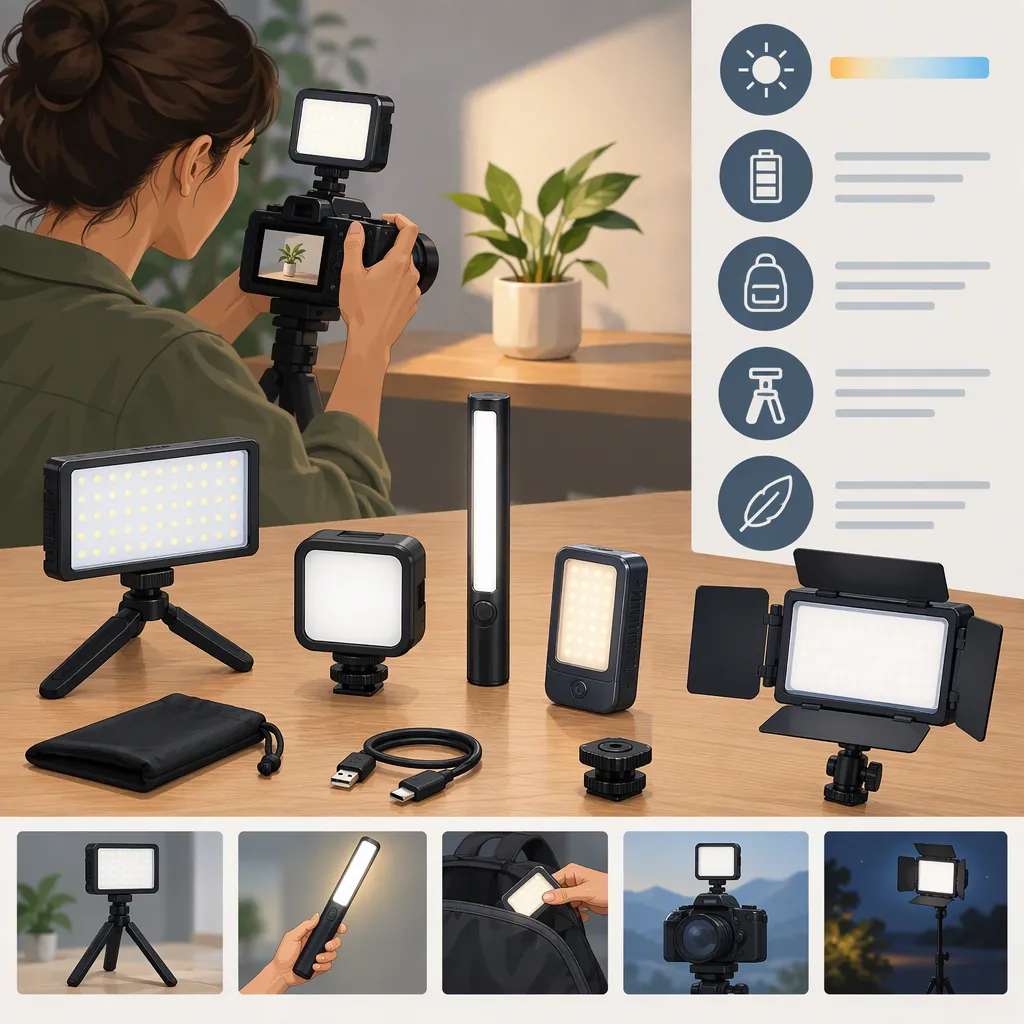
The best portable video light depends on your filming distance, power needs, and mounting setup—not a universal ranking. For mobile filming, evaluate a compact, dimmable panel with adjustable color temperature first. For a stationary interview, compare a larger panel or compact COB light with diffusion. Check output at a stated distance, runtime at your intended brightness, and compatibility with your phone holder or camera rig. The provided guides support these selection criteria, but do not establish an independently verified best product. [c1] [c2]
Start with the Shot, Not the Ranking
Define what the light must do before comparing specifications. Will it illuminate a face at arm’s length, fill shadows during a moving interview, or serve as the main light for a seated subject?
GVM’s beginner guide distinguishes on-camera lights, panels, ring lights, and compact COB lights by their intended uses. Shotkit also describes placing an on-camera panel on a separate stand to change the direction of illumination. These are useful starting categories, not guarantees about an individual fixture. [c1] [c2]
| Filming Situation | Light Type to Evaluate | Main Question |
|---|---|---|
| Handheld phone video | Small panel on a compatible holder or rig | Can you hold and adjust the complete setup comfortably? |
| Close-up desk video | Compact panel or ring light | Does the light suit your face, framing, and available space? |
| Seated interview | Larger panel or compact COB light with diffusion | Is there enough output at the planned subject distance? |
| Moving interview | Compact on-camera or handheld light | Can you reposition it quickly without disrupting audio or framing? |
| Background color effects | RGB panel or tube | Do you need colored effects, or primarily adjustable white light? |
Treat this table as a shortlist framework. It does not rank models or promise a particular result.
Compare Output and Color Controls
Separate power consumption from useful illumination. GVM’s beginner guide distinguishes wattage from output measurements such as lux and lumens. A wattage number alone is not a sufficient brightness comparison. For lux figures, compare measurements taken at the same distance and check whether a reflector or diffuser was fitted. [c1]
Look for usable dimming. Evaluate whether the light can be reduced enough for your closest shot, not merely whether its maximum setting is bright. The guides identify brightness adjustment as a relevant feature. [c1] [c2]
Choose color controls for your scene. Adjustable white-light color temperature can help you work with warm indoor lamps or daylight. RGB modes serve a different purpose: colored accents and effects. Do not make effects a priority unless your footage needs them. [c1] [c2]
Treat color scores as screening information. The GVM guide discusses CRI and TLCI as color-rendering indicators. They are useful specifications to review, but this article does not verify any model’s scores or promise accurate skin tones from a rating alone. [c1]
Check Phone Mounting and Battery Practicality
A portable light is only one part of a mobile setup. Evaluate it together with the phone, holder, microphone, cables, and any support you intend to carry.
The references describe shoe mounts, tripod threads, built-in batteries, replaceable battery options, and USB power or charging on some lights. These features vary by fixture; the category name does not establish compatibility. [c1] [c2]
Use these checks for a phone setup:
- Confirm how the light attaches to your actual holder or rig. Do not assume the phone itself has a suitable mount.
- Check that the light and mounting hardware leave the lens, screen, buttons, and microphone accessible.
- Evaluate balance with all accessories attached, including the charging cable if you plan to use one.
- Distinguish USB charging from operation while connected to external power. Verify the behavior for the specific fixture.
- Check runtime at the brightness you expect to use. A minimum-brightness runtime is not evidence of full-power endurance.
- Include spare batteries, adapters, supports, and diffusion when judging packed size and total cost.
GVM’s beginner guide specifically recommends checking runtime at full power. Shotkit also notes that battery endurance depends on the power setting. Neither source establishes a universal runtime requirement. [c1] [c2]
Portable Light Comparison Worksheet
Complete one copy per candidate:

- Main shot and subject distance: __________
- Light role: main / fill / accent
- Output measurement and stated distance: __________
- Reflector or diffusion used for that measurement: __________
- White-light color temperature range: __________
- Lowest usable brightness for the shot: __________
- Runtime and brightness setting used to specify it: __________
- Battery type and replacement plan: __________
- Charging connection and required power supply: __________
- Operation while charging confirmed: yes / no / unknown
- Mount compatibility with the actual phone holder or camera rig: __________
- Complete packed kit, including support and power accessories: __________
- Unverified details that still need checking: __________
Test the Light in Your Recording Setup
Specifications narrow the field; a short recording helps evaluate whether the setup meets your needs. GVM’s guide recommends experimenting with position, brightness, color temperature, and diffusion. Shotkit discusses the possibility of visible LED flicker or banding when recording settings interact with the light. [c1] [c2]
Use your intended phone or camera app and recording settings:
- Place the subject at the planned filming distance and frame the shot.
- Record with the light near the lens, then try it off to one side and slightly above the subject.
- Adjust brightness and color temperature while checking facial highlights and shadows.
- Try compatible diffusion if the light looks too harsh.
- Record at several brightness settings and inspect the clips for flicker or horizontal bands.
- Listen to the recording for unwanted equipment noise.
- Repeat with the power arrangement you intend to use during filming.
This is a practical evaluation procedure, not a standardized laboratory test. A clean result in one recording mode does not establish performance in every mode.
Understand the Evidence Limits
The supplied sources are useful for identifying features and trade-offs, but they are not a basis for a definitive product winner.
GVM publishes both a beginner guide and a ranked product article on its own website. The ranked article contains inconsistent model naming and specifications between some entries and its comparison table. This article therefore does not reproduce its rankings, claimed test results, or model specifications as independently verified findings. [c1] [c3]
Shotkit’s guide discloses that it may earn commissions from affiliate links. Its descriptions help identify selection considerations, but this article does not adopt its product awards or performance claims. [c2]
A defensible choice is the light that meets your shot requirements with acceptable mounting, power, output, and recorded results. Current prices, availability, compatibility, and runtime for individual models remain unverified here.
FAQ
What Type of Portable Video Light Should I Consider for a Phone?
Start by evaluating a small dimmable panel if your priority is a compact handheld setup. A ring light is another format to compare for face-focused filming, but check the complete size and mounting arrangement. The supplied guides describe both formats; they do not establish that either is best for every phone or shot. [c1] [c2]
How Bright Does a Portable Video Light Need to Be?
There is no single requirement established by these references. Evaluate output at your filming distance, with the diffusion and ambient light you expect to use. Compare lux figures only when the measurement conditions are comparable, and do not use wattage alone as a brightness ranking. [c1]
Do I Need a Diffuser for a Portable Video Light?
Not necessarily. Evaluate the recorded shadows and highlights first. GVM’s beginner guide recommends diffusion or a softbox for reducing harsh shadows. If you use one, include its mounting requirements and packed size when judging portability. [c1]
Can a Portable Led Light Flicker in Phone Video?
Yes, visible flicker or banding can occur under some recording conditions. Test the light with your actual phone app, recording mode, and intended brightness settings. Shotkit discusses this issue, but its guide does not verify flicker performance for every phone-and-light combination. [c2]