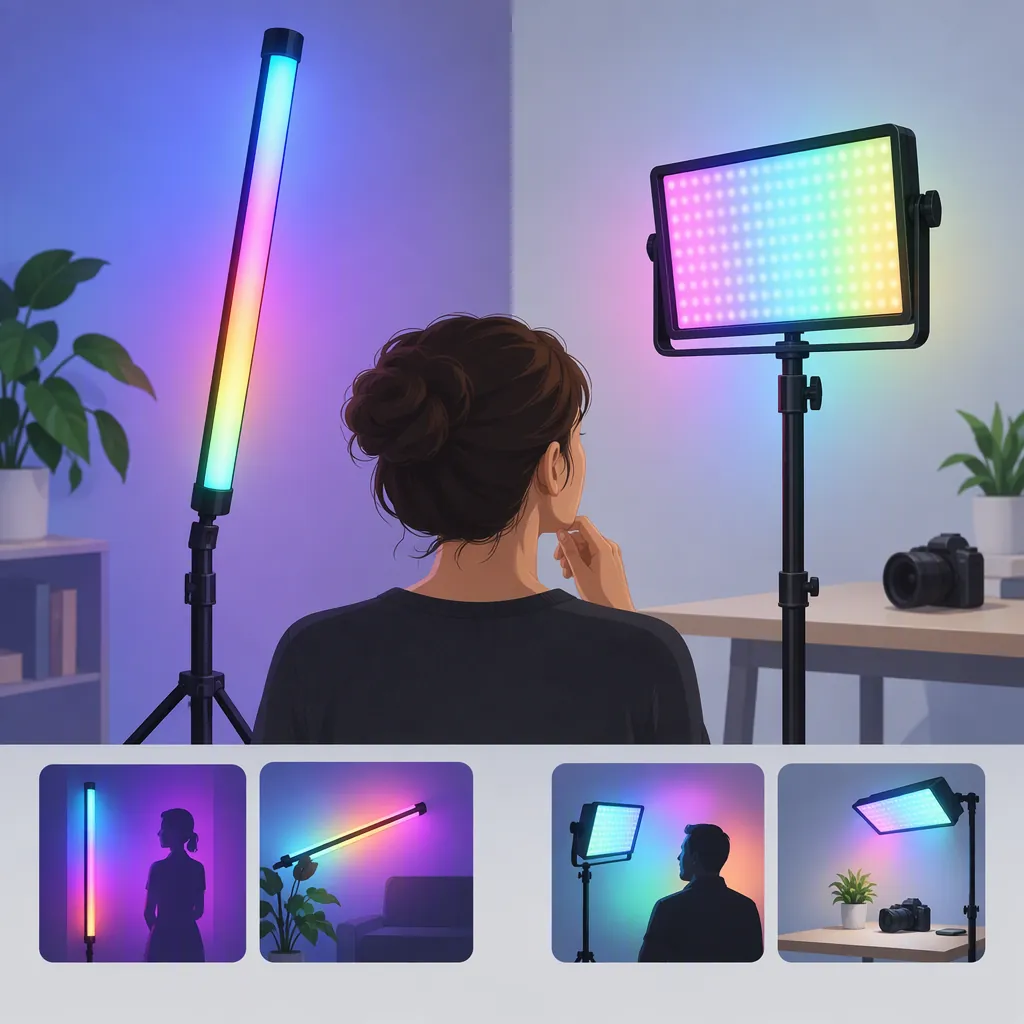
How to Choose an RGB Led Video Light for Atmosphere
Choose an RGB LED video light by its role in the shot, not its shape alone. Consider a tube or stick when a visible line of light is part of the composition, a panel for an off-camera lighting position, or a pocket light for a small accent. These are starting points to test, not performance guarantees. The supplied collections show these formats, but do not establish which produces the best result in your scene. [rgb_collection] [viltrox_collection]
Define the Light’s Role First
Before comparing fixtures, write down what the color should do in the image. Separate three possible jobs:
- Background atmosphere: Add color to a wall, shelf, or other part of the set.
- Subject accent: Introduce a deliberate colored edge or patch on the subject.
- Visible fixture: Include the glowing light itself in the composition.
For a natural-looking talking-head setup, a useful starting experiment is to keep the face lighting separate from the colored background. Add the RGB light only after the face exposure looks acceptable. Then compare a frame with the accent off against one with it on.
Treat this as a creative workflow, not a rule. If colored skin is intentional, include it in the test rather than assuming the background-only arrangement is preferable.
Scene Brief
Complete before evaluating a light:
- Intended role: background / subject accent / visible fixture.
- Surface or subject to light: ______.
- Desired color and mood: ______.
- Fixture visible in frame: yes / no.
- Available mounting position: ______.
- Parts of the image that should remain unchanged: ______.
- Acceptance test: compare recorded footage with the accent off and on.
Compare Tubes, Sticks, Panels, and Pocket Lights
The supplied Lume Cube collection includes RGB panels and tubes. Viltrox’s collection includes light sticks, pocket lights, and panels. GVM’s panel collection includes listings labeled RGB and bi-color. These sources establish available categories, not comparative lighting performance. [rgb_collection] [viltrox_collection] [panel_collection]
| Format | Suggested Starting Use | What to Check |
|---|---|---|
| Tube or stick | A visible line in the set or an accent beside the subject | Fit within the frame, mounting orientation, and appearance at the intended exposure |
| Panel | An off-camera position aimed at a subject or background | Coverage, spill, and space for any intended modifier |
| Pocket light | A small accent position or a compact setup | Whether the light reaches the intended area from its actual location |
Do not assume that a longer tube lights a larger room adequately, or that every panel is suitable as a main light. Make the choice conditional on a recorded test from the planned position.
Check Placement, Power, and Controls
Use practical constraints to narrow the format before comparing feature lists.
Placement: Sketch the light’s position and the camera’s framing. For a visible tube, check whether the stand, bracket, and cable would also appear. For a hidden accent, identify a mounting position that can be secured according to the fixture’s instructions.
Power: Verify the required power source and operating time for the exact model and intended settings. Do not assume that a collection label establishes battery operation, charging behavior, or runtime.
Controls: Decide whether you need to adjust the fixture while standing beside it or from the camera position. Some supplied listings describe app or Bluetooth control, but that does not establish identical control functions across models. [rgb_collection] [panel_collection]
Repeatability: Include the ability to record and restore settings in the evaluation. Write down placement, color, brightness, and camera settings even if the fixture offers presets.
Run a Camera Test Before Committing
Evaluate the light through recorded footage rather than relying only on its appearance in the room. Use the camera, lens, frame rate, shutter setting, and exposure planned for the shoot.
Start with one color and a static setup. Keep the camera settings fixed while changing one lighting variable at a time. Review the face, background, and visible fixture separately. If effects or color transitions are part of the scene, record those too.
This procedure is a screening method, not a certification of color accuracy or flicker performance. The supplied collection pages do not provide a standardized comparison under shared camera-test conditions. [rgb_collection] [panel_collection] [viltrox_collection]
RGB Lighting Test Checklist
1. Record the scene with the RGB light off.
2. Turn it on at the intended mounting position.
3. Record the intended hue at low, medium, and high settings.
4. Inspect the footage for unwanted color on the subject, distracting reflections, clipped areas, and visible flicker or banding.
5. Test any effects or transitions required by the scene.
6. Check whether adjustments are practical from the camera position.
7. Repeat with the alternative format, keeping camera settings and the creative target consistent.
8. Save the acceptable placement and settings; note any unresolved problems.
Separate Listings from Verified Performance
Use these references as a map of fixture formats and listing terminology, not as evidence for a best-product ranking. They are store collection pages rather than independent comparative tests. [rgb_collection] [panel_collection] [viltrox_collection]
The provided material does not establish a common basis for comparing output at a fixed distance, color accuracy, battery runtime, flicker behavior, or accessory compatibility across the options. Treat those points as unresolved until supported for the exact model.
A defensible choice is the format that fits the composition, can be mounted and powered appropriately, and passes the planned camera test. If that evidence is missing, keep the selection provisional rather than substituting a wattage label, product name, or review score for the test.
FAQ
Is a Tube Better than a Panel for RGB Atmosphere?
Neither is universally better. Start with a tube or stick if its visible shape is part of the composition; consider a panel for an off-camera position. Confirm the result with footage. The supplied collections show both formats but do not establish a performance winner. [rgb_collection] [viltrox_collection]
Can an RGB Led Video Light Also Be the Main Light?
Keep that decision model-specific. Some supplied listings combine RGB and bi-color terminology, but the collection pages alone do not establish suitability for your main-light position. Test the required face exposure and appearance before assigning both jobs to one fixture. [panel_collection]
Is App Control Necessary for an RGB Light?
Not necessarily. Decide based on whether the fixture will be accessible during filming and whether remote adjustments are part of the workflow. Some supplied listings describe app control, but verify the exact model’s functions rather than assuming that all RGB lights share them. [rgb_collection]
Sources
-
[rgb_collection] RGB Lights - Premium LED RGB Lighting For Photo, Video & Content | Lume Cube
-
[panel_collection] Professional LED Light Panels for Video Production, Streaming & Photog
-
[viltrox_collection] RGB Lights – Viltrox Store