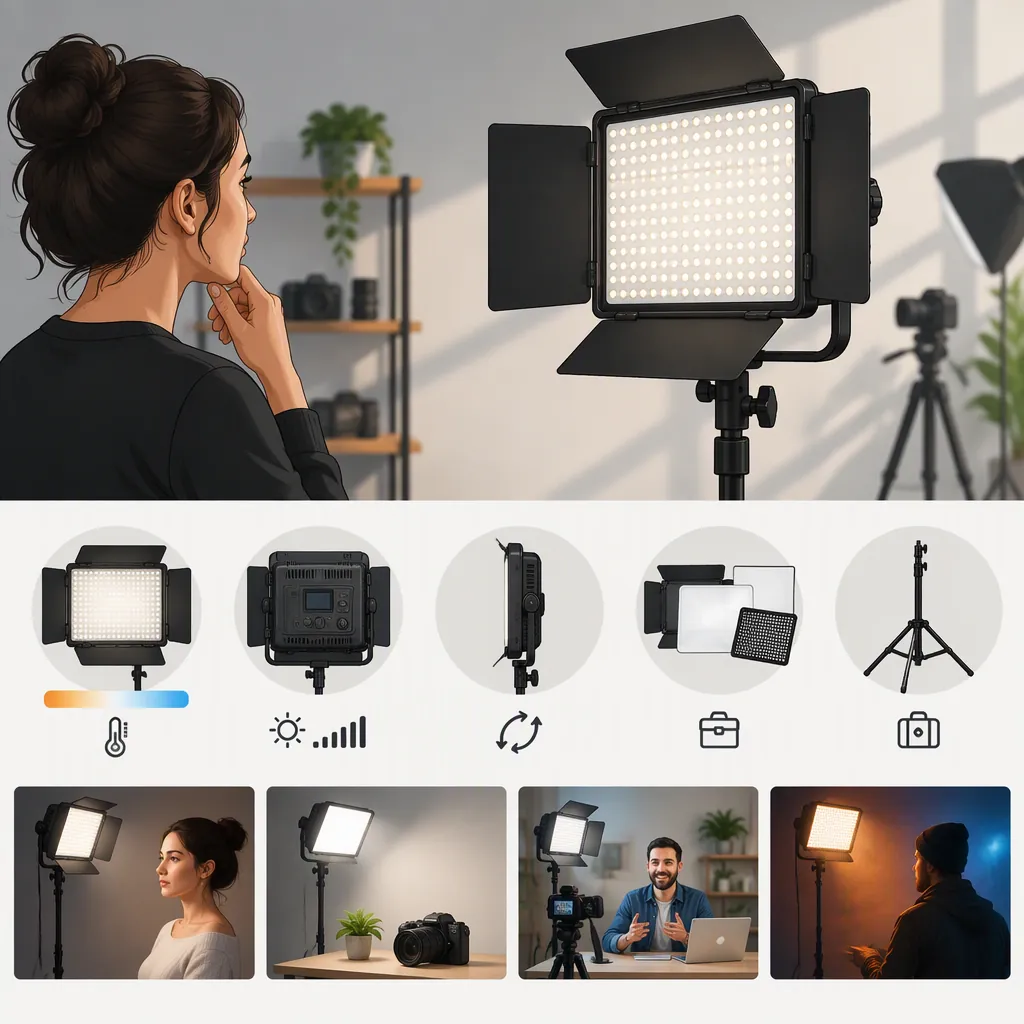
How to Evaluate a Neewer 660 Led Video Light for Filming
Start by identifying the exact model, then evaluate it for your intended lighting role rather than relying on the “660” name alone. The provided sources cover an RGB660 review and an RGB 660 PRO II retail listing; they do not establish that every 660-labeled light has identical features or performance. Use them as background, then verify the specific unit’s documentation and test it at your planned camera settings. [c1] [c2]
Identify the Exact Model Before Comparing
A search for “neewer 660 led video light” is not enough to identify a specific version or kit. Dan Mears’s article reviews the RGB660 and discusses it separately from bi-color 660 lamps. Woodland Hills Camera’s listing names an RGB 660 PRO II two-light kit. Treat these as distinct source subjects, not interchangeable descriptions. [c1] [c2]
Before evaluating suitability, record the full model name, model identifier, and whether the listing describes one panel or a kit. Check the documentation for the exact version rather than transferring specifications from a similarly named light.
This guide does not establish a complete model lineup, current availability, or equivalent performance between versions.
Model Identification Worksheet
- Full model name:
- Model identifier or SKU:
- Single panel or kit:
- Intended lighting role:
- Required white-light or color controls:
- Confirmed included accessories:
- Documentation checked:
- Questions still unresolved:
Define the Lighting Role First
Write down what the light must accomplish before deciding which controls matter. An interview key light, a background accent, and green-screen illumination are different evaluation tasks. The RGB660 review discusses several lighting roles, but those examples are the reviewer’s account—not a guarantee for another room, camera, or model. [c1]
For a face-lighting setup, prioritize a test of exposure, shadow appearance, and skin rendering at the intended working distance. For a colored background, test the actual background material and desired color. For green-screen work, inspect the recorded frame for uneven illumination and unwanted spill.
Treat RGB capability as a requirement only when your plan needs colored light. If your work primarily uses white light, focus your evaluation on the white-light settings you will actually use. Do not infer usable brightness from the model name alone.
Lighting Requirement Brief
Complete this before comparing lights:

1. Subject and framing:
2. Light’s role in the scene:
3. Available placement distance:
4. Camera frame rate, shutter, ISO, and aperture:
5. Desired shadow appearance:
6. White light, colored light, or both:
7. Ambient light that must remain in the scene:
8. Acceptance criteria for the recorded test:
Test the Complete Setup on Camera
Evaluate the panel with the accessories and placement you intend to use, not only as a bare fixture. In the RGB660 review, Mears reports multiple shadows at close range with the supplied diffusion and barn doors, as well as a tilt restriction involving the barn doors and yoke. These are observations about his reviewed setup, not established behavior for every 660 model. [c1]
Use those observations to frame practical checks: Can you position the light at the required angle? Does the intended diffusion produce acceptable shadows? Can you keep unwanted light out of the lens and background?
Also test controls and recording behavior directly. Check whether local controls are sufficient if wireless control is unavailable. Record short clips at every frame rate and shutter setting your production requires, and inspect them for flicker or banding. No flicker-free conclusion is established by the supplied sources.
Repeatable Camera Test
1. Set the camera to the intended production settings and lock exposure and white balance.
2. Place the light at the planned distance and angle.
3. Record the subject with the intended modifier installed.
4. Repeat at the brightness and color settings you expect to use.
5. Inspect shadows, skin rendering, background spill, lens flare, and visible flicker or banding.
6. Check tilt clearance and access to controls without forcing the mount.
7. Save each clip with its camera settings, light settings, distance, and modifier noted.
8. Mark each requirement as acceptable, unacceptable, or unresolved.
Verify Kit Contents and Evidence Limits
Check the exact package description for stands, power supplies, cables, diffusion, carrying equipment, and any separately required items. Do not assume that accessories described for one kit are included with another. The Woodland Hills Camera page describes a two-light RGB 660 PRO II kit with stands and other accessories, but a retail description is not an independent performance test. [c2]
For portable use, verify compatible power options in the exact model’s documentation and determine runtime through a controlled test of the intended configuration. For a fixed setup, check cable routing, access to power, mounting requirements, and clearance.
Keep the evidence hierarchy visible: the supplied review is one person’s account and includes an affiliate disclosure; the other source is a retailer listing. Neither provides a controlled comparison covering all 660 variants. These sources therefore support model identification and questions to investigate, not a universal recommendation or ranking. [c1] [c2]
FAQ
Are the Neewer Rgb660 and RGB 660 Pro Ii the Same Model?
Do not treat them as interchangeable. The supplied sources name different versions, and they do not establish equivalence between them. Verify the exact model identifier and documentation before comparing specifications or accessories. [c1] [c2]
Is One Neewer 660 Panel Enough for an Interview?
The supplied evidence does not establish that one panel will meet a particular interview setup’s needs. Define the framing, placement, ambient light, camera settings, and desired shadows, then test the exact panel with the intended modifier. The reviewer’s reported uses are examples, not transferable exposure guarantees. [c1]
What Can These References Tell Me Before Choosing a Light?
They identify two source subjects and provide a reviewer’s observations and a retailer’s package description. They do not provide a controlled head-to-head comparison, verified battery runtime, or a universal flicker assessment. Use them to prepare verification questions rather than to infer performance across the whole 660 range. [c1] [c2]