How to Choose a Neewer 480 Led Light for Filming
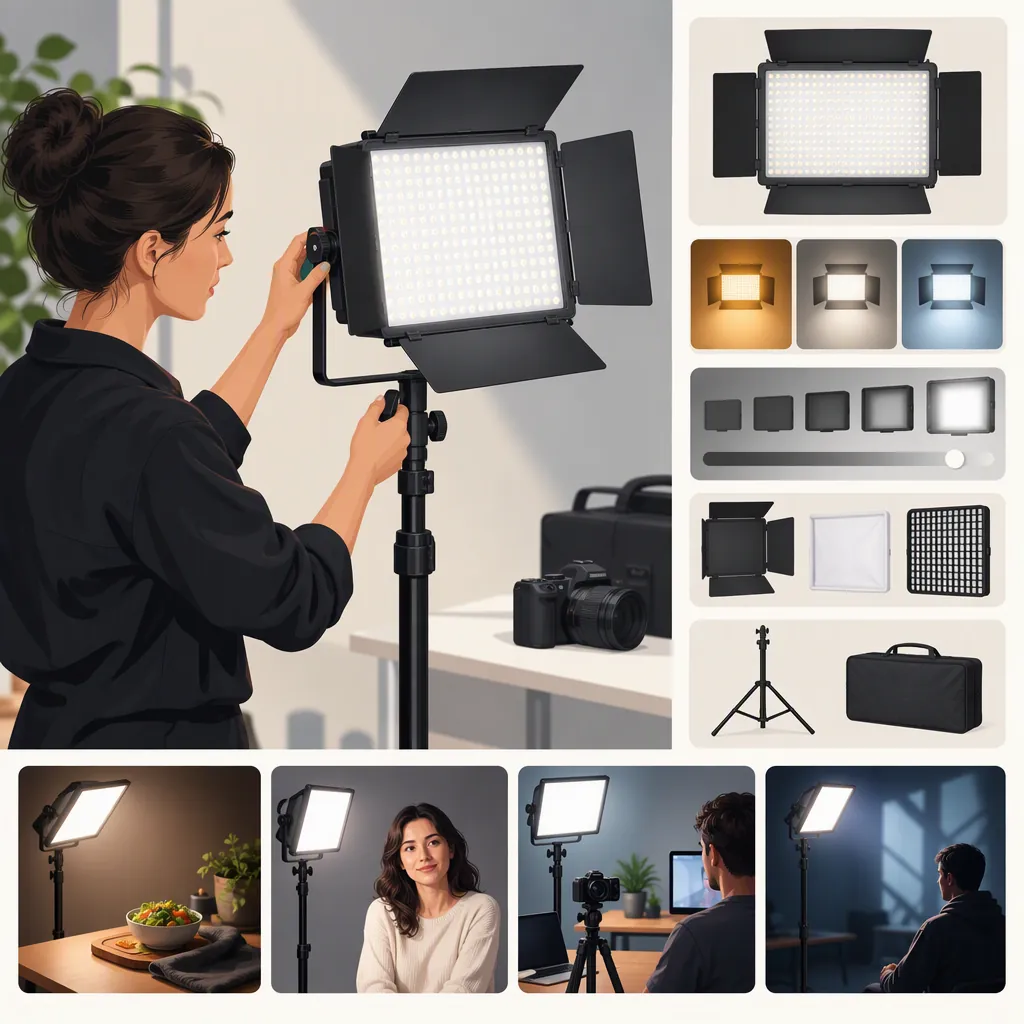
Start with the exact model and package, not the phrase “NEEWER 480 LED light.” The supplied listings distinguish an NL480 bi-color panel, an NL480 two-light kit, and an RGB480 two-light kit with color and app controls. For selection, separate your need for adjustable white light from your need for colored effects, then check mounting, power, and included accessories. These manufacturer listings are not independent evidence of on-camera performance. [c1] [c2] [c3]
Identify the Model Before Comparing Features
The number “480” does not identify one interchangeable product. NEEWER's supplied pages describe both NL480 and RGB480 models, with different controls and packages. [c1] [c2] [c3]
| Listing | What the Manufacturer Lists | Selection Question |
|---|---|---|
| NL480 single panel | Bi-color adjustment from 3200K to 5600K; one panel and diffuser; adapter, cable, and carry bag | Do you already have a suitable support? |
| NL480 two-light kit | Two bi-color panels, diffusers, adapters, cables, carrying cases, and light stands | Does your planned scene need two separately positioned lights? |
| RGB480 two-light kit | White-light adjustment, hue and saturation controls, Bluetooth app control, and scene modes; two stands | Do you need colored lighting or remote adjustment? |
These are descriptions of the supplied listings, not measured comparisons. The single-panel package list does not include a stand. Both two-light package lists do. Do not assume accessories transfer between packages simply because the names share “480.” [c1] [c2] [c3]
Model Identification Worksheet
- Exact model name: ______
- Product listing URL: ______
- Single panel or multi-light kit: ______
- Intended role in the scene: ______
- Required controls: white-light adjustment / colored light / remote control
- Included supports and power accessories: ______
- Unresolved compatibility questions: ______
Match the Controls to the Shot
Begin with the visual task rather than the feature count. For an interview or talking-head recording, ask whether adjustable white light is the only control you need. For a deliberately colored background, ask whether hue and saturation adjustment is part of the shot plan.
NEEWER lists a 3200K–5600K color-temperature range for both the NL480 and RGB480. The RGB480 listing additionally describes hue adjustment from 0° to 360°, saturation adjustment, app control, and nine scene modes. Those features distinguish its listed control options; they do not establish that it is a better white-light source. [c1] [c2] [c3]
Treat a color-temperature setting as a starting point for a camera check, not a promise of matching every room light. For your test, hold camera exposure and white balance fixed, record the intended setting, and inspect the subject and background together. If app control matters, include pairing and reconnection in the evaluation rather than judging only the light's appearance.
Shot Requirements Checklist
- Describe the desired subject lighting: ______
- Describe the desired background lighting: ______
- Mark colored effects as required, optional, or unnecessary.
- Mark app control as required, optional, or unnecessary.
- Record the camera white-balance setting used for evaluation: ______
- Check whether the chosen control workflow is practical from the camera position.
Check Power and Package Contents
Build a complete setup list before comparing packages. Include each light, its support, its power source, any required modifier, and the space needed to place it outside the frame.
The NL480 two-light kit and RGB480 two-light kit listings describe operation with adapters or NP-F550/NP-F970 batteries, with batteries not included. Neither supplied listing establishes battery runtime for your recording conditions. Confirm the exact battery arrangement and charger requirements from documentation for the unit rather than estimating runtime from the model number. [c2] [c3]
The supplied single-panel NL480 page lists an adapter and cable but provides less battery information than the kit page. Do not fill that gap by assuming every package or revision is identical. [c1] [c2]
For a location setup, verify the electrical rating on the actual adapter and map cable routes and stand positions. For a battery setup, make recording duration and spare-power needs explicit unresolved checks until verified.
Setup Inventory
| Item | Included? | Verification Needed |
|---|---|---|
| Light support | ______ | Mount fit and placement |
| Power adapter and cable | ______ | Actual electrical rating |
| Batteries | ______ | Exact supported configuration |
| Charger | ______ | Compatibility |
| Diffuser or other modifier | ______ | Fit and mounting |
| Transport storage | ______ | Space for the complete setup |
| Recording power reserve | ______ | Runtime at intended settings |
Keep Performance Questions Separate from Specifications
The references are manufacturer pages, not independent tests. They support identifying listed features and package contents, but do not establish which light will produce enough usable illumination for your scene.
Some source details warrant caution. The NL480 kit page labels an output entry “Lumen” but gives “3360Lux/m,” without enough measurement context for a dependable comparison. The RGB480 description and specification table also give conflicting LED-category counts. Avoid using either detail to rank the models. [c2] [c3]
If a unit is available for evaluation, use a repeatable camera test. Record the distance, modifier, brightness setting, color temperature, exposure, frame rate, and shutter setting. Review the actual footage for exposure, shadow appearance, reflections, color, and visible banding. This is a proposed evaluation procedure, not a report of tested results.
Without such a test, keep conclusions narrow: one package lists the controls and accessories your plan requires; its suitability at your shooting distance remains unverified.
Repeatable Camera Test
1. Set up the intended subject and background.
2. Record camera exposure, white balance, frame rate, and shutter setting.
3. Record light model, distance, angle, brightness, color temperature, and modifier.
4. Capture a short clip at each intended operating setting.
5. Inspect footage for exposure, shadows, reflections, color, and visible banding.
6. Change one variable at a time and repeat.
7. Mark each requirement as met, not met, or unverified.
FAQ
Are the Nl480 and Rgb480 the Same Light?
No. The supplied listings describe the NL480 as a bi-color panel and the RGB480 as a model with additional hue, saturation, app, and scene controls. Compare exact models and packages rather than treating “480” as a complete identifier. [c1] [c3]
Does a Neewer 480 Led Light Include a Stand?
It depends on the package. The supplied single-panel NL480 package list does not include a stand. The supplied NL480 and RGB480 two-light kits each list two stands. Check the exact package contents. [c1] [c2] [c3]
Can These References Establish Whether It Is Bright Enough?
Not for a specific filming setup. The listings do not provide a sufficiently clear, comparable basis for judging usable output at your shooting distance and with your chosen modifier. Treat exposure adequacy as unverified until evaluated under the intended camera and scene conditions. [c2] [c3]