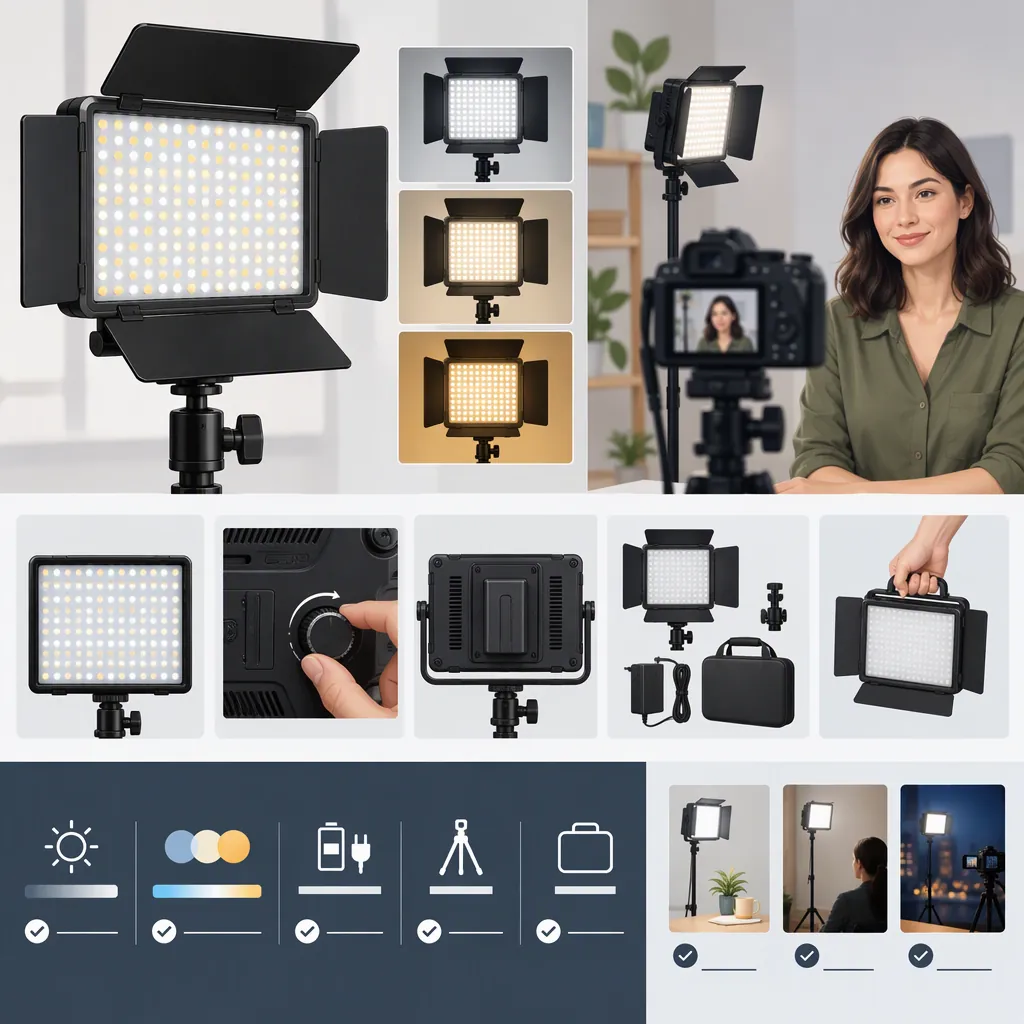
How to Evaluate the Neewer Dimmable 176 Led Video Light
Evaluate the NEEWER dimmable 176 LED video light by checking the exact model, your color-temperature needs, power accessories, mounting arrangement, and recorded results. NEEWER lists the standard 176 panel as a 5600K daylight light with separately supplied power accessories; RGB176 is a different model with adjustable color temperature and RGB controls. These manufacturer listings do not establish how either light will perform in your filming setup. [c1] [c2]
Identify the Exact 176 Model
The number 176 alone is not enough to identify the light. The supplied references describe two distinct products:
| Item | Standard 176 Panel | RGB176 |
|---|---|---|
| Manufacturer identifier | SKU 66600239 | SKU 66607930 |
| Listed color temperature | 5600K | 3200K–5600K |
| Listed color controls | Brightness adjustment; orange and transparent filters | Brightness, hue, saturation, and color-temperature adjustment |
| Listed package power provision | Battery, power adapter, and cord not included | TP-F750 battery included |
These are manufacturer-listed details, not independently verified measurements. Do not transfer RGB176 features or package contents to the standard 176 panel. [c1] [c2]
The standard panel's page also contains a dimming discrepancy: its description says 10%–99%, while its specification table says 10%–100%. Treat the exact upper endpoint as unresolved rather than assuming one figure is authoritative. [c1]
Match the Controls to Your Filming Task
Start with the scene rather than the LED count. Write down whether the light needs to illuminate a face, a tabletop subject, or a background, and whether your ambient lighting will stay consistent.
The standard 176 listing specifies a 5600K output and includes an orange filter. It does not describe electronically adjustable color temperature. RGB176 separately lists a 3200K–5600K adjustment range and RGB controls. An included orange filter should not be treated as equivalent to a continuously adjustable color-temperature control. [c1] [c2]
NEEWER's panel-light collection explains bi-color lighting as adjustable between warm and cool settings and discusses its use in changing or mixed lighting. That is useful category context, not proof that a particular panel will match every room or reproduce every subject accurately. [c3]
For selection, ask whether you need a fixed daylight setting, adjustable white light, or colored effects. Then test the intended arrangement. Neither the LED count nor the listed color-temperature range alone answers whether the result suits your shot.
Check Power, Mounting, and Package Contents
For the standard 176 panel, NEEWER lists DC power or Sony NP-F550/750/970 batteries and an input range of DC 6.5V–17V. The page explicitly excludes the power adapter, cord, and battery. Its package list contains the light, an orange filter, and a transparent filter. [c1]
Do not infer a complete power solution from the voltage range alone. Confirm the required connector, polarity, battery fit, and charging arrangement in the applicable documentation before connecting equipment. The supplied standard-panel reference does not establish battery runtime or provide enough connector detail to identify a suitable adapter by voltage alone.
The standard-panel listing describes mounting through a standard hot shoe or a support equipped with a hot-shoe mount or 1/4-inch thread. It also says a tripod and camera are not included. Check the actual interface on your camera, bracket, or stand rather than interpreting this as universal compatibility. [c1]
Setup Verification Checklist
- Record the exact product name and SKU.
- Check the package contents for that version.
- Confirm battery compatibility or adapter specifications in the applicable documentation.
- Identify how batteries will be charged.
- Check the camera, bracket, or stand mounting interface.
- Verify that the support is suitable for the assembled setup.
- Leave battery runtime unconfirmed until it has been tested for the planned recording session.
Use a Recorded Test to Resolve Unknowns
The supplied standard 176 reference does not report illuminance at a stated distance, CRI or TLCI, measured battery runtime, or flicker testing. Its published specifications therefore cannot establish sufficient exposure, color fidelity, or flicker behavior for your camera settings. [c1]
Use a short comparison test to make the decision specific to your filming task:
- Set up the intended subject, framing, camera settings, and room lighting.
- Record a baseline with the panel off.
- Record with the panel at several brightness settings, keeping the camera settings unchanged.
- Compare the intended mounting positions and supplied filters individually.
- Review the footage for exposure, distracting shadows, reflections, color differences, and visible flicker or banding.
- Test the intended power arrangement for the planned session length.
Keep a note of distance, position, settings, filter, and power source for each clip. This is a proposed evaluation procedure, not a report of tested product performance. Judge suitability from the recorded result and the practical setup requirements, not from manufacturer adjectives.
Filming Test Record
Model and SKU: ______
Camera and recording settings: ______
Subject and framing: ______
Ambient lighting: ______
Panel position and distance: ______
Brightness setting and filter: ______
Power source and test duration: ______
Exposure and shadow observations: ______
Color and reflection observations: ______
Visible flicker or banding: ______
Unresolved requirements: ______
FAQ
Is the Neewer 176 the Same as Rgb176?
No. The supplied standard 176 listing specifies fixed 5600K output and separate power accessories. RGB176 has its own listing with adjustable 3200K–5600K color temperature, RGB controls, and an included battery. Confirm the SKU instead of relying on the number 176. [c1] [c2]
Does the Standard 176 Panel Include a Battery or Adapter?
The supplied manufacturer listing says the battery, power adapter, and cord are not included. It lists the light and two filters as package contents. Check the contents of the exact version being evaluated. [c1]
Is the Standard 176 Panel Enough for an Interview?
The provided references do not establish that. The standard panel's page lacks distance-based illuminance measurements and flicker-test results. Evaluate it with the intended framing, subject distance, ambient light, camera settings, and power arrangement rather than assuming suitability from its LED count. [c1]
What Is the Standard 176 Panel's Dimming Range?
The manufacturer page is inconsistent: the description lists 10%–99%, while the specification table lists 10%–100%. Both give a 10% lower limit, but the exact upper endpoint remains unresolved in the supplied reference. [c1]