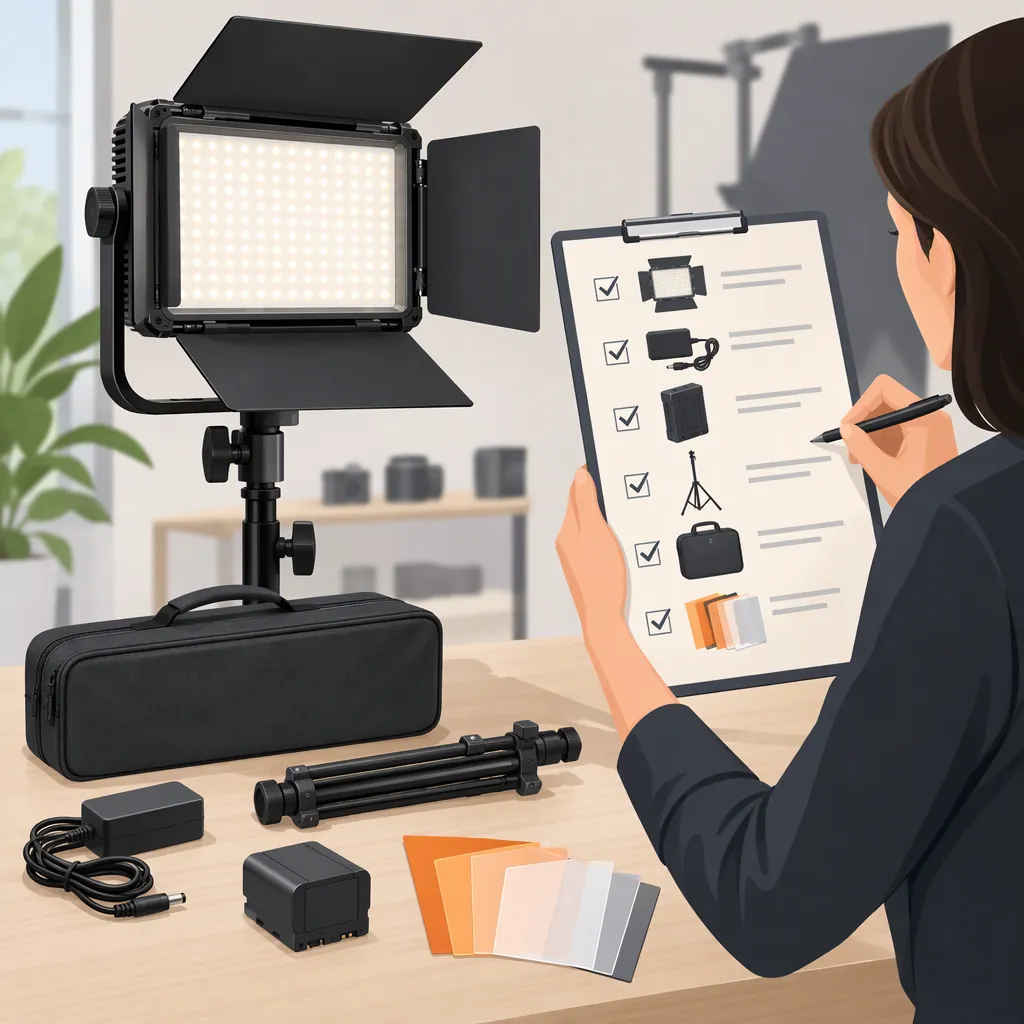
How to Evaluate a GVM 80W Led Video Light for Filming
Start with the exact model and kit, not the search phrase “GVM 80W LED video light.” GVM’s P80s collection contains several differently named lights and bundles, so the phrase alone does not establish what equipment or features you will receive. Then evaluate the candidate against your filming distance, intended modifier, color requirements, power access, and audio setup. The supplied collection page is not enough to verify brightness, color accuracy, flicker behavior, or operating noise. [c1]
Identify the Exact Model and Bundle
Treat the search term as a starting point rather than a complete equipment specification. The supplied GVM collection includes separate entries named P80S-II, P80S, an 80W kit with a softbox, and a four-light kit. These listing names establish that multiple configurations appear on the page; they do not establish that every configuration shares the same specifications or accessories. [c1]
Before comparing candidates, record:
- The full model name, including suffixes.
- Whether the listing is for a fixture, a single-light kit, or a multi-light bundle.
- The itemized contents, including stands, modifiers, power supplies, and carrying equipment.
- The documentation that applies to that exact model.
Do not transfer a feature from a similarly named light to your candidate. Mark anything not documented as unverified, rather than assuming it is included.
Define the Shot Before Comparing Specifications
Use your intended shot to create an acceptance checklist. This is a planning method, not a claim that any listed GVM model will meet the requirements.
| Filming Requirement | What to Record or Check |
|---|---|
| Seated interview or talking-head video | Subject position, framing, available stand space, and intended modifier |
| Product or tabletop video | Object size, reflective surfaces, desired shadows, and background coverage |
| Mixed room lighting | Existing light sources and whether the candidate offers the adjustment you need |
| Dialogue recording | Microphone position and acceptable equipment noise |
| Location filming | Available power, cable routing, transport needs, and documented operating restrictions |
Do not use “80W” as the acceptance test. Ask for documented output measurements with their distance, modifier, and settings stated, then assess whether those conditions resemble your setup. If comparable measurements are unavailable, leave output suitability unresolved until a practical test is possible.
Also verify color-temperature options, dimming controls, modifier attachment, and power requirements for the exact model. None should be inferred from the broad search phrase.
Separate Documentation from Listing Language
GVM’s supplied homepage provides navigation for Product Manuals and Technical Support. Those are places to look for model-specific documentation, but the homepage itself does not verify the technical specifications of a particular 80W light. [c2]
For each requirement, distinguish three kinds of information:
- Listing identity: the model or bundle name shown on a page.
- Documented specification: a statement tied to the exact model, preferably with measurement conditions or operating instructions.
- Observed result: a result from a test using your camera, modifier, room, and recording setup.
The supplied references do not establish independently measured output, color accuracy, fan noise, or flicker performance for the candidate you may select. This article therefore does not assign performance scores, declare a best model, or promise suitability for professional work.
For support equipment, verify the fixture-and-modifier load against the stand’s documented limits. Follow the applicable instructions for mounting, ventilation, cables, and permitted operating environments.
Use a Repeatable Camera and Audio Test
If you have access to the candidate light, test the complete arrangement rather than the bare fixture alone. The following procedure is an evaluation checklist, not a report of firsthand testing.
- Set up the intended subject, background, modifier, and working distance.
- Record the camera’s frame rate, shutter setting, aperture, ISO, and white balance. Keep settings consistent when comparing candidates.
- Check the intended exposure and inspect important highlights, shadows, skin tones, or product colors.
- Record clips at the brightness settings you expect to use. Inspect them for visible banding, pulsing, or unexpected color changes.
- Record room tone with the production microphone in its intended position. Listen for equipment noise without speech masking it.
- Check adjustment access, cable routing, and stand stability without exceeding documented operating limits.
Accept a candidate only when the requirements that matter to your shot are documented or demonstrated. A result from one arrangement should not be treated as proof for every filming distance, modifier, or camera setting.
Lighting Evaluation Worksheet
Exact model and suffix: ____
Bundle contents verified from: ____
Applicable manual: ____
Intended shot and framing: ____
Subject-to-light distance: ____
Modifier and attachment verified: ____
Power requirements verified: ____
Stand and load limits checked: ____
Camera settings: ____
Exposure result: Pass / Fail / Unverified
Color appearance: Pass / Fail / Unverified
Visible flicker or banding: Present / Not observed / Untested
Microphone position: ____
Equipment noise: Acceptable / Unacceptable / Untested
Remaining unknowns: ____
Decision and reason: ____
FAQ
Does “GVM 80W Led Video Light” Identify One Model?
Not precisely enough for selection. The supplied P80s collection contains several distinct model and bundle names. Match the full model suffix and itemized kit contents before using specifications from another listing. [c1]
Is an 80W Light Enough for My Filming Setup?
The supplied references do not establish that for your setup. Evaluate the exact candidate at your intended distance, with your modifier and camera settings. Require an acceptable exposure result rather than deciding from the wattage label alone.
Where Should I Verify Model-Specific Details?
GVM’s supplied homepage includes Product Manuals and Technical Support navigation. Find documentation that matches the exact model, and verify power, mounting, controls, and operating restrictions there. The homepage’s support navigation is not itself evidence of any particular light’s capabilities. [c2]