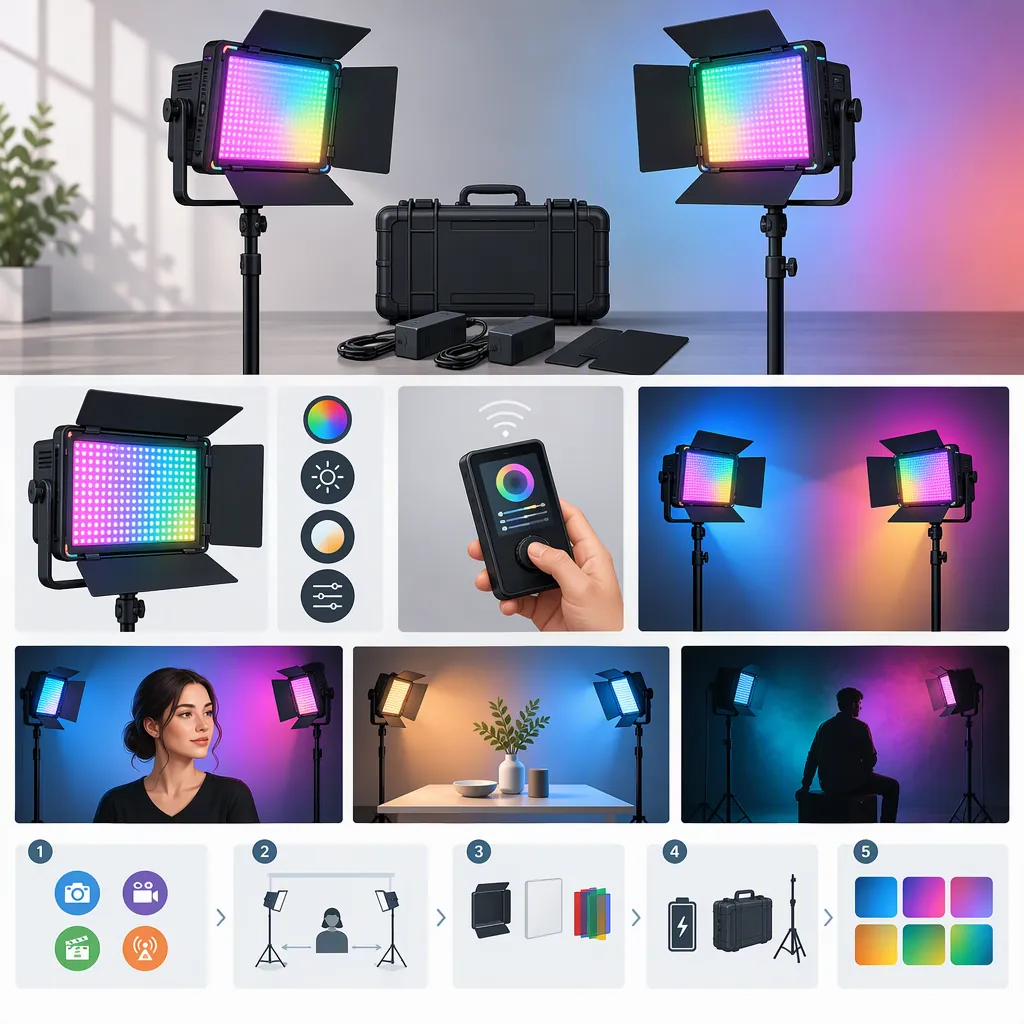
How to Evaluate a GVM 800D RGB Led Studio Two-Light Kit
When evaluating a “gvm 800d rgb led studio 2 video light kit,” first confirm the exact model and two-light package contents. The cited manufacturer page identifies GVM-800D-II, which does not establish the identity or contents of every kit listed under an 800D search term. [source_1] Next, screen the proposed setup for space, power, and required controls, then test its image with your intended camera settings. This is a selection checklist, not a tested product recommendation.
Confirm the Model and Package
Treat the search phrase as a starting point, not an exact package description. The cited manufacturer page identifies its product as GVM-800D-II in both its title and specification block. Do not assume another listing with “800D RGB” in its name describes the same revision or accessories. [source_1]
Record the model identifier and itemized contents for the exact package under consideration. Photographs alone should not be treated as confirmation of included lights, stands, power supplies, batteries, or cases.
Evidence boundary: This guide uses one manufacturer product page to establish the model named there. It does not independently verify performance, package completeness, equivalence between revisions, or suitability for your filming scene. [source_1]
Package Verification Worksheet
- Exact model identifier: ______
- Listing explicitly states two fixtures: yes / no / unclear
- Number of stands listed: ______
- Number of power supplies listed: ______
- Batteries and chargers explicitly included: ______
- Diffusion or other modifiers explicitly included: ______
- Carrying case explicitly included: ______
- Unresolved differences between the title, photographs, and contents list: ______
If the model or fixture count remains unclear, keep the package identity unresolved rather than comparing it as a confirmed two-light kit.
Define What Each Light Must Do
Assign a purpose to each fixture before deciding whether two lights meet your needs. For a seated interview, consider one main light and one light for adjusting shadows. For a stylized scene, consider one main light and one background accent instead. These are starting arrangements to test, not guaranteed results.
Sketch the camera position, subject position, available floor space, and proposed light locations. Include the widest framing you expect to use. Decide whether the second light matters more for the subject or the background; do not assume two fixtures will fulfill every lighting role at once.
Define the required image before evaluating the equipment. “Looks good” is less useful than a specific requirement such as “both eyes remain visible through glasses” or “the background stays darker than the subject.”
Two-Light Setup Brief
- Scene and subject: ______
- Widest camera framing: ______
- Main light purpose and position: ______
- Second light purpose and position: ______
- Available placement distance: ______
- Existing room or window light to include or exclude: ______
- Required subject exposure and shadow appearance: ______
- Required background appearance: ______
- Reflections or other image problems that would be unacceptable: ______
Screen the Setup Before a Camera Test
If you do not yet have access to the equipment, use this sequence to identify documented mismatches and separate them from questions that need footage.
- Confirm identity and contents. Establish the exact model, two-fixture count, and included accessories.
- Check placement. Compare documented equipment dimensions and mounting requirements with your planned positions, stand space, and widest framing.
- Check power. Verify the power requirements and compatible accessories for both fixtures against the exact model's documentation. Do not assume a battery-powered or outlet-powered arrangement is complete.
- Check required controls. Identify whether the documentation describes the tasks you need, such as separate brightness adjustments or independent color settings. Leave unclear functions unresolved.
- List the remaining camera tests. Separate documentation questions from image questions so that a complete contents list is not mistaken for proof of filming suitability.
Sort Unknowns by Evidence Needed
| Question | Evidence to seek | What remains unresolved |
|---|---|---|
| Is this the intended model and a two-light package? | Exact listing and itemized contents | Package identity if the information conflicts or is incomplete |
| Are the required stands, modifiers, and power accessories included or compatible? | Package list and relevant equipment instructions | Whether the proposed setup is complete |
| Can the equipment fit in the planned positions? | Documented dimensions, mounting requirements, and a room layout | Practical fit if dimensions or clearance are unknown |
| Are the necessary control functions described? | Instructions for the exact model | Function availability if documentation is unclear; usability until checked |
| Does the setup produce the required exposure, color, and background appearance? | Footage using the intended camera, placement, and modifiers | Image suitability until tested |
| Is visible banding acceptable at the intended recording settings? | Clips at the intended frame rates, shutter settings, and dimming levels | Recording compatibility at those settings |
An unresolved model, fixture count, power arrangement, mounting requirement, or essential control function should block a conclusion that the setup meets the brief. Missing image tests should likewise remain explicit—not be converted into assumed performance.
Evaluate the Image, Not Just the Listing
When access to the exact equipment is available, use a controlled camera test. Keep framing, exposure, and white balance fixed during each comparison, changing only the placement or light setting being evaluated. Test at the distances and with the modifiers you intend to use.
Review face detail, shadow edges, background spill, reflections, and visible color differences. Test white-light and colored-light arrangements separately rather than treating one result as proof of the other.
Record short clips at each intended frame rate and shutter setting, including the dimming settings you expect to use. Inspect the footage for visible banding or brightness changes. Without those clips, leave that question unresolved rather than claiming flicker-free operation.
Hypothetical Test: A Seated Interview with Glasses
This example illustrates how to define acceptance criteria. It is not a test result for the GVM 800D RGB kit.
Suppose the brief calls for a seated interview, one main light, one shadow-adjusting light, and a background darker than the subject. Before testing, record the planned light positions, intended diffusion, widest framing, and fixed camera exposure and white balance.
Define the pass conditions in advance:
- Subject exposure: The face falls within the exposure target recorded in the brief, with required facial detail visible and no unacceptable highlight clipping.
- Glasses: Reflections do not obscure either eye during the head movements expected in the interview.
- Shadows: The second light reveals the required shadow-side detail without removing the contrast specified in the brief.
- Background: The background remains darker than the subject, and spill does not brighten areas intended to stay subdued.
- Framing: Neither fixture, stand, nor modifier enters the widest planned shot.
- Recording: No unacceptable banding or brightness changes appear in reviewed clips at the intended frame rates, shutter settings, and dimming levels.
If a condition fails, record the failure and the adjustment attempted. Retest after changing placement, output, or a modifier. Do not mark an untested proposed fix as a pass.
Camera Test Log
| Test | Settings to record | Pass condition to define before testing |
|---|---|---|
| Main light | Distance, position, modifier, output, camera exposure | Required face exposure and detail; no unacceptable reflections |
| Second light | Position, output, intended role | Specified shadow-side detail or background accent without unwanted spill |
| White-light setup | Camera white balance and each light's settings | Subject and scene colors meet the recorded appearance requirement |
| RGB setup | Color settings, placement, camera exposure | Intended hue and separation appear without unwanted color on the subject |
| Motion clip | Frame rate, shutter setting, dimming level | No unacceptable visible banding or brightness changes |
| Widest framing | Camera position, framing, complete light setup | Equipment stays outside the shot and required coverage is maintained |
For each row, record pass, fail, or not tested, plus the footage identifier and any corrective action.
Check Power, Placement, and Workflow
Make a power and placement plan for both fixtures, not just one. Confirm which accessories are included, which are separate, and whether the complete arrangement follows the relevant equipment instructions.
Include stands, modifiers, cable routing, and storage in the assessment. Follow equipment instructions for mounting, loading, and power connections. Keep walkways clear and confirm that the planned positions fit outside the camera frame.
For controls, test the actual tasks required during a shoot. If you need to change one light without changing the other, verify that workflow on the exact model. A documented function and a workable shooting procedure are separate checks.
Practical Fit Checklist
- Confirm power requirements for each fixture.
- Identify included and separately required power accessories.
- Map outlet locations or document the compatible battery arrangement.
- Check stand and modifier compatibility against equipment instructions.
- Mark cable routes and clear walking space.
- Verify equipment clearance at the widest framing.
- Test each essential control task.
- Record unresolved setup, power, or workflow limitations.
Make a Conditional Selection Decision
Use four outcomes, tied to the evidence you have gathered:
| Outcome | When to use it |
|---|---|
| Meets the brief | Model and contents are confirmed, practical requirements are satisfied, and the required camera tests pass for the planned setup. |
| Needs additional equipment | A specific gap has an identified equipment remedy. Record the required items, compatibility checks, and any retesting needed before declaring the complete setup suitable. |
| Does not meet the brief | Documentation or testing establishes a core mismatch, and no verified remedy within the proposed setup satisfies the requirement. |
| Not yet verified | Critical identity, contents, setup, control, or image questions remain unanswered. |
Do not classify a confirmed failure as merely “not yet verified.” Likewise, do not assume that another stand, modifier, or fixture will solve an image problem without checking the revised setup.
Compare complete proposed setups against the same scene brief. Include any additional stands, modifiers, power accessories, or lighting roles in that comparison. A conclusion should apply only to the configuration and recording conditions you actually verified.
The cited manufacturer page identifies the listed model; it is not an independent comparison or a camera test for your scene. [source_1]
Decision Record
- Outcome: meets the brief / needs additional equipment / does not meet the brief / not yet verified
- Confirmed model and package: ______
- Scene requirements satisfied: ______
- Documentation checks completed: ______
- Camera tests completed and footage identifiers: ______
- Confirmed failures or limitations: ______
- Additional equipment required and verification still needed: ______
- Unresolved questions: ______
- Reason for the outcome: ______
FAQ
Is an 800D RGB Two-Light Kit Necessarily the GVM-800d-Ii?
No equivalence can be established from the search phrase alone. The cited manufacturer page identifies GVM-800D-II. Confirm the exact model identifier and itemized contents for the particular listing you are evaluating. [source_1]
Are Two Lights Enough for My Filming Setup?
Treat that as a scene-specific question. Assign each light a role, sketch the widest framing, and test the planned placement. If the brief requires subject lighting plus separate background effects, identify which requirements the two fixtures will cover and which remain unmet.
What Can I Check Before I Have the Equipment?
Check the exact model, fixture count, accessories, documented dimensions, power requirements, mounting requirements, and essential control functions. Use those checks to identify incomplete or incompatible proposed setups. Keep exposure, color appearance, reflections, and visible banding unresolved until the relevant camera tests are completed.
What Should Remain Unverified Without a Camera Test?
Leave image suitability at your intended distances, with your intended modifiers and camera settings, unresolved. That includes subject exposure, color appearance, background spill, reflections, and visible flicker or banding. Listing information is not a substitute for footage of the planned setup.
When Should I Reject a Setup Rather than Call It Unverified?
Use does not meet the brief when documentation or testing confirms a core requirement cannot be met by the proposed setup. Use not yet verified when the necessary evidence is missing. Use needs additional equipment only when you can identify a specific remedy, while retaining any compatibility checks or camera tests still required.