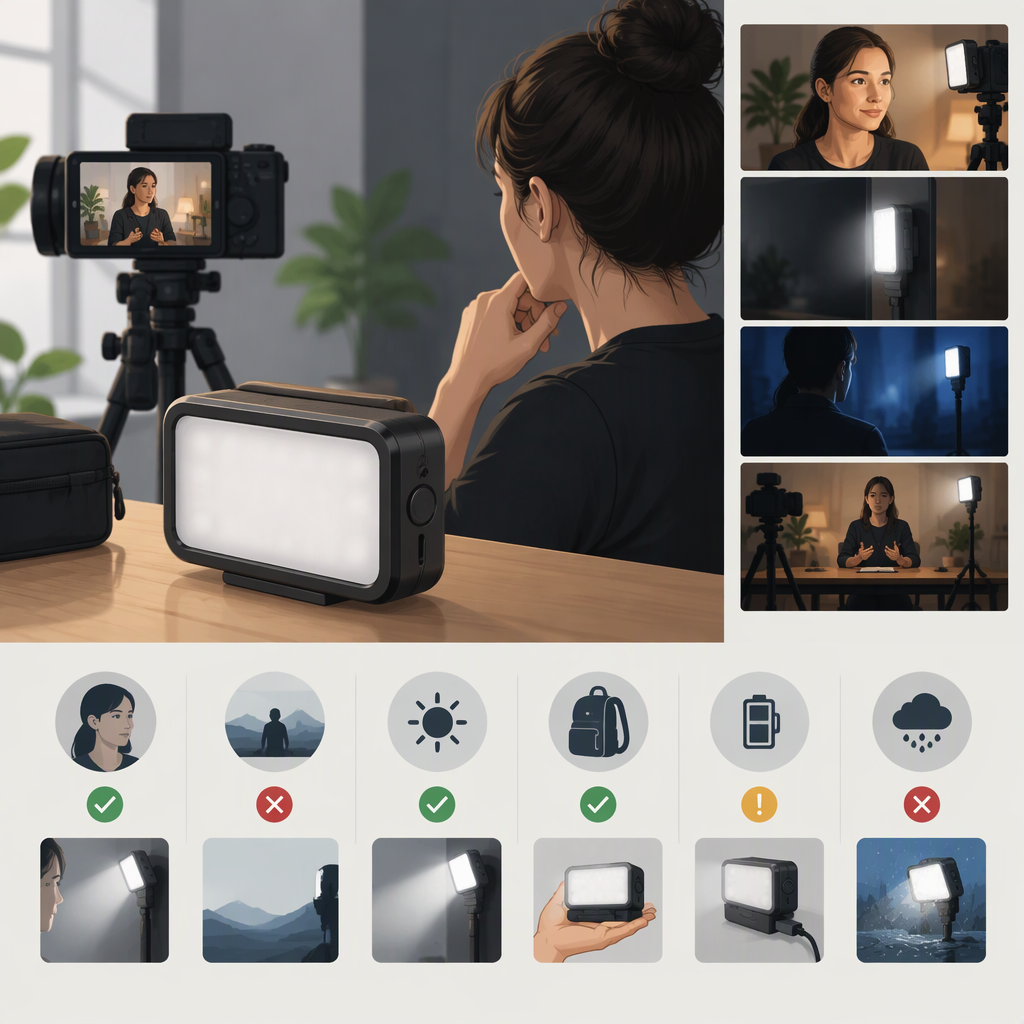
Godox M1 for Video: How to Decide If It Fits Your Shot
The Decision in Brief
Consider the Godox M1 when you want a compact, camera-mountable light for a nearby subject, a modest fill, or a colored accent—and when the light’s position on the camera suits the shot. Don’t assume it can serve as your main light just because it is an RGB video light: whether it provides enough useful illumination depends on subject distance, coverage, ambient light, and the look you need.
Godox’s manual lists the M1 as a 13 W light with CCT, RGB, and effects modes; it specifies a maximum illuminance of 1,700 lux, but the cited specification does not state a measurement distance or mode. That number alone therefore cannot tell you how bright it will be on your subject. The manual also lists CRI and TLCI values of 97. These are manufacturer-published specifications, not independent measurements. (godox.com)
Practical answer: decide based on the actual shot, then check whether the exact M1 and listing meet its requirements. If you need broad coverage, a subject well away from the camera, softer light from a different direction, or dependable runtime for a long session, evaluate another lighting arrangement rather than treating the M1 as a proven solution for those demands.
Start with the Shot
Before choosing a light, write down four things:
- The light’s role: Is it a subtle fill, a colored accent on a nearby subject or background, or the main source lighting a face or product?
- Subject distance and coverage: How far is the subject from the light, and what area must be lit? A small light close to a subject may be useful for a limited area, but that does not establish that it can cover a wider scene or work at a longer distance.
- Ambient conditions: Is the scene already bright, or must your light noticeably lift the subject? The M1’s published maximum-lux figure lacks a stated distance and mode in the manual, so it does not settle this question.
- Light direction: Do you want light to follow the camera, or do you need to position it separately to change the direction or quality of the light? Camera-mounted and separately positioned lights serve different placement needs.
A light used as an accent can add color without needing to illuminate an entire scene. A fill may be asked to brighten a subject against existing light. A primary source has a larger job: it must provide the exposure and coverage your shot requires. Don’t assume the M1 is adequate for any of these roles without judging the result in your intended setup.
A Hypothetical Fit-Check
Suppose you’re recording a close-up at a desk and want a colored highlight on a nearby object. That is a plausible use to evaluate because the requested role is a localized accent. Check how the light looks at the actual camera-to-subject distance and whether its camera-mounted position creates the angle you want.
Now suppose you’re filming a person several feet away in a dim room and want the M1 to light them evenly as the main source. The manual’s maximum-lux figure does not verify that this will work at that distance. Treat the setup as unproven: test it in the intended scene or evaluate a separately positioned light with specifications that address the required distance and coverage. These are decision examples, not test results.
Verify the M1 Details That Matter
The manufacturer’s product page provides access to an M1 manual. Use documentation for the exact model, and compare it with the specific listing you are considering. Godox’s manual identifies the M1’s modes and the following decision-relevant details. (godox.com)
| What to check | What the M1 manual says | How to use that information |
|---|---|---|
| Color modes | CCT adjustment from 2500K to 8500K; HSI color control; and 40 effects modes | Check whether the available modes suit your intended white-light match, colored accent, or effect. The presence of a mode does not establish how much usable light it provides. (godox.com) |
| Output information | Maximum power of 13 W and maximum illuminance of 1,700 lux | The lux figure has no measurement distance or mode stated in the cited specification. Don’t compare it with another light’s lux figure unless the measurement conditions match. (godox.com) |
| Color rendering | CRI 97 and TLCI 97 | These are the manufacturer’s published values. If accurate skin or product color matters, confirm that the documentation for your exact unit applies; don’t treat these numbers as independent verification. (godox.com) |
| Mounting and angle | The manual lists a 1/4-inch mounting socket, a multifunction bracket, and an included cold shoe; it says the bracket axes rotate 360° and 270° | Check whether the bracket and mounting options suit your camera or rig, and whether their adjustment puts the light in the desired direction. Verify package contents with the relevant listing. (godox.com) |
| Power and charging | Built-in, non-removable 2410 mAh battery; approximately two hours to charge with a 5V/2A charger | If session length matters, find a runtime figure with clearly stated conditions for the mode you will use. The cited manual information does not establish a runtime suitable for your shoot. (godox.com) |
| Heat and brief high-output mode | A strong-light mode turns off automatically after 60 seconds; the manual warns that it heats quickly and advises against repeatedly using it in a hot environment | Don’t plan a continuous shot around this brief mode. Review the manual’s heat-protection guidance for your use. (godox.com) |
For a useful brightness comparison, look for output measured at a stated distance and in the mode you plan to use. For runtime, look for the mode, brightness, and conditions behind the stated figure. If those conditions are absent, the number may not answer your practical question.
When to Evaluate Another Lighting Approach
Consider a different setup if your shot depends on:
- More coverage: the light must cover a person, a wider product arrangement, or more of the scene than the small source’s verified output supports.
- More distance: the subject is far enough away that you cannot confirm adequate illumination from relevant output data or a test in the intended setup.
- A different direction: the desired look calls for a light placed away from the camera rather than one attached to it.
- Softer light: you need a larger, diffused source or another form of light control to create the look. The cited M1 manual does not establish how soft its light will appear in your setup.
- Known long-session runtime: the shoot duration matters, but you cannot find runtime information for your intended mode and brightness.
These are reasons to evaluate other types of lighting arrangement, not claims that the M1 fails at a particular distance or task. A larger or separately positioned source may address different coverage, placement, or diffusion needs, but check the relevant specifications and setup requirements rather than assuming any alternative will.
Finish with a Fit-Check
Before deciding, answer these questions:
- What am I lighting, at what distance, and over what area?
- Is the M1 meant to be an accent, fill, or primary source?
- Does camera-mounted placement create the direction I want?
- Does the exact-model documentation provide useful output data for my distance and mode?
- Do the available color modes and manufacturer-listed color-rendering data meet my needs?
- Can the documented battery and charging details support my filming plan?
- Have I distinguished manufacturer specifications from independent measurements—and checked that the listing matches the M1 documentation?
If the shot is a nearby accent or fill and the mounting, color, and output evidence suits your setup, the M1 may be worth considering. If critical output, coverage, or runtime information is missing, verify further or test the setup before relying on it. If your shot clearly calls for broader coverage, more distance, softer light, or a different position, evaluate a lighting approach built around that requirement.