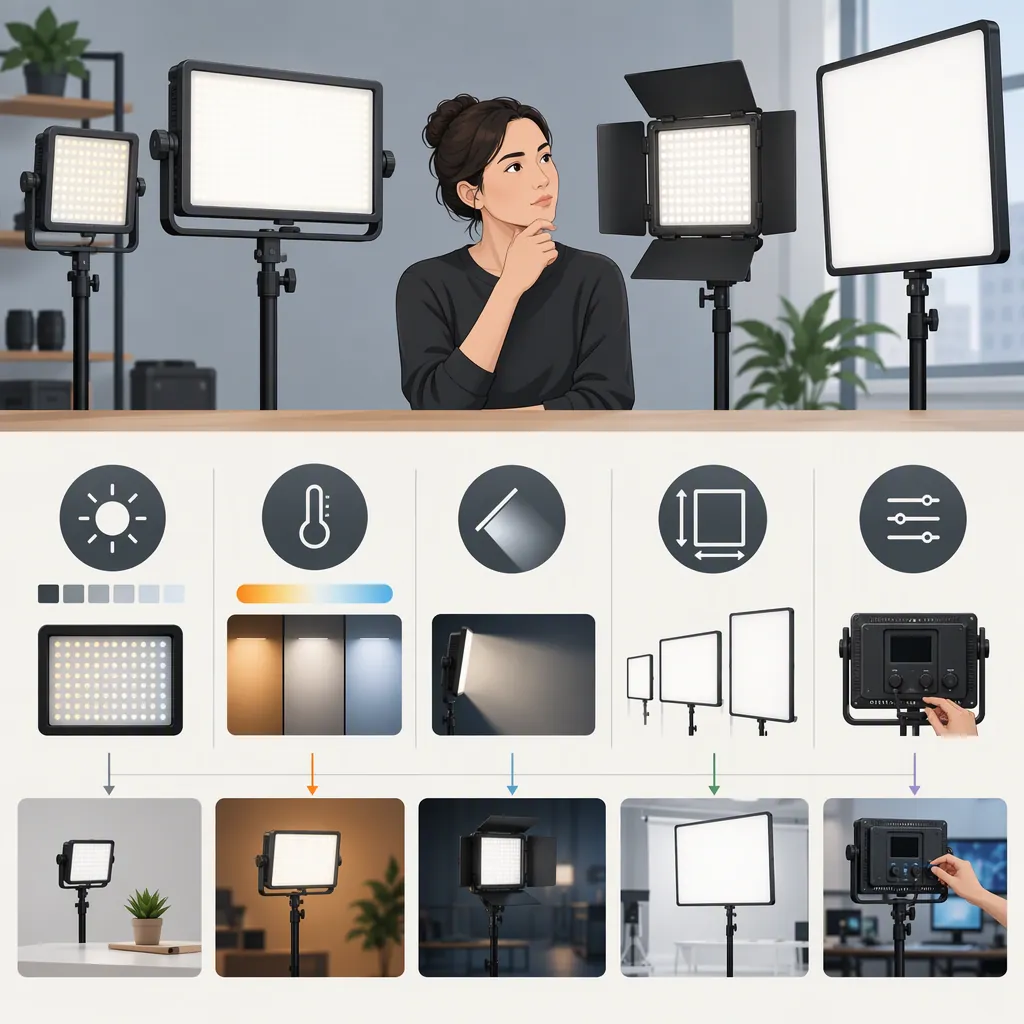
How to Choose a Godox Led Light Panel for Filming
Choose a Godox LED light panel by filtering for placement, power, and necessary controls first, comparing the cost of the complete setup second, and testing the remaining candidates with your camera last. A panel belongs on your shortlist only when it meets the requirements of your intended shot—not simply because its model name or advertised specifications look suitable.
Start with the Shoot, Not the Model Name
Write a short lighting brief before comparing panels. Identify whether you are filming a seated presenter, an interview, a tabletop subject, or a moving scene. Decide whether the panel will serve as the main light, a fill light, or a background accent.
Measure the available placement space, including room for the support and any modifiers. Note where stands, cables, and accessories could interfere with framing or movement. For dialogue, include an audio check in your evaluation.
Separate your requirements into two groups:
- Must-haves: Conditions the setup must meet, such as fitting in the available space, using an accessible power supply, or providing a required color control.
- Preferences: Features you can trade off, such as a particular adjustment method or a smaller transport case.
These are selection criteria, not claims that any particular Godox panel meets them.
Filming Requirements Worksheet
- Subject and framing: ______
- Lighting role: ______
- Available placement space and subject distance: ______
- Existing room light or window light: ______
- Required white-light or colored-light controls: ______
- Camera frame rate and shutter setting: ______
- Power access and required recording duration: ______
- Mounting space and cable route: ______
- Sound-recording constraints: ______
- Required accessories and total budget: ______
- Nonnegotiable requirements: ______
Use the Godox Collection to Identify Candidates
The EssentialPhoto — Godox Panel Lights collection groups Godox panel lighting under FL, FH, and LDX series headings and includes individual product listings. Use those labels to organize your research, not to assume that every model within a series has identical features. [source_1]
This retailer collection is a discovery resource, not an exact-model manual or a controlled performance comparison. It does not establish which panel will suit your subject distance, modifiers, or camera settings. The guidance below therefore uses a requirements-based selection process rather than ranking models or repeating promotional performance claims.
For each candidate, record the full model designation and seek its documentation. Keep dimensions, mounting requirements, power compatibility, controls, and accessory compatibility marked unverified until you have checked them.
Compare the Complete Lighting Setup
Work through the following stages in order. Avoid letting optional features compensate for a failed must-have.
1. Filter by Placement and Mounting
Check the fixture’s dimensions, mounting method, adjustment range, and the space needed for accessories.
- If the complete setup cannot fit at the intended position, remove it from the shortlist or revise the lighting plan.
- If it fits only without a modifier you require, do not count it as a placement pass.
- If mounting compatibility is unclear, keep the candidate pending rather than assuming a stand or clamp will work.
For a small room, evaluate the support footprint and cable route as well as the panel itself. Follow the equipment’s documented mounting and safety requirements.
2. Filter by Power Requirements
Confirm the supported power supply, any battery requirements, and which power accessories are included.
- If your filming position has suitable mains access, check that the documented supply and cable arrangement suit that location.
- If the shoot requires battery operation, retain only candidates with verified support for the intended battery setup.
- If recording duration is a must-have, treat runtime as unresolved until appropriate documentation or a representative test supports it.
Include any required batteries, chargers, adapters, and cables in the setup comparison. Do not assume they are included with the panel.
3. Choose Only the Color Controls Your Shot Requires
Define the intended lighting task before comparing control options.
| Filming requirement | Selection rule |
|---|---|
| White-light filming at a planned setting | Treat that white-light setting as the requirement; do not make RGB effects a must-have. |
| Adjustable white light for different planned setups | Require documented white-light adjustment that covers those setups. |
| Colored background accents or effects | Require the relevant color controls on the exact model. |
| Both white subject lighting and colored effects | Verify both functions separately rather than assuming one guarantees the other. |
Treat these as shortlist rules, not guarantees of color matching or recorded appearance. Confirm the result with your camera and the other lights used in the scene.
4. Check Exposure, Modifiers, and Operation
For candidates that pass the first three filters:
- Exposure: Look for output information with stated measurement conditions. Do not choose solely by advertised wattage. If the information does not represent your intended distance, settings, and modifiers, leave exposure suitability unresolved.
- Light control: Verify compatibility with the diffusion, grids, or other modifiers your plan requires. Remove candidates that cannot accommodate a necessary accessory.
- Operation: Check whether controls will remain accessible when mounted. If remote adjustment is essential, verify the exact control system and compatibility.
- Audio: For dialogue, reserve a decision until you have checked the operating setup in a representative sound recording.
5. Compare Complete Setup Cost
Once candidates meet the must-haves, compare the total cost of the panel, support, power accessories, modifiers, and any required transport equipment.
A lower panel price should not decide the comparison before you account for missing essentials. Likewise, give an optional feature weight only if it serves a defined use in your filming plan.
Exact-Model Comparison Template
The cells below are fields to complete, not verified product comparisons. Use Pass, Fail, or Unverified for requirements, and keep test results separate from documentation checks.
| Check | Candidate A | Candidate B |
|---|---|---|
| Exact model and documentation | Unverified | Unverified |
| Placement and mounting fit | Unverified | Unverified |
| Required power arrangement | Unverified | Unverified |
| Required color controls | Unverified | Unverified |
| Output measurement conditions | Unverified | Unverified |
| Required modifier compatibility | Unverified | Unverified |
| Control access or remote compatibility | Unverified | Unverified |
| Necessary accessories included | Unverified | Unverified |
| Camera and audio test results | Not tested | Not tested |
| Complete setup cost | Unverified | Unverified |
| Shortlist decision and reason | Pending | Pending |
Decision rule: Remove candidates with a failed must-have. Keep unresolved candidates pending. Compare cost and preferences among those that pass, then validate the intended shot before making a final selection.
Validate with a Camera Test
If a test unit is available, recreate the intended shot rather than judging the panel only by eye. Use your planned camera settings, subject distance, room lighting, and modifiers.
- Set up the intended frame. Check that the panel, support, and cables stay clear of the shot and movement routes.
- Record the settings you expect to use. Capture short clips at the relevant brightness and color settings.
- Review the footage. Inspect exposure, unwanted color shifts, visible flicker or banding, reflections, and shadow appearance.
- Check dialogue conditions. Record room tone with the lighting setup operating and listen for interference with the intended audio recording.
- Check practical operation. Evaluate control access, cable routing, mounting stability, and the planned power arrangement.
Record the test conditions alongside each result. If a candidate fails a must-have, revise the setup and retest or remove it from the shortlist. A successful test supports that tested configuration; it does not establish performance at every brightness level, frame rate, shutter setting, or placement.
If testing is unavailable, distinguish documented compatibility from untested camera and audio performance. Do not turn an unresolved check into a confirmed result.
FAQ
Which Godox Led Light Panel Is Best for Filming?
Choose the candidate that meets your shot’s placement, power, and control requirements, fits the complete setup budget, and passes a representative camera and audio test. The EssentialPhoto collection can help identify options, but it is not a controlled comparison that supports naming one best model. [source_1]
Should I Prioritize Adjustable White Light or RGB Controls?
If you only need white-light filming, prioritize the white-light controls required by your setup; RGB effects do not need to be a selection requirement. If you plan colored background accents or effects, verify the relevant color controls. If you need both, check both functions on the exact model and test their recorded appearance.
How Should I Choose a Panel for a Small Filming Space?
Measure the complete placement area, including the support, adjustment clearance, accessories, and cable route. Reject setups that cannot fit or allow safe movement. Among those that fit, compare power access and required controls, then test the intended framing and lighting result. Compact panel dimensions alone are not enough.
Can This Guide Confirm Flicker-Free Recording?
No. The retailer collection does not establish flicker performance for a specific model and camera combination. [source_1] Test the brightness settings, frame rates, and shutter settings you intend to use, then inspect the recorded footage for flicker or banding.
Should I Choose the Panel with the Highest Advertised Wattage?
Do not use wattage alone as the deciding factor. Look for output information with stated measurement conditions and assess whether it helps evaluate your intended distance, settings, and modifiers. Keep exposure suitability unverified when the information is insufficient, and confirm it with a representative camera test where possible.
Sources
- [source_1] American Express