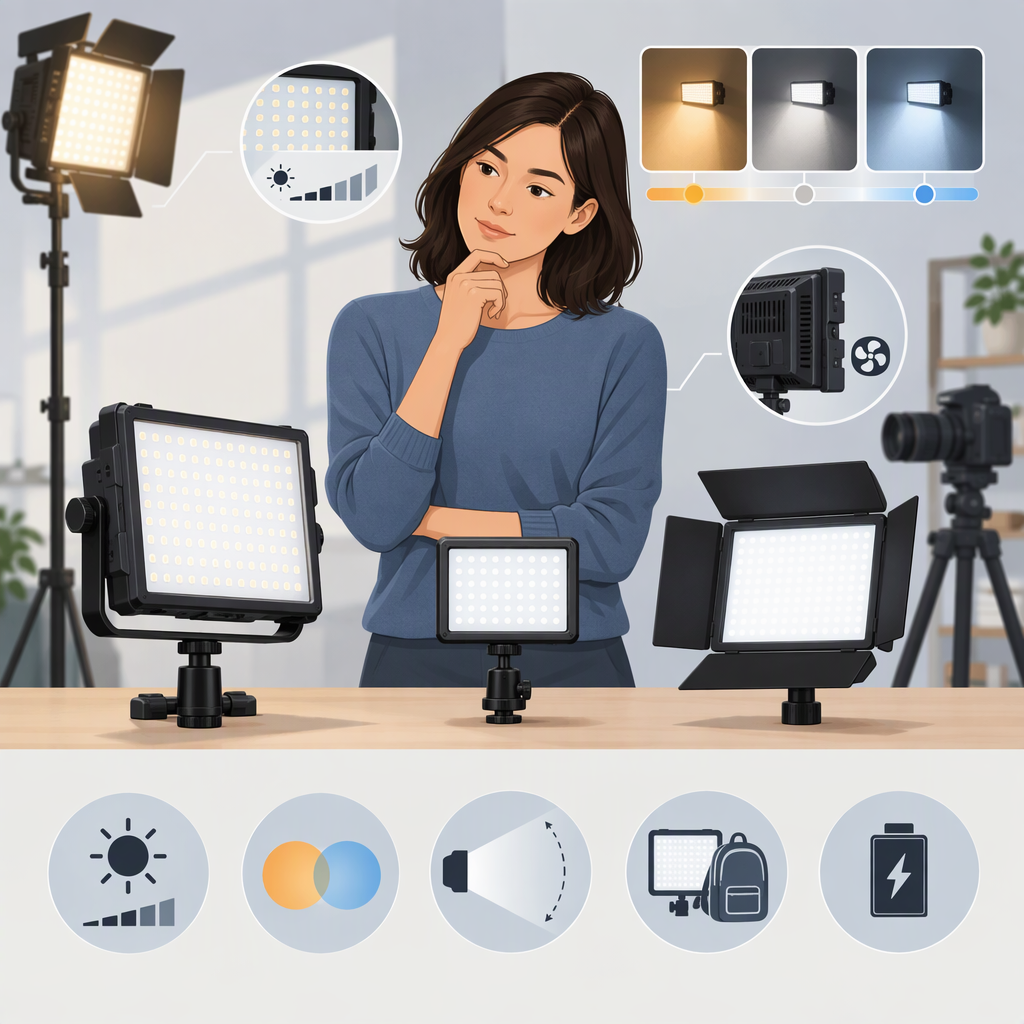
Emart Led Video Light: How to Choose a Filming Light
Short Answer
Choose an LED video light by starting with your filming setup—not the brand name. Work out how far the light will be from your subject, whether you need adjustable white color, how soft you want the shadows, and what power and mounting options will fit your space. Then compare verified specifications for the exact light and accessories you would use.
“Emart” is ambiguous in this search: it can refer to a retail company, while EMART also appears as a brand name on lighting listings. The query doesn’t identify a particular item, country, or shopping channel, so this guide does not recommend or make claims about an Emart product. (omnilink.emart.com)
1. Start with the Filming Setup
Before comparing lights, answer these questions:
- What are you filming? A seated presenter, a product on a desk, or a person moving around the room can call for different coverage and placement.
- How far away will the light be? Look for brightness information at a distance similar to your planned setup, rather than relying on a headline number alone.
- Will the light stay in one place? A fixed desk or room setup can prioritize a suitable stand, controls, and a soft-light accessory. A mobile setup may put more weight on portability and power options.
- What white-light colors do you need? If you need to match daylight, room lighting, or another fixture, check whether the light’s color temperature can be adjusted to suit the scene.
- How soft should the light look? If you want softer-looking shadows, consider whether the light can be used with diffusion or a larger softening accessory—and whether that accessory is included or sold separately.
These are selection prompts, not claims about any particular product. Your camera framing, available space, and desired look determine which trade-offs matter most.
2. Compare the Specifications That Affect Your Use
Brightness at Your Working Distance
Look for illuminance in lux (lx) at a stated distance and with the relevant accessory attached. Lux describes light reaching a surface: the CIE defines one lux as one lumen per square metre under its stated uniform-distribution condition. (cie.co.at)
A number without its measurement distance or light configuration may not tell you what to expect in your setup. Compare figures taken at similar distances and with similar accessories. Manufacturer photometric tables can report different results for different distances and configurations, and may note that individual units vary slightly. (help.aputure.com)
Practical check: If a listing provides only a brightness claim without a distance or measurement setup, mark the usable output at your intended distance as unknown, rather than treating the headline number as a direct comparison.
Color-Temperature Control and Color Rendering
Correlated color temperature (CCT) is expressed in kelvin (K). In practical selection, an adjustable CCT range can help you set the light’s white appearance to suit the scene. CCT alone, however, is not a color-rendering score: the CIE defines it by reference to the nearest Planckian-radiator chromaticity, while color-rendering methods assess a different characteristic. (cie.co.at)
If color accuracy matters—for example, when filming products or skin tones—check whether the maker publishes a color-rendering measure such as CRI or TLCI, and compare the same measure across options. The U.S. Department of Energy’s technical tutorial describes TM-30 as a method for characterizing color rendition and distinguishes it from the CIE General Color Rendering Index (CRI). Don’t treat unlike scores as interchangeable, and don’t infer a score that a listing does not provide. (energy.gov)
Diffusion and Shadow Softness
ARRI’s lighting handbook explains that the apparent hardness or softness of a shadow depends on the physical size of the light source, and that a larger, more diffused source generally produces softer light. (arri.com)
For a comparison, check whether a diffuser or softbox is included, compatible, or optional. Also check brightness figures with that accessory in place: a table that reports results for different configurations is more useful than a bare-light figure if you plan to use diffusion. (help.aputure.com)
Mounting, Power, and Portability
Check the included stand or mount, the way the light attaches, its power input, and whether the kit includes the cables or power supply you need. If you plan to move the light, compare the complete setup you will carry—not just the lamp. A kit’s stand, power supply, and accessories can affect how practical it is for your use.
3. A Simple Comparison Checklist
For each exact listing or package, record what the source actually states:
| What to compare | What to look for | If it is missing |
|---|---|---|
| Light output | Lux at a stated distance and configuration | Mark output for your setup as unknown |
| Color adjustment | Whether CCT is adjustable and the stated range | Don’t assume a range from a product photo |
| Color rendering | A named measure, such as CRI or TLCI | Don’t infer color accuracy from CCT alone |
| Diffusion | Included or compatible diffuser/softbox | Check whether the stated output uses an accessory |
| Mounting | Stand, attachment, and included hardware | Confirm what else you would need to mount it |
| Power | Input method and included power supply or cable | Confirm compatibility with your filming location |
| Item identity | Exact model and package contents | Don’t compare listings that may describe different kits |
| Purchase details | Market, channel, current price, and availability | Leave these unconfirmed until checked for your location |
This checklist helps separate stated, not stated, and not comparable information. It does not establish that an option is suitable or currently available.
4. Two Hypothetical Setups
- Fixed desk video: If you sit in one position and can plug in a light, you might prioritize a stable mount, adjustable brightness or CCT if needed, and a softening accessory. Compare output with that accessory fitted and at the distance from your desk to your subject.
- Portable filming: If you move between locations, portability and the practical power setup may matter more. Check what the complete kit weighs or includes if that information is available; don’t assume battery operation or runtime unless the exact listing states it.
These are examples of how your constraints can change what to prioritize—not tested results or recommendations for a named product.
Bottom Line
Choose by matching the light’s documented output at your working distance, color controls and rendering information, diffusion options, mounting, and power to your own setup. The keyword alone does not identify which “Emart” or which listing you mean, so verify the exact item, market, and shopping channel before relying on product, price, or availability details.