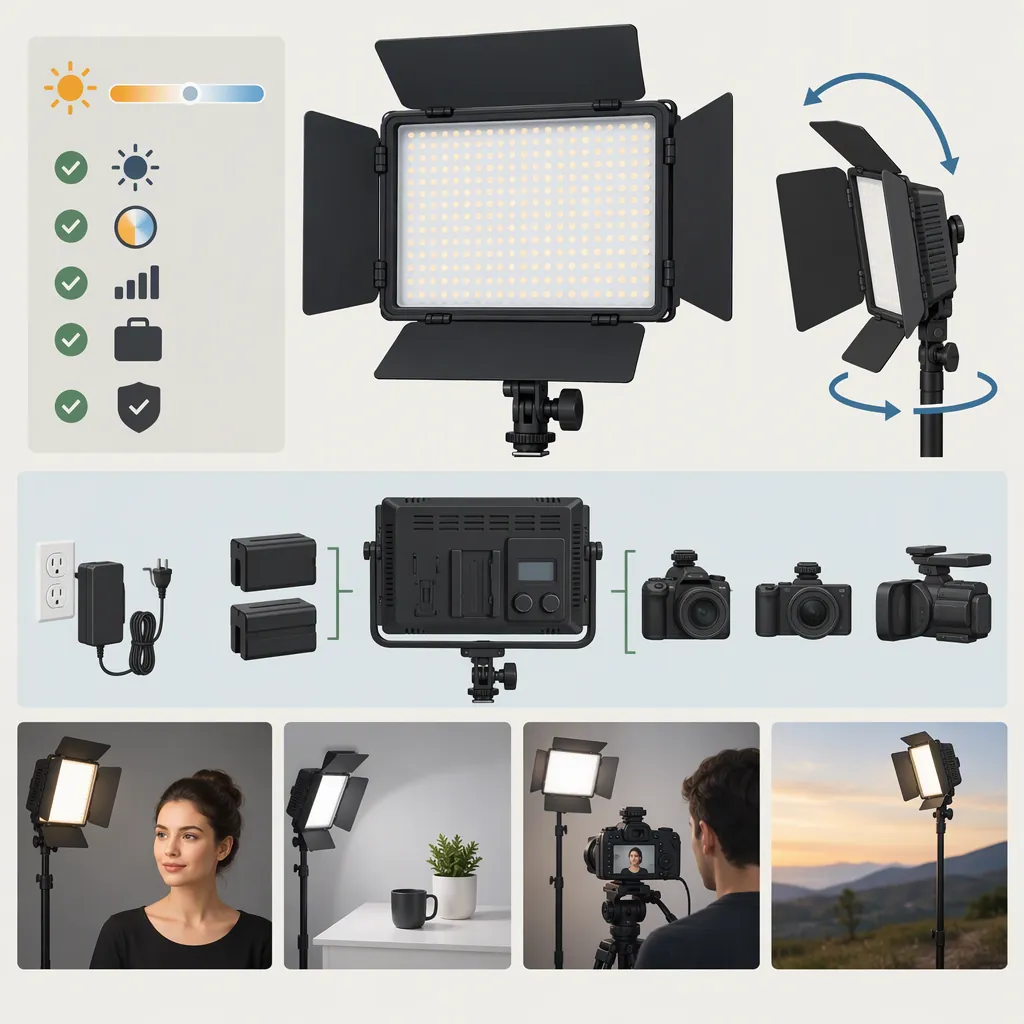
Yongnuo Yn900: Choosing a Filming Light and Checking Compatibility
Evaluate the YONGNUO YN900 by its exact model and color-temperature version, power connections, mounting arrangement, and behavior during your recording setup—not by the model name alone. The supplied listings distinguish the YN900 from the YN900 II and contain conflicting power details. A separate review raises fan-noise concerns for the original bi-color YN900, making an audio test especially important for dialogue recording. These sources do not establish universal accessory compatibility or performance across all units. [c1] [c2] [c3]
Identify the Exact Model and Color Version
Start with the label on the fixture and the documentation for that unit. Do not treat “YN900,” “YN900 II,” and “bi-color” as interchangeable descriptions.
The supplied YN900 listing offers a fixed 5600K version and a bi-color 3200K–5600K version. The YN900 II page also describes these two color configurations. These are listed specifications, not independently verified measurements of color accuracy. [c1] [c2]
For selection, consider whether your intended lighting setup needs an adjustable color-temperature setting or a fixed daylight setting. Keep that decision separate from brightness, color rendition, and sound: the color-temperature range alone does not answer those questions.
The YN900 II listing describes a U-shaped bracket and app control. The original YN900 listing describes wireless remote control and includes a handle in its package list. These descriptions do not establish that brackets, remotes, or other accessories interchange between generations. [c1] [c2]
Resolve Power Details Before Connecting Accessories
The power information needs careful checking because the supplied pages are not fully consistent.
| Model | What the Supplied Listing Says | What Remains to Be Checked |
|---|---|---|
| YN900 | Two NP-F-series batteries; introductory text specifies a 19V 5.26A adapter, while the specification table says 19V 5A. [c1] | Exact approved adapter, connector, polarity, and battery requirements for the unit. |
| YN900 II | Introductory text says two NP-F batteries; the description says four, and the specification table names four NP-F750 batteries. External power is listed as 19V 5A with an aviation plug. [c2] | Required battery count and type, plus the exact connector and pinout. |
Do not resolve these discrepancies by assuming that any NP-F battery or any 19V adapter will work. A shared voltage label or connector family is not sufficient evidence of a safe match. Use the exact unit’s manual and power label, and seek model-specific clarification if they disagree.
Both pages offer several kit configurations, including adapter-and-softbox bundles. Their basic power notes say the power accessories are not included. Treat package contents as configuration-specific rather than assuming that every kit supplies everything needed to operate the light. [c1] [c2]
Power Verification Record
- Fixture model and label: ______
- Manual version or document identifier: ______
- Required battery model and count: ______
- Approved adapter model: ______
- Output voltage and current rating: ______
- Connector type, polarity, and pinout: ______
- Included power accessories: ______
- Unresolved discrepancy: ______
- Proceed only after the requirements and accessories are confirmed to match.
Check Mounting, Modifiers, and Remote Control
Ask for the mounting-interface details of the exact fixture rather than inferring them from its name. Confirm the stand connection, bracket clearance, locking mechanism, and the total load with accessories attached. The supplied pages do not establish a universal stand interface or compatibility with arbitrary softboxes. [c1] [c2]
The manufacturer lists approximate weights of 1,480 g for the YN900 and 2,700 g for the YN900 II. Use these as preliminary planning figures, not as the complete supported load once batteries and modifiers are attached. [c1] [c2]
For wireless control, both product pages describe control of eight groups. The YN900 II page also describes phone-app control. Neither supplied page provides enough detail to verify current phone operating-system support or cross-generation remote compatibility. [c1] [c2]
Before relying on wireless operation, test the actual remote or app with the fixture. Check pairing, group selection, brightness adjustment, and power switching at the intended working position. Keep manual access to the light available.
Test Audio and Camera Behavior Together
The supplied Wolfcrow review reports intermittent fan noise on the original bi-color YN900 and considers it problematic for recorded speech. This is an observation about the reviewed unit, not proof that every YN900 behaves identically or that the YN900 II has the same issue. The review itself warns that its observations may not reflect other users’ results. [c3]
For dialogue work, run the light at the intended brightness while recording with the actual microphone, placement, and gain settings. Include quiet room tone and speech, and allow enough time to observe whether the sound changes as the light remains on. Listen to the recording rather than judging only by what is audible in the room.
For camera behavior, the same review reports testing high-frame-rate recording up to 120p. That result does not establish flicker-free operation at every shutter speed, dimming setting, or camera mode. [c3] The YN900 II page makes a broad claim about avoiding stroboscopic artifacts, but the supplied evidence does not independently verify that claim across recording conditions. [c2]
A useful pre-shoot check is to record a neutral surface and a face at each planned frame rate, shutter setting, brightness, and color-temperature setting. Inspect the footage for banding, exposure changes, and unwanted color differences. Repeat with the intended modifier and power source.
Pre-Shoot Test Log
Record one row for each intended setup:

| Model and Unit | Power Source | Brightness / Color Setting | Frame Rate / Shutter | Modifier | Audio Result | Image Result |
| --- | --- | --- | --- | --- | --- | --- |
| ______ | ______ | ______ | ______ | ______ | ______ | ______ |

Record room tone and speech. Note any changing fan sound, visible bands, exposure shifts, or color mismatch. Do not mark untested settings as passed.
Make the Decision from Verified Requirements
Use three gates for a selection decision:
- Hardware fit: The exact power accessories, mounting hardware, and modifiers are confirmed for the unit.
- Recording fit: The fixture passes your audio and image tests under the settings you intend to use.
- Workflow fit: The controls, setup procedure, and available power arrangement suit the shoot.
Keep unresolved items visible. In particular, the YN900 II battery-count conflict should remain unresolved until unit-specific documentation clarifies it. Likewise, the original YN900 review’s fan-noise finding should prompt a test, not become a blanket conclusion about another generation. [c2] [c3]
This guide relies on two supplied product listings and one review. It does not provide independent laboratory testing, confirmed adapter pinouts, battery-runtime validation, or a current app compatibility matrix. The evidence supports a verification process rather than an unconditional recommendation.
FAQ
Will the Yongnuo Yn900 Work with My Camera?
The product pages describe use with SLR cameras and camcorders, but their camera-brand lists are not camera-by-camera compatibility tests. They do not verify every frame rate, shutter setting, or physical mounting arrangement. Check mounting separately and record test footage using your intended camera settings. [c1] [c2]
Can the Yn900 and Yn900 Ii Share a Power Adapter?
The supplied evidence does not establish adapter interchangeability. The YN900 listing differs on current rating, and the YN900 II specifies an aviation-plug connection without a complete pinout. Confirm the approved adapter, connector, polarity, and electrical requirements for each exact unit before connecting it. [c1] [c2]
Is the Yn900 Suitable for Interviews with Recorded Dialogue?
That requires a sound test in the intended setup. Wolfcrow reports problematic intermittent fan noise on the original bi-color YN900 it reviewed. The finding is a reason to test room tone and speech with your microphone, not evidence that every unit or the YN900 II will behave the same way. [c3]