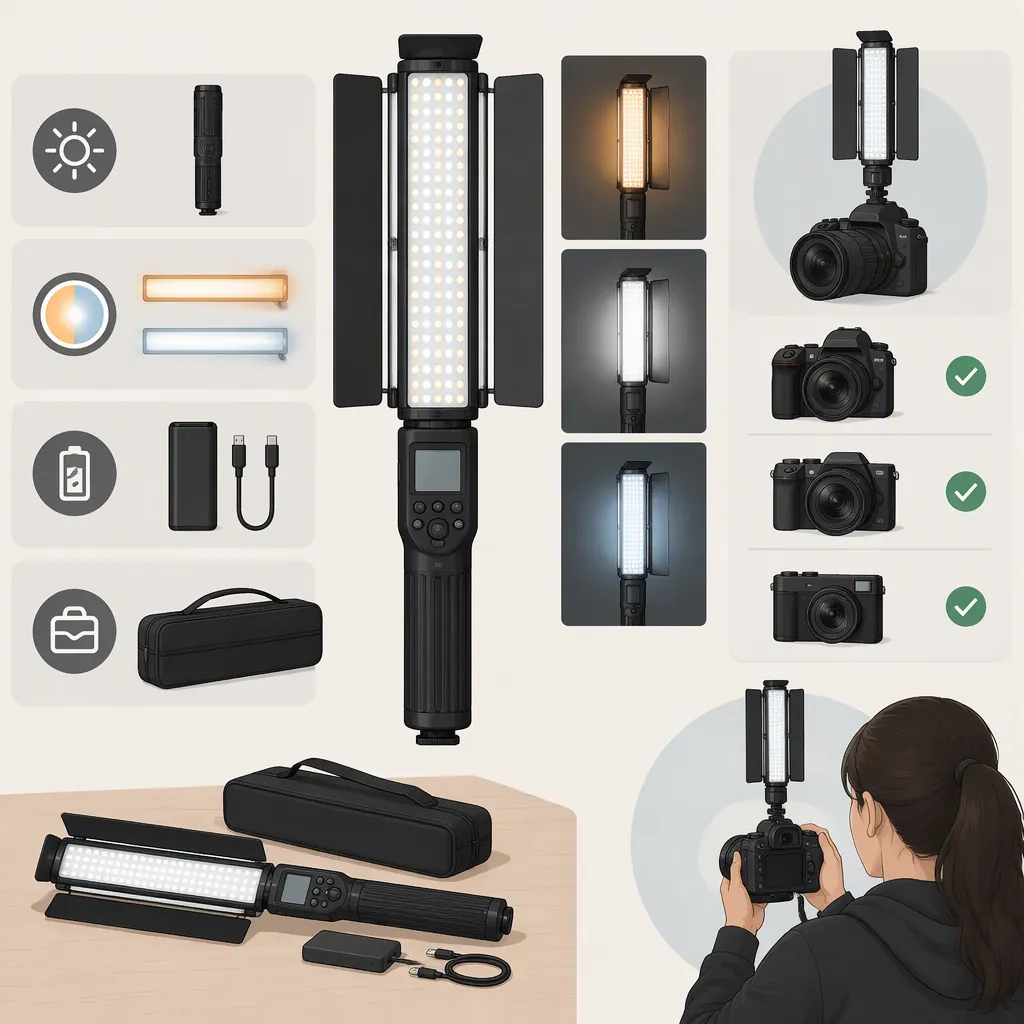
Yongnuo Yn360iii: Filming Light Selection and Compatibility
To evaluate a YONGNUO YN360III for filming, first confirm the exact model, documented power requirements, mounting hardware, and controls. Then test whether it meets your lighting needs with your intended camera settings and placement. Treat a successful test as approval for that specific setup—not proof of compatibility with every camera, accessory, or shooting condition.
Evidence boundary: The two retail references used here describe YN360III PRO listings, not a verified manufacturer specification sheet for the standard YN360III. They also contain inconsistent color-temperature descriptions. They can help identify listing ambiguities, but they do not establish the standard model’s specifications or performance. [src-1] [src-2]
Identify the Exact Model First
Use the model label on the light and documentation matching that model as the starting point. Do not transfer PRO specifications to a unit labeled YN360III: the Amazon.in listing explicitly distinguishes the two models, although the available evidence does not include a manufacturer manual confirming their differences. [src-2]
Color-temperature configuration also needs confirmation. The Amazon.com listing title describes a 3200K–5600K bi-color model. The Amazon.in title says 5600K, while its product description says 3200K–5600K. These descriptions do not establish which configuration a particular unit has. [src-1] [src-2]
Keep the light’s identity, configuration, and package contents separate in your notes.
Model Identification Record
- Exact model printed on the unit:
- Model named in the matching manual:
- Documented white-light configuration:
- Required light modes for the shoot:
- Listing or documentation discrepancies:
- Confirmed package contents:
- Unresolved items:
If the model label and documentation do not match, leave model-specific compatibility questions unresolved rather than selecting accessories from the listing name alone.
Check Power and Mounting Separately
The available references do not establish a verified battery compatibility list, complete adapter requirements, mounting interface, or support load rating for the standard YN360III. Those details need exact-model documentation.
Power Compatibility
Compare the documented battery type or external-power requirements with the proposed power source. For an adapter, check:
- Output voltage
- Connector polarity
- Connector dimensions
- Required current capacity
A connector that fits does not establish electrical compatibility. If any required power detail is unclear or does not match, leave that combination disconnected.
Mounting Compatibility
Confirm the light’s attachment interface and the compatibility of any intervening adapter. Check the ratings of the stand, clamp, and other supporting hardware against the intended light and accessory load. Account for the intended position and angle before securing the assembly.
If the attachment interface or support requirements are unresolved, do not mount the light in that configuration.
The Amazon.com reference advertises a YN360III PRO bundle with a 110-inch light stand. That describes one listed bundle; it does not establish what every YN360III package includes or whether another stand fits. [src-1]
Compatibility Worksheet
Fill the Result column with confirmed, does not match, or unverified, and note the documentation used.
| Check | Documented requirement | Equipment | Result |
|---|---|---|---|
| Battery compatibility | Supported battery type for the exact model | Proposed battery model | Unverified |
| External-power compatibility | Voltage, polarity, connector, and current requirement | Adapter specifications | Unverified |
| Mounting interface | Attachment type and any adapter requirements | Stand, clamp, and adapter interfaces | Unverified |
| Support capacity | Light and accessory load; applicable mounting limits | Support ratings and intended position | Unverified |
| Package contents | Items included in the exact package | Items actually available | Unverified |
Verify the Controls You Need
Both retail listing titles mention 2.4G touch remote control, and the Amazon.in title also advertises app support. The available references do not provide a complete pairing procedure, supported phone and operating-system list, or confirmation of interoperability with other lights. [src-1] [src-2]
Choose the required control method before evaluating compatibility. For example, decide whether the shoot requires adjustments at the light, by remote, or through an app. Then verify that method using documentation matching the unit and a practical check.
For remote or app control, record:
- Exact remote model or app name and version
- Phone model and operating-system version, if applicable
- Documented pairing requirements
- Whether the required brightness, color, and mode adjustments work
- Whether those settings remain accessible during the planned shoot
If a required control method has not been confirmed, mark that part of the setup unverified. If another control method is acceptable, evaluate it separately rather than assuming it provides the same workflow.
Test the Light with Your Camera Setup
Define the intended use before testing: subject or background lighting, white-light or RGB mode, placement, distance, and the exposure you need. The useful question is whether the actual setup meets that requirement—not whether a listing describes the light as bright or suitable for video.
Use this proposed acceptance test only after power and mounting requirements have been confirmed:
- Position the light at the intended distance and angle.
- Select the light mode needed for the shot.
- Record a sample with fixed exposure and white balance.
- Repeat at the intended frame rates, shutter settings, and dimming levels.
- Review the footage for visible flicker or bands, unwanted color shifts, clipped highlights, and insufficient illumination.
- Test the required remote or app adjustments separately, then confirm that the needed settings remain accessible during filming.
This is a general test procedure, not a report of measured YN360III performance. The available sources do not establish output at a stated distance, runtime, or flicker behavior.
Turn the Results into a Selection Decision
Use these general decision rules:
| Result | Decision |
|---|---|
| Power or mounting requirements are unclear | Pause the setup. Do not connect the uncertain power source or use the unresolved mounting configuration. |
| A required control method has not been confirmed | Keep control compatibility unverified; do not rely on it for the shoot. |
| Lighting is insufficient, highlights clip, or unwanted bands or color shifts appear | Adjust placement, light settings, or permissible camera settings and retest. If the problem remains within the shoot’s requirements, do not select that combination for the intended shot. |
| Illumination meets the shot’s needs, no unwanted artifacts are observed, and required controls work | Record the combination as suitable for the tested conditions only. |
| Placement, power source, camera settings, or required control method changes | Recheck the affected compatibility details and repeat the relevant tests. |
A test in which no flicker is observed does not establish flicker-free behavior at untested shutter settings or dimming levels. Likewise, a short recording does not establish runtime for a longer shoot.
Filming Test Log
- Intended role and lighting requirement:
- Exact light model:
- Camera and lens:
- Frame rate and shutter setting:
- Exposure and white balance:
- Light mode and brightness setting:
- Distance, angle, and placement:
- Confirmed power source and mounting arrangement:
- Visible flicker or bands:
- Color, illumination, and highlight observations:
- Control method and pairing result:
- Adjustments made and retest results:
- Decision: Suitable for the tested setup / needs adjustment and retesting / not suitable for the intended shot / unverified
- Limits of the decision: Record any untested settings, duration, or control requirements.
What Remains Unverified for the Standard Yn360iii?
The available retail references leave these standard-model questions unanswered:
- Which battery models are supported?
- What are the complete external-power requirements?
- What mounting interface and support limits apply?
- Which remotes, apps, phones, and operating systems are supported?
- Which white-light configuration does the particular unit provide?
- What illumination, runtime, and flicker behavior can be expected under the intended shooting conditions?
Resolve documentation-dependent questions before connecting or mounting equipment. Use testing to evaluate the planned filming combination without treating the result as a universal product specification.
FAQ
Are Yn360iii and Yn360iii Pro the Same Model?
Do not assume so. The Amazon.in listing distinguishes them; confirm the unit’s model before applying PRO specifications or accessory assumptions. [src-2]
Which Battery or Power Adapter Is Compatible with the Yn360iii?
No verified battery model or complete adapter specification is established by the available references. Check documentation matching the exact unit, and leave an uncertain power source disconnected.
Is the Yn360iii 5600K or 3200K–5600K?
The PRO retail descriptions are inconsistent: Amazon.com says 3200K–5600K, while Amazon.in’s title says 5600K and its description says 3200K–5600K. They do not settle the configuration of a standard YN360III unit. [src-1] [src-2]
Does App Support Mean It Will Work with My Phone?
No. The Amazon.in title advertises app support, but the available material does not establish supported phones, operating systems, app versions, or pairing requirements. [src-2]
Is a Light Stand Included with Every Yn360iii?
The Amazon.com reference advertises a PRO bundle with a 110-inch stand, not a universal package configuration. Confirm the contents of the exact package. [src-1]
How Do I Decide Whether It Is Suitable for My Camera?
After confirming power, mounting, and required controls, test at your intended distance, exposure, frame rate, shutter setting, and brightness levels. If the illumination meets the shot’s needs and no unwanted artifacts are observed, record it as suitable only for that tested combination.