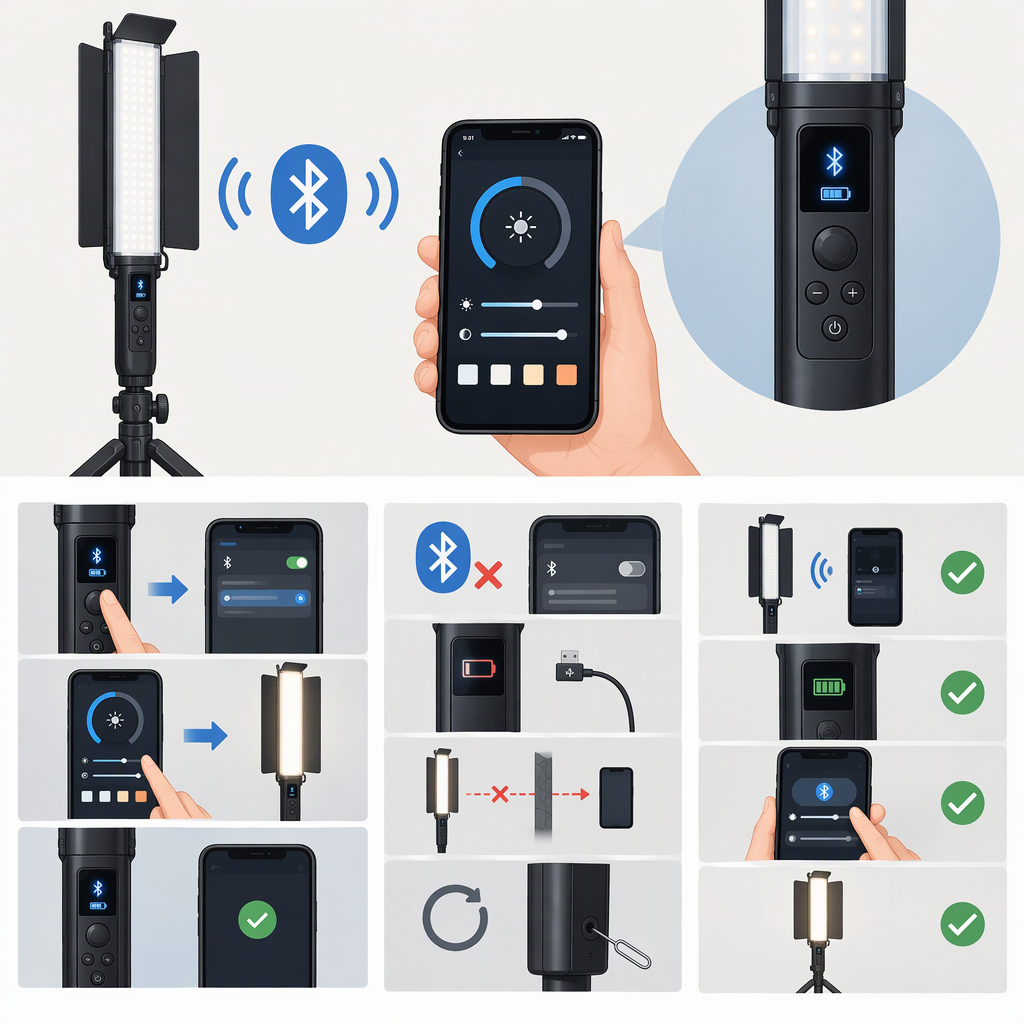
Yongnuo Yn360 Bluetooth Connection: Setup and Troubleshooting
Short Answer
The original Yongnuo YN360 Pro LED Video Light supports Bluetooth phone control through Yongnuo’s YN360 app. Its manual describes Bluetooth connection and disconnection controls, eight app channels, and phone control for the light. The YN360 name also appears on other models, so don’t assume these instructions apply to a YN360 II, YN360 III, YN360S, or another revision without checking that model’s manual. (szyongnuo.com)
Connect the Original Yn360 to Your Phone
- Confirm the model. Check the model name on the light or its documentation. Use these steps only if it is the original YN360 covered by the YN360 manual.
- Power on the light with its power switch. The manual identifies the switch as the light’s power control. (szyongnuo.com)
- Turn on Bluetooth on your phone and open the YN360 app. The manual says the app can be downloaded from Yongnuo’s website or through the QR code on the product box; an Apple App Store listing identifies the YN360 app’s developer as Shenzhen Yongnuo Electrical Appliances Co., Ltd. (szyongnuo.com)
- In the app, choose the Bluetooth connect option and a channel. The manual says the original YN360 can be controlled on any of the eight channels. (szyongnuo.com)
- Check for a response: use the app to change the light’s brightness or switch it on or off. Those are phone-control functions identified in the manual and app listing. If the light responds, phone control is working. (szyongnuo.com)
The manual lists Android 4.3 or later with Bluetooth 4.0, and iOS 7.0 or later on iPhone 4S or later. These are the manual’s stated requirements, not a guarantee that the app is currently available or compatible with every newer phone or operating-system version. (szyongnuo.com)
If the Yn360 Does Not Connect or Respond
- The light does not respond: check that Bluetooth is on, the YN360 is powered on, and the app’s Bluetooth control is set to connect rather than disconnect. These checks follow the connection controls described in the manual. (szyongnuo.com)
- The app connects but control is unreliable: move the phone closer to the light. The manual’s troubleshooting section says distance can prevent phone control and gives a control distance of less than 15 meters. (szyongnuo.com)
- You are unsure which channel to use: the original YN360 manual says any of its eight channels can control the light. If you have multiple lights or a different YN360 model, consult that model’s manual rather than assuming the same channel behavior. (szyongnuo.com)
- Your model is not the original YN360: stop before following this pairing procedure. Yongnuo documents app control for models such as the YN360 III, but the setup details can differ; use the manual for the exact model and revision. (hkyongnuo.com)
The available YN360 manual does not document a universal reset or re-pair procedure. If these checks do not help, confirm the exact model and use its matching manual or contact Yongnuo support rather than trying an undocumented reset. (szyongnuo.com)