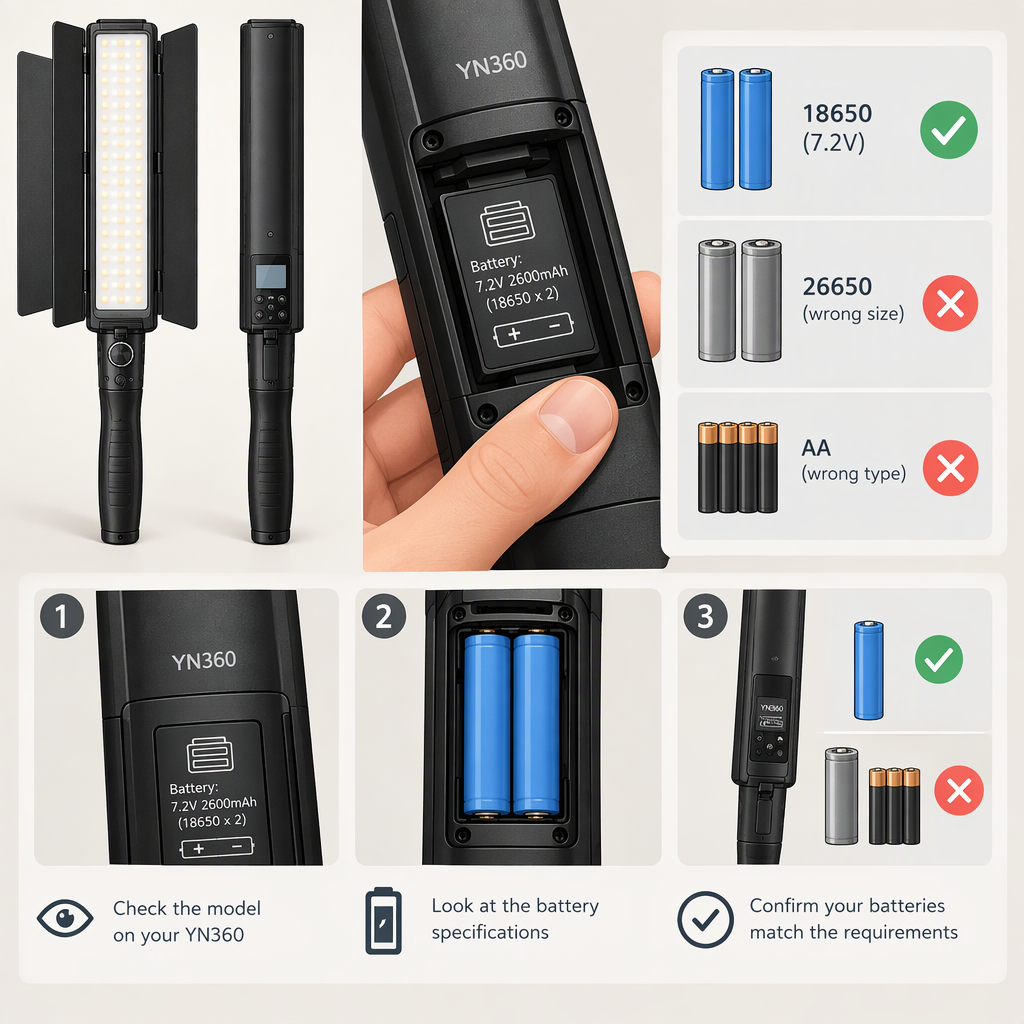
Yongnuo Yn360 Battery Compatibility: How to Check Your Model
Short Answer
Some YN360 versions use NP-F-series batteries, but don’t assume that every light with “YN360” in its name takes the same battery. Check the complete model name on your light and match it to its own manual or manufacturer documentation before buying or connecting a battery.
For the original YN360, a manual copy says it supports Sony NP-F-series lithium batteries. Yongnuo’s product page for the YN360 III specifies one NP-F970 battery as a power option, along with a 12V 2A DC adapter. Those details apply to the named models—not automatically to the YN360 II, YN360S, YN360 III Pro, or other variants. (manuals.plus)
1. Identify the Exact Yn360
Read the model marking on the light itself, then check the matching manual. Record the full name, including suffixes such as II, III, III Pro, or S. A product family name alone isn’t enough to establish battery compatibility: for example, the YN360 II manual describes a built-in battery, while Yongnuo lists NP-F-series power for the YN360 III. (manuals.plus)
If the label is missing or hard to read, compare the unit with its original packaging or documentation, or ask Yongnuo support to identify it. Don’t decide based only on a retailer listing or on whether a battery seems to fit.
2. Match the Battery to the Model’s Documentation
Use the manual or manufacturer specification for your exact version and compare it with the battery label:
- Model: Confirm the documentation names your precise YN360 version.
- Battery type: Check whether it specifies NP-F-series batteries or a particular NP-F model.
- Fit and contacts: Confirm the documented battery mount and connection match. A physical fit by itself doesn’t prove electrical compatibility.
- Other power inputs: If using an adapter instead of a battery, check the input rating and connection in that same model’s documentation. Do not transfer an adapter rating from another YN360 version.
- Unclear or conflicting information: Pause and ask the manufacturer before connecting the candidate battery or adapter.
As a specific example, Yongnuo’s YN360 III product page names an NP-F970 battery and a 12V 2A DC adapter. That supports those options for the YN360 III as described on that page; it does not establish that the same adapter or battery recommendation applies to every YN360 variant. (th.hkyongnuo.com)
3. Charging: Don’t Assume the Light Charges the Battery
Check the exact model’s instructions for how its battery is charged. A supported battery type does not, by itself, tell you whether the light charges that battery when an adapter is connected. For the YN360 III, Yongnuo identifies the external adapter as a power option; the available product information doesn’t establish that it charges the NP-F battery. Confirm the charging method in the matching manual before relying on the light or adapter to charge a battery. (th.hkyongnuo.com)
Use a charger documented as suitable for the battery you own. If the battery label, charger instructions, and light manual don’t clearly agree, don’t charge or connect it until you’ve confirmed the correct setup.
4. Choose Capacity for Your Filming Time—Without Treating It as Compatibility Proof
Capacity helps estimate how long a compatible battery might run a light, but capacity alone cannot establish compatibility. If a battery label gives milliamp-hours (mAh), convert to watt-hours (Wh) only when you also know its nominal voltage:
Wh = volts × (mAh ÷ 1,000)
For a purely hypothetical example, a battery labelled 7.2V, 5,200mAh has a nominal energy of about 37.4Wh. If a device drew a steady 20W and you assumed 80% of that energy were usable, the arithmetic estimate would be about 1.5 hours: 37.4 × 0.8 ÷ 20. This is an illustration of the calculation, not a YN360 runtime estimate. No model-specific runtime can be inferred from it without verified power draw and operating conditions.
Higher capacity can mean more energy to work with, but capacity doesn’t override the model’s battery, mount, or input requirements. For a real filming plan, use documented runtime information for your exact version if available; otherwise plan conservatively, such as bringing a verified spare, rather than relying on an unsupported runtime figure.
Before Connecting: Quick Checklist
- I’ve identified the complete model name on the light.
- The manual or manufacturer documentation matches that exact version.
- The candidate battery type and connection match the documented requirements.
- I know the documented charging method and am using a suitable charger.
- If using an adapter, its rating and connector match the documentation for this model.
- Any unresolved mismatch has been checked with Yongnuo before use.
Bottom line: NP-F-series batteries are documented for some YN360 versions, including the original YN360 and YN360 III, but check the exact model before choosing one. If you can’t match the unit and battery to version-specific documentation, don’t connect them until you’ve confirmed compatibility.