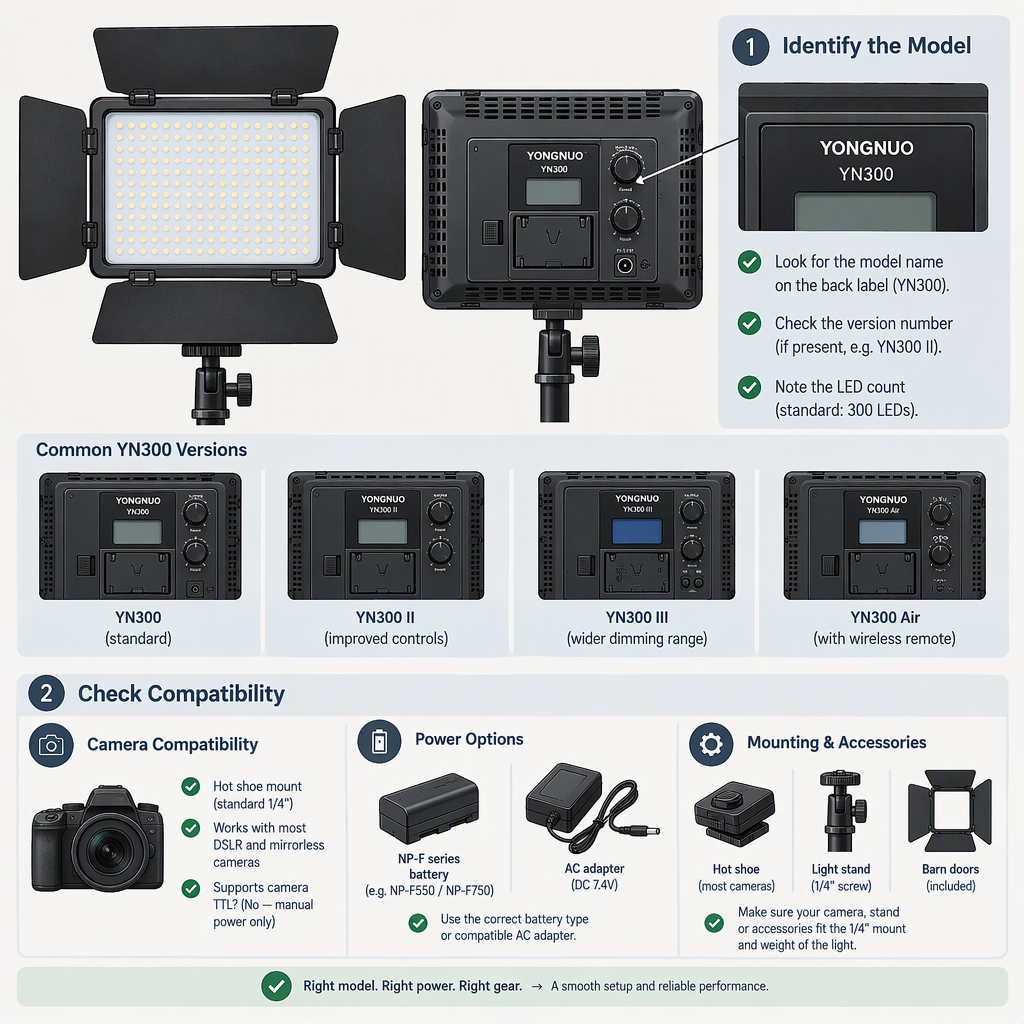
Led Yongnuo Yn300: How to Identify the Model and Check Compatibility
Start by checking the exact model name on the light and matching it to its manual. “YN300” alone is not enough to establish which version or specification you have. The manufacturer’s YN300 III information, for example, describes both a 5600K version and a bi-color version; those details should not automatically be applied to a unit labeled only YN300 or to another YN300-named model. (hkyongnuo.com)
This guide focuses on identifying a specific light and deciding whether its documented features fit your filming setup. The product-specific details below apply to the YN300 III bi-color manual unless stated otherwise. They are not a claim that every YN300 version has the same features.
1. Identify the Exact Yn300 Light
Before relying on specifications, record the model wording shown on the unit, product label, listing, and manual. Include any suffix—such as III, Air, or IV—and any version or color-temperature wording shown. Then check whether the manual explicitly matches that identifier. A similar name or appearance does not establish that two lights share specifications.
For the YN300 III, Yongnuo’s product information distinguishes two color-temperature versions:
- White version: 300 LEDs at 5600K.
- Bi-color version: 150 LEDs at 3200K and 150 at 5600K, with adjustable color temperature from 3200K to 5600K.
Those distinctions are specifically described for the YN300 III; confirm the wording on your own unit before applying them. (hkyongnuo.com)
Practical identification check: If a listing says only “YN300,” ask for a clear photo of the model label and the relevant manual page. If the label, listing, and manual do not agree, treat the specifications as unresolved rather than borrowing details from a YN300 III or another similarly named light.
2. Decide Whether Its Documented Features Fit Your Filming Use
Start with the shot you need, not with a product number. Note:
- Subject and framing: Are you lighting a face, a small object, or a wider scene?
- Distance and placement: Where can the light sit relative to the subject and camera?
- Lighting role: Do you need a fill light, a key light, or a color temperature that can be adjusted to better match other lights?
- Setup constraints: Do you need battery operation, remote adjustment, or a particular mounting arrangement?
Next, compare those needs with information in the manual for the exact version. For the YN300 III bi-color manual, the listed specifications include 18W output power, a 55° illumination angle, and 2325 lumens. The manual excerpt does not provide measurement conditions for the lumen figure, so do not treat it by itself as a guarantee of brightness at your subject or proof that the light will work for a particular room, distance, or shot. (th.hkyongnuo.com)
Hypothetical example: A creator wants a small light near the camera and needs to adjust color temperature. If their unit is confirmed as the YN300 III bi-color version, the manual’s 3200K–5600K range is relevant to that requirement. It does not, on its own, establish that the light will provide enough illumination at the planned distance; that needs to be judged in the intended setup. (hkyongnuo.com)
If the documentation does not answer a decision-critical question—such as usable brightness at your distance—record that as an unknown. Do not substitute a similar model’s specification or an unqualified claim from a listing.
3. Check Compatibility with Your Filming Setup
Compare your equipment with the requirements for the identified version, not merely with the YN300 name.
Power
The YN300 III manual says the light can use one lithium battery or an external 12V, 5A DC supply. It also specifies center-positive polarity for the DC input and says the adapter is optional. Check the label and manual for your exact unit before connecting a supply; a plug that fits physically does not by itself confirm correct voltage, current, or polarity. (th.hkyongnuo.com)
The manual describes compatibility with the NP-F series, but confirm that the battery you intend to use is suitable for your specific unit and is in usable condition. Do not infer runtime from the battery family alone.
Mounting
The YN300 III manual illustrates fitting the light to a camera/camcorder hot shoe and using its supplied mini base; it also describes mounting the light on a tripod. Check what mounting hardware you actually have and whether it matches your support. A physical hot-shoe fit is a mounting check, not proof of electronic communication or camera control. (th.hkyongnuo.com)
Control
The YN300 III manual describes a multi-channel remote and phone-app control. For remote operation, it says the light and remote need to use the same channel. If control is part of your setup, confirm that the remote or app you have is appropriate for your exact light and can perform the functions you need; do not assume that another YN300-named model uses the same controls. (th.hkyongnuo.com)
Accessories and Package Contents
The YN300 III bi-color manual lists a light, remote, handle, manual, two color-temperature panels, a light foot, and a mini base as included items. That is what the manual lists—not proof of what comes with every retail listing, used unit, or regional package. Compare the specific seller’s package description with the items physically present. Verify each intended accessory separately rather than assuming a similar-looking connector or mount is compatible. (th.hkyongnuo.com)
Before Choosing or Using a Unit: Quick Checklist
- Read the full model name and any version or color-temperature wording from the unit label.
- Match that identifier to a manual or manufacturer product page that names the same version.
- Write down the filming requirement you need the light to meet, then compare it with documented characteristics.
- Check the exact unit’s power input and the supply’s voltage, current, and polarity before connecting it.
- Confirm that the mount and control method match your equipment and intended setup.
- Verify accessories and package contents against the particular listing or the items actually received.
- If a model identifier or compatibility detail remains unclear, resolve that specific question before relying on the specification.
Bottom line: Yongnuo YN300 III documentation can support specific conclusions about the YN300 III version it describes, including its stated color-temperature options and the bi-color manual’s power and mounting information. It does not establish that every light called YN300 has those same characteristics. Identify the unit first, then make the selection and compatibility checks against its matching documentation.