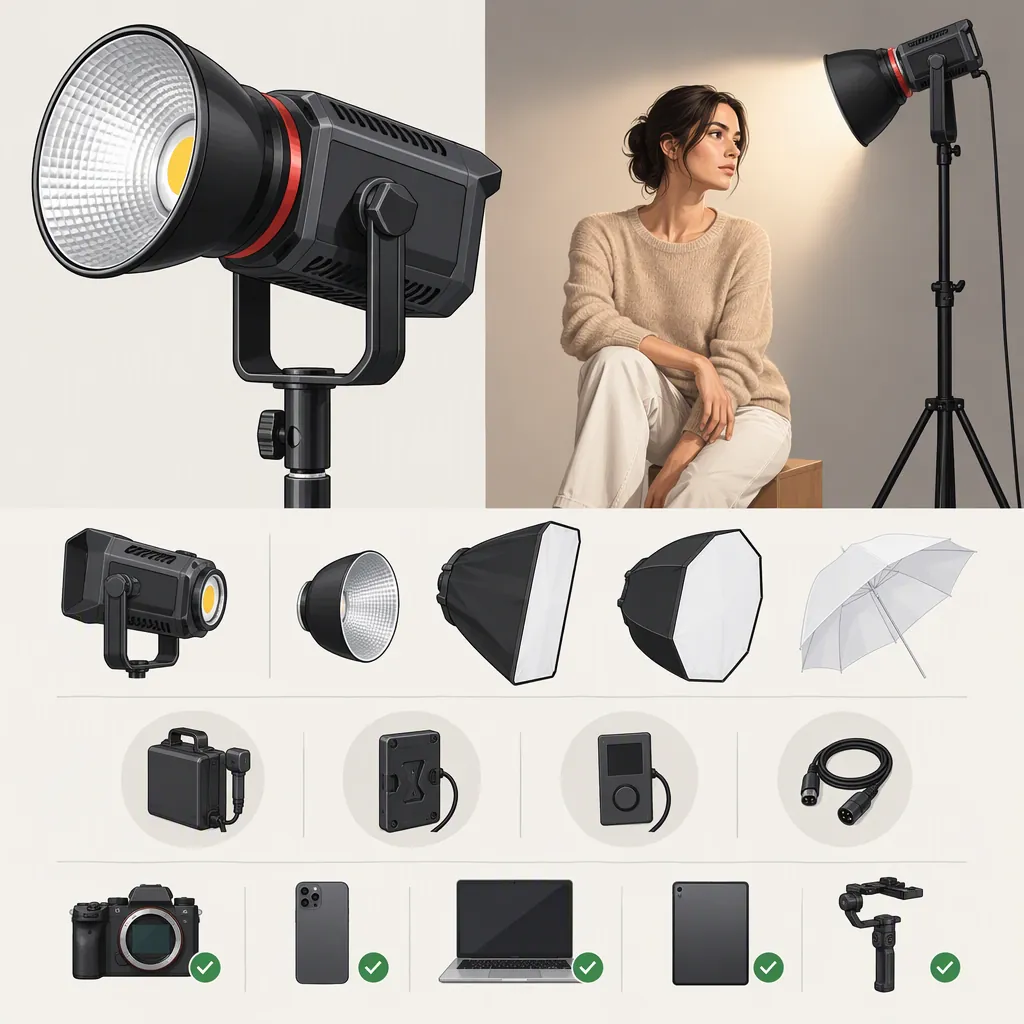
Smallrig Rc 220: Choosing a Model and Checking Compatibility
To choose a SmallRig RC 220 light, first identify the exact model, including its letter suffix and whether it is a Pro version. Then check its documented color-temperature range, modifier mount, power requirements, and controls against your filming setup. The RC 220B Pro is documented with a 2700–6500K range, Bowens accessory mounting, and several power and control options; do not assume those details apply to every RC 220 variant. [c1] [c3]
This guide draws on an RC 220B Pro reseller specification, Newsshooter’s October 2024 announcement, and SmallRig’s refurbished RC 220D Pro US listing. These references support a detailed B Pro compatibility check and a limited comparison with the D Pro—not a complete comparison of all original and Pro models. [c1] [c2] [c3]
Identify the Exact Rc 220 Model
Treat “smallrig rc 220” as a starting search term, not a complete equipment specification. Record the full model name, item number, regional version, and condition before checking accessories.
The RC 220B Pro reseller listing identifies the US version as item number 4620. The separate SmallRig listing explicitly identifies a refurbished RC 220D Pro US unit. Neither listing establishes that specifications or accessories are interchangeable between those models. [c1] [c2]
What the Available Documentation Establishes
| Item to compare | RC 220B Pro | Refurbished RC 220D Pro US |
|---|---|---|
| Model identity | US version, item number 4620. [c1] | Explicitly listed as a refurbished D Pro US unit. [c2] |
| Color-temperature range | 2700–6500K. [c1] [c3] | Not specified in the available listing text; verify in model-specific documentation. [c2] |
| Modifier mount | Bowens accessory mount; Newsshooter specifies Bowens S. [c1] [c3] | Not specified in the available listing text. [c2] |
| Power options described | Power adapter, V-mount batteries, and NP-F970 with a required NPF adapter. [c1] | Power adapter, V-mount batteries, and NP-F970 with a required NPF adapter. [c2] |
| Control methods described | Onboard, app, control panel, and DMX. [c1] [c3] | Onboard, app, control panel, and DMX. [c2] |
| Remaining verification | Exact accessory fit, battery configuration, power requirements, and remote-control setup. | Matching technical specifications and exact accessory, power, and control requirements. |
An undocumented feature is not necessarily an absent feature. The shared descriptions of power and control options also do not establish that the two models use identical adapters, cables, or accessories. [c1] [c2]
Model Identification Worksheet
- Full model name:
- Letter suffix:
- Pro or non-Pro:
- Item number:
- Regional version:
- New or refurbished:
- Matching manual available:
- Included accessories confirmed:
- Unresolved compatibility questions:
Turn Filming Requirements into Selection Criteria
Use the documented specifications as initial screening criteria, not as proof that a light will work in every setup.
| Your requirement | What the documentation supports | What still needs verification |
|---|---|---|
| Adjustable color temperature within 2700–6500K | The RC 220B Pro’s stated range meets that initial range requirement. [c1] [c3] | Exposure and color at the intended setting, subject distance, and ambient lighting. |
| Use of an existing Bowens modifier | The B Pro has documented Bowens accessory mounting. [c1] [c3] | The specific modifier’s fit, clearance, weight, and support requirements. |
| Battery-powered filming | B Pro documentation describes V-mount and adapter-dependent NP-F970/L-series options. [c1] [c3] | The complete battery, adapter, cable, and power chain; supported output and runtime. |
| Remote adjustment | B Pro documentation describes app, control-panel, and DMX options. [c1] [c3] | Required hardware, software version, connections, and control configuration. |
| Recording dialogue near the light | Newsshooter identifies the B Pro as fan cooled. [c3] | Whether fan noise is audible with your microphone placement and room conditions. |
The practical selection rule is conditional: keep a model under consideration when its documented features match your requirements, but leave compatibility unresolved until the exact configuration is verified. These references do not support a universal “best RC 220” recommendation.
Match Color and Output to the Shooting Plan
The RC 220B Pro has a documented adjustable color-temperature range of 2700–6500K. That range is useful for initial selection when you need adjustment within those limits; it does not establish that the fixture will automatically match every practical light or daylight condition. [c1] [c3]
Before selecting a light, write down:
- Intended camera exposure settings
- Subject distance
- Ambient lighting
- Required color-temperature settings
- Modifier and its intended position
Then evaluate exposure and color in that configuration.
The reseller specification reports illuminance at one meter with the bare light at full brightness and at specified color temperatures. Those measurement conditions do not establish the illumination available through a softbox or at your intended working distance. Use them as documented reference conditions, not as a prediction of your finished setup. [c1]
Check Modifier and Support Compatibility Separately
The RC 220B Pro reseller specification describes a Bowens accessory mount. Newsshooter specifies a Bowens S mount and compatibility with standard Bowens accessories. A Bowens softbox or reflector is therefore a candidate to check, but the mount description alone does not verify every accessory or rig configuration. [c1] [c3]
For each modifier, verify:
- Mounting interface and secure attachment
- Physical clearance
- Modifier weight
- Restrictions in the modifier and light documentation
Separately check the stand or boom, mounting hardware, total supported load, and stability at the intended height and angle.
The reseller lists the light’s product weight as 1,650 grams. Do not use that figure as the weight of a complete rig: account separately for modifiers, power components, cables, and mounting hardware. The cited references do not establish a stand or boom load rating. [c1]
Verify the Complete Power Chain
The RC 220B Pro reseller listing describes power-adapter, V-mount battery, and NP-F970 options, with an NPF adapter required for NP-F970 operation. Newsshooter also describes AC and V-mount operation and an optional L-series battery adapter. These descriptions do not establish universal compatibility with batteries that merely share a mounting format. [c1] [c3]
If battery operation is a selection requirement, verify the following against the unit’s label and matching manual:
- Exact battery and adapter models
- Cable and connector requirements
- Voltage and continuous-output requirements
- Any configuration-specific output limits
- Runtime information for the intended operating conditions
Do not infer a promised runtime from the RC 220 name or battery mount alone.
Resolve the Power-Specification Difference
The reseller specification lists 220W input power and 200W output power, while Newsshooter describes a 200W draw. These are different descriptions and should not be silently treated as equivalent. Use the unit’s label and matching manual to resolve the electrical requirements before planning its power supply. [c1] [c3]
Confirm the Required Control Setup
The RC 220B Pro references describe onboard operation, app control, a control panel, and DMX. Those options can inform selection when the light must be adjusted remotely, but the references do not establish every required cable, panel, app version, or console configuration. [c1] [c3]
Before relying on remote operation, confirm which control method you need and verify its complete setup. Test the required functions rather than treating the presence of “DMX” or “app control” in a feature list as confirmation that your existing system is compatible.
For the refurbished RC 220D Pro listing, SmallRig also describes onboard, app, control-panel, and DMX operation. Verify the requirements for that exact model rather than transferring the B Pro configuration. [c2]
Run a Setup-Specific Filming Check
Newsshooter identifies the RC 220B Pro as fan cooled. Its announcement is not an independent sound test for your recording environment, so do not assume the fan will be inaudible to a nearby microphone. [c3]
Use a short camera-and-audio test to evaluate the intended configuration. The following is a verification procedure, not a report of tested performance.
Pre-Shoot Verification Checklist
- Confirm the exact light model and matching manual.
- Verify modifier attachment, stand capacity, and stability.
- Check the complete power chain against documented requirements.
- Set the intended camera exposure, frame rate, and shutter setting.
- Record a test with the intended modifier, subject distance, color temperature, and brightness.
- Review exposure, color, and any visible flicker or banding.
- Record room tone with the microphone in its planned position and listen for fan noise.
- Test any required remote-control functions.
- Record unresolved issues; do not treat unverified combinations as compatible.
FAQ
Is the Rc 220 the Same as the Rc 220B Pro?
Do not treat the names as interchangeable. The reseller description and Newsshooter announcement describe the Pro generation as built on the RC 220 foundation, but they do not establish identical specifications or compatibility across generations. Check the full model name before using specifications or selecting accessories. [c1] [c3]
How Should I Choose Between the Rc 220B Pro and Rc 220D Pro?
Start with your required color adjustment, modifier, power source, and controls, then compare matching model documentation. The references here document the B Pro’s 2700–6500K range and Bowens mount, while the refurbished D Pro listing text does not provide those specifications. Both listings describe several power and control options, but that is not enough to establish overall equivalence or recommend one over the other. [c1] [c2] [c3]
Can the Rc 220B Pro Use a Bowens Softbox?
The references document Bowens accessory mounting, making a Bowens softbox a candidate to check. Confirm the specific softbox’s fit, clearance, weight, and support requirements; the mount specification does not verify every individual modifier. [c1] [c3]
Can the Rc 220B Pro Run on Np-F970 Batteries?
The reseller listing describes NP-F970 operation with a required NPF adapter. It does not establish a particular battery’s compatibility, supported output level, or runtime. Verify the complete configuration in the matching manual. [c1]
Can Rc 220B Pro Specifications Be Applied to the Rc 220D Pro?
Not without model-specific verification. SmallRig’s refurbished RC 220D Pro listing describes several power and control options, but the available text does not provide a complete technical specification table. Use documentation for the exact D Pro unit rather than transferring B Pro specifications. [c2]
Will the Rc 220B Pro Be Quiet Enough for Dialogue Recording?
Newsshooter identifies it as fan cooled, but that does not establish whether your microphone will capture its noise. Record room tone with the light operating at the intended settings and the microphone in its planned position before relying on the setup for dialogue. [c3]