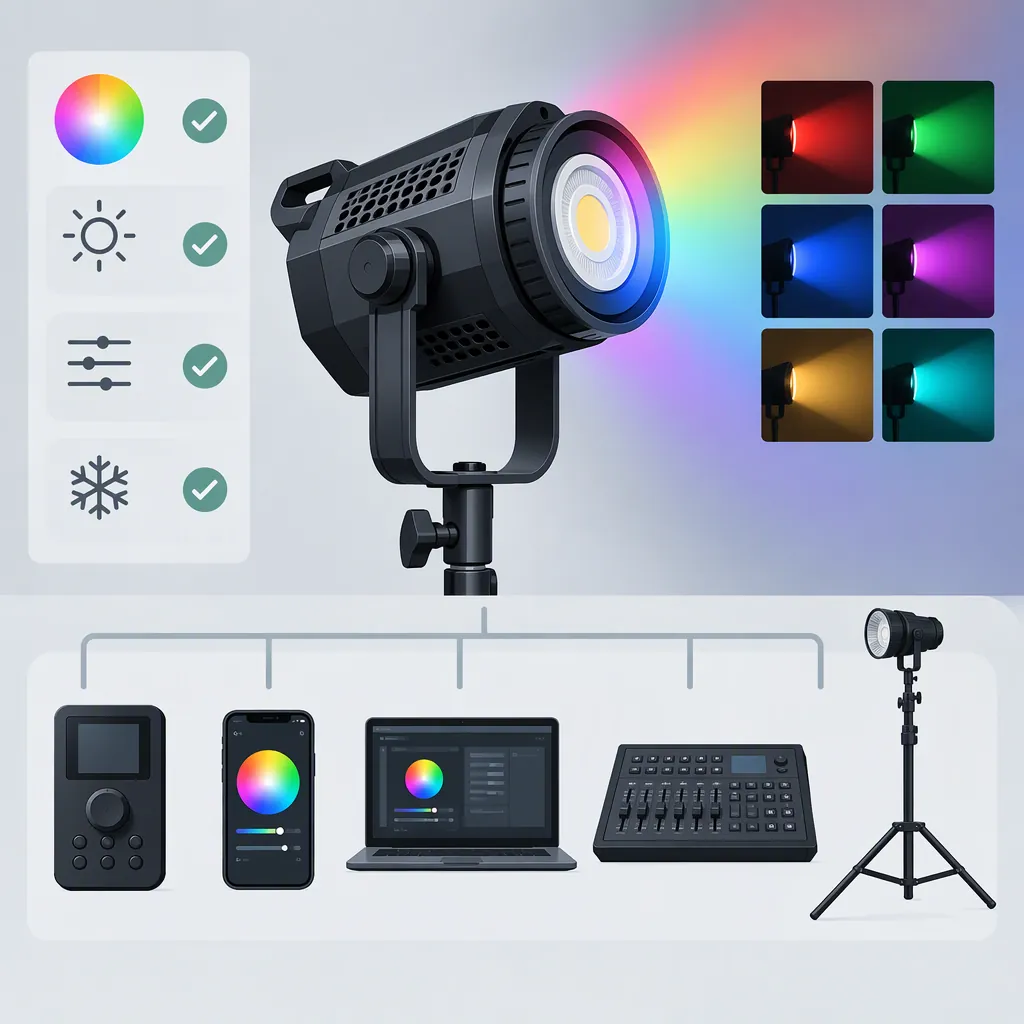
Godox Sz150r RGB: Choosing a Light and Checking Compatibility
For a Godox SZ150R RGB lighting setup, evaluate the intended role first: white-light illumination, colored accents, or both. The supplied sources describe RGB and bi-color operation, an adjustable beam, and a Bowens S-mount, but these features alone do not establish suitability for your shoot. Check modifier fit, required exposure, power access, audio noise, and control compatibility. The review reports a 35% output cap with the fan off and describes wall-power operation; treat these as planning constraints to verify against the model manual. [c1] [c2] [c3]
What the Available Sources Establish
The retailer listing describes the SZ150R as a 150W RGB LED light with HSI control, a 2800–6500K color-temperature range, and a 20–65° beam angle. These are published specifications, not measurements performed for this article. Electrical power rating should not be used as a substitute for testing exposure in your setup. [c3]
Godox's supplied product-page text lists an SZ150R manual and firmware labeled SZ150R_V1.2, but does not expose detailed operating instructions. Keith Knittel's review provides additional operating observations and discloses that Godox supplied the review unit. It is useful secondary evidence, not independent confirmation of every feature or current software behavior. [c1] [c2]
Match the Light to the Shot
Separate the requirements for a key light from those for a colored background or accent. For a key light, assess exposure, shadow quality, coverage, and recorded skin tones. For an accent, assess the desired hue, saturation, spill, and brightness in the camera image.
The published color-temperature range and RGB controls describe available adjustments; they do not guarantee a match with another fixture. The retailer lists CRI 97 and TLCI 96, but those figures are not evidence of an exact match across cameras, settings, or other lights. Test the intended combination rather than relying on a rating alone. [c3]
For an exposure comparison, keep camera settings, subject distance, modifier, and light placement fixed. Evaluate white-light and colored-light settings separately instead of assuming they produce equivalent usable exposure.
Check Modifier Fit and Beam Coverage
Knittel's review identifies a Bowens S-mount. Godox's product page lists QR-P70/P90/P120 parabolic softboxes and CS-50D, CS-65D, and CS-85D as optional accessories. These references support a starting point for modifier selection, not a blanket guarantee for every Bowens-labeled accessory. [c1] [c2]
Before using an existing modifier, check its mount specification, physical clearance, attachment security, and support requirements. Confirm that the fixture and modifier can be supported safely at the intended angle.
The review describes adjustable beam spread and reports little visible difference when changing zoom inside the reviewer's double-diffused softbox with a grid. That observation applies to that setup; it does not establish how every softbox will respond. Compare beam settings with your actual modifier and subject position. [c1]
Verify App, Remote, and Dmx Operation
The review describes onboard controls, Bluetooth operation through the Godox Light app, a separately purchased remote, and DMX input and output. The reviewer explicitly says they did not test operation with a DMX board. Do not treat that review as validation of a particular console, cable arrangement, or DMX configuration. [c1]
The same review reports that app gel-filter options did not work with this model and that fan settings were not adjustable through the app at the time of review. These are reported limitations, not confirmed statements about every current app and firmware combination. [c1]
For a planned workflow, verify the exact remote model, phone and app requirements, and model-specific DMX instructions. Test pairing, required adjustments, and reconnection before filming. An option appearing in an app interface is not sufficient evidence that the SZ150R supports it.
Plan Power and Test Recorded Noise
The review describes wall-power-only operation and reports that switching the fan off caps output at 35%. Its comments about quiet operation reflect the reviewer's studio conditions, not a guarantee for your microphone placement or recording environment. The supplied references do not establish a supported battery solution. [c1]
Check the adapter's input label and the model manual for your location. Avoid assuming that a battery adapter is compatible merely because a connector appears to fit. For dialogue, test the light with the actual microphone, recording gain, fixture position, and required exposure.
Pre-Shoot Compatibility Checklist
- Record the fixture model, firmware, app version, and intended control method.
- Check the manual and adapter label for power requirements.
- Confirm modifier attachment, clearance, and stand support.
- Set the intended camera exposure and white balance.
- Compare the required white-light and RGB settings with the final modifier in place.
- Record room tone and dialogue with the fan settings you intend to use.
- Check whether fan-off operation provides sufficient exposure.
- Test control reconnection and keep onboard controls accessible.
- Mark each requirement as passed, failed, or unverified.
FAQ
Can an Existing Bowens Softbox Fit the Godox Sz150r?
The review identifies a Bowens S-mount, so a matching mount is a useful starting point. Confirm the specific softbox's fit, clearance, attachment security, and support requirements rather than assuming universal compatibility. [c1]
Can the Sz150r Run with Its Fan Off?
Knittel's review reports a fan-off setting with output capped at 35%. Verify the operating instructions and test whether that setting meets your exposure and audio requirements. The review's noise observations are specific to its studio setup. [c1]
Is Battery Operation Established by These Sources?
No supported battery solution is established in the supplied references. The review describes wall-power-only operation and says no V-mount battery option was available at the time. Do not infer compatibility with third-party battery adapters. [c1]
Where Are Model-Specific Manual and Firmware Resources Listed?
The supplied Godox SZ150R product page lists a Chinese/English manual, a Japanese manual, and firmware labeled SZ150R_V1.2. That listing does not by itself confirm which firmware is installed on a particular unit or resolve current app compatibility. [c2]