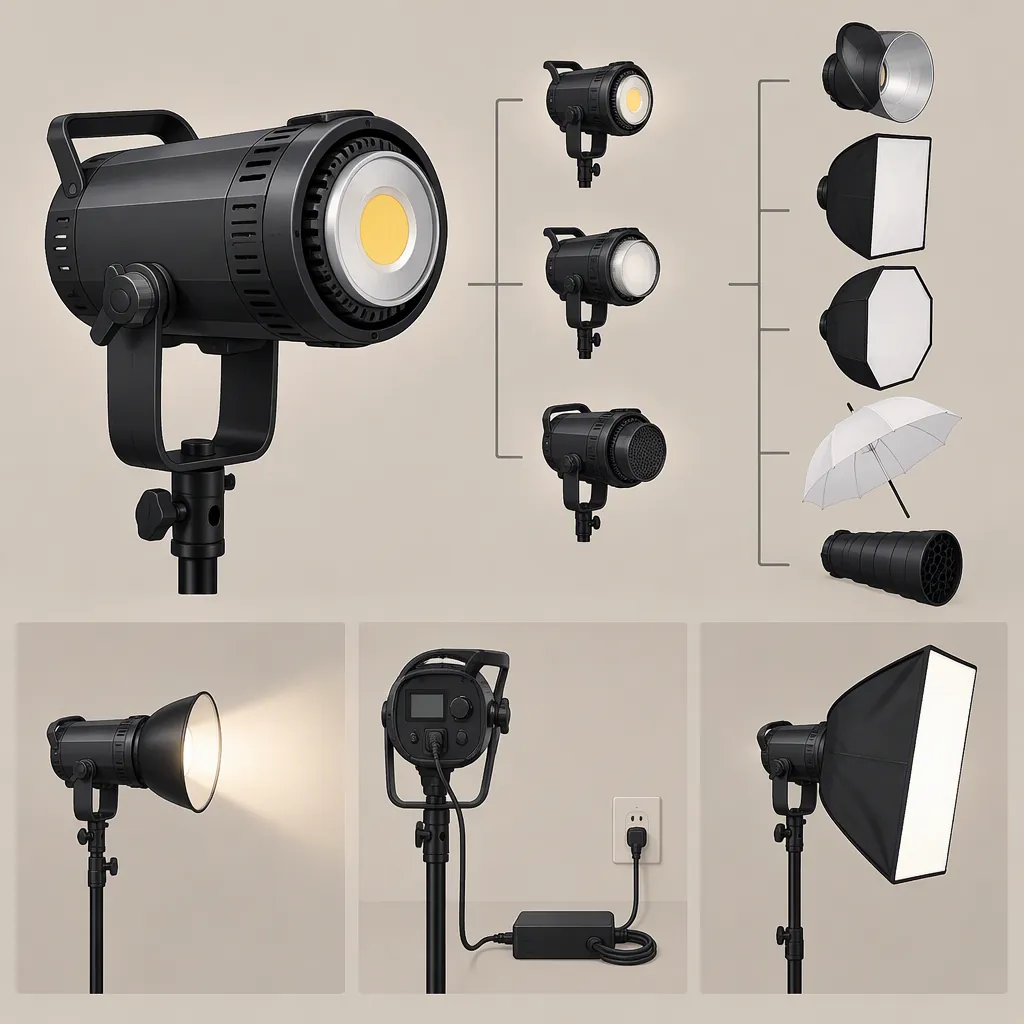
Godox SL60 Led Video Light: Model Selection and Compatibility Checks
When evaluating a Godox SL60 LED video light, identify the exact model first, then verify its modifier attachment, power requirements, controls, and suitability for your recording setup. The provided reference reviews the SL60D II, not the original SL60, so its findings should not be treated as specifications for every similarly named light. It describes talking-head use with a softbox, but that assessment is not a guarantee for your room, exposure settings, or modifier. [c1]
Identify the Exact Model Before Comparing Features
A search for “godox sl 60 led video light” does not establish which version you are evaluating. Start with the model label on the fixture, its packaging, and its matching manual rather than relying on a shortened listing name.
The supplied Fstoppers article explicitly reviews the SL60D II, identifies it as a second-generation model, and discusses differences from its predecessor. It also mentions a separate bicolor version. Those distinctions matter: do not assume that color-temperature adjustment, phone control, or accessory details apply across versions. [c1]
Evidence limit: The available source is a third-party review published in November 2023. No manufacturer manual, current specification sheet, or original SL60 review was provided. This article therefore offers a verification workflow rather than a complete specification comparison. [c1]
Model Identification Record
- Exact model printed on the fixture: __________
- Model named in the matching manual: __________
- Fixed-color or adjustable-color operation, as documented: __________
- Required control method: __________
- Features still awaiting confirmation: __________
Assess the Shot Rather than the Model Name
Define the intended shot before deciding whether the light is suitable: subject framing, light-to-subject distance, modifier, ambient light, and the camera settings you need to preserve.
The Fstoppers reviewer describes the SL60D II in a softbox as suitable for a talking-head video and says they would choose a more powerful light for a large set. This is the reviewer's practical assessment, not a measured guarantee for every production. [c1]
For your own evaluation, use the intended modifier and camera settings. Check whether the subject reaches the desired exposure, whether the lighting covers the required area, and whether the result remains acceptable when the subject moves. Record the conditions so another setup can be compared fairly. Do not treat a successful close-up test as proof that a wider scene will work.
Shot Suitability Test
1. Set the intended frame, frame rate, shutter setting, aperture, and ISO.
2. Place the light and modifier at the planned working position.
3. Set a consistent white balance for the comparison.
4. Record the subject at the intended brightness setting.
5. Review exposure, shadow shape, background balance, and movement through the lit area.
6. Log the settings and mark the result as acceptable, conditional, or unsuitable for this shot.
Verify Modifier, Stand, and Power Compatibility
Treat modifier fit, stand support, and electrical requirements as separate checks. A description such as “compatible softbox” is not enough to establish that a particular modifier can be attached and supported safely.
For the reviewed SL60D II, Fstoppers reports an integrated power supply and no umbrella mount. Do not transfer those details to an original SL60 or another variant without checking its documentation. [c1]
Confirm the exact accessory interface, locking mechanism, permitted loading, stand attachment, and electrical input using the matching manuals. Check clearance through the tilt range and route cables so they do not pull on the fixture. Do not improvise an umbrella attachment or power arrangement from a review photograph.
The reviewer also reports that the SL60D II lacks weather sealing. That observation should not be interpreted as permission to operate it in damp conditions; use the documented operating restrictions for the exact unit. [c1]
Compatibility Checklist
- Modifier attachment and locking method confirmed in matching documentation.
- Modifier load and stand capacity checked against documented limits.
- Tilt clearance and cable routing checked before use.
- Input voltage, cable, and power arrangement confirmed for the exact unit.
- Operating environment checked against the manufacturer's restrictions.
- Any unresolved compatibility item recorded before the setup is used.
Test Controls and Recorded Sound
The Fstoppers review describes phone control for the SL60D II and characterizes its cooling fan as very quiet. These are model-specific review observations, not confirmation of app compatibility or acceptable recorded sound in your setup. [c1]
If remote operation matters, verify the supported control method for the exact light and test the intended phone or controller. Check the functions you actually need rather than assuming every setting is remotely available.
For audio, record a comparison with the microphone, gain, and light position intended for filming. Listen to both room tone and speech. Separately, inspect test footage at the intended frame rate and shutter setting for visible brightness variation. The provided review does not establish a universal flicker-free operating range.
Control and Recording Test Log
- Exact light model: __________
- Phone or controller and software version: __________
- Required controls tested successfully: __________
- Microphone position and gain: __________
- Light position and brightness setting: __________
- Audible difference between light-off and light-on recordings: __________
- Visible brightness variation at intended camera settings: __________
- Unresolved limitations: __________
FAQ
Can I Use Sl60d Ii Review Findings for the Original SL60?
Not without model-specific confirmation. The provided review identifies the SL60D II as a second-generation light and describes differences from its predecessor. Use the exact model's documentation to verify features and compatibility. [c1]
Will My Softbox or Umbrella Fit?
The reference does not establish compatibility with your particular accessory. It discusses softbox use and reports no umbrella mount on the reviewed SL60D II. Verify the attachment interface, locking method, clearance, and permitted load for both the light and modifier. [c1]
Is It Suitable for Talking-Head Video?
The Fstoppers reviewer describes the SL60D II with a softbox as suitable for talking-head video. Treat that as a starting point for testing, not a guarantee: evaluate your intended framing, distance, modifier, ambient light, camera settings, and recorded sound. [c1]