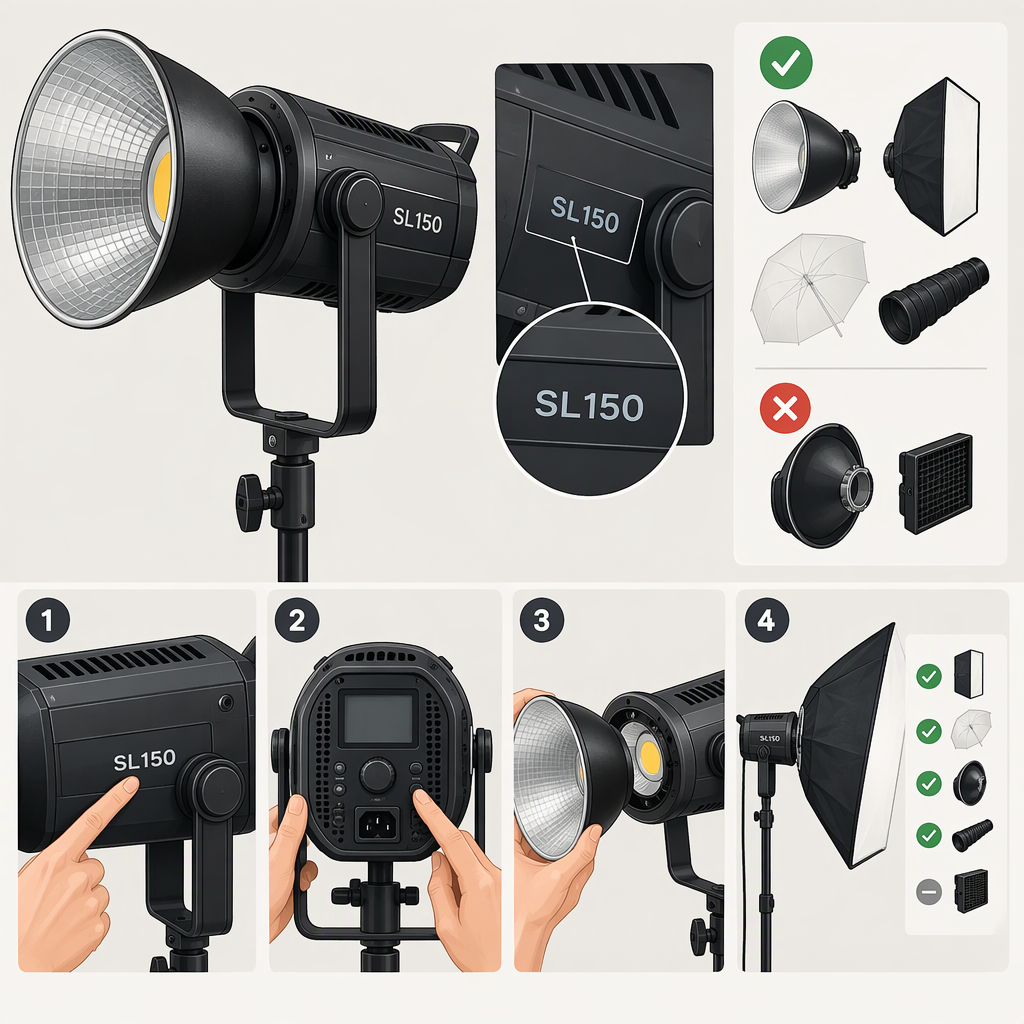
Godox Sl150: How to Identify the Model and Check Compatibility
The name “Godox SL150” is not specific enough to confirm compatibility: Godox documentation distinguishes models such as the SL150II, SL150III, SL150IIIBi and SL150R. Match the full model name on the light or listing to its manual before relying on specifications or choosing accessories. For example, the SL150II manual lists a fixed 5600K color temperature and AC 100–240V, 50/60Hz input; those details should not be assumed to apply to every SL150 variant. (godox.com)
1. Identify the Exact Godox Sl150
Check the model marking on the light itself, its packaging, and the seller’s listing. Use the complete model code, including suffixes such as “II,” “III,” “Bi” or “R,” when searching Godox’s manuals page or the relevant SLIII product page. If the listing, label and manual name do not agree, treat the specifications as unresolved until you can match the item to the right documentation. Godox’s SLIII page, for example, lists both SL150III and SL150IIIBi as separate models. (godox.com)
The suffix can matter to the decision. Godox’s SL150II manual lists 5600±200K and states that the light’s color temperature is not adjustable. By contrast, the SL150IIIBi manual describes adjustable color temperature from 2800K to 6500K, while Godox’s SL150R manual describes a separate RGB light with a 2500K–10000K CCT range and other color modes. These are examples from their respective manuals—not specifications to transfer to a different SL150. (godox.com)
2. Decide Whether It Fits Your Filming Setup
Start with your shot and space, then compare them with the exact model’s documented specifications or a practical setup check:
- Color needs: If you need to adjust color temperature at the light, confirm that the exact model supports it. The SL150II manual’s fixed 5600±200K specification, for instance, differs from the adjustable range documented for the SL150IIIBi. If you need colored effects, check the manual for the exact modes rather than assuming all SL150 versions offer them. (godox.com)
- Coverage and placement: Consider how far the light will be from the subject, how much of the scene must be lit, and where a stand or modifier can go. Set up the light in the intended position and review the framing and exposure. If the result is not suitable, adjust placement or the setup and test again; don’t infer an outcome from the model name alone.
- Softness and modifiers: Decide whether you plan to use a softbox, umbrella or another modifier. Check that the exact light has the required attachment and that the modifier is supported. A mount name or similar-looking fitting is not enough to establish a secure, compatible fit.
- Room conditions: Check the available outlet, cable route, stand space and any noise sensitivity relevant to your recording. For a specific operating limit or quiet-mode behavior, use the manual for the identified model.
A useful example of why the model match matters: Godox’s SL150II manual specifies 150W maximum power, 5600±200K, and AC 100–240V at 50/60Hz. Those figures can help assess an SL150II listing and setup; they do not establish the power, color options or electrical requirements of an SL150III, SL150IIIBi or SL150R. (godox.com)
3. Check Compatibility with the Gear You Plan to Use
Make a short list of the connections and accessories you actually intend to use. For each one, compare its requirements with the exact model’s manual or product information:
| Check | What to verify | If the information does not match |
|---|---|---|
| Modifier attachment | The light’s documented mount and the modifier’s required mount or adapter. | Do not force a fitting. Confirm the correct adapter and its suitability for the intended accessory. |
| Power | The light’s input specification, the local supply, and the cable or extension rating required by the manual. | Don’t connect it based on another SL150 model’s specifications. Resolve the mismatch first. |
| Remote or app control | Whether the exact model supports the controller or app you intend to use, and any pairing or channel requirements. | Treat a controller’s compatibility with a different SL150 variant as unconfirmed. |
| DMX or other wired control | Whether the exact model documents the relevant port, protocol and required cable. | Don’t assume a similarly named model has the same control connections. |
| Camera connection | Whether the intended workflow actually requires one and whether the exact manual documents it. | Don’t assume a flash trigger or camera connection is needed just because the light is used while filming. |
For example, Godox’s SL150II manual describes a separately purchased RC-A6 remote and says the light and remote need matching channel, group and ID settings. Godox’s SL150R manual separately describes RJ45/DMX control. Those are model-specific examples, not a general compatibility list for every SL150. (godox.com)
Quick Verification Checklist
Before deciding whether a Godox SL150 fits your setup:
- Read the complete model name from the light, box or listing.
- Find the Godox manual or product page that names that exact model.
- Check the specifications that affect your use: color options, power input, mount, controls and any stated operating limits.
- Compare those details with your outlet, accessories and planned filming arrangement.
- If a label, listing and manual conflict—or a needed specification is missing—treat compatibility as unconfirmed rather than borrowing details from another SL150 variant.
Bottom line: choose by the full model code and the needs of your actual setup, not by “SL150” alone. The documentation can establish model-specific requirements; a setup test can help you judge framing and placement in your own space.