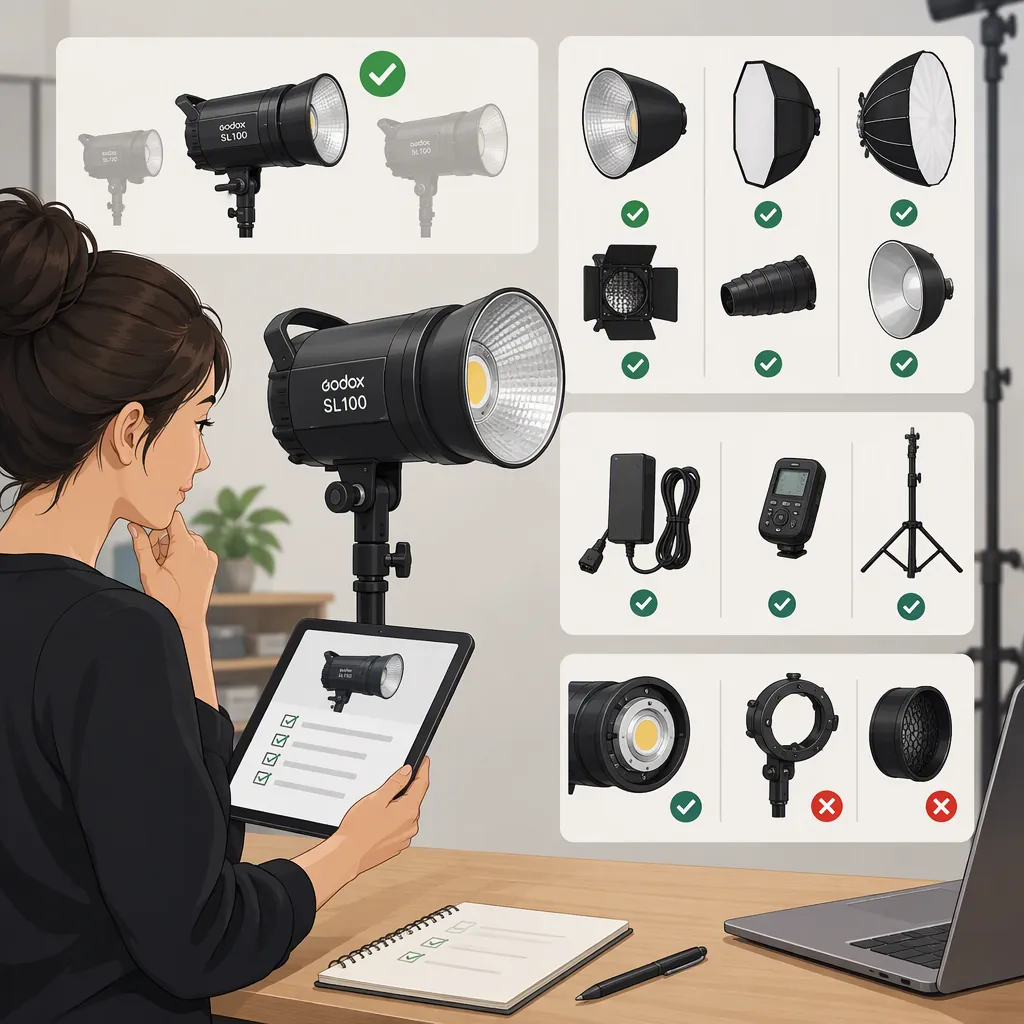
Godox Sl100 for Filming: Selection and Compatibility Checks
Before choosing a Godox SL100, confirm the full model designation and check its documented compatibility with your modifiers, support equipment, power supply, and controls. Then evaluate image and sound in your intended filming setup. If you do not yet have access to the light, complete the documentation checks first and leave performance suitability not yet verified.
Evidence boundary: The Amazon Live page cited here names “Godox SL100Bi Bi-Color LED Video Light” in its title. The available page text contains no technical specifications, compatibility list, or test results. It identifies the page’s subject as SL100Bi but does not establish that “SL100” is an interchangeable designation. This guide therefore provides a verification method, not confirmed SL100 specifications or a product recommendation. [source_1]
Before Selection: Identify the Exact Model
Start with model identity before comparing specifications or accessories. A listing title, seller description, or similar-looking housing should not substitute for documentation that matches the exact unit.
Use this document-checking sequence:
- Obtain a readable photograph of the unit label or nameplate. Record the complete model designation, including any suffix.
- Compare it with the listing and packaging information. Note any difference rather than assuming it is a shortened name.
- Obtain the instruction manual for that exact designation. Check the manual’s cover or model applicability section before using its specifications.
- Record the included equipment. Identify the power supply, cables, reflector, adapters, and any other accessories separately.
- Resolve mismatches before relying on compatibility claims. Ask for model-specific documentation or a clear photograph of the relevant label.
The cited Amazon Live title specifically names SL100Bi; it is not a basis for transferring that model’s specifications to a unit described only as Godox SL100. [source_1]
Model Verification Record
| Item | What to record |
|---|---|
| Listing designation | Complete model name, including suffix |
| Unit label | Model shown in a readable photograph |
| Matching manual | Model designation and applicable version, if stated |
| Included accessories | Exact names or model numbers where available |
| Agreement | Confirmed / Mismatch / Unconfirmed |
| Unresolved questions | Missing labels, conflicting names, or unclear accessories |
If a nameplate photograph or matching manual is unavailable, keep model identity unconfirmed. That is a documentation gap, not proof that the light is unsuitable.
Before Selection: Check Compatibility in the Documentation
Treat compatibility as separate checks. Confirmation of one attachment does not settle support, clearance, power, or remote-control requirements.
For each required item, record the document section, page, label, or photograph that supports the answer.
| Check | Where to look | What needs confirmation |
|---|---|---|
| Modifier attachment | Manual’s accessory or attachment section; modifier or adapter instructions | The light’s specified interface and compatibility with the exact modifier or adapter |
| Clearance | Assembly, ventilation, and safety instructions | Required clearance around the assembled light, access to controls, and any accessory restrictions |
| Mounting and support | Light’s mounting instructions; stand documentation | Suitable connection and support rating for the complete assembly in its intended position |
| Power | Unit input label; power-supply label; manual’s electrical section | Specified input and supply, matching cable or adapter, and suitability for the filming location |
| Remote control | Manual’s control section; controller or application documentation | Explicit support for the exact light model and the intended control method |
Do not infer a modifier interface or electrical requirement from the name “Godox SL100.” Avoid forcing attachments or improvising electrical adapters. Follow the equipment instructions for assembly, support, ventilation, and power.
If Documentation Is Missing
Request the material needed to answer the specific unresolved question:
- A full-model nameplate photograph for model identity.
- The matching manual for installation, power, and operating requirements.
- Power-supply and input-label photographs for electrical checks.
- Exact accessory model numbers and compatibility instructions for modifiers or adapters.
- Stand documentation for the proposed load and configuration.
- Model-specific control documentation if remote operation is required.
A seller’s unsupported assurance or visual similarity is not a substitute for those records. If a required compatibility check remains unresolved, do not assemble or operate that configuration on an assumption.
Compatibility Decision Sheet
Mark each item Confirmed, Unconfirmed, or Not needed, and note the supporting material.
| Item | Status | Supporting document or label |
|---|---|---|
| Exact light model | ||
| Modifier interface | ||
| Exact modifier or adapter compatibility | ||
| Required clearance | ||
| Stand connection and load rating | ||
| Specified power supply and local input compatibility | ||
| Required remote-control compatibility |
Documented compatibility can be checked before obtaining the light. Actual exposure, color balance, visible banding, and recorded sound remain separate test questions.
Without Access to the Light: Define What Still Needs Testing
Before a hands-on test, write down the intended filming configuration:
- Camera and recording modes.
- Shutter setting, aperture, and ISO.
- Subject position and available light-to-subject distance.
- Intended modifier.
- Expected ambient lighting.
- Microphone type, placement, and recording settings.
- Image and sound conditions that would make the setup acceptable.
If you need a demonstration from someone who has the exact unit, request the full model identity, configuration details, and representative image and audio recordings. A clip made at an unknown distance, camera setting, or microphone position cannot resolve your setup-specific questions.
Where a representative test is unavailable, record performance as not yet verified rather than “suitable” or “unsuitable.” Documentation can establish compatibility, but it does not replace evaluation of the intended shot.
With Access to the Light: Test the Intended Shot
Once the required assembly and power checks are confirmed, use your planned scene as the acceptance test.
- Set the camera for the shoot. Use the intended resolution, frame rate, shutter setting, aperture, and ISO.
- Assemble the documented compatible configuration. Fit the intended modifier and position the light at the planned working distance, following its instructions.
- Record the subject in position. Inspect exposure, highlight detail, shadow placement, and background brightness.
- Include the expected ambient lighting. Check whether the scene’s color balance is acceptable.
- Review every recording mode you plan to use. Look for visible brightness fluctuations or banding in the recorded footage.
- Change one variable at a time if adjustment is needed. Record the change and repeat the relevant test.
These are proposed evaluation steps, not reported test results for the SL100 or SL100Bi.
Shot Test Log
| Field | Record |
|---|---|
| Exact light model | |
| Camera and recording mode | |
| Shutter / aperture / ISO | |
| Light setting | |
| Modifier and working distance | |
| Ambient lighting | |
| Exposure and highlight result | |
| Shadow and background result | |
| Color-balance result | |
| Visible banding or brightness changes | |
| Adjustment and retest result |
Include Recorded Sound in the Test
For dialogue filming, test with the microphone in its intended position—not only by listening beside the light.
Record room tone with the light off, then repeat with it operating at the settings planned for filming. Keep microphone placement, gain, and recording settings unchanged. Compare the recordings for any difference that would affect the production.
If adjustment is necessary, change placement or recording configuration one variable at a time and retest. Keep the conclusion limited to the light settings, room, and microphone arrangement evaluated; do not turn it into a general noise-performance claim.
Make a Setup-Specific Decision
Separate missing evidence from an observed limitation.
| Outcome | When to use it | Next step |
|---|---|---|
| Suitable for the tested setup | Required compatibility is documented, and recorded image and sound meet your stated needs | Retain the configuration and test record |
| Needs adjustment | The test reveals an issue that may be addressed by changing placement, modifiers, exposure, or microphone positioning | Change one variable and retest |
| Does not meet the stated needs in this configuration | A representative test shows that the configuration fails your acceptance criteria | Record the limitation and evaluate a different configuration |
| Not yet verified | Essential documentation, equipment access, or a representative test is missing | Identify and obtain the missing material before reaching a conclusion |
This distinction keeps a documentation gap from becoming an unsupported negative verdict—and keeps a successful single setup from becoming a blanket recommendation.
FAQ
Is Godox Sl100 the Same as Godox Sl100bi?
The cited Amazon Live page names SL100Bi, but it does not establish that “SL100” means the same model. Compare the complete designation on the unit label with the matching manual before using specifications or accessory advice. [source_1]
Will My Existing Softbox Fit a Godox Sl100?
Confirm the exact light’s documented attachment interface, then check the softbox or adapter instructions for compatibility. Also verify clearance and support requirements for the assembled setup. Do not use appearance or a shortened model name as confirmation.
What Should I Request If the Listing Has No Clear Specifications?
Request a readable model-label photograph, the matching manual, power-input and power-supply labels, and exact identifiers for included accessories. For unresolved compatibility questions, request the relevant model-specific instructions rather than a general assurance.
Can I Use a Godox Sl100 as My Main Filming Light?
Evaluate the exact unit with your intended modifier, working distance, camera settings, ambient lighting, and microphone placement. Until a representative test meets your stated image and sound requirements, main-light suitability remains not yet verified.
What Can I Check Before I Have Access to the Light?
You can check model identity and documented modifier, mounting, power, and control compatibility. You can also define the test configuration and acceptance criteria. Exposure, color balance, banding, and recorded sound still need a representative test.
Does Missing Documentation Mean the Light Is Unsuitable?
No. Missing documentation means the relevant requirement is unconfirmed. Identify what evidence is missing and keep the decision open; do not assume either compatibility or incompatibility.