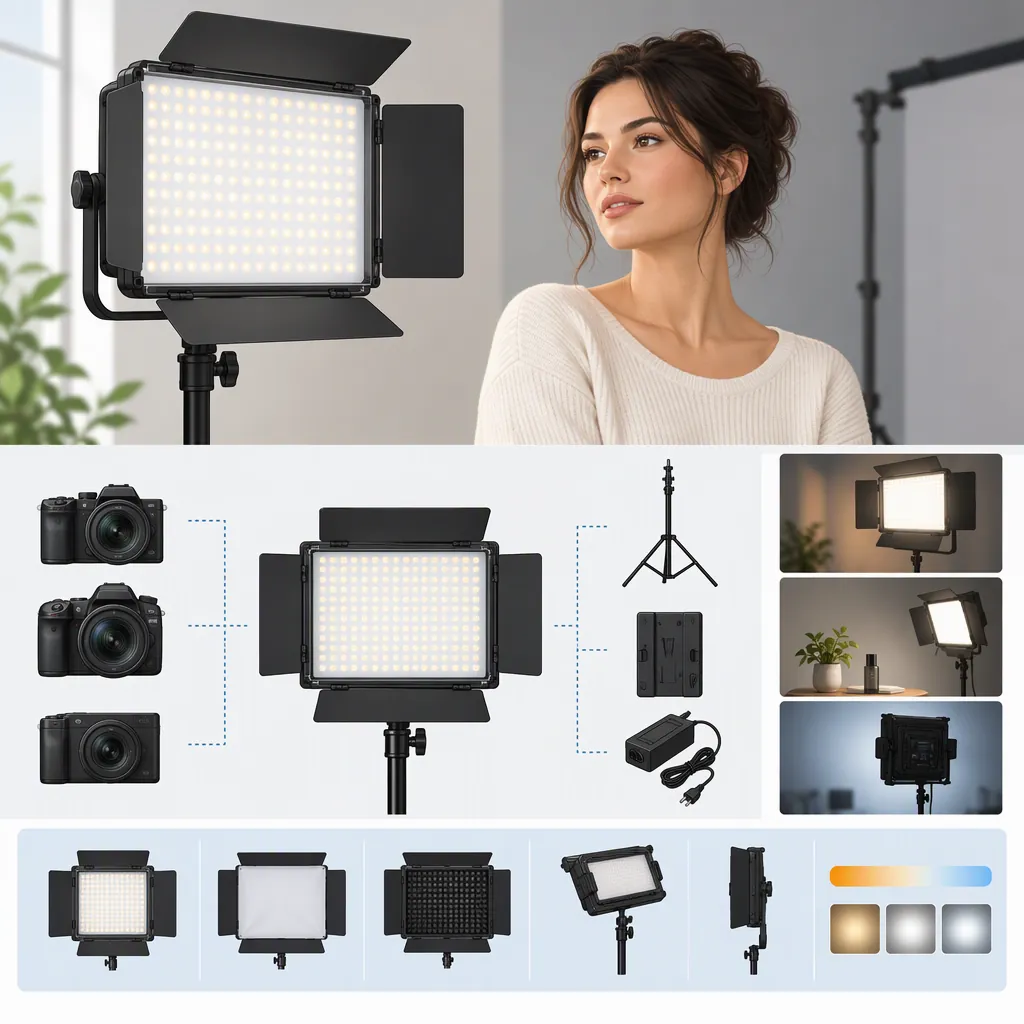
Godox Led P260: Model Selection and Filming Compatibility
For a search such as “godox led p260,” start by confirming the complete model name. Greentoe lists LEDP260C, while DIYPhotography covers P260C Pro; those references do not establish interchangeable specifications or accessories. Choose a fixture for filming only after its documented power, mounting, and control arrangements meet your needs—and a recorded test produces acceptable results. Conflicting P260C Pro specifications remain unresolved in the cited coverage. [c1] [c2] [c3]
Identify the Exact Model
Greentoe names its listing Godox LEDP260C Bi-Color LED Light Panel, with the model written as “LEDP 260C.” DIYPhotography’s article names Godox P260C Pro. Keep the complete label, including C and Pro, when matching documentation and accessories. [c1] [c2]
Before comparing lights, record:
- Fixture label: Full model name.
- Matching manual: Model name and applicable version.
- Listing: Exact model, single fixture or kit, and included accessories.
- Power equipment: Included adapter and any separately required batteries or cables.
- Mounting equipment: Included handle, bracket, or adapter, if any.
- Unresolved mismatches: Differences between the fixture, manual, and listing.
If the label and documentation do not match, pause accessory selection until the mismatch is resolved. The Greentoe text establishes the LEDP260C listing name but does not provide enough technical detail to verify its battery, remote-control, or mounting compatibility. [c1]
What the References Establish—And What They Do Not
The table summarizes evidence status, not verified specifications. Unconfirmed means the cited text does not establish the requirement; it does not mean the feature is absent.
| Compatibility area | LEDP260C | P260C Pro |
|---|---|---|
| Model identity | Listing confirmed: Named LEDP260C / LEDP 260C by Greentoe. [c1] | Source-reported: Named P260C Pro by DIYPhotography. [c2] |
| Power arrangements | Unconfirmed: Electrical requirements and supported battery arrangements are not established by the listing text. [c1] | Source-reported: AC adapter, Sony NP-F-style batteries, and USB-PD; available output depends on USB power supplied. Exact power profiles and battery operating rules remain unconfirmed. [c2] |
| Smartphone controls | Unconfirmed: Remote-control compatibility is not established. [c1] | Source-reported: NFC-assisted smartphone pairing. Exact phone support and interoperability with other lights remain unconfirmed. [c2] |
| Mounting and modifiers | Unconfirmed: Interfaces and accessory fit are not established. [c1] | Source-reported: Detachable handle; exact stand interfaces, load requirements, and modifier fit still need verification. [c2] |
| Power and color-temperature specifications | Unconfirmed: The listing text is insufficient for a technical comparison. [c1] | Conflict: DIYPhotography reports a 45W power figure and 2800–6500K; Studio Lights reports 30W and 3300–5600K. [c2] [c3] |
How to Interpret the Specification Conflict
DIYPhotography’s July 18, 2024 gear announcement reports a 2800–6500K color-temperature range and describes the panel using a 45W power figure. Its wording includes “45W output,” but that is not a measured illumination result at a stated distance. Treat 45W as a source-reported power figure, not a basis for calculating exposure or illumination. [c2]
Studio Lights’ August 27, 2026 review page instead lists 30W and 3300–5600K. The page also states, “No product is linked to this review yet,” and the available text supplies no traceable basis for those specifications. It therefore does not provide equivalent substantiation or resolve the disagreement merely by being newer. [c3]
Confirm the electrical rating and operating range in documentation for the exact fixture. Neither article provides a consistent, directly comparable illumination test that can determine whether either light will adequately expose your subject at your intended distance. [c2] [c3]
Turn Compatibility Checks into a Selection Decision
These are conditional selection rules, not performance recommendations for either model.
| Your situation | Selection rule |
|---|---|
| The fixture label, manual, and listing disagree | Pause selection or accessory matching until the exact model is established. |
| The location has no usable AC supply | Proceed only after confirming a documented battery or USB-PD arrangement for that model, including required batteries, power profiles, and cables. |
| You need app-based or multi-light control | Verify the required phone, app, pairing, and fixture support first. A general wireless-control description is not enough. |
| The stand interface or load capacity is unknown | Do not connect the fixture until the interface, load rating, and stability are confirmed. |
| You need diffusion, a grid, or another modifier | Confirm attachment compatibility before including it in the setup. Similar panel dimensions do not establish fit. |
| You will mix the panel with room lights or other fixtures | Judge suitability from a fixed-white-balance recording of the intended combination. |
| The recording shows unacceptable exposure, color, flicker, or banding | Revise and retest the setup. If it still fails your requirements, do not rely on that configuration for the shoot. |
A fixture is a candidate for your setup when its documented connections meet your requirements. It becomes usable for that particular filming configuration only when the recorded result and physical setup also meet your needs. Passing one test does not establish compatibility at every camera setting or with every accessory.
Verify Power, Mounting, and Controls
Power and Batteries
DIYPhotography reports AC-adapter, Sony NP-F-style battery, and USB-PD power options for the P260C Pro. It describes two battery slots, but the suggestion that both batteries are required is explicitly an inference; it does not confirm an operating rule or hot-swapping support. [c2]
Check the matching documentation for:
- Required voltage, connector, and polarity where applicable.
- Supported battery models and required battery count.
- USB-PD profiles and cable rating—not just advertised charger wattage.
- Any power-source-dependent output restrictions.
- Any documented battery-change procedure.
These Pro-model reports should not be applied to LEDP260C without model-specific confirmation. [c1] [c2]
Mounting and Modifiers
Match the fixture’s actual mounting interface to the stand or adapter. Verify the support’s load rating and stability in the intended orientation, including any attached accessories. Confirm how each modifier attaches; do not infer compatibility from appearance or panel size.
DIYPhotography describes the P260C Pro’s handle as detachable, but that description alone does not establish compatibility with a particular stand or modifier. [c2]
Controls
DIYPhotography describes NFC-assisted smartphone pairing for the P260C Pro. This does not establish support for every phone or interoperability with every Godox light. [c2]
If remote control is necessary for the shoot, verify the exact app, phone requirements, pairing procedure, and supported fixtures. Test the required controls before treating them as part of the production workflow.
Evaluate Filming Compatibility with a Recorded Test
Filming compatibility includes exposure, color, shadows, and temporal consistency—not just whether the light powers on.
DIYPhotography reports that the P260C Pro lacks green/magenta adjustment and notes possible challenges when mixing it with other lights. That makes a mixed-light test useful; it does not prove that every combination will fail. [c2]
Pre-Shoot Test
This is a suggested procedure, not a claim that this article has tested either model.
- Confirm the model and power arrangement. Use documentation that matches the fixture.
- Reproduce the planned placement. Use the intended subject distance and modifiers.
- Set the camera deliberately. Use the planned resolution, frame rate, shutter setting, exposure, and fixed white balance.
- Record representative footage. Include the brightness and color-temperature settings you expect to use.
- Review the recording. Check exposure, clipped highlights, color mismatch, banding, and flicker rather than relying only on how the light looks to the eye.
- Test the lighting mix. Record with room lights and other fixtures included, then isolate them where practical.
- Check physical safety. Verify mounting stability and cable routing without exceeding equipment ratings.
- Document the usable configuration. Record camera settings, placement, modifiers, and power source. Recheck when those conditions change.
Use the results to decide whether the configuration meets your filming requirements. A wattage figure alone cannot make that decision.
FAQ
Are Godox Ledp260c and P260c Pro the Same Model?
The references use different model names: Greentoe lists LEDP260C, while DIYPhotography covers P260C Pro. They do not establish that the fixtures or accessories are interchangeable. Match the complete label to its documentation. [c1] [c2]
Can I Use Any USB Power Bank with the P260c Pro?
Do not assume so. DIYPhotography reports USB-PD support and power-dependent output limitations, but its text does not establish the complete required power profiles or cable specifications. Verify those requirements for the exact fixture and power bank before connecting them. [c2]
Does the P260c Pro Require Two Batteries?
DIYPhotography describes two battery slots but presents the requirement to use both as an inference. It does not establish a confirmed battery-count rule or hot-swapping support. Check the matching manual rather than treating that inference as an instruction. [c2]
Which P260c Pro Power and Color-Temperature Figures Should I Use?
DIYPhotography reports 45W and 2800–6500K; Studio Lights reports 30W and 3300–5600K without a traceable basis for those figures in the available text. Use documentation for the exact fixture to resolve the requirements, and do not infer illumination from wattage. [c2] [c3]
Do These References Prove Compatibility with My Camera?
No. Neither article establishes compatibility with a specific camera, frame rate, or shutter setting. [c2] [c3] Record a test using your intended settings and lighting combination, then check for exposure problems, flicker, banding, and color mismatch.