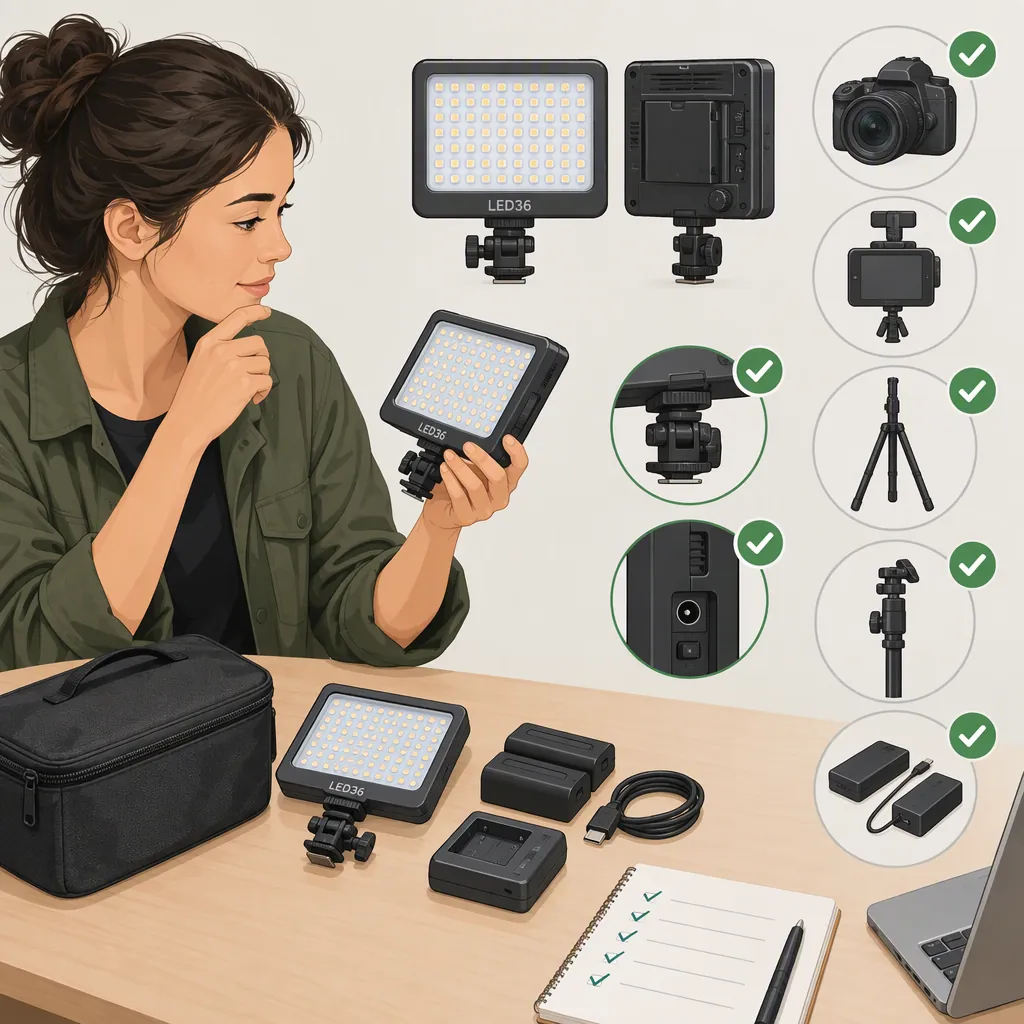
Godox Led36 Selection and Camera Compatibility Guide
To evaluate the Godox LED36 for filming, verify the exact model, mounting interface, approved power source, and required controls, then test it at your intended recording settings. The available Godox references establish a related-product listing—not LED36 specifications or compatibility with a particular camera. [c1]
Godox Led36: What Is Confirmed and What Needs Checking?
| Status | What the available evidence establishes |
|---|---|
| Confirmed naming reference | Godox’s flexible-light page lists “LED36/64/126/170” under related products. Its featured models and listed model manuals are FL60, FL100, FL150S, and FL150R. Those manuals are not LED36-specific instructions. [c1] |
| Mounting and power need verification | The cited page does not establish LED36 mounting hardware, dimensions, approved batteries, external power requirements, or camera-specific fit. [c1] |
| Controls need verification | Godox’s cited hybrid flash LED page names FV150/FV200 and LF308; it does not establish LED36 flash operation, triggering, or synchronization. [c2] |
| Filming performance needs verification | The available references do not establish LED36 brightness, color temperature, color accuracy, runtime, or performance at particular recording settings. [c1][c2] |
This is a selection and compatibility checking guide, not a specification sheet. Do not transfer specifications, accessories, or operating instructions from the other models on these pages to the LED36.
Before You Have the Light: Verify Documentation and Fit
Define the proposed filming job first: a close subject, a wider scene, a camera-mounted setup, or a separately supported light. Note the coverage needed, available mounting space, power arrangement, and expected take length.
Obtain supporting information in this order:
- Exact model identity: Read the unit’s label or obtain a clear photograph of it.
- Matching manufacturer documentation: Find a manual or specification document that explicitly covers that model.
- Target equipment documentation: Check the instructions for your camera, cage, bracket, stand, adapters, and proposed power source.
Treat mechanical attachment, power, and controls as separate checks. A physical fit does not establish electronic control, and a documented power arrangement does not establish suitable illumination.
Fillable Compatibility Checklist
Complete this table before assembly. Use “unknown” where evidence is missing rather than substituting details from another model.
| Check | Information to verify | Your record |
|---|---|---|
| Model identity | Exact label and manufacturer document covering that model | ______ |
| Intended use | Required coverage, mounting position, and take length | ______ |
| Mounting interfaces | Light interface and camera/cage/bracket/stand interface | ______ |
| Adapter and support | Required adapter and applicable documented load limits | ______ |
| Clearance | Space around screens, cables, microphones, and controls | ______ |
| Power | Approved battery or external supply; any specified voltage, polarity, and connector requirements | ______ |
| Controls | Manual operation or a documented connection needed for the intended workflow | ______ |
| Open questions | Missing information or documented conflicts | ______ |
Do not connect an unidentified supply or use a power input whose requirements have not been established. Postpone assembly or operation when a critical mounting or power question remains unanswered.
Questions to Ask Manufacturer Support
If matching documentation cannot be located, provide the exact model-label details and ask:
- Which manual or specification document covers this unit?
- What mounting interface does it use, and what adapters or support requirements apply?
- Which batteries or external supplies are approved?
- What voltage, polarity, and connector requirements apply, if relevant?
- Does operation require a control connection? If triggering or synchronization is needed, is that feature documented for this exact model?
- What operating limits or power-duration guidance should be followed for the planned recording?
These are information requests, not assumptions about LED36 features. For a continuous-light workflow, assess mounting and illumination separately from any flash-trigger requirements.
Define Your Recording Acceptance Criteria
Before testing, write down what would make the light acceptable for your shoot. These are project requirements, not universal LED36 performance thresholds.
- Camera settings: Planned frame rate, shutter setting, aperture, ISO, and white balance; specify any permitted adjustments.
- Coverage: Subject or frame areas that must be adequately lit.
- Placement: Permitted light positions and subject distances.
- Image requirements: Visible banding, flicker, reflections, or color differences that would make the footage unacceptable.
- Duration: Required uninterrupted take length.
- Operation: Whether interruptions or output changes would prevent the planned recording.
For example, if exposure settings must remain fixed, judge the light at those settings rather than compensating during the test without recording the change.
Test the Godox Led36 in Your Intended Setup
Proceed only after identifying the unit and assembling it safely using matching instructions and approved power. The following is a proposed evaluation procedure, not a claim about how the LED36 will perform.
- Recheck attachment and clearance. Confirm the actual mounting arrangement is secure and does not obstruct required screens, cables, microphones, or controls.
- Fix the camera and scene. Keep framing, subject position, light position, and distance consistent across comparison clips.
- Lock comparison settings. Use fixed exposure and white balance where the camera allows it. If the intended workflow requires automatic settings, record that condition and assess it separately from the controlled comparison.
- Account for other light sources. Record which lights are present and any changes in ambient light. Where practical and safe, test the candidate light separately before testing the full lighting arrangement.
- Record comparison clips. Capture the scene with the LED36 off, then on at each setting you intend to use, keeping other conditions unchanged.
- Review the original recorded clips consistently. Use the same display, player, and playback settings. Check for visible banding or flicker, uneven coverage, distracting reflections, and unwanted color differences.
- Check exposure and duration. Assess whether the required areas are adequately lit within your permitted exposure adjustments. Rehearse the expected take length within documented operating limits and note interruptions or output changes.
If other lights or automatic settings changed between clips, repeat the comparison where possible before attributing a difference to the candidate light. If a playback issue makes a result unclear, leave that result inconclusive rather than treating it as a confirmed lighting defect.
A visual comparison can help determine whether footage meets your requirements. It does not measure product color accuracy, establish a general runtime, or prove that the light is flicker-free at every recording setting.
Recording Test Log
Complete one entry per configuration:
| Test detail | Your record |
|---|---|
| Camera and recording mode | ______ |
| Frame rate and shutter setting | ______ |
| Aperture, ISO, and white balance; fixed or automatic | ______ |
| Light setting, position, and subject distance | ______ |
| Other light sources and any changes | ______ |
| Required frame areas adequately covered | ______ |
| Visible flicker or banding | ______ |
| Reflections and color observations | ______ |
| Exposure adjustments needed | ______ |
| Test duration versus required take length | ______ |
| Power interruptions or output changes | ______ |
| Playback conditions and unresolved observations | ______ |
| Acceptance criteria met, failed, or untested | ______ |
Godox Led36 Selection Decision Rules
Use the documentation checks and recording results together:
- Suitable for the tested setup: The LED36’s identity, mounting, power, and required controls are verified, and recorded results meet all acceptance criteria for that configuration.
- Not suitable for the proposed or tested setup: Documentation establishes a conflict with a required mounting, power, or control arrangement, or a recording test fails a required criterion.
- Unresolved: A critical documentation check is incomplete, a required test has not been performed, or a result is inconclusive.
Record the reason with the status—for example, “mounting interface not confirmed” or “required coverage not achieved within permitted exposure settings.” On the cited references alone, LED36-specific suitability remains unresolved. [c1][c2]
Revisit the affected checks if you change the mounting arrangement, power source, camera settings, light placement, or scene requirements. A conclusion for one configuration should not be carried over automatically to another.
FAQ
Will the Godox Led36 Fit My Camera?
The cited page does not establish camera-specific fit. [c1] Compare the exact unit’s mounting interface with your camera or support hardware, then check the adapter, support limits, and clearance using the compatibility checklist above.
Which Batteries or Power Supply Does the Led36 Use?
The available reference does not verify LED36 power requirements; the listed model manuals cover the FL series. [c1] Obtain documentation matching the exact unit before choosing or connecting a power source.
Does the Led36 Support Flash Triggering?
The cited hybrid flash LED page documents other models, not LED36 triggering or synchronization capabilities. [c2] Do not infer support from the Godox brand or from physical attachment to a camera; verify the required feature in model-specific documentation.
Can a Clean Test Clip Prove the Led36 Is Flicker-Free?
No. A clip without visible flicker supports only the tested combination of light setting, camera settings, scene, and review conditions. Repeat the relevant test when those conditions change; do not treat a visual check as a universal performance measurement.
Can I Decide Whether the Led36 Is Suitable Before I Have It?
You can check documented prerequisites and rule out a proposed arrangement if a required interface, power source, or control feature conflicts with the documentation. The related-products listing alone cannot resolve those prerequisites or filming performance. [c1] Keep the model a candidate for testing when document checks pass, rather than declaring it suitable before evaluating the intended scene.