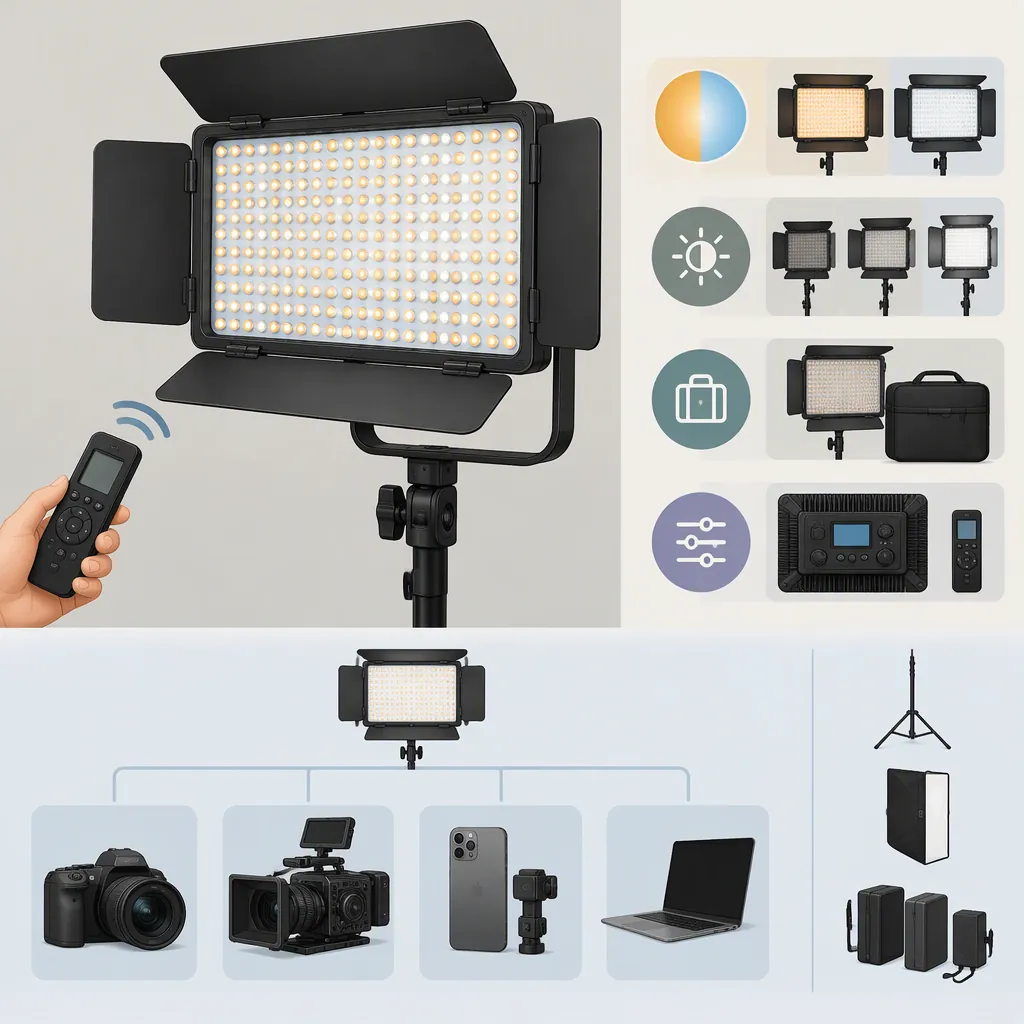
Godox Led308c Ii: Choosing a Filming Light and Checking Compatibility
To evaluate the Godox LED308C II, first confirm the exact model, then verify its power, mounting, and control requirements. Decide whether it suits your filming needs through a test at your planned subject distance, camera settings, and lighting arrangement—not from a model name or headline brightness figure alone.
This guide draws on Godox’s LED170II/LED308II family page, a Mobspares light listing, and an Onerbl adapter listing on Amazon. The evidence reviewed does not include the exact-model manual’s full contents or independent performance tests. Godox’s page identifies an LED308II manual download; third-party descriptions remain leads to verify, not confirmed compatibility or performance guarantees. [godox-family] [retailer-listing] [adapter-listing]
Identify the Exact Model Before Comparing Features
Start with the model printed on the light, rather than a shortened search term such as “godox led308c.” Godox’s family page is titled LED170II LED308II and includes an LED308II Chinese/English manual download entry. The page text reviewed does not show a variant-specific specification table. [godox-family]
The Mobspares listing names “LED308C II” in its heading but uses “LED308C” in its specification section. Verify that discrepancy against the unit label and matching manual; do not assume that names with and without “II” are interchangeable. [retailer-listing]
For a used light or incomplete kit, record what is actually present. Keep uncertain details marked as unverified rather than filling gaps from a similar-looking model.
Model Verification Worksheet
- Exact model printed on the light: __________
- Revision or suffix, including II: __________
- Matching manual identified: __________
- Power-input markings recorded: __________
- Battery slot and contacts identified: __________
- Included mounting hardware identified: __________
- Remote model, if present: __________
- Differences between the label, manual, and listing: __________
Decision rule: If the label and documentation do not match, pause specification and accessory comparisons until the model is resolved.
Check Battery and Dc Power Separately
The Mobspares listing describes an NP-F970-type 7.4V lithium battery option and a 6.5V–12V DC supply range. These are retailer-stated details, not verified requirements for every LED308 variant. Confirm the applicable requirements against the exact unit’s label and manual before connecting power. [retailer-listing]
Battery Compatibility Checklist
Check each item independently:
- Documented battery type: Match the battery to the type specified for the exact light model.
- Physical fit: Confirm that the battery fits the actual slot and locking arrangement without force or modification.
- Contacts: Verify that the contact layout and electrical requirements match the documentation.
- Charging method: Establish the documented charging method; do not assume the light charges an attached battery.
A matching “NP-F970” description or nominal voltage alone is not a complete compatibility check. If the battery type, slot, or contacts remain uncertain, leave the battery disconnected.
Dc Adapter Compatibility Checklist
An Onerbl adapter listing on Amazon includes LED308CII among its claimed compatible devices. However, it identifies the connector as “Proprietary,” and the listing text reviewed does not establish connector dimensions or polarity. Its compatibility wording alone is insufficient to confirm a safe electrical match. [adapter-listing]
Before using an adapter, verify:
| Check | What must be established |
|---|---|
| Output voltage | The adapter’s DC output meets the exact light’s documented requirement. |
| Current capacity | The adapter can supply at least the required current. |
| Connector dimensions | The plug matches the input socket’s documented dimensions. |
| Polarity | The adapter and light use the same documented polarity. |
| Input function | The port is documented for operating the light, charging a battery, or both. |
| Manufacturer guidance | The proposed supply meets any additional exact-model requirements. |
If any requirement remains uncertain, leave the adapter disconnected. Do not infer charging support from an adapter’s product title.
Verify Mounting and Remote Control Independently
Mobspares describes camera-shoe, light-stand, mini-stand, and handheld use, along with wireless group/channel control. Those descriptions do not verify the hardware included with a particular unit or compatibility with a particular remote. [retailer-listing]
Mounting Checks
Inspect the actual attachment and compare it with the camera, cage, shoe, or stand you intend to use.
- Confirm that the mounting interfaces fit and lock securely.
- Check the support’s documented load capacity for the complete mounted assembly.
- Check clearance throughout the intended light-angle adjustment.
- Route cables so they do not pull on the light or obstruct camera operation.
Treat mounting as a hardware question, not a camera-brand claim. If the assembly cannot be secured within documented load limits, use a different mounting arrangement rather than improvising an uncertain connection.
Remote-Control Checks
Verify the remote model and the light’s documented pairing procedure. A shared Godox brand name is not enough to establish compatibility.
Once compatibility is documented, test pairing and the adjustments you need before the shoot. If remote operation is necessary for your setup, unresolved pairing is a selection constraint—not merely an optional feature to check later.
Test the Light in Your Intended Shot
Mobspares lists brightness readings at specified distances and color-temperature settings. Those retailer figures do not independently establish measured output, color accuracy, battery runtime, or flicker performance. A headline lux figure is therefore not a complete answer to whether the LED308C II will suit your setup. [retailer-listing] [godox-family]
Define the job before testing:
- Close-up fill: Identify the shadows you want to lift without changing the intended contrast.
- Seated subject: Define the face exposure and coverage needed across the subject’s expected movement.
- Wider scene: Identify which subjects and areas must receive usable light.
These are general evaluation methods, not claims about this model’s capabilities.
Controlled Filming Test
After confirming safe power and mounting:
- Place the light at the intended subject distance and angle.
- Set the camera to the planned frame rate, shutter setting, exposure, and white balance.
- Record at the brightness settings you expect to use.
- Review exposure, skin tones, shadows, reflections, and visible banding or brightness fluctuation.
- Repeat with the planned diffusion and ambient lighting.
- For battery-powered work, test whether the documented battery setup meets your required recording duration.
Record the settings and arrangement so the result is reproducible.
Turn Test Results into a Selection Decision
Use the following general criteria to distinguish “works in this setup” from “needs a different plan.”
| Test area | Accept the setup when… | If it does not meet the requirement… |
|---|---|---|
| Exposure | Required subjects reach your chosen exposure at the planned distance, diffusion, and camera settings. | Adjust placement or the lighting arrangement and retest. If required exposure remains unattainable within your constraints, consider another light or additional lighting. |
| Shadows and coverage | Contrast and coverage remain acceptable across the intended framing and subject movement. | Change angle, diffusion, or fill placement. If the necessary coverage still cannot be achieved, revise the lighting plan. |
| Skin tones and color | Recorded color is acceptable for the intended look with the planned white balance and ambient light. | Reassess white balance and mixed lighting, then retest. If color remains unacceptable, do not treat the setup as suitable. |
| Flicker or banding | Reviewed footage shows no objectionable artifacts at every brightness and camera setting you plan to use. | Test only alternative settings acceptable for the production. If artifacts persist at required settings, reject that combination. |
| Placement and mounting | The light can remain outside the frame where needed, with secure support, clearance, and cable routing. | Use another documented mounting arrangement or revise placement. Do not trade mounting safety for a preferred angle. |
| Battery duration | The tested battery setup meets the required recording duration and planned reserve. | Revise the power plan or consider another setup; do not assume runtime from the battery name alone. |
A successful test supports the tested combination of light, power source, camera settings, placement, and modifiers. It does not establish universal compatibility or performance. Retest when an important part of that combination changes.
FAQ
Are Godox Led308c and Led308c Ii the Same Model?
The reviewed evidence does not establish that they are interchangeable. Godox identifies the LED308II family, while Mobspares uses both LED308C II and LED308C wording. Match the unit label to its manual before transferring specifications or accessory assumptions. [godox-family] [retailer-listing]
Does a Listed 12V Adapter Prove Compatibility?
No. The Onerbl listing claims LED308CII compatibility but does not establish connector dimensions or polarity in the text reviewed. Confirm voltage, current capacity, connector fit, polarity, and intended input function before use. [adapter-listing]
Is an Np-F970 Battery Name Enough to Confirm Compatibility?
No. Mobspares lists a 7.4V NP-F970-type battery option, but that retailer statement does not complete the check for your exact unit. Verify the documented battery type, actual slot, contact arrangement, and charging method. [retailer-listing]
Does the Canon or Nikon Listing Wording Confirm Camera Compatibility?
Not for a specific camera or mounting arrangement. Mobspares names Canon and Nikon and describes camera-shoe mounting, but it does not verify an individual body, cage, bracket, or load limit. Check the actual mounting hardware and its documentation. [retailer-listing]
Can the Published Specifications Confirm Filming Suitability?
Not on their own. The reviewed sources do not independently verify output, color accuracy, runtime, or flicker behavior. Use the retailer specifications as verification leads, then judge suitability through a representative test against your shot requirements. [godox-family] [retailer-listing]
Sources
-
[godox-family] LED170II LED308II-Product-GODOX Photo Equipment Co.,Ltd.
-
[retailer-listing] Godox LED308C II 308LEDs Dimmable Photography Light 860LUX Professiona