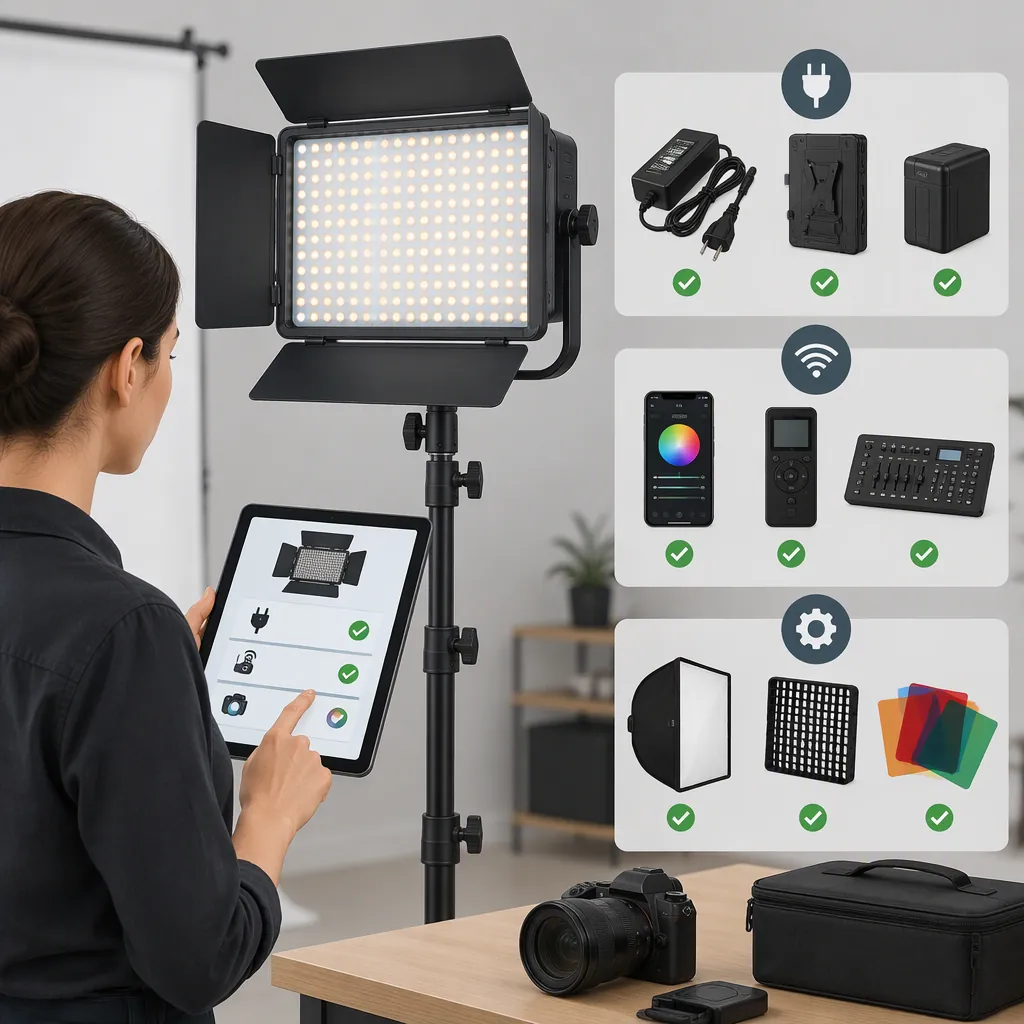
Godox Led 260C: Filming Light Selection and Compatibility Checks
Before choosing a light found under “godox led 260c,” confirm the exact model. Greentoe and Impulse identify their listed light as Godox LEDP260C, with LEDP 260C given as the model or SKU—not LED260C. These retailer pages do not establish that the names are interchangeable. [ref_1] [ref_2]
What is confirmed—and what remains open
- Confirmed: Both cited pages identify an LEDP260C listing. [ref_1] [ref_2]
- Not established: Whether LED260C and LEDP260C refer to the same model. [ref_1] [ref_2]
- Not verified by this guide: Any specific battery, adapter, remote, or mount combination.
- Next step: Match the physical unit’s label to model-specific documentation, then check power, mounting, and performance at your intended filming settings.
This is a verification workflow, not a confirmed compatible-accessory list or a performance review.
Confirm the Model Before Comparing Accessories
Treat the search term as a starting point, not proof of model identity. Compare the label on the light with its packaging and model-specific manual.
- If the label says LEDP260C or LEDP 260C: Find documentation that explicitly covers that model before checking accessories.
- If the label shows a different model: Use that model’s documentation rather than transferring information from an LEDP260C listing.
- If the label is missing or unclear: Leave compatibility unresolved until the model can be confirmed.
The cited retailer pages support the listing identity. They are not a substitute for a matching manufacturer manual or a test of your particular setup. [ref_1] [ref_2]
Check Power and Mounting Separately
Electrical compatibility, mechanical fit, and filming suitability are separate decisions. A connector that fits does not, by itself, confirm that a power source is appropriate.
Adapter and Battery Checks
For an adapter, compare the light’s documented power-input requirements with the adapter’s output specifications. Record:
- Required AC or DC supply type.
- Required voltage or permitted voltage range.
- Connector dimensions and type.
- Polarity, where applicable.
- Required supply current or power rating.
- Any model-specific restrictions or approved configurations.
Apply these general checks when interpreting the specifications:
- Voltage: The adapter’s output must meet the device’s documented voltage requirement or permitted range.
- Connector and polarity: The connector must match, and polarity must be correct where applicable.
- Supply capacity: The adapter’s rated current capacity must meet the device’s requirements. It need not be numerically identical to the light’s current demand; a higher current rating alone neither establishes nor rules out compatibility.
- Power: An adequate wattage rating does not compensate for incorrect voltage, polarity, connector, supply type, or a model-specific restriction.
These are general checking principles, not approval of any adapter for Godox LED260C or LEDP260C. Also confirm that the adapter’s own input rating is appropriate for the available mains supply. Do not connect an undocumented combination simply to see whether it works.
For battery operation, separately verify the documented battery model or family, voltage, quantity, and required configuration. Record capacity for runtime planning, but do not treat capacity alone as evidence of electrical compatibility. If documentation is missing or contradictory, mark the combination unresolved.
Mounting Checks
Identify the light’s attachment interface and the hardware required to connect it to the intended support. Check the support’s rated load against the complete supported assembly, including brackets and modifiers.
Inspect stability in the planned position, and route cables so they do not pull on the light or obstruct the working area. Mechanical fit alone is not enough to approve an unstable setup.
Power and Mounting Verification Worksheet
| Check | Detail to record |
|---|---|
| Unit identity | Exact model printed on the light |
| Documentation | Manual title and model covered |
| Light power requirements | Supply type, voltage range, connector, polarity, and required current or power |
| Proposed adapter | Output specifications and applicable mains input rating |
| Electrical comparison | Voltage, connector, and polarity match; supply capacity meets requirements; restrictions satisfied |
| Battery arrangement, if supported | Documented battery type, voltage, quantity, and configuration |
| Battery capacity | Capacity recorded for runtime evaluation—not compatibility approval |
| Supporting evidence | Documentation confirming the proposed power combination |
| Mounting interface | Attachment type and required hardware |
| Support | Rated load and complete supported assembly |
| Setup inspection | Stability and cable routing |
| Open questions | Missing or conflicting information |
| Decision | Verified / unresolved / not suitable |
Leave unknown fields blank or label them unresolved. Do not fill them with specifications from a similarly named model.
Evaluate the Light in Your Actual Filming Setup
Once power and mounting are confirmed, test whether the light meets your filming requirements. Use the intended camera, lens, subject position, room lighting, and recording settings.
Define acceptance criteria before testing. They should reflect the project’s needs rather than an assumed capability of this model.
- Exposure: Test at the planned light-to-subject distance, aperture, ISO, shutter, and brightness settings. Record whether the subject reaches your chosen exposure target. If you change a setting, note the change and decide whether it remains acceptable for the project.
- Color: Set white balance deliberately and include a neutral reference alongside the subject. Review whether the result fits your intended workflow and whether nearby lights need adjustment or exclusion.
- Flicker and banding: Record at the intended frame rate and shutter settings, testing each brightness level you expect to use. Review the recorded footage for visible artifacts.
- Placement: Check shadows, reflections, background spill, and whether the light or support enters the frame.
- Sound: Record a quiet passage with the intended microphone placement. Listen for unwanted equipment noise and judge it against the project’s audio requirements.
- Runtime, if relevant: After confirming battery compatibility, run a timed test under the planned operating conditions. Compare the observed usable duration with the recording time you need.
These are evaluation steps, not claims about this model’s output, color accuracy, flicker behavior, noise, or runtime. Neither cited retailer page provides an independent filming test. [ref_1] [ref_2]
Record the Test and Its Limits
Use one record for each requirement rather than relying on an overall impression.
| Record field | What to enter |
|---|---|
| Requirement | The image, audio, placement, or runtime need being evaluated |
| Acceptance criterion | The threshold or result your project requires |
| Conditions | Relevant camera settings, light position, brightness, power arrangement, and surrounding lighting |
| Observation | What the recorded footage, audio, or timed test showed |
| Decision | Verified / unresolved / not suitable |
| Limitation | Conditions not tested or changes requiring another test |
A requirement passes only when the observed result meets its acceptance criterion under the recorded conditions. A successful test does not establish performance at untested settings. Retest when a relevant camera setting, power arrangement, or lighting setup changes.
Make a Selection Decision with Clear Limits
Classify each requirement separately:
- Verified: Documentation confirms compatibility, or a recorded test meets a defined filming requirement under stated conditions.
- Unresolved: Necessary documentation is missing, specifications conflict, or the relevant test has not been completed.
- Not suitable: A documented mismatch exists, or testing fails a requirement that you cannot acceptably change.
For a fixed indoor setup, prioritize documented power compatibility, stable placement, and acceptable recorded image and sound. For mobile filming, add runtime, secure assembly, and transport requirements.
Do not let a successful image test override an unresolved electrical or mounting issue. Likewise, confirmed accessory compatibility does not prove that the light will provide the exposure, coverage, or runtime you need.
Select the exact unit only when critical compatibility checks are resolved and its tested performance meets the project’s requirements. This guide does not approve a specific accessory combination; the cited evidence identifies LEDP260C listings without establishing equivalence to LED260C. [ref_1] [ref_2]
FAQ
Is Godox Led260c the Same Model as Ledp260c?
That equivalence is not established by the two cited retailer pages. Both identify LEDP260C and use LEDP 260C as the model or SKU. Confirm the physical label and matching manual before applying information found under the shorter name. [ref_1] [ref_2]
What Does Compatibility with My Camera Mean?
For illumination, compatibility means that the light meets your exposure, color, artifact, and placement requirements at the camera settings you intend to use. Support for camera-controlled functions is a separate question requiring explicit documentation; a successful illumination test does not establish it.
Can Retailer Listings Alone Confirm Batteries, Adapters, or Mounts?
Do not treat a listing as blanket accessory approval. Match the exact unit to model-specific documentation and compare the proposed accessory’s electrical or mechanical specifications. This guide does not verify a particular battery, adapter, remote, or mount combination.
Must an Adapter’s Current Rating Exactly Match the Light’s Requirement?
Not necessarily. The adapter’s rated current capacity must meet the device’s documented requirement, while voltage, supply type, connector, polarity, and model-specific restrictions must also be satisfied. A higher current rating alone is not proof of compatibility, and sufficient wattage does not replace those checks.
Does Higher Battery Capacity Guarantee Longer Usable Filming Time?
Capacity alone does not establish compatibility or guarantee a session length. First confirm the supported battery type and configuration, then assess usable runtime with a timed test under your intended operating conditions.