Godox Led126: Choosing a Filming Light and Checking Compatibility
Evaluate the Godox LED126 by checking power compatibility, physical mounting, and footage recorded at your intended settings. The supplied product page lists six AA batteries, a Sony NP-F970 lithium-ion battery option, and a 6–9V DC supply. Those listings do not establish compatibility with every battery, adapter, or camera rig. Confirm the exact connections and test the light before relying on it for a shoot. [c1]
What the Supplied Source Documents
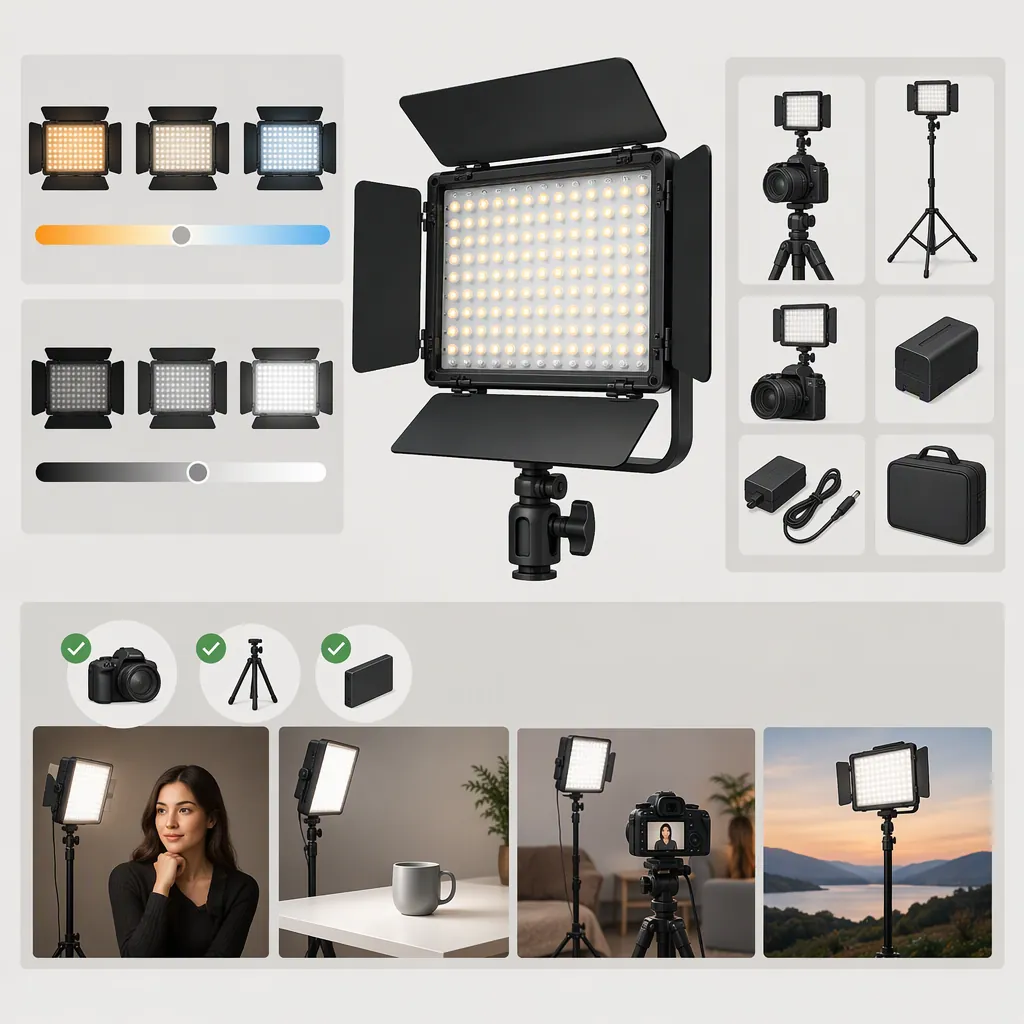
The supplied Godox LED126 product page describes a continuous video light with 126 LEDs, stepless brightness adjustment, and angle-adjusting knobs. Its technical table lists a color-temperature range of 5500–6500K and says a diffusion filter and a yellow filter are included. These are source-listed details, not independent measurements. [c1]
Use this information to plan a compatibility check, rather than treating it as proof that the light will suit a particular scene. The supplied text does not establish color-rendering performance, flicker behavior at specific camera settings, or exact mounting dimensions.
Check Batteries and External Power Separately
The source lists three power routes: six AA batteries, a Sony NP-F970 model lithium-ion battery, and a 6–9V DC supply. Its description also mentions a removable L-series battery plate and an optional AC-to-DC adapter that is not included. [c1]
Do not extend the named battery option into a claim that every NP-F-style battery will fit or operate correctly. Check the exact battery model, plate fit, and instructions for the unit you have.
For external power, the voltage range alone is not enough to select an adapter. Verify connector dimensions, polarity, required current, and the adapter's regulated output against the unit's label or manual. Those details are not established by the supplied text. Do not improvise a connection when any of them remains unknown.
The page reports approximately one hour of operation with alkaline batteries, but it does not provide a complete test procedure. Treat that as a source estimate, not a guaranteed recording duration. Measure runtime with the batteries and brightness setting intended for your shoot. [c1]
Verify the Physical Mount and Rig Clearance
The product page broadly describes the LED126 as fitting almost any DSLR camera or camcorder, but the supplied text does not specify the mounting interface or its dimensions. That wording is not confirmation of compatibility with a particular camera, cage, phone rig, or stand. [c1]
Before attaching the light, compare its actual mounting hardware with the receiving mount. Check that it seats fully, locks without force, and leaves access to camera controls, cables, and the battery compartment. If an adapter is needed, verify both interfaces and the support's load rating.
With the camera supported securely, check the intended tilt positions and confirm that the light cannot slip or obstruct the lens. Do not assume that physical attachment also provides power or electronic control; the supplied text does not establish those connections.
Test Suitability at Your Actual Camera Settings
Make a short test recording using the intended subject distance, framing, frame rate, shutter setting, ISO, aperture, and white balance. Repeat at the brightness settings you expect to use. Review the recorded files for exposure, distracting shadows, reflections, color shifts, and visible bands or pulsing.
If you use either source-listed filter, repeat the test with that filter installed. The source confirms their inclusion but does not provide measured transmission or a resulting color temperature for the yellow filter. [c1]
Base the selection on the recorded result: does the setup achieve your intended exposure and appearance without unacceptable camera settings? If the answer is unclear, the available documentation alone is not enough to settle suitability.
Pre-Shoot Compatibility Checklist
- [ ] Confirm the exact model and available instructions.
- [ ] Verify battery compatibility or all required DC adapter specifications.
- [ ] Confirm that the mount seats and locks securely.
- [ ] Check tilt, lens clearance, cable access, and rig balance.
- [ ] Record at the planned subject distance and camera settings.
- [ ] Test each intended brightness setting and filter configuration.
- [ ] Review recorded footage for exposure, color, shadows, and banding.
- [ ] Measure usable runtime with the planned power source.
- [ ] Record unresolved compatibility questions before the shoot.
FAQ
Will the Godox Led126 Fit My Camera?
The source describes broad DSLR and camcorder compatibility, but it does not provide exact mounting specifications in the supplied text. Check the light's actual mount against your camera or rig, including locking, clearance, and support. A camera model name alone is not enough to confirm fit. [c1]
Can I Power the Godox Led126 from a Wall Outlet?
The source describes an optional AC-to-DC adapter and lists a 6–9V DC input range. It says the adapter is not included. Confirm the required connector, polarity, current, and output specifications from the unit's label or manual before connecting an adapter. The supplied text does not establish those details. [c1]
Is the Godox Led126 Flicker-Free for Video?
The supplied product text does not establish flicker-free performance at specific frame rates, shutter settings, or dimmer levels. Record and review a test at the settings you intend to use rather than inferring this from the product's video-light designation. [c1]