Movo Vlogging Kit: Understanding the Ivlog3 Setup
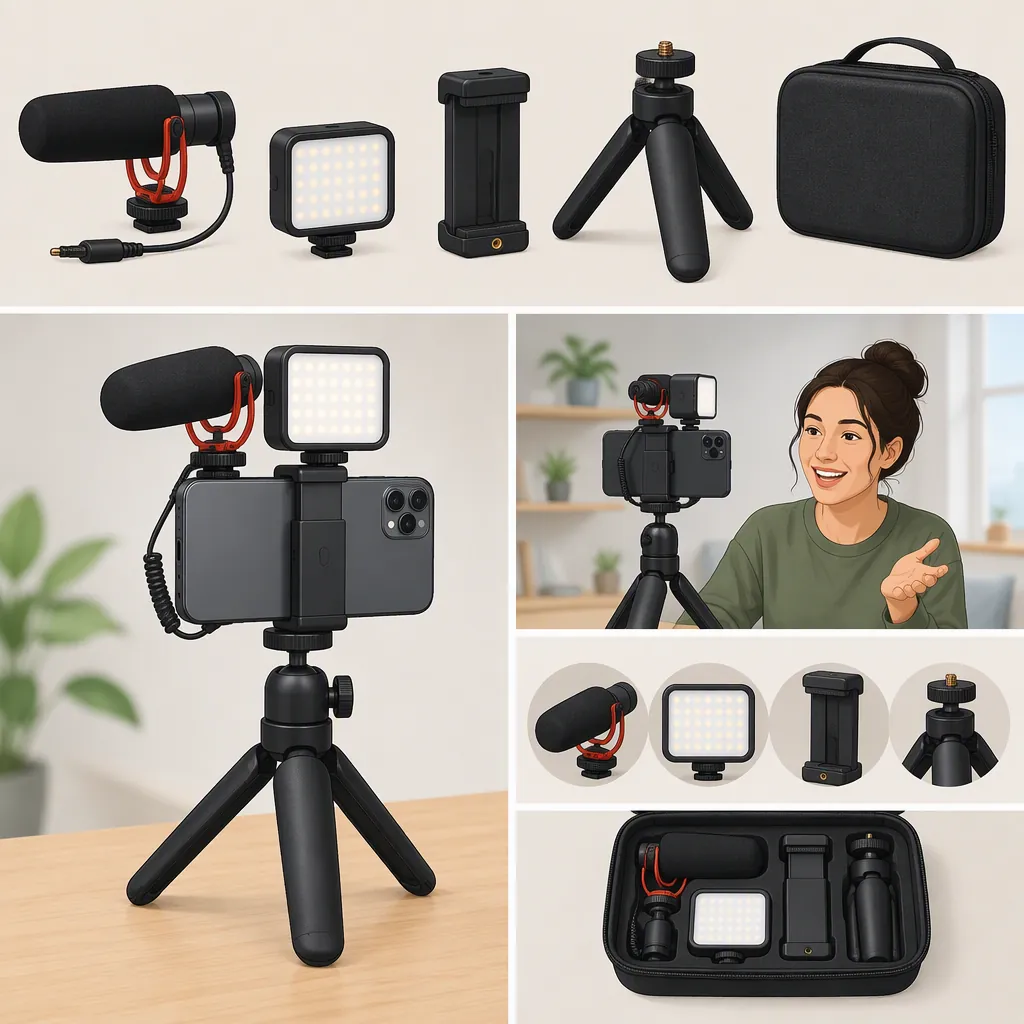
The Movo iVlog3 is listed as a smartphone video kit with a microphone, phone holder, tripod, LED light, clip-on wide-angle lens, and wireless shutter remote. These details apply to the iVlog3 listing, not every Movo vlogging kit. Phone fit, audio connections, and recording-app behavior still need checking for your particular setup. [reference-1]
What the Ivlog3 Kit Includes
The supplied iVlog3 product page lists the following components: [reference-1]
| Component | Listed Item |
|---|---|
| Microphone | VXR10-PRO, with shock mount and windscreen |
| Phone holder | SPR-5 |
| Tripod | MV-T1 |
| Panel light | LED-XS |
| Clip-on wide-angle lens | SPL-WA |
| Recording accessory | Wireless shutter remote |
The page describes a handheld phone rig that can also use the tripod. Treat this as a model-specific component list, rather than a description of all bundles sold under the broader “Movo vlogging kit” search term. [reference-1]
This overview does not independently verify audio quality, lighting performance, durability, or the contents of an individual package.
Phone Fit and Recording Orientation
The listing describes the SPR-5 holder as accommodating devices up to 3.9 inches wide and rotating for vertical or horizontal shots. It also describes two cold shoe mounts for accessories. These are listed mounting features, not confirmation that every phone-and-case combination will fit. [reference-1]
Before assembling the full rig, check your phone's width with its case attached. Position it so the holder does not press buttons or obstruct the camera you intend to use. Choose your recording orientation before attaching accessories, then check the framing again.
For a stationary shot, place the assembled rig on a level surface and check its balance before letting go. For handheld recording, first check that the phone and accessories remain secure through the movements you plan to make.
Check the Audio Connection Before Recording
The product page names the included microphone as VXR10-PRO, but its specification table is headed “VXR10.” Its descriptions also differ on the polar-pattern label. Those inconsistencies mean the page should not be used alone to settle the microphone's exact technical specifications. [reference-1]
For setup, identify the microphone and cable actually supplied with your kit. Check the connection requirements against your phone and any adapter you intend to use. The provided listing does not establish compatibility with every phone, adapter, or recording app.
Make a short recording in the app you plan to use. Play it back before recording a full take, checking that speech is audible and that handling or cable movement is not distracting. Do not treat the listing's background-noise language as a guarantee of noise-free recordings.
A Short Ivlog3 Pre-Recording Check
The listing describes three adjustable brightness settings for the LED-XS, a clip-on SPL-WA lens, and a wireless shutter remote. Their inclusion does not establish how they will behave with your particular phone or app. [reference-1]
Use the checklist below as a practical test sequence, not as a substitute for the instructions supplied with each component. Start with the phone securely mounted, then test accessories individually so any problem is easier to isolate.
Ivlog3 Pre-Recording Checklist
- Confirm that the kit and component labels match the equipment you intend to use.
- Secure the phone and check that its buttons and active camera remain unobstructed.
- Select vertical or horizontal framing and check the rig's balance.
- Connect the microphone using the appropriate cable and any required compatible adapter.
- Record and play back a short speech test in your chosen app.
- If using the LED light, try its available settings and inspect the recorded image.
- If using the clip-on lens, check alignment and inspect the frame edges.
- If using the remote, test its behavior in the chosen app before relying on it.
- Recheck mounts and cables before recording the full take.
FAQ
Does This Article Cover Every Movo Vlogging Kit?
No. It covers the iVlog3 smartphone video kit described in the supplied product listing. Its component list and mounting details should not be generalized to other Movo kits. [reference-1]
Will the Ivlog3 Work with My Phone?
The listing says the holder accommodates devices up to 3.9 inches wide, but physical fit is only one part of compatibility. The provided source does not confirm every phone's audio connection, adapter requirements, or app support. Check those separately before relying on the complete setup. [reference-1]
Can the Ivlog3 Holder Be Used for Vertical Video?
The listing describes the SPR-5 holder as rotating for vertical or horizontal shots. After changing orientation, check camera clearance, accessory placement, and balance before recording. [reference-1]
Sources
- [reference-1] iVlog3 | Pro Smartphone Video Kit | Movo