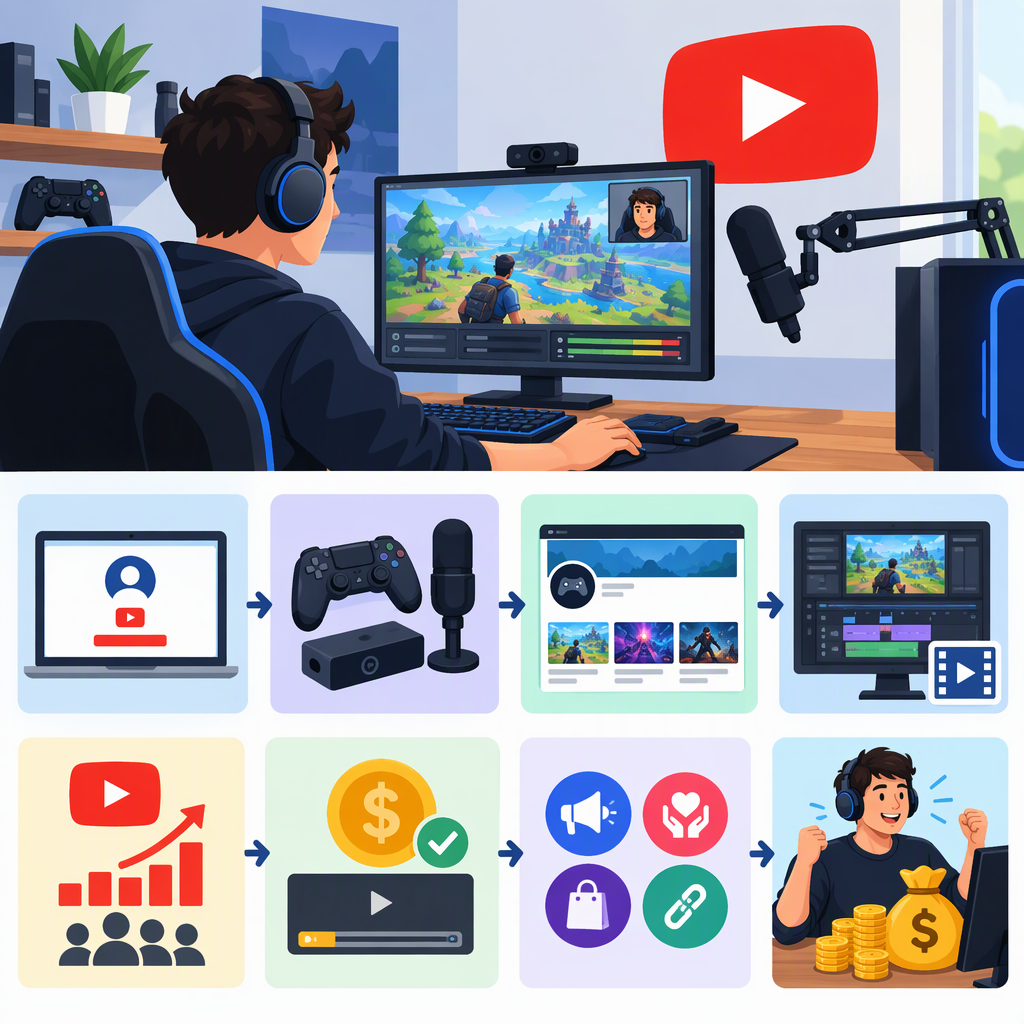
How to Start a YouTube Gaming Channel and Make Money
Starting a YouTube gaming channel takes more than uploading gameplay: choose a clear angle and repeatable video format, publish useful original videos, and check the game’s rules and your audio rights before posting. To earn through YouTube, you must be accepted into the YouTube Partner Program (YPP); meeting its subscriber and viewing thresholds lets you apply, but does not guarantee approval or earnings. As of November 14, 2026, the main ad-revenue threshold is 1,000 subscribers plus either 4,000 qualifying public watch hours in the past 12 months or 10 million qualifying public Shorts views in the past 90 days. (support.google.com)
1. Choose a Gaming-Channel Idea Viewers Can Recognize
Decide who you want to help or entertain, then choose a focused angle. For example, you might make beginner guides for one game, challenge runs, reviews, ranked-match analysis, or relaxed livestreams with commentary. A focused starting point makes it easier for viewers to understand what to expect; it does not guarantee growth.
Pick a format you can repeat with the time and equipment you already have. A first video could answer one specific question—such as how to beat a difficult level—or explain one decision in a match. You do not need to buy expensive equipment before testing your idea. Clear audio, understandable gameplay, and a useful or entertaining contribution matter more than elaborate production.
2. Set up the Channel and Publish a First Video
You need a YouTube channel to upload videos. You can create one while signed in to YouTube, choosing a name and handle; YouTube’s current instructions are in its channel-creation guide. Add a short description that tells a potential viewer what your gaming videos offer. (support.google.com)
For a basic first upload:
- Record gameplay you are allowed to use, along with your own commentary or other original contribution.
- Edit out long pauses or unrelated sections so the video delivers on its title.
- Sign in to YouTube Studio, select Create → Upload videos, then add a title, description, thumbnail, playlist if useful, and audience setting.
- Choose the correct visibility setting and publish when the video is ready.
- Make another video in the same general format, then use comments and available analytics to decide what to improve.
YouTube’s upload instructions cover the current Studio flow and video details. (support.google.com)
3. Check Game, Footage, and Music Rights Before Publishing
Having access to a game does not automatically mean you have permission to use every part of it commercially. Before you publish, look up the publisher’s current rules for gameplay recordings, livestreams, monetization, and any restrictions on promotional or unreleased material. Check music separately: a game’s soundtrack or a song playing in the background may involve rights different from the gameplay itself. YouTube also scans livestreams for matches to third-party copyrighted content. (nintendo.co.jp)
YouTube’s guidance says that extended video-game footage may not qualify for monetization if it is simply someone playing. It says gameplay may be monetizable when step-by-step commentary is closely tied to the action and provides instructional or educational value; publisher licensing may also matter. This is not a blanket permission for every game or video. (support.google.com)
For example, Nintendo’s guidelines—updated September 2, 2024—allow some uses of its game content on sharing platforms under stated conditions. They encourage creative input and commentary and limit monetization to methods Nintendo specifies. Those terms apply to Nintendo content, not to other publishers’ games. Check the current rules for the specific game you plan to feature. (nintendo.co.jp)
Before uploading, ask:
- Does the publisher allow this kind of recording and monetization?
- Is the footage my own capture, and does the video add commentary, instruction, criticism, or another original contribution?
- Have I included music, clips, or other material that needs separate permission?
- Could the game’s violence, language, or other content affect its suitability for advertisers?
YouTube’s advertiser-friendly rules apply to the video and its title, thumbnail, description, and tags. For gaming, violence and profanity can affect whether an individual video receives full ads, limited ads, or no ad earnings; context matters. (support.google.com)
4. Understand YouTube’s Monetization Thresholds
There are two relevant YPP stages in eligible countries or regions. The lower threshold offers earlier access to some features; the higher threshold is the route to ad and YouTube Premium revenue sharing. Feature availability and extra requirements vary, so check the Earn area in YouTube Studio for your channel and location. (support.google.com)
| YPP stage | Threshold shown in YouTube’s guidance | Potential features |
|---|---|---|
| Earlier access in eligible regions | 500 subscribers, 3 valid public uploads in the past 90 days, and either 3,000 qualifying public watch hours in the past 12 months or 3 million qualifying Shorts views in the past 90 days | Certain fan-funding features and Shopping, if separately eligible |
| Ad-revenue threshold | 1,000 subscribers and either 4,000 qualifying public watch hours in the past 12 months or 10 million qualifying public Shorts views in the past 90 days | Watch Page ads, Shorts Feed ads, YouTube Premium revenue, and other eligible features |
The early-access threshold is not the same as the ad-revenue threshold. YouTube notes that each feature may have its own eligibility rules, and the expanded program applies only in eligible countries or regions. Watch time from Shorts viewed in the Shorts Feed does not count toward the 4,000-hour long-form threshold; paid advertising views and watch time do not count toward YPP thresholds. (support.google.com)
Meeting a threshold means you can apply, not that YouTube will accept your channel. YouTube lists policy compliance, an available country or region, no active Community Guidelines strikes, two-step verification, advanced-features access, and an AdSense for YouTube account among its YPP requirements. YouTube reviews channels before acceptance and continues to check channels afterward. (support.google.com)
When your channel appears eligible, open YouTube Studio → Earn and follow the application prompts. Use that page to see the requirements and features currently available to your channel. YouTube has announced YPP changes scheduled to begin February 1, 2027, so recheck the official eligibility page if you are applying after that date. (support.google.com)
5. Compare the Main Ways a Gaming Channel Can Earn
- Ads and YouTube Premium: Available through YPP at the applicable eligibility level. Revenue varies; YouTube does not guarantee a particular amount—or that you will be paid a particular amount. (support.google.com)
- Channel memberships: Viewers make recurring payments for channel perks. This works best when you can offer useful member benefits and keep delivering them; feature requirements apply. (support.google.com)
- Super Chat, Super Stickers, and Super Thanks: Eligible viewers can pay to highlight messages during live chats or on videos and Shorts. These options suit creators whose audience actively participates, and they have their own eligibility requirements. (support.google.com)
- Shopping: Eligible creators may promote their own products or tag products from other brands, subject to program and feature rules. Product fit and audience trust matter; sales are not guaranteed. (support.google.com)
- Sponsorships or other off-platform work: These are separate business arrangements, not guaranteed YouTube income. Consider the time and terms involved, and check the rules that apply to your situation.
Views, eligibility, and monetization features do not guarantee earnings. YouTube says its partner agreement does not guarantee how much you will earn—or whether you will be paid. Avoid planning around an assumed revenue per view; focus first on making videos viewers want to return to. (support.google.com)
A Simple Launch Checklist
- Choose a specific game or gaming angle and intended viewer.
- Pick one repeatable format and make a first video that answers a clear question or offers a clear experience.
- Create the channel, add basic branding and a useful description, then upload with an accurate title and thumbnail.
- Check the publisher’s rules and the rights for all music and other third-party material.
- Add enough original commentary or contribution to make the video more than an unedited gameplay recording.
- Review YouTube’s gaming and advertiser-friendly rules, then use Earn in YouTube Studio to track channel-specific monetization eligibility.
- Treat monetization as a possible result of building a suitable channel—not a guaranteed outcome or fixed timeline.