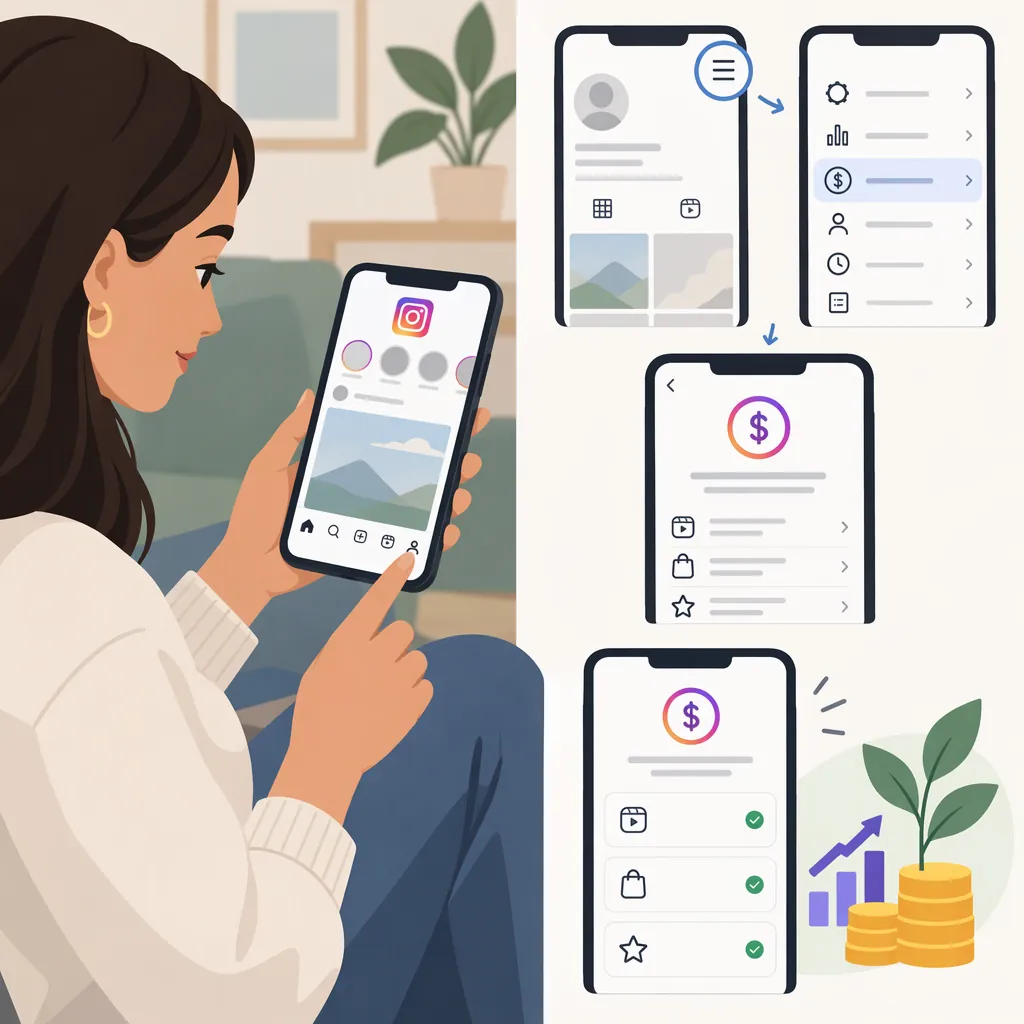
How to Check Monetization on Instagram: Read and Record Your Status
If your Instagram account displays a “Monetization status” view, open it, read the full message, and review any warnings or details shown. Record exactly what the screen confirms, keeping account eligibility, feature activation, earnings, and payouts separate.
This is a limited guide to reading and recording a status you can access—not a verified tap-by-tap navigation guide. The public reference is a creator monetization checklist posted by swarnita.tyagi on Instagram, not an official Instagram Help Center guide. It mentions “Monetization status” but does not establish the menu path, explain account-specific access, or document payment checks. [citation-1]
Read the Monetization Status Your Account Displays
Look for a view labeled Monetization status in your account. If you can access it:
- Read the complete message. Do not draw a conclusion from a color or icon alone.
- Identify its scope. Note whether the wording concerns your account generally or names a particular monetization feature.
- Open any available details. Record the exact status and warning text rather than paraphrasing it as “monetization is on.”
- Check what remains unconfirmed. An eligibility message alone is not evidence that a feature is enabled, earnings have accrued, or a payment has been sent.
If you cannot locate this view, use the missing-status guidance below rather than assuming your account is ineligible.
Separate Eligibility, Activation, Earnings, and Payouts
Use the following comparison to keep your conclusion tied to what you actually see. These are reading rules, not a list of verified Instagram status labels or guaranteed screens.
| What you observe | What you can record | What remains unconfirmed | Next step |
|---|---|---|---|
| A message explicitly stating eligibility | The eligibility statement, including any named feature or conditions | Feature activation, earnings, and payment | Look for separate, explicit confirmation of each state you need to verify |
| A named feature explicitly shown as enabled | The displayed activation state for that feature | Whether it has generated earnings or a payout | Check any available earnings or payment records separately |
| A warning or restriction message | The exact warning and its stated scope | Its cause or resolution beyond what the details explain | Read the accompanying instructions and any review conditions |
| An earnings record | The amount, date range, and description shown | Whether that amount has been paid | Look for a separate payment record |
| A payment record | The payment status and details actually displayed | Anything the record does not explicitly confirm | Preserve its wording and distinguish pending information from completed payment |
| No accessible status view, or ambiguous wording | Not confirmed | Eligibility, activation, and the reason information is missing | Record the gap; do not assign a status or cause without evidence |
Review Warnings Before Making Changes
If your account shows a warning, read its details before changing content or account settings.
- Note whether it identifies a specific feature, item of content, or broader account issue.
- Follow instructions actually displayed in your account.
- If a review option appears, read its conditions before using it.
- Do not assume deleting or archiving content will resolve the warning.
- After taking an action, check again and record whether the displayed message changed.
The creator checklist recommends checking monetization status weekly and addressing warnings promptly. That is the creator’s suggested cadence, not a verified Instagram requirement. [citation-1]
Monetization Status Check Notes
Use this template to distinguish observations from actions and assumptions:
- Date checked:
- Account checked:
- Screen or feature name:
- Exact status message:
- Warning text, if shown:
- Instructions displayed:
- Action taken, if any:
- Result of the next check:
- What remains unconfirmed:
Handle a Missing or Unclear Status
If you cannot find the status view, record “Monetization status not confirmed” rather than “eligible” or “ineligible.”
Write down what you checked and what information was unavailable. If you find account-specific guidance or a help option within Instagram, use it to investigate the missing information; this guide does not establish a verified support or review route.
If the wording is unclear, preserve it exactly and identify the unanswered question:
- Does it confirm eligibility?
- Does it confirm that a specific feature is enabled?
- Does it show earnings?
- Does it confirm a payment?
Avoid filling those gaps with assumptions about account type, region, or the reason a menu is absent.
FAQ
Where Exactly Is Monetization Status in Instagram?
A current menu path cannot be verified from the available creator checklist. It names “Monetization status” but does not give navigation steps, so this guide does not claim a specific route. [citation-1]
What Should I Record If I Cannot Find Monetization Status?
Record “not confirmed”, along with the date and the screens you checked. A missing view does not, by itself, establish eligibility or ineligibility. The cited checklist does not explain missing menus or account-specific access. [citation-1]
Does Monetization Eligibility Mean I Am Receiving Payments?
Do not treat eligibility alone as payment confirmation. Verify feature activation, earnings, and payment separately using explicit information available in your account. The creator checklist does not document how to confirm payouts. [citation-1]
Should I Delete Content When a Monetization Warning Appears?
Do not assume deletion will resolve it. First read the warning’s details and follow any instructions actually displayed. Although the creator checklist advises addressing warnings, it does not establish a verified remedy for a particular warning. [citation-1]
Sources
- [citation-1] Instagram