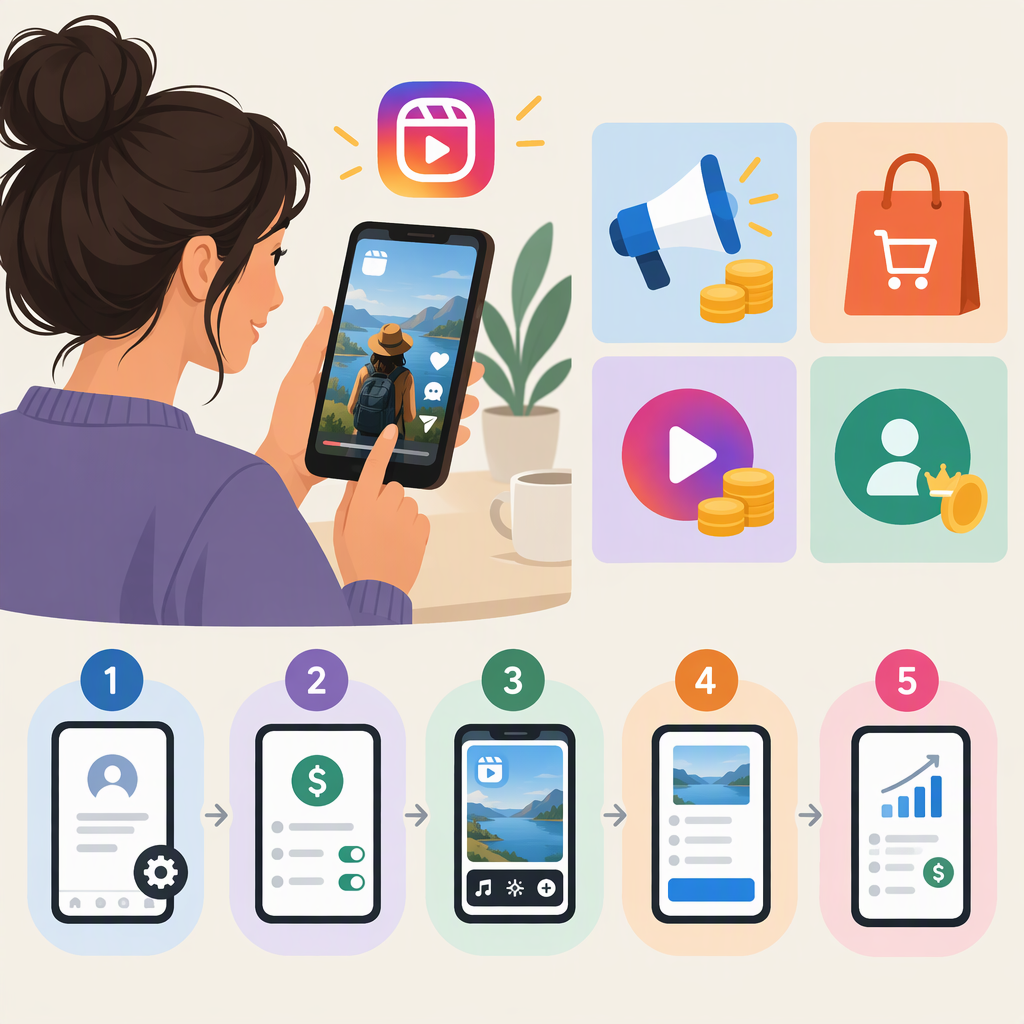
How to Monetize Instagram Reels: Options and Setup Steps
Short answer: Instagram Reels can help you earn through viewer Gifts when the feature is available to your account, paid brand partnerships, affiliate commissions, or sales of your own products or services. These routes work differently: Gifts are sent by viewers through Instagram, while commercial deals and sales are arranged with a brand, affiliate program, or customer. A Reel getting views does not, by itself, establish that you qualify for a monetization feature or guarantee income.
Meta has described Instagram Gifts as a way for followers to buy virtual gifts using Stars and support creators on Instagram. Its public announcement directs creators to check Gifts eligibility in the Professional Dashboard. That announcement does not establish that Gifts are available to every account today, so use your own dashboard to see what Instagram currently offers you. (about.fb.com)
Ways to Earn from Reels
| Route | How the Reel can lead to income | What to check |
|---|---|---|
| Gifts | Viewers send eligible virtual gifts through Instagram. Meta says viewers use Stars to purchase them. | Whether Gifts appears as an option for your account in the Professional Dashboard, and any requirements shown there. (about.fb.com) |
| Brand partnership | A business pays you or provides something of value in exchange for sponsored content, which can include a Reel. | Agree on the work and compensation with the brand, and clearly disclose the relationship. In the US, the FTC says creators are responsible for disclosing material connections, including payment or free products. (ftc.gov) |
| Affiliate promotion | You share a product using an affiliate arrangement and may earn a commission when people make qualifying purchases. | Check the affiliate program’s terms, tracking method, and commission rules. Disclose the relationship when required; the FTC says a material connection can include receiving something of value. (ftc.gov) |
| Your own product or service | A Reel introduces an offer and directs interested viewers to a way to learn more or buy. | Make the offer and buying steps clear. This is a sale to a customer, not a payment from Instagram for Reel views. |
Choosing between them: Gifts let viewers support you without a separate brand contract, but depend on feature availability and viewer participation. Sponsorships require finding and agreeing with a partner. Affiliate income depends on tracked purchases and the program’s terms. Selling your own offer gives you control over what you sell, but you also handle the sales process. These are different routes—not interchangeable guarantees of earnings.
How to Check for Gifts and Get Started
- Open your Instagram Professional Dashboard. Meta identifies this as the place to check Gifts eligibility. (about.fb.com)
- Look for Gifts or other monetization options shown for your account. If Gifts is listed, review the requirements and terms presented in Instagram. Feature availability and the exact setup screens can vary; don't assume a menu path or eligibility rule that your account doesn't show.
- Complete the steps Instagram presents. If Instagram asks you to accept terms or provide payout information, follow the instructions in the app. The public Meta announcement cited here explains how viewers send Gifts and where to check eligibility, but does not specify current payout thresholds or timing. Don't rely on a generic amount-per-view claim.
- Confirm the feature is ready before promoting it. Check the account's Gifts or monetization screen again and confirm the option is active as Instagram describes. If it isn't offered, don't promise viewers they can send Gifts.
If Gifts Isn't Listed
Treat the dashboard as the account-specific indicator of what is offered, rather than assuming a particular follower count or location will unlock the feature. Recheck the Professional Dashboard and any eligibility information or notices Instagram provides. You can still pursue separately arranged brand work, affiliate programs, or your own sales, but those routes have their own terms and are not a workaround that enables Instagram Gifts.
Disclose Commercial Relationships Clearly
For US creators, FTC guidance says you should disclose a material connection when endorsing a product or service—for example, if a brand pays you or gives you a free or discounted product. The FTC also says the responsibility is yours; don't assume a platform disclosure tool alone will necessarily make the relationship clear. Use a clear disclosure where viewers will notice it, and follow Instagram's applicable branded-content tools and policies when they apply. (ftc.gov)
Example: If a brand gives you a product and pays you to feature it in a Reel, that is a commercial arrangement, not a Gifts payout. Make the connection clear to viewers and follow the terms you agreed with the brand. If you instead post an ordinary Reel and eligible viewers send Gifts, the support comes through Instagram's Gifts feature.
Quick Checklist
- Choose a route: Gifts, a brand partnership, affiliate promotion, or your own offer.
- Check the Professional Dashboard to see whether Gifts is offered to your account.
- Follow only the eligibility, terms, and payout steps Instagram actually presents for your account.
- For paid or otherwise compensated endorsements, make the commercial relationship clear to viewers.
- Don't treat views as proof of eligibility or guaranteed income, and don't assume one route's payout rules apply to another.
Scope note: Meta's cited Gifts announcements explain the feature and how to check eligibility, but do not verify current account-specific availability, all present-day eligibility requirements, or payout timing. Use the information in your Instagram account for those decisions.