How to Monetize Instagram Live
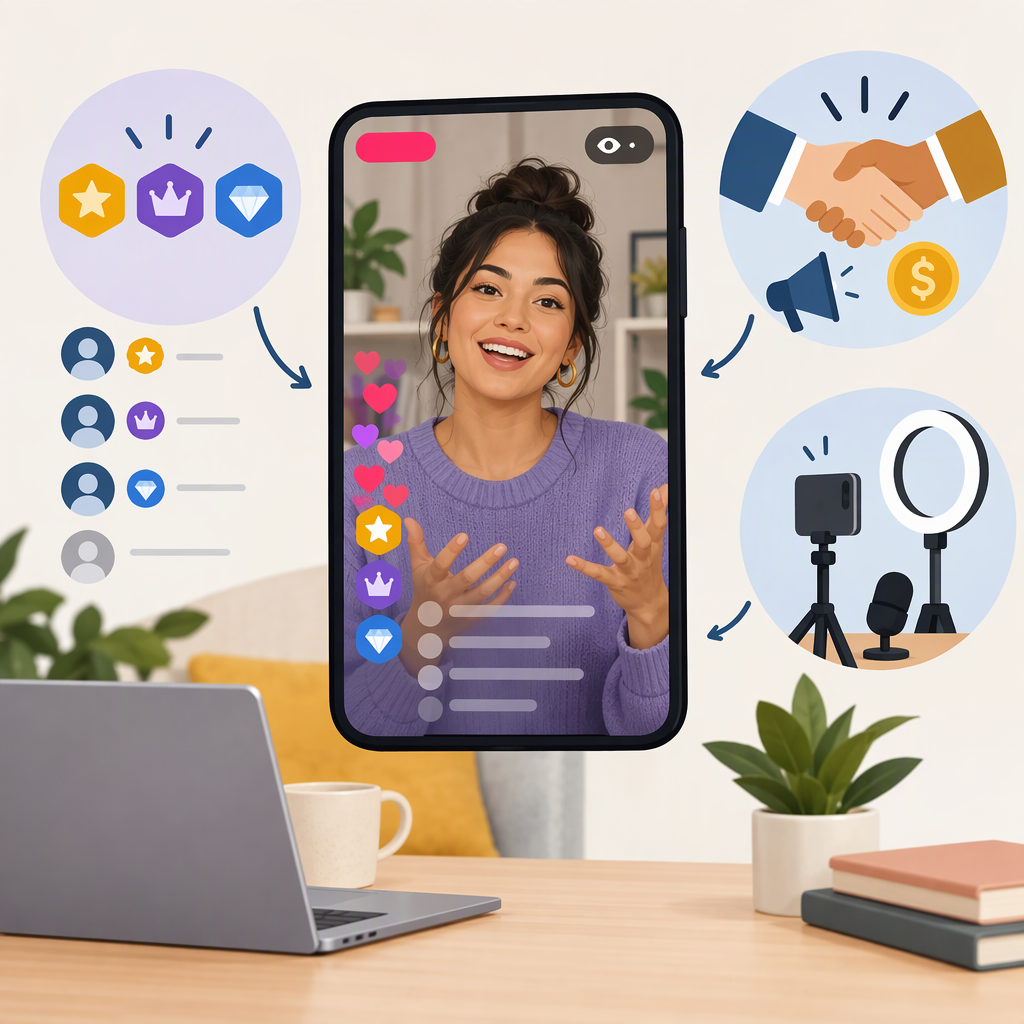
The clearest Instagram-native way to earn directly during a Live is Badges: viewers can buy them while watching, and eligible creators can earn from those purchases. Meta has documented how Badges work, but its public material available for this guide does not establish that the feature is currently available to every creator or in every location. Check your account’s Professional Dashboard before planning a Live around them. You can also earn in connection with a Live through a brand sponsorship, affiliate promotion, or sales of your own offer—but those are separate arrangements, not proof that Instagram will pay you for the broadcast. (about.fb.com)
Ways to Make Money from an Instagram Live
| Route | How it can generate income | Main trade-off |
|---|---|---|
| Instagram Live Badges | Eligible viewers buy Badges during the broadcast to support the creator. Meta says buyers’ Badges stand out in Live comments and offer added recognition features. | You need access to the feature, and viewers must choose to buy. The public sources cited here do not confirm current eligibility rules, creator earnings per Badge, or payout terms for every account. (about.fb.com) |
| Brand sponsorship | A brand pays you or provides something of value in exchange for a mention, demonstration, or other agreed promotion during the Live. | You need an agreement with the brand; disclose the relationship clearly when endorsing it. The FTC says disclosures should be hard to miss, and for a live stream endorsement they should be repeated periodically so viewers who join partway through see them. (ftc.gov) |
| Affiliate promotion | You share a tracked link or code, and a participating affiliate program may pay commission on qualifying purchases. | Commission depends on the program’s terms and attributed purchases. The Meta source found for this guide describes a historical test of Instagram’s native affiliate tool; it does not establish that tool’s current availability. Check the current program terms rather than assuming a link or product tag earns commission. (about.fb.com) |
| Your own product or service | Use the Live to explain an offer and direct viewers to your chosen purchase or booking process. | You handle the offer and transaction outside the Live feature. Clearly explain what viewers are buying and where to find the terms; do not imply Instagram processes the sale unless it actually does. |
Choosing a route: If you want viewer support built into the broadcast, first check for Badges. If you already have a brand deal, an affiliate arrangement, or an offer of your own, a Live can be the place you present it—but those routes depend on your agreement, audience, and transaction process, not on Badges being enabled.
Check Eligibility and Enable Live Badges
- Use a creator or business account and open the Professional Dashboard. Meta has directed creators to check eligibility for Instagram monetization tools there. For Gifts, Meta specifically identifies the Professional Dashboard as the place to check; that is not confirmation that Gifts are a Live feature. (about.fb.com)
- Look for the Live Badges option or a monetization eligibility notice. If Badges appear, read the account-specific requirements and setup prompts shown in Instagram. Feature availability may depend on the account or location; the sources available here do not support a universal country list or current follower threshold.
- Complete the in-app setup before relying on Badges for a broadcast. Follow any prompts Instagram shows for the feature, including payout onboarding if requested. The public sources cited here do not establish current payout setup steps, fees, minimums, or timing, so use the terms presented in your account rather than relying on old announcements.
- Confirm that Badges are available for the Live you plan to host. If you do not see the option, do not assume that changing a menu setting will unlock it. Check the Dashboard’s eligibility or monetization information and any stated restrictions.
Meta’s announcement explains the viewer-side mechanic: people buy Badges during the Live, and their support is visible in the broadcast’s comments. It dates from 2020, so treat it as an explanation of the feature—not proof of current access or current payment terms. (about.fb.com)
Before, During, and After a Monetized Live
Before
- Decide which route you will use: Badges, a paid brand arrangement, affiliate promotion, or your own offer.
- If you plan to use Badges, confirm that the option appears for your account and complete any setup prompts before going live.
- For a sponsorship or affiliate promotion, agree on the deliverable, payment or commission terms, tracking method, and any required content in advance.
- Prepare a clear disclosure for a paid or otherwise compensated endorsement. The FTC says to make the relationship obvious and easy to notice; for an endorsement during a Live, repeat the disclosure periodically. (ftc.gov)
- If selling your own offer, prepare a direct explanation of the price, purchase or booking method, and relevant terms.
During
- Explain how viewers can support you through Badges if the feature is enabled; do not promise a particular payout.
- For a sponsored or affiliate mention, disclose the relationship near the endorsement, in a way viewers can see or hear. Repeat it during the stream so people who arrive later are not left unaware. (ftc.gov)
- Make the next step for an external purchase or booking understandable, and distinguish that process from Instagram’s own monetization features.
After
- Review the relevant Instagram monetization or payout screens for any Badges activity recorded for your account. Screen names and available reporting can change; use the current in-app interface and terms.
- For a brand deal, confirm payment and deliverables against your agreement. For an affiliate promotion, check the affiliate program’s reporting and attribution terms. For your own offer, use the records from the payment or booking method you selected.
- Compare what was recorded with what you expected, but do not treat views or comments as proof of earnings.
If Badges Are Missing
Check the Professional Dashboard for eligibility information, confirm that you are viewing the correct account, and read any restrictions or setup prompts shown in Instagram. If the feature still is not listed, your account may not currently have access; the public sources cited here do not establish a fix or guarantee access by location or follower count. Use a sponsorship, affiliate arrangement, or your own offer only if you have that arrangement in place, and disclose paid or otherwise material brand relationships clearly. (about.fb.com)
Bottom line: Instagram Live Badges are the native route documented here for viewer purchases during a Live, but availability and current payout terms must be confirmed in your account. Sponsorships, affiliate commissions, and your own sales are alternative ways to earn in connection with a broadcast, governed by their own agreements and processes.