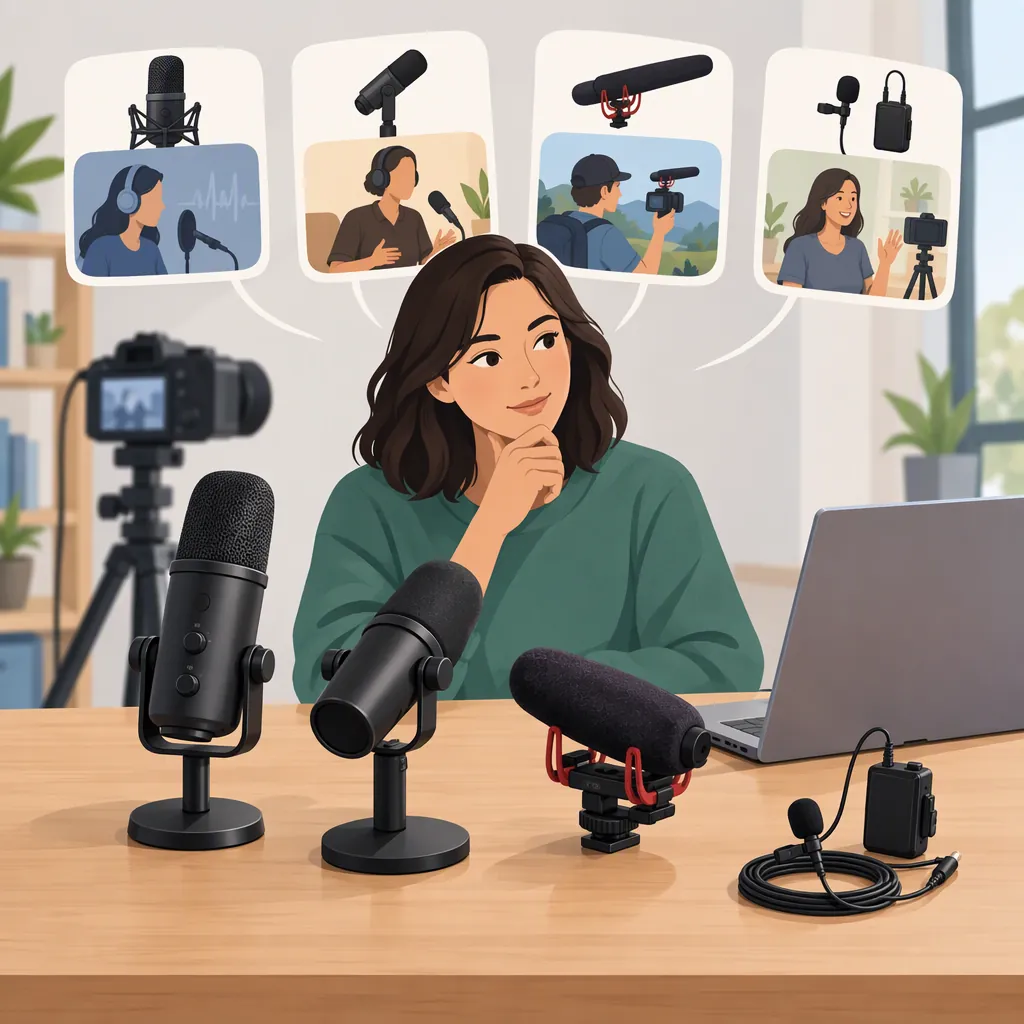
Best Mics for Content Creators: Choose for Your Workflow
The best mics for content creators are the ones that fit the recording device, speaking setup, and filming constraints. Consider a wireless clip-on setup for mobile videos, a USB desktop setup for computer-based recording, or an XLR setup when your workflow includes an interface or mixer. These are categories to investigate, not an audio-quality ranking. Marketplace listings include all of these connection options. [citation-2]
Start with compatibility, then assess practical microphone placement and recordings made under conditions close to your own. This guide offers a selection process—not a tested product ranking or a universal winner.
Match the Microphone to Your Recording Workflow
Describe your most common recording session before comparing features: where you record, whether you move, what captures the video, and how many people speak.
| Your recording setup | Category to consider | What to verify |
|---|---|---|
| Phone videos while walking or changing locations | Wireless clip-on or lavalier setup | Exact phone connector, recording-app support, attachment, and charging requirements |
| Seated tutorials, streams, or voiceovers at a computer | USB desktop microphone | Computer compatibility, workable placement, monitoring options, and desk space |
| Recording through an interface or mixer | XLR microphone | Compatibility with the complete recording chain and required accessories |
| Two-person interviews | A setup explicitly supporting both speakers | Included microphones, simultaneous recording, and how each voice is captured |
Amazon's microphone listings include wireless lavalier, USB, USB/XLR, and XLR options, including descriptions specifying USB-C, Lightning, and an XLR interface or mixer requirement. These descriptions help identify possible setups; they do not verify your exact configuration. Amazon also describes its best-seller ranking as sales-based and frequently updated—not as a controlled sound-quality comparison. [citation-2]
Narrow the Shortlist by Recording Conditions
A connection type does not finish the selection process. For each compatible candidate, use these questions to define what you need to verify:
- Main sound: Are you recording one speaking voice, two interview participants, or speech alongside other sounds? Specify which sounds should be clear in the finished recording.
- Environment: Note background conversation, traffic, fans, music, or noticeable room echo. Look for samples or plan tests that include comparable conditions.
- Distance and movement: Decide where the microphone can realistically sit relative to each speaker, including when someone turns or moves. Evaluate that placement rather than relying only on a stationary demonstration.
- Frame and attachment: Decide whether the microphone may appear on camera. Check whether the proposed clip, stand, or mount permits your intended position without obstructing the shot.
- Recording requirement: Turn each constraint into a test—for example, understandable speech during walking, acceptable clothing noise, or clear capture of both interview participants.
Use this as a proposed evaluation checklist, not as evidence that a particular microphone design will solve noise or echo. The available sources do not establish a like-for-like acoustic performance ranking.
Check Compatibility and Complete Setup Cost
Treat compatibility as a pass-or-fail requirement. Identify the exact phone, camera, or computer and the recording app or software you intend to use. Then verify the microphone version, connection, and recording path for that configuration.
Do not treat a broad description such as “for phones” as confirmation that every connector version fits your device. The listings include different connector and setup descriptions, so the exact version matters. [citation-2]
Compare the complete setup cost, not just the microphone price. Account for any receiver, adapter, cable, stand, interface, or other required accessory. Mark anything you cannot confirm as unverified rather than assuming it is included.
Compatibility Checklist
- Recording device and exact model: ______
- Recording app or software: ______
- Microphone version and connector: ______
- Required receiver, adapter, or interface: ______
- Included accessories confirmed: ______
- Number of speakers and simultaneous recording support: ______
- Intended microphone position and mounting method: ______
- Monitoring method, if needed: ______
- Complete setup cost: ______
- Remaining compatibility questions: ______
Weigh Portability Against Your Actual Needs
For location-based content, include packing, attachment, and charging in the comparison. For a fixed recording space, assess whether the microphone can remain in a useful position without obstructing your screen or shot.
The Whimsy School article's author emphasizes portability, ease of use, charging, and affordability when explaining a preference for a small wireless microphone over a larger desktop setup. That is one author's account, not a controlled comparison or a universal recommendation. [citation-1]
Use those priorities as questions for your own workflow:
- Can the complete setup fit in the bag you normally carry?
- Can you attach or position it as your video requires?
- Can you manage its charging routine during your usual recording schedule?
- Does the stand or mounting arrangement fit your desk?
- Can you prepare the setup consistently without disrupting filming?
Give recurring requirements more weight than features you rarely expect to use.
Compare Evidence Before You Have the Microphone
If you cannot access a candidate in person, use recording samples to narrow the shortlist. This is a proposed review method, not a guarantee that a sample predicts your results.
Prefer samples that disclose:
- The microphone version, recording device, and app or software
- The room or outdoor environment
- Microphone placement and distance from the speaker
- Gain settings, where available
- Whether noise reduction, equalization, compression, or other processing was applied
- Whether the speaker moved and whether background sound was present
Compare samples most closely when these conditions are similar. If one sample is processed and another is not, or their environments and placement differ substantially, do not use them to declare a sound-quality winner. Mark undisclosed conditions as unknown.
A sample also cannot confirm a behavior it does not demonstrate. A seated voice recording, for example, leaves movement, attachment noise, and two-person capture unresolved.
Use product descriptions and sales rankings to discover options, not to fill those evidence gaps. Amazon's ranking reflects sales rather than a controlled audio comparison. [citation-2]
Test the Complete Setup When You Can
Whenever you have access to a candidate microphone, run a repeatable recording check. No testing is claimed to have been performed for this article.
- Record the same short script with your current setup and the candidate.
- Use your normal device, app, location, and intended microphone placement. Note any unavoidable differences.
- Include ordinary speech, a louder phrase, a pause, and movement typical of your videos.
- Listen for understandable words, distracting background sound, clothing or handling noise, audible distortion, and interruptions.
- Check that every intended speaker was captured.
- Note setup time and whether the recording fits your editing workflow.
Compare playback at similar perceived loudness where possible; do not treat the louder recording as automatically better.
Recording Comparison Notes
- Candidate: ______
- Device, app, and location: ______
- Microphone placement: ______
- Gain and processing, if known: ______
- Speech intelligibility: ______
- Distracting sounds, distortion, or interruptions: ______
- Movement and attachment issues: ______
- Capture of all intended speakers: ______
- Setup and editing friction: ______
- Unresolved questions: ______
- Decision and reason: ______
Turn the Results into a Decision
Use your requirements to decide what remains on the shortlist:
| Finding | Suggested next step |
|---|---|
| The intended device or app cannot record from the setup | Exclude that configuration unless you can verify and retest a workable alternative |
| Recording interruptions recur during the intended use | Keep the candidate unresolved or exclude it until the cause is addressed |
| Clothing or handling noise is unacceptable | Try a workable attachment adjustment and retest; exclude the setup if the problem remains |
| Speech is acceptable only in a position your filming does not allow | Treat the candidate as unsuitable for that workflow |
| Samples omit an important condition | Leave that requirement unverified rather than assuming it passes |
| Compatibility, placement, and recording requirements pass | Keep the candidate on the shortlist and compare total cost and setup effort |
The goal is a setup that meets your recurring requirements—not a winner based on popularity or a demonstration you cannot reproduce.
FAQ
What Kind of Microphone Should I Consider for Phone Videos?
A wireless clip-on or lavalier setup is a category to investigate for mobile filming. Phone-oriented wireless lavalier listings are available, including different connector descriptions. Verify your exact phone, app, receiver, and microphone version, then assess attachment and recordings with typical movement. [citation-2]
Should I Choose USB or Xlr for Desk Recording?
Start with the intended recording path. Consider USB options for a computer-connected setup and XLR options when your plan includes an interface or mixer; the marketplace listings include both paths. [citation-2] Then assess placement, room conditions, monitoring needs, and complete setup cost. A connection label alone is not evidence that one candidate will sound better.
How Can I Compare Microphones Before Buying?
Look for samples that disclose the device, environment, microphone distance, gain, and processing. Use similar conditions for comparisons and mark missing information as unverified. A best-seller list can help you discover candidates, but Amazon identifies its ranking as sales-based rather than a sound-quality test. [citation-2]
Does a Best-Seller Ranking Identify the Best-Sounding Microphone?
No. Amazon describes its ranking as based on sales and frequently updated. It does not establish which microphone sounds best for your recording conditions. Use compatibility checks, sufficiently documented samples, and a practical recording test to assess suitability. [citation-2]