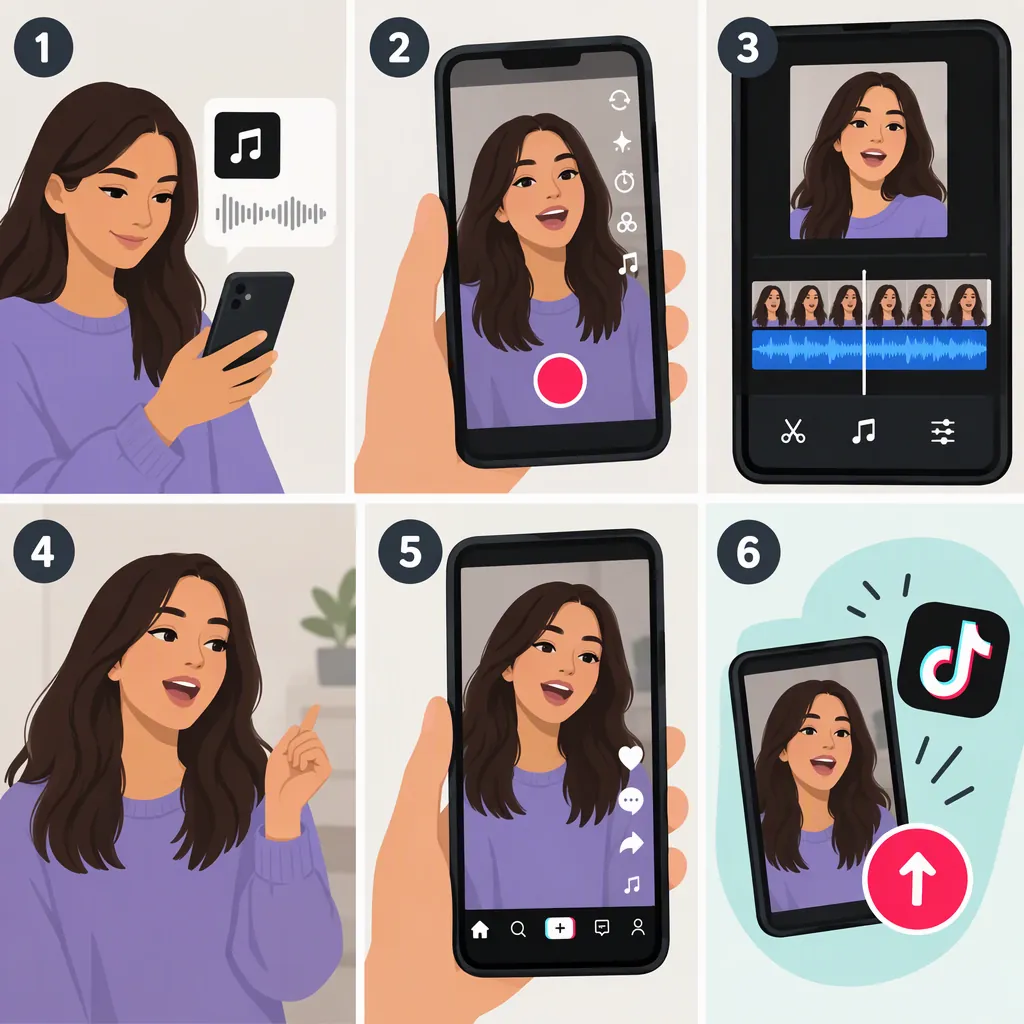
How to Make a Lip Sync Video on TikTok
To make a lip sync video on TikTok, tap +, choose Add Sound, select an audio clip, and choose the part you want to perform. Rehearse that excerpt, then record yourself mouthing the words while the sound plays. Review the timing before moving to Next and posting. This workflow comes from a third-party tutorial; controls and available options may differ in your app version. [reference-1]
Choose Your Sound and Excerpt
Lip syncing means mouthing the words of an existing audio track rather than recording a new vocal performance. The supplied tutorial describes using songs or spoken audio clips for TikTok lip sync videos. [reference-1]
- Open TikTok and tap + to start a video.
- Tap Add Sound and search for the audio you want.
- Select the sound and confirm your choice.
- Choose a recording length that fits your intended excerpt.
- Open the selected sound’s controls and look for the trimming option. The tutorial describes a scissors icon and a slider for choosing the starting point. [reference-1]
For a first attempt, choose a short passage with words you can clearly hear. Avoid relying on fixed duration options: the supplied tutorial lists specific lengths, but it does not establish which options are available in your current app.
Rehearse and Record Your Lip Sync
Listen to your chosen excerpt before recording. As a practical rehearsal method, identify the first word, the pauses, and the final word, then practice mouthing the whole passage without filming.
When you are ready, tap the red recording button. The tutorial describes TikTok playing the selected audio while recording your performance. It also describes a Timer option for a countdown before recording begins. Use a countdown, if available, to get into position—not as a reason to deliberately mouth the words late. [reference-1]
Aim to match the words as you hear them. For your first take, keep the performance simple so you can concentrate on timing. If you miss a phrase, try another take rather than adding more effects immediately.
Short Rehearsal Plan
1. Listen once without performing.
2. Note the first word and any pauses.
3. Mouth the excerpt once without recording.
4. Record a simple take.
5. Replay it with sound and check the beginning and ending.
Record in Parts If Needed
If you want to change your pose or framing between phrases, consider recording in parts. The supplied tutorial says the red recording button can pause and resume recording. [reference-1]
Plan your stopping points around pauses in the audio rather than in the middle of a word. After resuming, review the join to check that the next phrase still matches your mouth movements.
This is a pause-and-resume approach within TikTok, not a separate video-collage workflow. The supplied reference does not explain how to arrange multiple imported clips in a collage, so those editing steps are not covered here.
Check the Timing Before Posting
Replay your take with the audio audible. Use these checks before deciding it is ready:
- Opening: Does your mouth start with the first word rather than before or after it?
- Pauses: Do you stop mouthing words when the voice stops?
- Ending: Does the final word finish with the audio?
- Joins: If you recorded in parts, does each restart remain in sync?
If the timing looks wrong, rehearse the problem phrase and record another take. Treat these checks as practical review suggestions, not a guarantee of perfect synchronization.
The tutorial describes selecting Next, adding a description, and choosing Post when the video is ready. Review the posting options shown in your app before sharing. [reference-1]
Source limitation: These instructions are based on a Wondershare tutorial, not TikTok documentation or a live test of the current app. Exact labels and control locations may differ.
FAQ
Do I Need to Sing to Make a TikTok Lip Sync Video?
No. Lip syncing means mimicking the words or vocals of an existing audio track. The tutorial’s TikTok workflow records your performance while the selected sound plays. [reference-1]
Can I Choose Which Part of a Song to Lip Sync?
The supplied tutorial describes opening the selected sound, tapping a scissors icon, and moving a slider to choose the excerpt. Look for the sound-trimming controls in your app; their location and availability may differ. [reference-1]
How Can I Get into Position Before Recording?
The tutorial describes using TikTok’s Timer control to start recording after a countdown. If that option is available, use it to prepare your pose, then mouth the words in time with the sound once recording starts. [reference-1]
Sources
- [reference-1] How to Make Stunning Lip Sync Videos with Ease