How to Become a YouTuber and Build a Sustainable Creative Practice
To become a YouTuber, choose an audience and topic, set up a channel, and produce and publish original videos. Start with a manageable recording setup, a clear purpose for each video, and a schedule you can maintain. Then use viewer feedback and analytics to improve. Publishing makes you a creator; earning a sustainable living is a separate goal, not a guaranteed outcome. [c1]
Choose an Audience and a Clear Channel Purpose
Start with the people you want to serve rather than the equipment you want to buy. Neal Schaffer's creator guide recommends choosing a niche, defining a target audience, and deciding how your videos will serve that audience. [c1]
A useful starting point combines three things:
- A subject you can sustain: something you can explore beyond a few introductory videos.
- A specific viewer: someone with recognizable questions, interests, or problems.
- A repeatable format: demonstrations, explanations, reviews, interviews, or another approach you can realistically produce.
For example, instead of planning a channel about all cooking, you could test short demonstrations of inexpensive meals for people learning to cook. This is an illustrative direction, not a prediction of demand or success.
Look at related channels to understand the questions they address and how they present information. Use that research to identify your own angle, not to copy scripts, visuals, or a creator's identity.
Channel Purpose Worksheet
Complete these prompts before recording:

- My intended viewer is: ___
- They want help with or entertainment about: ___
- My channel will address that through: ___
- My perspective or approach will be: ___
- Five video ideas that fit this purpose are: ___
- My initial goal, review date, and available weekly hours are: ___
Build a Manageable Recording Setup
You do not need to begin with a studio. The referenced guide describes a phone camera as a possible starting point and discusses a tripod, microphone, lighting, and editing software as production options. [c1]
Before buying equipment, record a short test with what you already have. Check whether the voice is understandable, the subject is visible, and the framing stays steady. Choose improvements based on an observed problem rather than a long shopping list.
Set a spending limit and a time budget for your first batch of videos. Include research, recording, editing, thumbnail preparation, and review—not just time in front of the camera.
When setting up the channel, choose a name and description that explain its purpose. Decide what personal information you are comfortable making public. Treat this as a deliberate creative boundary rather than assuming you must share your private life.
Plan, Record, and Edit Your First Video
Give your first video one clear job. Write down what viewers should understand, see, or be able to do by the end. Then build a short outline around that outcome.
The source guide recommends planning content, staying on point, and editing recordings rather than expecting every take to be perfect. [c1]
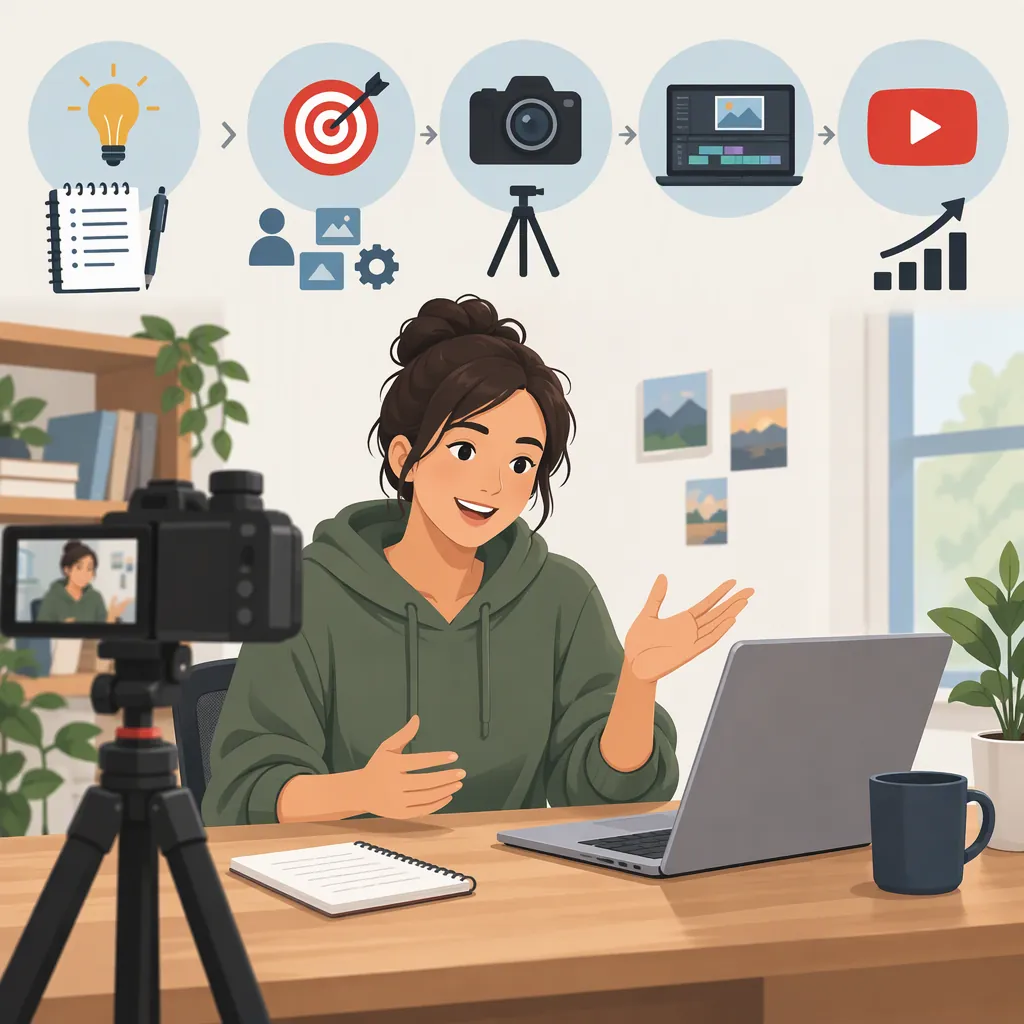
A practical production sequence is:
- Outline the promise: explain what the video will cover without exaggerating.
- Prepare the main material: list the steps, examples, demonstrations, or discussion points.
- Record a test: check sound and framing before the full session.
- Record the video: work in smaller segments if that makes the process easier.
- Edit for clarity: remove unnecessary repetition, long pauses, and mistakes that obscure the message.
- Review the result: check that the video delivers what its opening promises.
Do not make expensive production your first measure of success. For an initial practice video, a reasonable goal is completing a clear piece of work within your available time.
First Video Brief
Working title: ___
Intended viewer: ___
Question or experience this video addresses: ___
Opening promise: ___
Main points or scenes: ___
Examples or demonstrations needed: ___
Closing summary: ___
Recording deadline: ___
Editing time limit: ___
Final check: Does the finished video deliver the opening promise?
Publish Clearly and Choose a Sustainable Schedule
Prepare a title and thumbnail that accurately communicate the video's subject. The referenced guide discusses search optimization and describes thumbnails as a way to convey a video's topic and channel identity. These are presentation considerations, not guarantees of discovery. [c1]
Before publishing, review the finished video alongside its title, description, and thumbnail. Ask whether a viewer would get what those elements lead them to expect.
Choose a schedule based on your actual production capacity. If a video takes longer than expected, simplify the format or adjust the schedule before committing to more frequent uploads. The source recommends consistent publishing, but it does not establish a universal cadence that works for every creator. [c1]
Sharing a video in a relevant community can be part of your plan, provided it fits that community's rules. Avoid treating unrelated spaces as places to repeatedly drop links.
Use Feedback to Plan the Next Batch
After publishing, review both audience response and the work required to make the video. The referenced guide recommends engaging with comments and using YouTube analytics to understand performance and audiences. [c1]
For each video, keep a short review note:
- What questions did viewers ask?
- What do the available analytics suggest about how people found and watched it?
- Did the finished video match the intended audience and purpose?
- Which production steps took more time than planned?
- What single change will you test next?
Treat early observations as clues rather than proof of what always works. For your next batch, try changing one major element at a time, such as the opening, topic scope, or format. This is a practical learning approach, not a promise of improved reach.
Keep developing transferable skills: research, writing, presentation, editing, and production planning can all be useful goals alongside channel growth.
Separate Creating Videos from Earning a Living
A creator practice and a creator career require different milestones. Publishing a video demonstrates that you can complete a project; it does not demonstrate that the channel can support your expenses.
The referenced guide discusses several income routes: YouTube Partner Program monetization, sponsored content, and a creator's own products or services. It also cautions that payment is not guaranteed. [c1]
For career planning, track production hours, expenses, and actual income separately. Before relying on the channel for essential spending, consider whether the work is sustainable and whether earnings have been sufficiently consistent for your circumstances. There is no supported universal timeline for reaching that point.
Eligibility limitation: the supplied reference is a third-party guide, not YouTube's current policy documentation. This article therefore does not present subscriber thresholds, revenue shares, or application timelines as definitive. Check current platform requirements before making financial plans around monetization.
A useful first milestone is a completed batch of videos, a repeatable workflow, and a clear decision about what to improve—not an assumed date for becoming a full-time creator.
FAQ
Do I Need Expensive Equipment to Become a YouTuber?
Not necessarily. The referenced guide identifies a phone camera as a possible starting setup, with a microphone, tripod, and lighting as options. Test what you already have and spend only to address a specific recording problem. [c1]
Do I Have to Show My Face?
No. The referenced guide lists voiceover, screen recording, footage-based videos, and animation as formats without an on-camera presenter. Choose a format that suits the material and your privacy preferences. [c1]
How Long Does It Take to Become a Successful YouTuber?
There is no dependable timeline established by the supplied reference. Separate goals you control, such as finishing a first video or maintaining a workable schedule, from outcomes you cannot guarantee, such as audience growth and income. The guide recommends planning, consistent publishing, and reviewing analytics rather than expecting immediate success. [c1]
What Income Options Should a New Creator Understand?
The referenced guide discusses YouTube Partner Program monetization, sponsored content, and selling a creator's own products or services. These are possible routes, not assured earnings. Current eligibility and payment rules need separate verification before you use them in a financial plan. [c1]