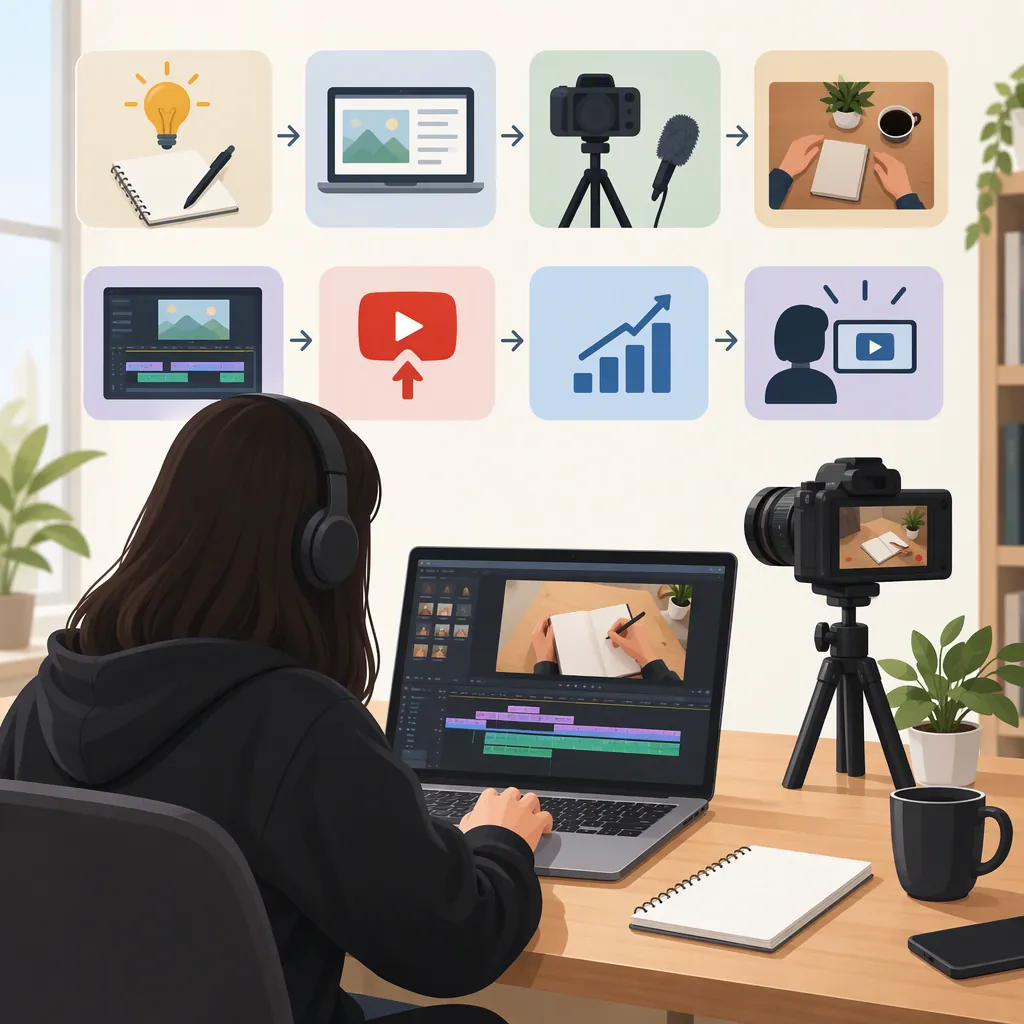
How to Become a YouTuber Without Showing Your Face
You can become a YouTuber without showing your face by making videos built around screen recordings, hands-only demonstrations, animation, or narrated visuals. Choose a specific audience, plan an original video that answers one question, and use visuals and narration to explain it. Clipchamp’s guide describes these faceless formats; AI is an option, not a requirement. Treat income as an uncertain outcome rather than a promise. [citation-1]
Choose a Format That Fits Your Skills
A faceless channel keeps the creator’s face off camera while making the subject the focus. Clipchamp’s guide describes approaches including voiceovers, slideshows, animated text, screen recordings, and product-focused footage. [citation-1]
Choose the format by asking what the viewer needs to see:
- Screen-recorded tutorials: Show a process and explain each decision.
- Hands-only demonstrations: Film an object, recipe, repair, or craft without including your face.
- Narrated explainers: Pair an original script with diagrams, slides, or relevant footage.
- Gameplay commentary: Use recorded gameplay as the visual focus, with your own explanation or commentary.
For a first project, choose the approach you can produce and check yourself. Avoid selecting a format solely because it appears easy to automate.
Format Selection Worksheet
Viewer question: ___
What must the viewer see to understand the answer? ___
Format I can produce with my current resources: ___
My original contribution: ___
One small video I can finish before planning a series: ___
Define a Specific Audience and Topic
The supplied guide recommends choosing a clear niche and narrowing broad subjects to a specific audience or angle. [citation-1]
Turn that principle into a working channel premise: “I help [audience] understand or do [specific thing] through [format].” For example, a proposed channel could explain beginner spreadsheet tasks through screen recordings. This is a planning example, not a claim about an existing channel.
Before committing to a topic, draft several video questions. Prefer questions you can answer accurately and illustrate clearly. If every idea requires extensive unfamiliar research or footage you cannot obtain, narrow the subject or change the format.
Use this as an editorial test, not proof of audience demand. A topic list alone cannot establish likely views or earnings.
Channel Premise Template
Audience: ___
Specific problem or interest: ___
Video format: ___
Channel premise: I help ___ understand or do ___ through ___.
First three viewer questions:
1. ___
2. ___
3. ___
Build One Complete Pilot Video
Clipchamp’s guide emphasizes visuals, narration, editing, and subtitles as elements of faceless production. [citation-1] Use those elements in a small, repeatable workflow:
- Write the answer first. State the video’s central question and your answer in plain language.
- Outline the explanation. Put the steps or ideas in an order the viewer can follow.
- Match visuals to the script. Give each passage a demonstration, diagram, or relevant image rather than unrelated background footage.
- Record or prepare narration. Review pronunciation, pacing, and factual accuracy, whether the voice is recorded or synthetic.
- Edit for clarity. Remove repetition and leave enough time to understand important details.
- Review captions. Check names, numbers, technical terms, and timing before publication.
AI assistance is optional. Do not assume a generated script, image, or voiceover is ready to publish without review.
Script and Visual Plan
| Segment | Script or narration | Visual needed | Accuracy check |
| --- | --- | --- | --- |
| Opening | State the question and intended result | Show the problem or result | Does the video deliver this? |
| Explanation | Explain one step or idea | Demonstrate that step | Are details correct? |
| Example | Apply the explanation | Show a worked example | Can the viewer follow it? |
| Ending | Summarize the answer and limits | Show a concise recap | Are limitations clear? |
Review Privacy, Asset Rights, and AI Use
Not showing your face should not be treated as a guarantee of anonymity. As a precaution, inspect recordings for account names, notifications, location clues, reflections, and personal documents. Decide separately whether you want your real name or voice associated with the channel.
For outside media, review the license and intended use rather than assuming an asset is safe because it is available online. Clipchamp’s guide recommends royalty-free footage and discusses copyright concerns. [citation-1] Keep a record of where each asset came from and any attribution or usage conditions.
The guide also discusses YouTube’s altered or synthetic content disclosures. [citation-1] It is a secondary source, not a complete statement of current platform policy. Before publishing, check the current requirements that apply to your particular content; this article does not determine whether a specific video needs disclosure or qualifies for monetization.
Prepublication Review Checklist
- [ ] The video answers the question promised by its title.
- [ ] Factual statements and generated material have been reviewed.
- [ ] Captions match the final audio.
- [ ] Screen recordings and footage reveal no unintended personal details.
- [ ] Outside assets have documented permissions or license terms.
- [ ] Applicable attribution requirements have been addressed.
- [ ] Current platform rules relevant to this video have been checked.
Evaluate the Workflow Before Treating It as a Career
The supplied guide describes monetization as possible for faceless channels, subject to content and platform requirements. It does not establish that a new channel will earn money or provide a dependable income forecast. [citation-1]
For an initial series, evaluate both the videos and the work involved. Track research, scripting, recording, editing, and review time. Record expenses separately from any revenue, and choose a publishing pace you can maintain without weakening the work.
After each video, note one improvement: a clearer opening, a better demonstration, cleaner narration, or more readable captions. Use viewer questions, when available, to identify explanations that need clarification. Treat early publishing as a test of your process—not evidence that faceless creation will become a full-time career.
Production Review Log
Video topic: ___
Research and scripting time: ___
Recording and editing time: ___
Review time: ___
Direct expenses: ___
What was difficult to explain? ___
Viewer questions, if any: ___
One change for the next video: ___
Can I sustain this format at my intended pace? ___
FAQ
Do I Need AI to Make Faceless YouTube Videos?
No. The formats described in Clipchamp’s guide include recorded narration, screen recordings, and footage made without showing the creator’s face. AI can assist with parts of production, but it is not necessary for those approaches. [citation-1]
Do I Need to Buy a Camera Before Starting?
Not for every format. Screen-recorded tutorials and narrated slides do not require footage of you. Clipchamp’s guide includes these approaches. Plan your first video before buying equipment so that any purchase addresses a specific production need. [citation-1]
Can a Faceless YouTube Channel Earn Money?
Clipchamp’s guide says faceless channels can be monetized when they meet applicable requirements. That is not a guarantee of eligibility, audience growth, or earnings. Check current YouTube requirements before making financial plans around a channel. [citation-1]