How to Start with YouTube Automation
Start with one audience, one repeatable video format, and a small production pilot. Map the work from research through publishing, then automate a repetitive step while keeping factual checks and final approval under human control. YouTube automation means streamlining video production and channel management—not eliminating ongoing editorial work. [citation-1] [citation-2]
Define Your Audience and Video Format
Before choosing software, write down who the channel serves and what each video should help that viewer understand or do. The supplied guides place niche selection, audience research, and content planning ahead of production automation. [citation-1] [citation-2]
For a first pilot, choose a format you can produce and review consistently. Examples include a narrated explanation, a screen-recorded tutorial, or an edited segment from your own longer recording. These are suggested starting formats, not predictions of audience demand.
List a few viewer questions and examine existing videos for missing explanations or outdated information. Use that research to develop an original angle rather than reproduce another channel's script or presentation.
Avoid choosing a subject solely because someone labels it profitable. Prefer a topic you can research accurately and support with suitable material.
Channel Brief Template
Audience: [Who is this for?]
Viewer question: [What problem will the video address?]
Video format: [How will the explanation be presented?]
Original contribution: [What will this video add?]
Research sources: [Where will factual support come from?]
Asset permissions: [What material can be used, and on what terms?]
Pilot topics: [List three related video ideas.]
Build a Workflow Before Adding Tools
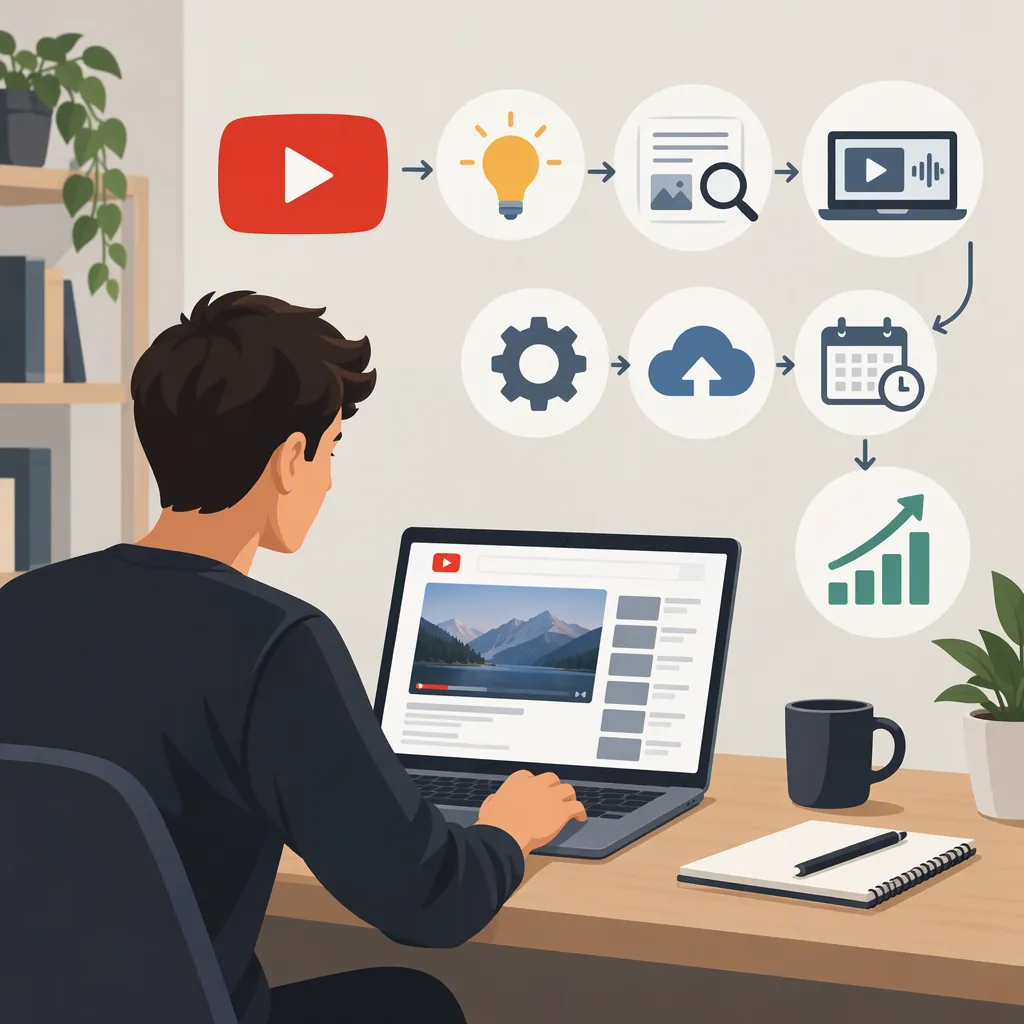
Use a simple sequence: idea → research → script → production → edit → review → publish → learn. Assign an owner and a completion condition to each stage, even if you initially handle every stage yourself.
Keep a content calendar with the topic, production status, intended publication date, and unresolved issues. Gumlet's guide recommends calendar-based planning and describes automation across creation, editing, scheduling, and analytics. [citation-1]
Separate work that can follow a template from work that requires judgment. File naming, task reminders, and standard checklists are reasonable candidates for a repeatable process. Evaluating a source, checking a claim, and deciding whether a title accurately represents the video should remain explicit review tasks.
Do not connect every stage at once. First identify the handoff that causes repeated delays or mistakes.
Production Tracker
| Video | Current Stage | Owner | Next Action | Blocking Issue | Approved to Publish |
|---|---|---|---|---|---|
| [Working title] | [Research/script/edit/review] | [Name] | [Specific action] | [Issue or none] | [Yes/no] |
Automate One Step in a Small Pilot
Produce a small batch before committing to a larger schedule. Three videos can serve as a practical test batch; this is a suggested planning choice, not a proven threshold.
Choose one repetitive task to automate or template. For example, test whether a script-outline process or a standardized editing handoff makes production easier to manage. Keep the rest of the workflow stable so you can identify what changed.
If you use generated scripts, treat them as drafts. Gumlet's guide explicitly advises against using AI-generated writing unchanged. [citation-1] Check every factual statement against your research and revise the structure in your own editorial voice.
For each pilot video, record active work time, subscription or contractor costs, corrections, and missed handoffs. Compare the automated step with your previous process. Keep it only if the result is acceptable and the review burden does not outweigh the benefit.
Pilot Evaluation Worksheet
Video: [Title]
Step tested: [Task]
Previous process: [Description]
New process: [Description]
Active work time: [Recorded time]
Direct cost: [Recorded amount]
Corrections required: [List]
Quality concerns: [List]
Decision: [Keep, revise, or remove]
Reason: [Explain the decision.]
Keep a Human Approval Gate
Make publication a separate approval step. A completed render should not automatically mean a video is ready to publish.
Watch the full video and check the script, visuals, audio, captions, title, and description together. Confirm that edits have not removed context or made the explanation misleading. Record the origin and permitted use of third-party material; do not assume that a publicly accessible video is available for reuse.
The supplied Pictory guide emphasizes ongoing management, original content, and checking YouTube's policies. [citation-2] However, these references are third-party educational or commercial pages, not current YouTube policy documentation. They do not establish whether a particular video satisfies copyright, disclosure, or monetization requirements. Verify applicable requirements directly before publishing.
Keep automation focused on production support rather than artificial engagement.
Prepublication Checklist
- [ ] Factual claims checked against research.
- [ ] Script and final edit communicate the same meaning.
- [ ] Visuals, music, narration, and other assets have documented usage permissions.
- [ ] Captions and on-screen text reviewed.
- [ ] Title, thumbnail, and description accurately represent the video.
- [ ] Applicable platform and disclosure requirements checked.
- [ ] Final reviewer has explicitly approved publication.
Improve the Process Before Increasing Output
After the pilot, review production performance and audience response separately. A faster workflow does not establish that the videos are useful or that the channel will earn revenue.
The supplied guides recommend using analytics and viewer feedback to inform future content. [citation-1] [citation-2] For your own review, ask whether viewers received the answer promised by the title, what questions remain, and which production problems recur.
Change one part of the process at a time. Revise the format if the explanation is unclear; revise the workflow if approvals or corrections cause delays. Add another automation step only after the existing process is manageable.
If you delegate work, use a written brief, acceptance checklist, and named reviewer. Hiring help is a staffing decision, not a replacement for editorial accountability. Do not use the earnings examples in the supplied references as a forecast for a new channel.
FAQ
Can a YouTube Automation Channel Run Without Human Review?
Do not plan your starting workflow around that assumption. Pictory's guide says automation still requires diligence, ongoing management, and original content. Keep a person responsible for research quality, asset permissions, and final publication approval. [citation-2]
What Should I Automate First?
Start with a repetitive task whose output you can easily inspect. Suggested candidates include task reminders, production tracking, or a draft outline. Avoid automating publication before you have a dependable review process. This is a practical starting recommendation, not a universal tool ranking.
How Much Should I Budget to Start?
Build a budget around your pilot rather than a promised channel income. Include software, licensed assets, contractor work, and your review time. The supplied references do not establish a dependable starting cost or earnings forecast for your situation.
Does Automation Guarantee Monetization?
No. Pictory's guide cautions against treating automation as a get-rich-quick approach. The supplied sources do not establish monetization eligibility for any particular channel or video; evaluate current platform requirements separately. [citation-2]
Sources
-
[citation-1] Step-By-Step Guide to YouTube Automation
-
[citation-2] YouTube Automation: Effortlessly Grow Your Channel and Earnings