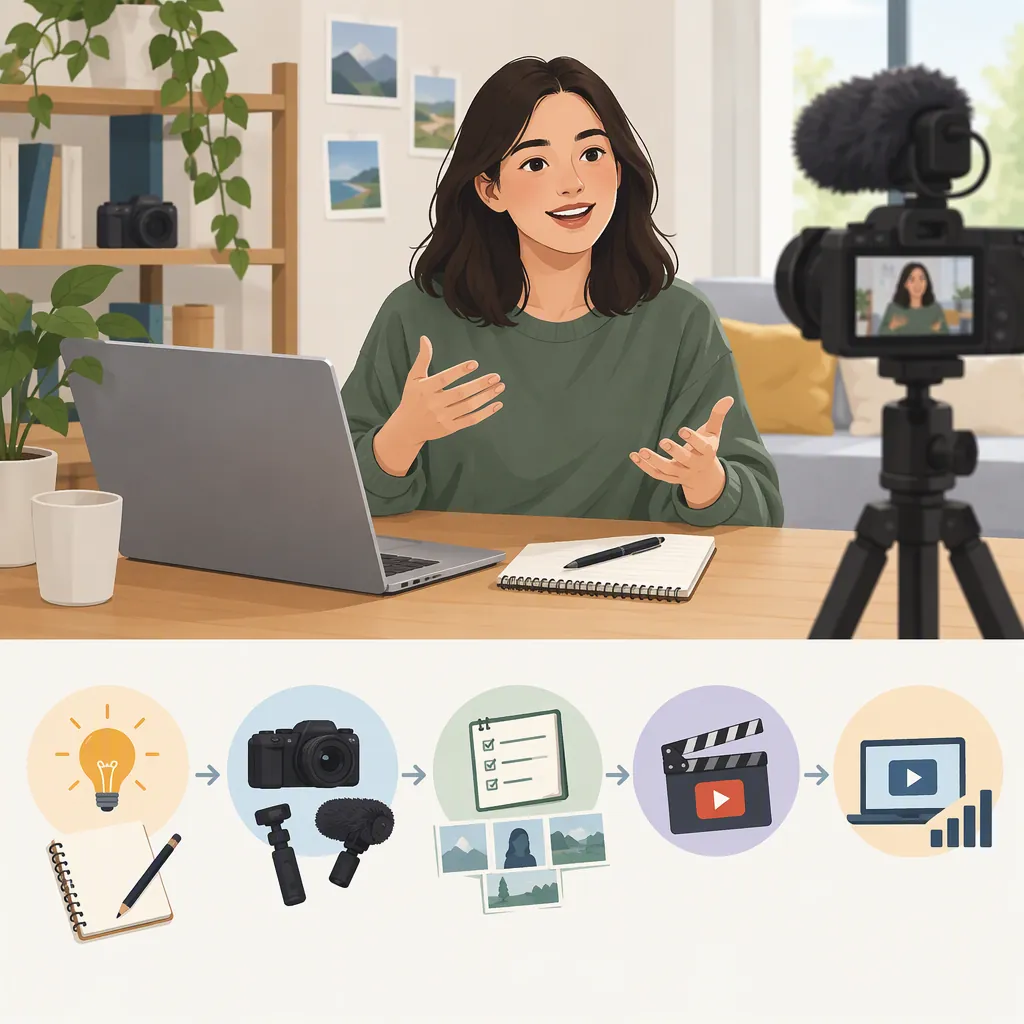
How to Start Your Own Vlog, from Idea to First Upload
To start your own vlog, choose a subject you can film now, outline a simple story, and record with equipment you already have. Edit the footage into a clear sequence, publish it with an accurate title and thumbnail, then choose one improvement for your next video. You do not need a professional studio to begin; PCMag recommends starting with a smartphone if that is what you have and refining your presentation over time. [c1]
Choose a Subject and a Reason to Watch
Start with a specific slice of your life rather than trying to document everything. A weekend cooking routine, a local outing, or progress on a creative project can each give a first vlog a clear focus.
PCMag recommends choosing topics you enjoy, understand, and can connect to an audience. That is a useful starting point—not a guarantee of demand or growth. [c1]
For a lifestyle vlog, ask what connects the moments you want to record. Is the video about learning something, completing a task, or noticing small details? Use that connection to decide what belongs in the edit.
The following worksheet is a suggested planning exercise, not a required format.
First-Vlog Planning Worksheet
Complete these lines before filming:
- My subject is:
- The viewer I have in mind is:
- This video follows or explores:
- The opening will show:
- The main activity or change will be:
- The ending will show or explain:
- People, places, or information I will keep off camera are:

Example concept: A quiet afternoon learning to cook one new meal, from choosing ingredients to tasting the result.
Pick a Format You Can Sustain
Choose how you want to tell the story before recording:
- Talking to the camera: Explain what you are doing and reflect on it.
- Voice-over: Film the activity first, then record narration for the edit.
- Caption-led: Let footage and on-screen text carry the story.
- Mixed: Combine these approaches when each adds something useful.
You do not have to begin with an on-camera introduction. In a personal account, the wordy habitat describes making a vlog with everyday footage and text narration. That illustrates one possible approach; it is not evidence that the same style will work for every creator. [c2]
For this first attempt, choose one main publishing destination. If you choose YouTube, PCMag describes channel setup using a Google account and recommends a consistent channel name and cohesive page visuals. Its walkthrough dates to 2023, so use the current interface rather than assuming every menu label remains unchanged. [c1]
Record a Small, Complete Story
Use your available phone or camera before deciding what to buy. PCMag recommends experimenting with existing equipment, angles, and available light instead of waiting for a high-tech studio. [c1]
Record a short test in the location you plan to use. Watch it and listen for distracting noise, unclear speech, or a face that is difficult to see. Change the position or location and test again before recording the main footage.
For visual variety, capture the setting, the activity, and a relevant detail. Hollyland’s beginner guide describes these as environment, action, and detail shots within its B-roll advice. You can use that filming exercise without adopting its product recommendations. [c3]
As an editorial precaution, keep addresses, private screens, documents, and other identifying details out of the frame. Ask people whether they are comfortable appearing before including them.
Starter Shot List
- Opening: Show the activity or explain the plan.
- Setting: Record a steady view of the space.
- Action: Show the main task underway.
- Detail: Capture an object or small moment that matters to the story.
- Change: Show progress, a difficulty, or a decision.
- Ending: Show the result and add a brief reflection.
- Review: Check image, sound, and private information before leaving the location.
Edit for Clarity Before Adding Effects
Choose an editor that works on your device and supports the basics you need: arranging clips, trimming, adjusting sound, adding text, and exporting. Check current pricing and device compatibility rather than relying on older software lists.
Try this editing order:
- Gather your footage in one project and keep a separate copy of the originals.
- Arrange the opening, main activity, and ending.
- Remove repeated explanations, false starts, and footage that does not serve the story.
- Add detail shots where they help explain what is happening.
- Add narration or captions, then adjust the timing.
- Watch the exported video from beginning to end at normal speed.
PCMag recommends trimming awkward pauses and verbal stumbles to improve flow. [c1] The wordy habitat’s account also highlights the practical challenge of leaving enough time to read captions and checking the finished video for typos. Treat its timing choices as personal examples, not universal rules. [c2]
If you add music, check that the track’s license permits your intended use and follow its attribution requirements. Do not assume a track is usable simply because someone else included it in a vlog.
Publish with Accurate Packaging
Give the video a title that identifies what actually happens. For example, a video about cooking could use “Trying My First Homemade Pasta Recipe” rather than an unrelated dramatic promise.
Choose a thumbnail that represents the footage. PCMag recommends making titles and thumbnails interesting without misleading viewers and using relevant search language naturally in titles and descriptions. [c1]
Before publishing, read the platform’s current explanations for audience, visibility, scheduling, and other upload settings. The provided sources are not current official platform documentation, so they should not substitute for those explanations.
Do one final review of the uploaded version and its selected visibility. Publishing a first video is a learning milestone, not proof that a channel will attract an audience.
Pre-Publication Checklist
- The title accurately describes the video.
- The thumbnail matches the content.
- The description explains the subject clearly.
- Speech is understandable and captions are readable.
- Music and other third-party material have appropriate permissions.
- Private information and unwanted appearances have been removed.
- Audience and visibility settings have been checked using current platform guidance.
- The uploaded video has been reviewed.
Build a Routine Before Planning a Career
After the first upload, write down what took the most effort and choose one change for the next video: clearer sound, a simpler outline, steadier shots, or more readable captions. PCMag recommends making small improvements to presentation and production over time. [c1]
Set your next deadline around the time you actually needed to plan, film, edit, and review—not around another creator’s schedule. As a suggested practice, track those hours and any spending alongside what you enjoyed making.
If you use YouTube, PCMag identifies YouTube Studio analytics as a place to review measures such as views and watch time. Use that feedback alongside your own assessment of the work rather than treating one upload as a verdict. [c1]
Keep career expectations separate from the first-vlog task. PCMag cautions against expecting overnight success or immediately replacing current income. The supplied sources do not establish earnings expectations or a dependable path to full-time work. [c1]
FAQ
Can I Start a Vlog with Just My Phone?
Yes. PCMag recommends using a smartphone if you do not already have a dedicated camera. Start with a test recording and assess your actual footage before buying equipment. A professional studio is not a prerequisite. [c1]
Do I Have to Show My Face or Talk on Camera?
No. You can build a vlog around activities, surroundings, narration, or captions. The wordy habitat describes a personal caption-led vlogging approach, which offers an example of starting without making direct-to-camera speaking the main format. [c2]
How Long Should My First Vlog Be?
Use the length needed to tell your chosen story clearly. As a starting exercise, keep the subject small and remove repetition rather than aiming for a particular runtime. The provided sources do not establish one ideal length for every beginner vlog.
Should I Plan to Earn Money from My First Vlog?
Treat the first vlog as practice rather than an income plan. PCMag advises realistic expectations and cautions against replacing current income with a new channel. The provided sources do not support a reliable earnings estimate. [c1]